
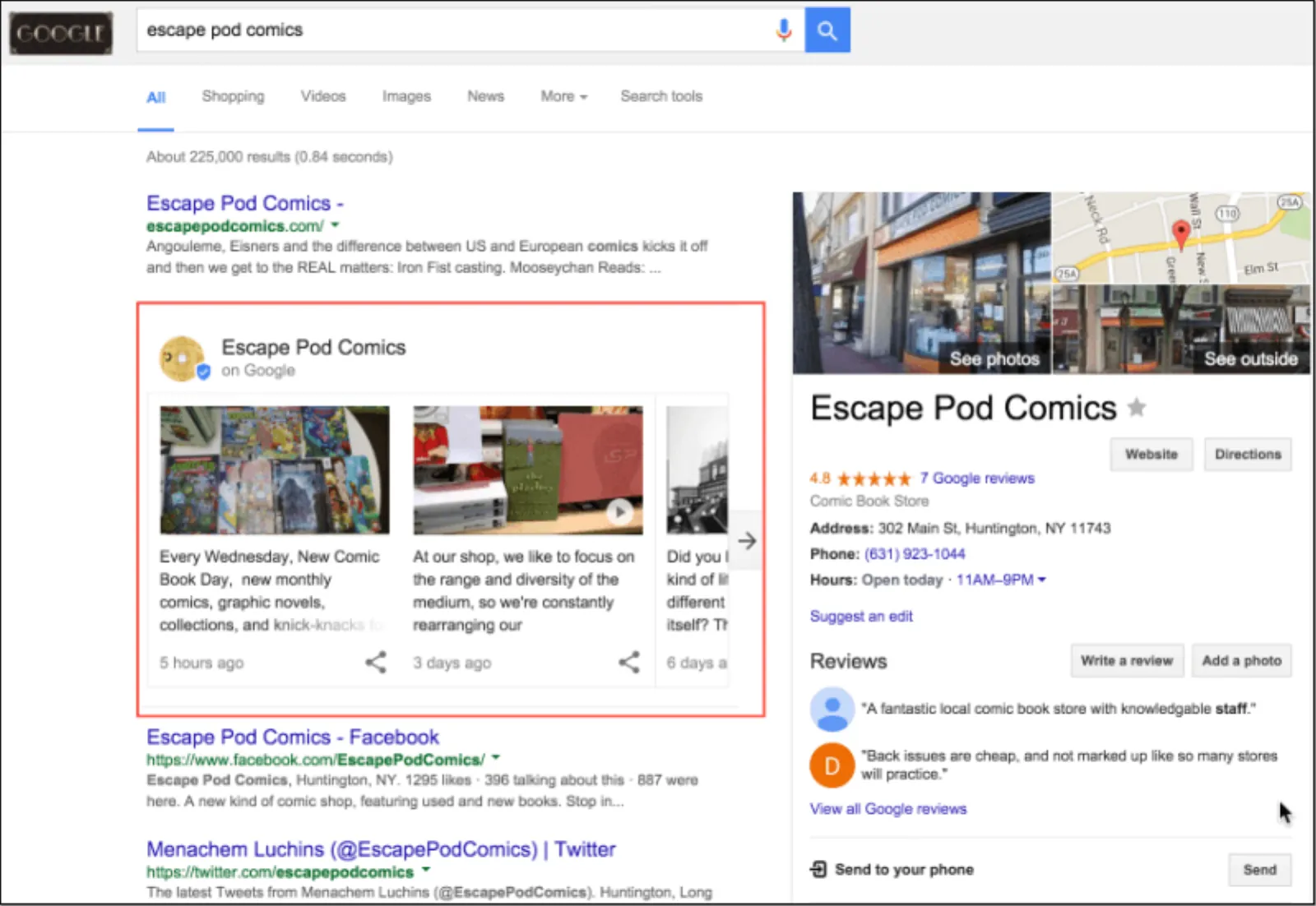
Google has come up with a brand new way of marketing with Google Posts, something that connects you directly to the one who’s looking for you or certain information about you. There isn’t anything else in between.
As simple and fast-track as that, Google Posts are the current weapons that every business MUST use in order to get closer to the exact wide audience that seeks them. Let us understand how and why!

Get Found, Get Chosen, Get Your Time Back
A free one-day marketing seminar in Milton Keynes · 10 November 2026
What Is Google Posts?
‘Google Posts’ is a more effective and productive substitution for the promotional short content that we strive to take closer to our audience. It is displayed directly in Google Search results just under the location and other contact details of a business.
Get your free Marketing Action PlanNot sure where to start? Answer a few questions and get your plan in about a minute. No email needed.
Get my plan →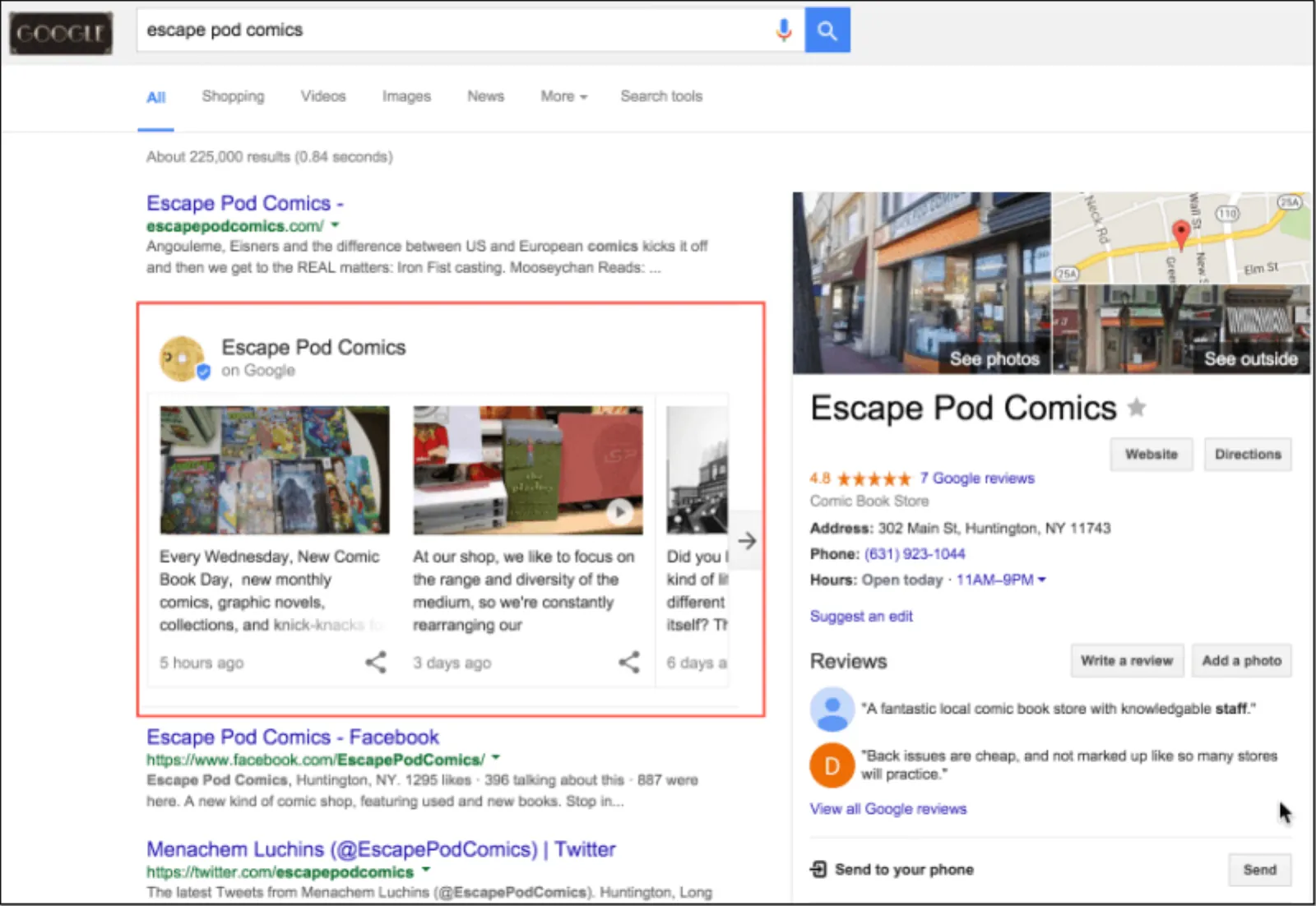
Source: SearchEngineLand
Eradicating the need for a mediator platform that joins consumers to businesses was the main idea behind the initiation of ‘Google Posts’. It is a combination of blogging networks and social media platforms, which informs users about the latest posts shared by a business.
Any post that you choose to share will be displayed right under your business details in the Google search results. So if anybody looks out for you, they will not just find you but will also see what you want them to see first, without having to open a third app or website.
Google Posts can include both textual and visual content. With an ample limit of up to 300 words of text, images, or videos, Google provides a tremendous opportunity for direct promotion.
Getting Started With Google Posts: A Step-By-Step Guide
Initially, Google Posts was available to museums, political parties, sports teams, sports leagues, and movie stars in the US but it is now available to all businesses- large and small. By providing massive promotion and outreach, Google Posts is something that every business must use in order to get recognition and increase brand visibility. However, it works the best for businesses that are searched for on Google quite often as it provides such businesses with an opportunity to promote their blog posts, events, and sales along with the basic information regarding their business-type.
Here is a step-by-step guide
Step-By-Step Guide On How To Create A Google Post
If you want to use this latest feature of Google to promote your business activities on the biggest search engine of all times, you will first need a business profile on Google. Then, go to your ‘My Business’ dashboard. You will see ‘Posts’ just below the ‘Home’ option. Just like this:
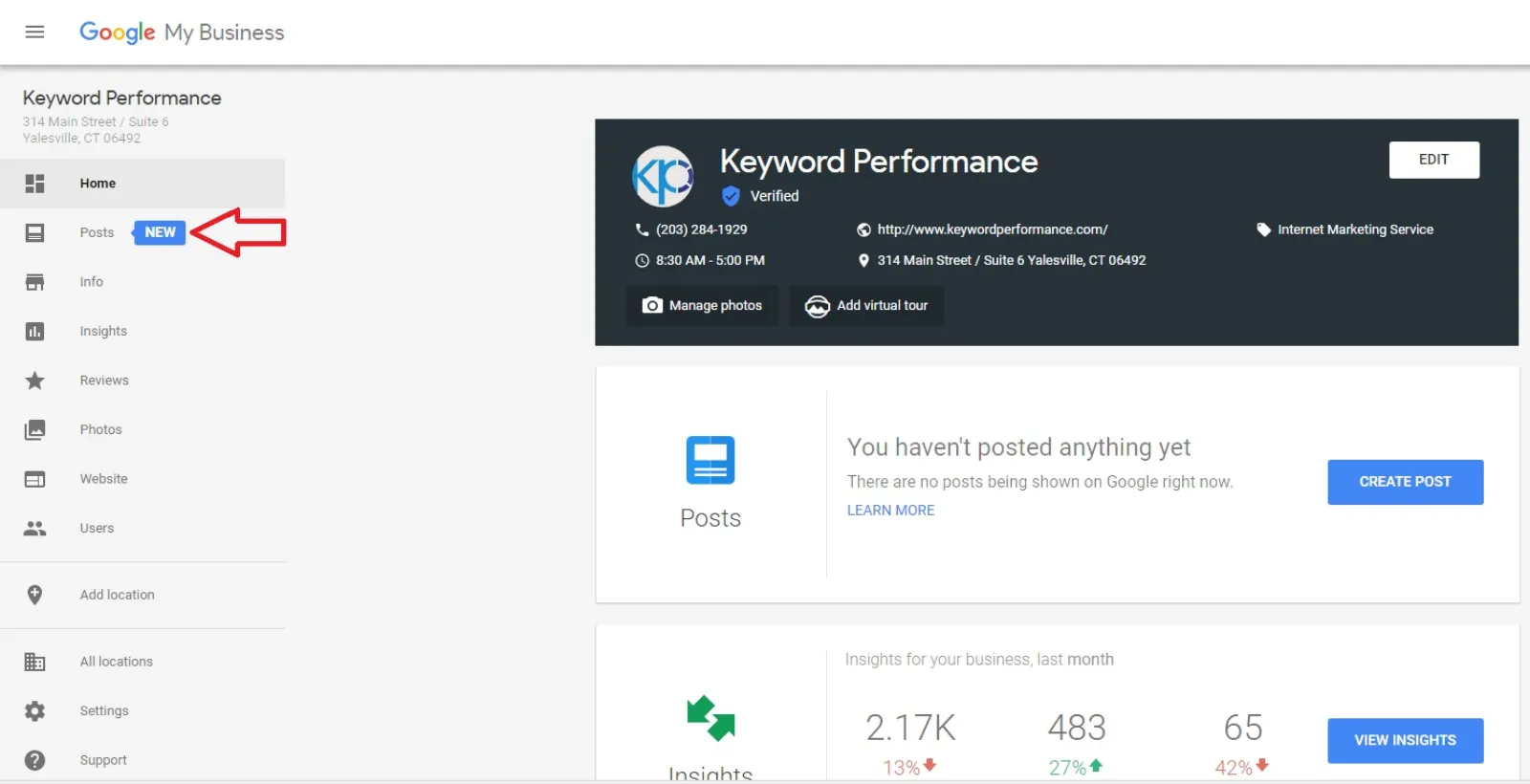
Then, simply click on this “Posts” option at the top-left corner of the menu to begin creating a post.
You will then be shown a field where you can create your Google post. Something as this:
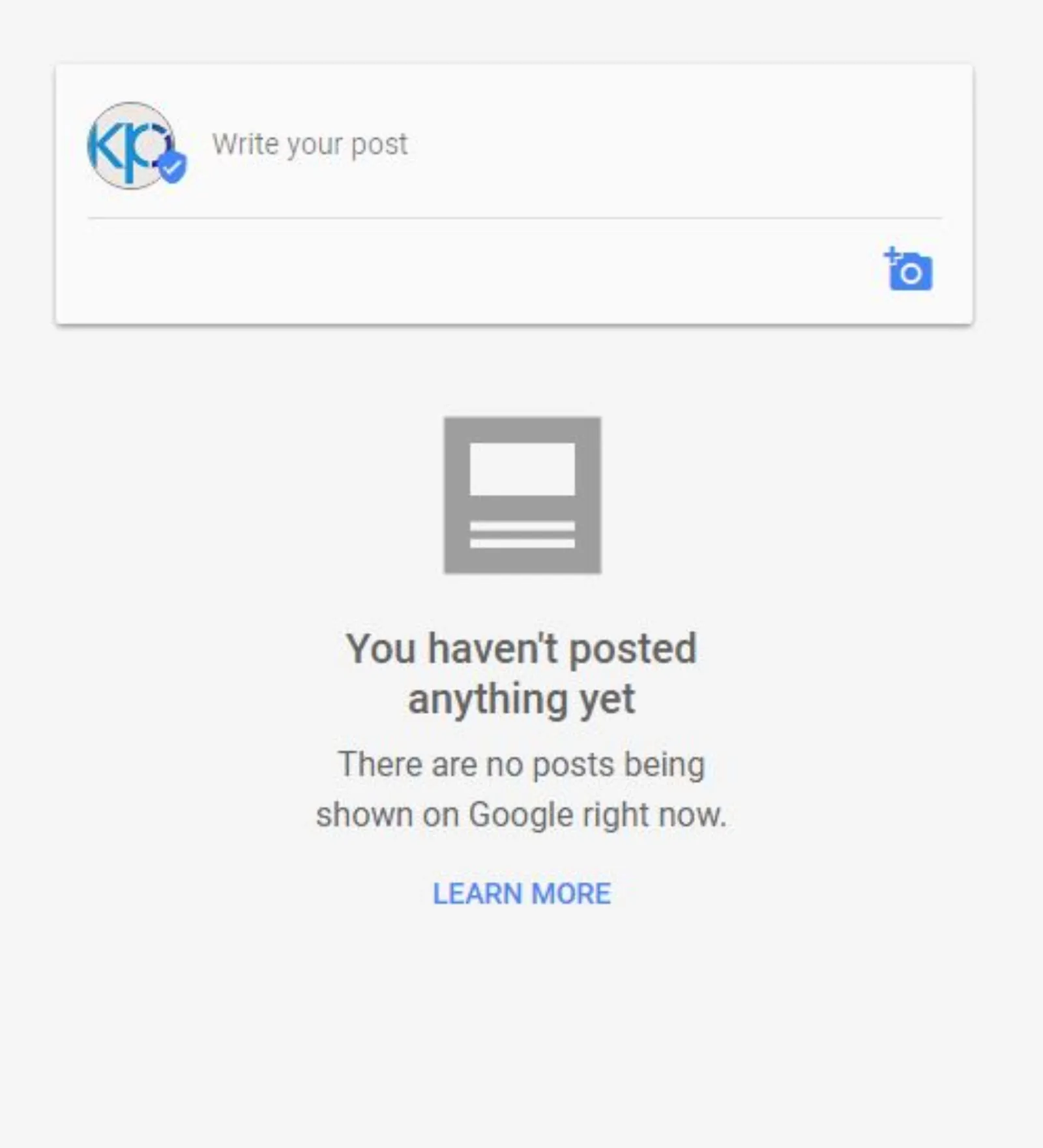
Tap the box that says- “Write your post” to enter the textual part of your post. You will be then taken to an expanded field where you can do much more than writing plain text. It should look like this:
 LIVE
Live every Tuesday at 2pm UK. Bring your marketing questions.
Get your Google, local SEO and AI questions answered live.
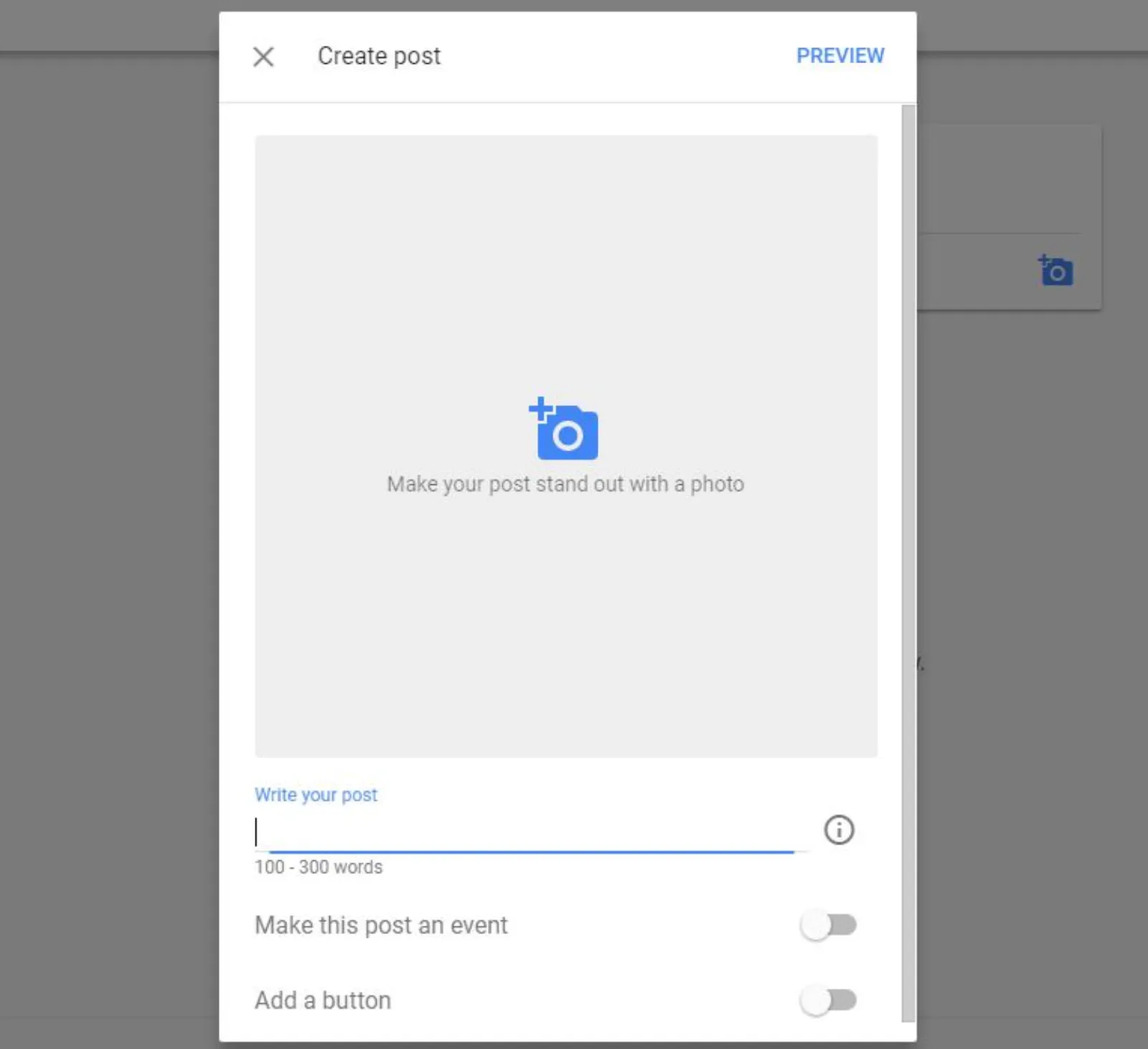
You can start with something simple at first, maybe something that describes your brand idea or speaks of the services that you provide. It will provide your viewers with a better insight into your business’s functioning.
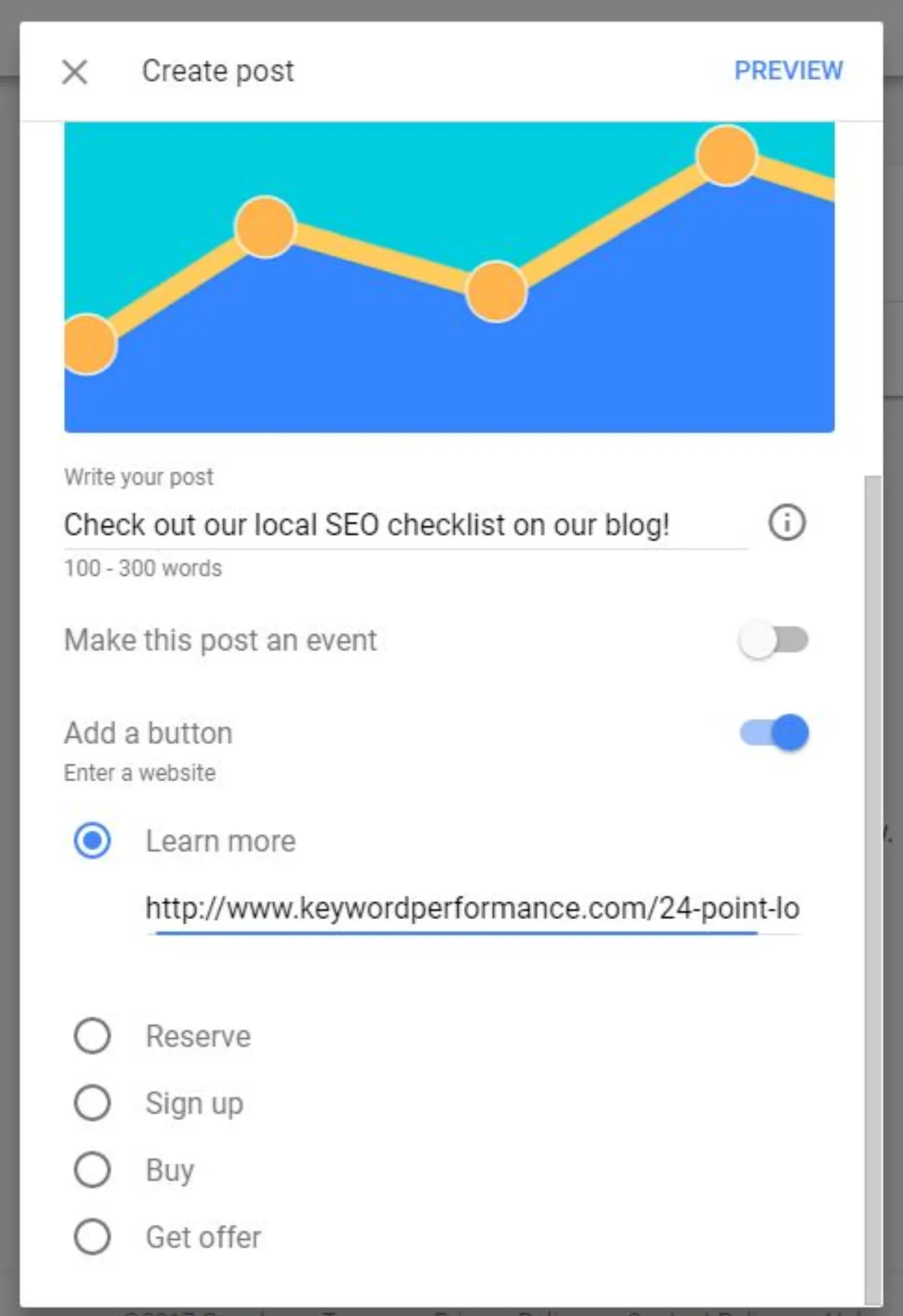
You can then take it a level up, by including pictures and links to your post. To add a link to your post, you will have to turn-on the last option that says “Add a Button” and select “Learn More” from the dropdown list which also displays “Reserve”, “Sign Up”, “Buy” and “Get offer”. You can use these options to invite sign-ups or sell a specific product etc.
Also, while including an image, make sure you have a picture that is cropped in the shape of a perfect square.
Create An Event
You can also create an event and promote it simply by turning on the “Make this post an event” option. This will enable you to mention an event title, start date, start time, end date and end time.
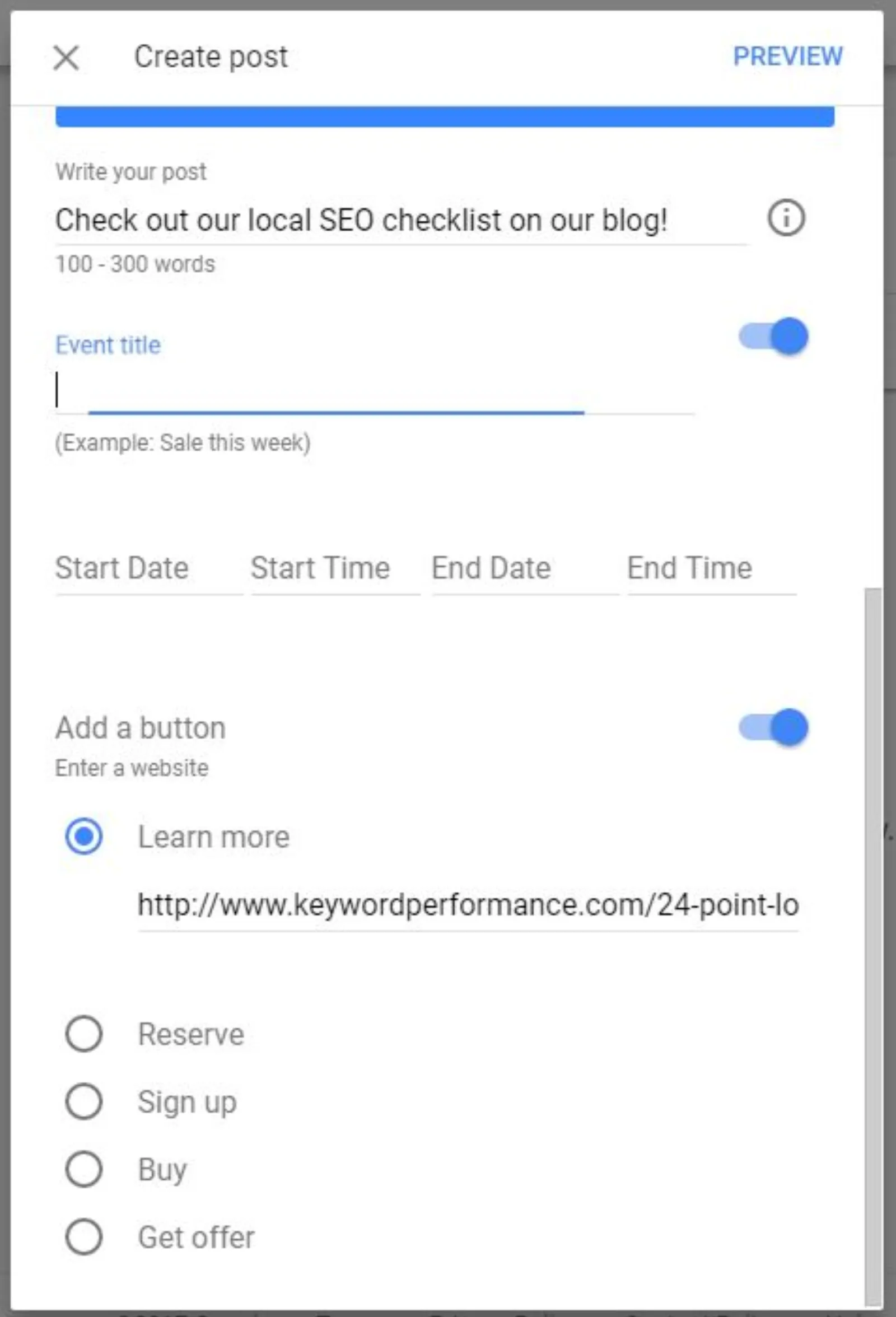
Once you’re done with all the fill-ups, just hit the Preview button in the upper right corner and check how it will look after being posted; if everything looks alright, hit publish!
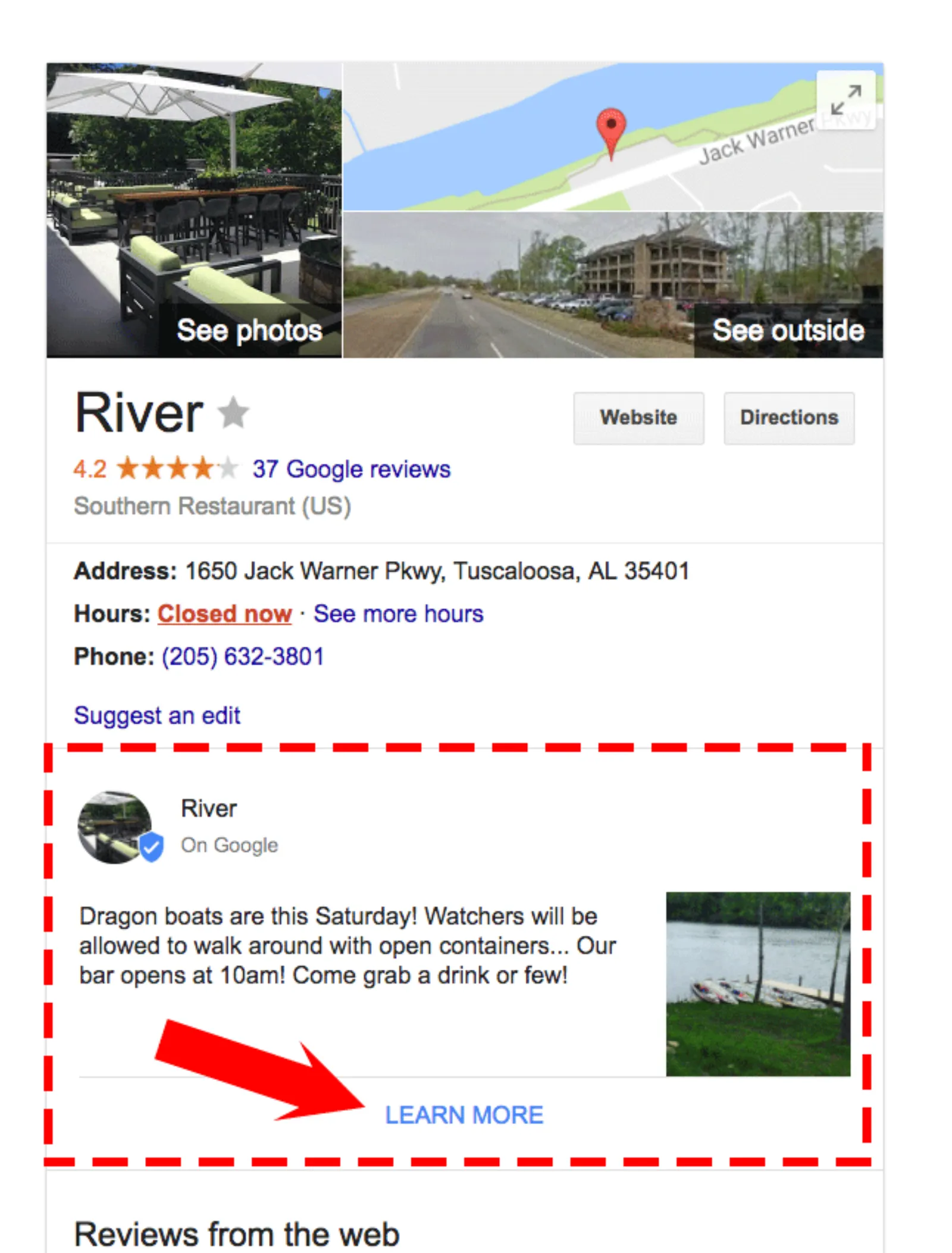
Your post will then be uploaded for everyone who searches for your business and they will be able to view it in your ‘Knowledge Graph’, just in between your business’s details and reviews. Just like this:
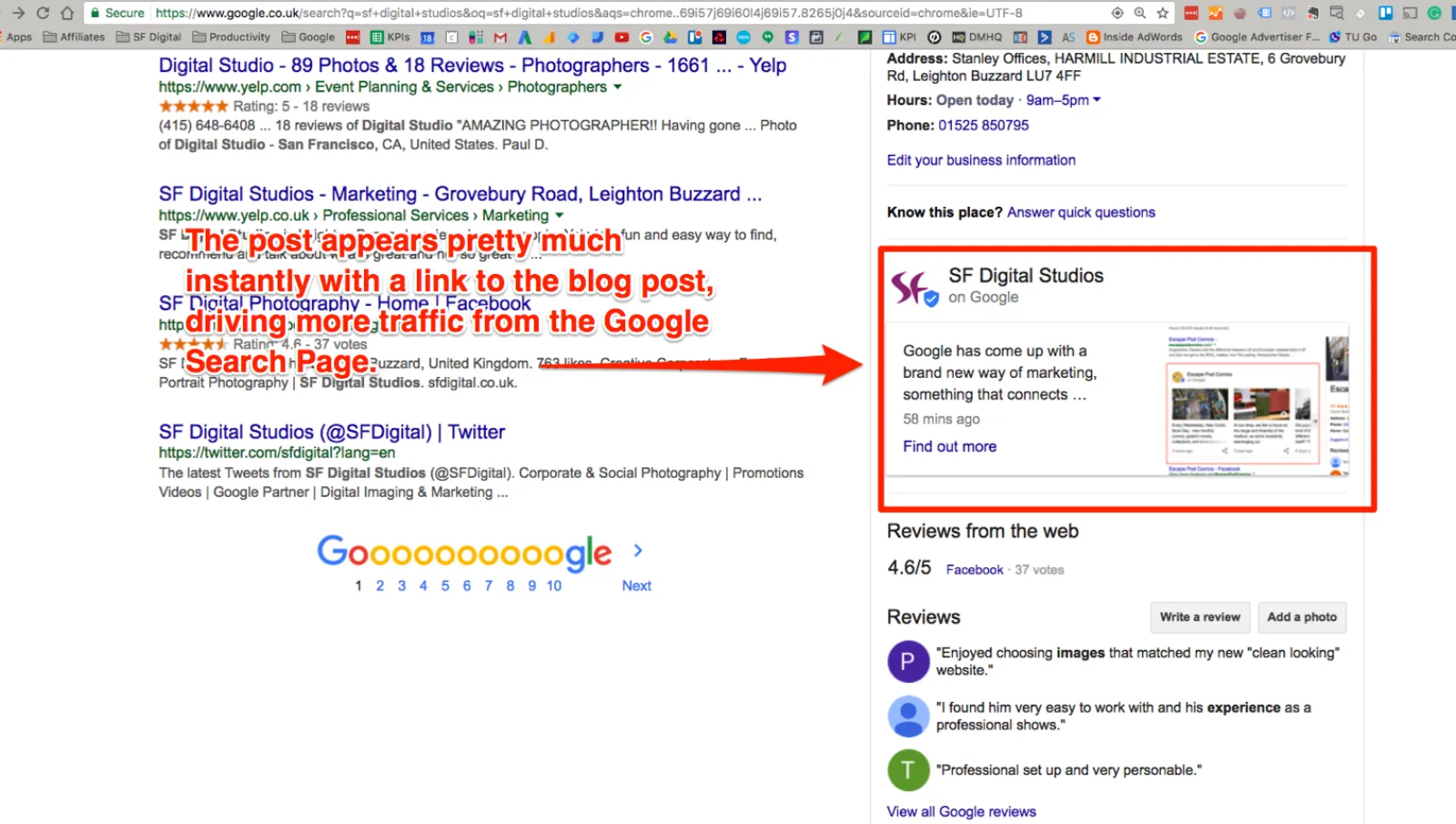
Let us now take a look at the reasons why businesses need this form of marketing despite the endless pool of social media and blogging networks.
Why Choose Google Posts?
Google Posts is the perfect amalgamation of social media and blogging networks; it provides the popularity and outreach of social media and information of blog posts. Also, every post is published on the Knowledge Graph, which confirms that each post gets the attention that it deserves. If someone is looking for your business, they are least likely to miss on what you want them to see in the first place; it could be a blog, an offer running on your website, a subscription to emails or a simple activity.
Everything is out in the front, especially for those who are interested in your business. Google Posts is one way to maintain a close relationship with the audience that seeks your business and is interested in knowing more about you.
How Can Your Business Benefit from Google Posts?
At the local level, brands enjoy recognition. They also have a better chance of improving their online presence when they have their latest posts published on the Knowledge Graph as well. Also, Google Posts provides an additional promotion or marketing for the blog posts, events and other activities that your business is involved in.
If you already have brand recognition and people reach you after searching Google, Google Posts can skyrocket your business and take it to newer heights. Don’t forget to use Google Posts and promote every message that you want to convey, it could be your events, sales, blog content or a simple social media post. Use ‘Posts’ and always stay connected with the ones who are actually interested!
If you would like to get started with Google Posts, why not get in touch either by calling us on 01525 600553, by email at info @ sfdigital.co.uk or via SKYPE id sfdigitalstudios.

Written by Uzair Kharawala
Partner at SF Digital Studios, a Google Premier Partner agency. Uzair has been helping businesses grow with Google Ads since 2002 and teaches it every week on YouTube.
Get our best Google Ads tips by email
New articles and videos, straight to your inbox. Unsubscribe any time.