
If your Google Ads aren’t displaying or getting impressions, it can be frustrating. Let’s break down some common reasons why this might be happening and how you can fix them.
1. Billing Issues

One of the first things you should check is your billing information. If there’s a problem with your payment method, your ads will stop running. Here’s what to look for:

Get Found, Get Chosen, Get Your Time Back
A free one-day marketing seminar in Milton Keynes · 10 November 2026
- Credit Card Issues: Your credit card might have expired, or there might be insufficient funds.
- Billing Alerts: Google Ads will show a red warning at the top of your account if there’s a billing problem.
Make sure your payment details are up-to-date and that any billing issues are resolved.
Get your free Marketing Action PlanNot sure where to start? Answer a few questions and get your plan in about a minute. No email needed.
Get my plan →2. Ad Disapprovals
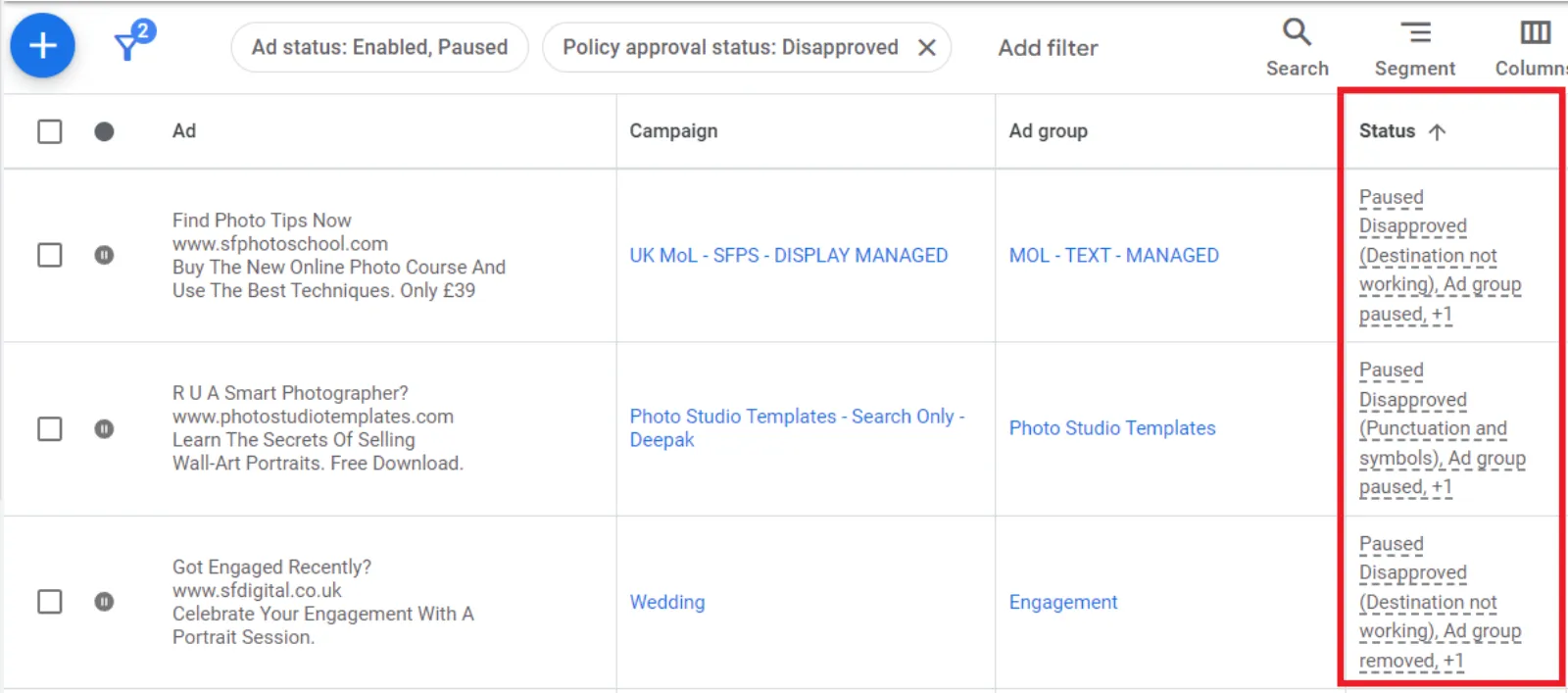
Another reason your ads might not be showing is if they have been disapproved. Here are a few common causes for ad disapproval:
 LIVE
Live every Tuesday at 2pm UK. Bring your marketing questions.
Get your Google, local SEO and AI questions answered live.
- Website Down: If your website is down, Google won’t show your ads. They want to ensure users have a good experience and aren’t sent to a broken link.
- Policy Violations: Sometimes, your ads might violate Google’s policies without you realising it. Double-check that your ads comply with all guidelines.
3. Low Bids
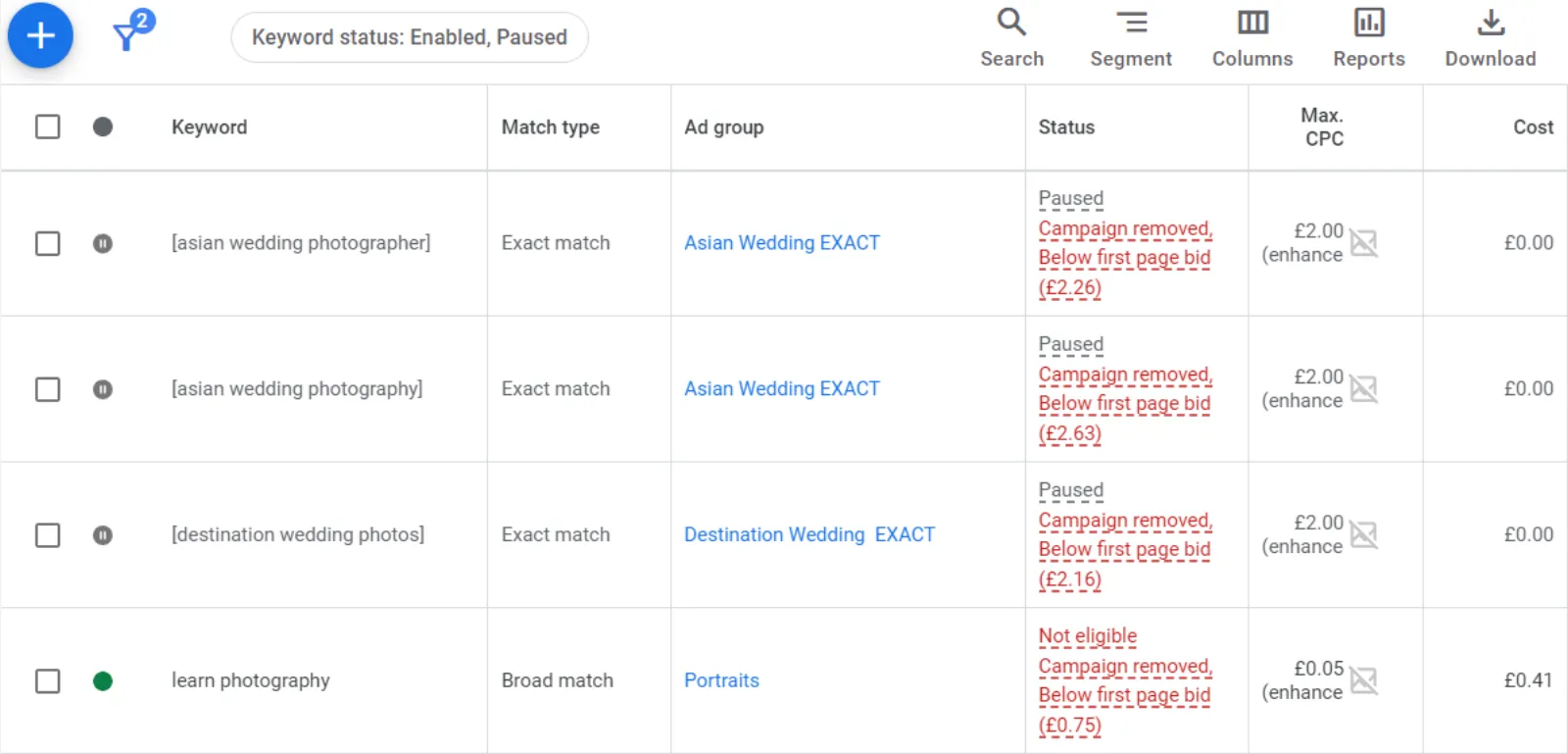
If your bids are too low, your ads might not be competitive enough to be shown. Here’s how you can address this:
- Increase Your Bids: Try increasing your bid amounts. Start with a 25% increase and monitor the results. Keep adjusting until your ads start to show.
- Competition: If your competitors are bidding aggressively, you need to bid higher to compete effectively.
4. Narrow Targeting
Your targeting settings might be too narrow, especially if you’re using the Google Display Network or YouTube. Here’s what you can do:
- Broaden Targeting: Expand your audience targeting to reach more people. Ensure your settings aren’t too restrictive.
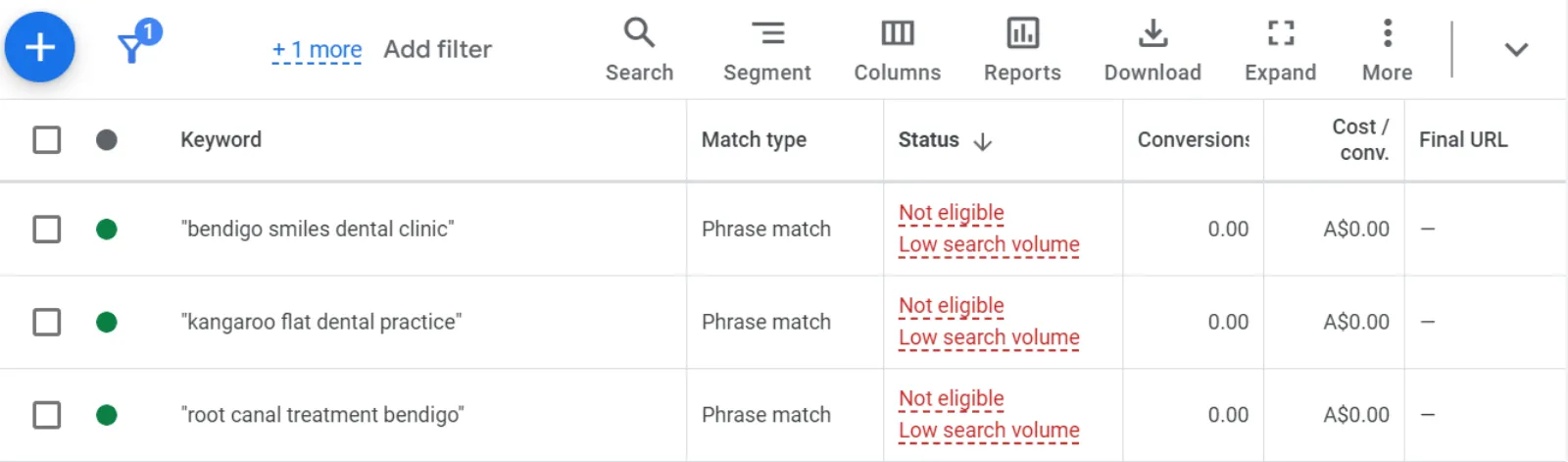
- Keyword Search Volume: On the Search Network, if you’re targeting keywords with very low search volume, your ads might not get any impressions. Consider using keywords with higher search volumes.
Conclusion
By checking and adjusting these common factors, you can troubleshoot why your Google Ads aren’t displaying or getting impressions. Ensure your billing is in order, your ads comply with policies, your bids are competitive, and your targeting is broad enough to reach your desired audience. With these steps, you should start seeing your ads show up and get impressions. Happy advertising!

Written by Uzair Kharawala
Partner at SF Digital Studios, a Google Premier Partner agency. Uzair has been helping businesses grow with Google Ads since 2002 and teaches it every week on YouTube.
Get our best Google Ads tips by email
New articles and videos, straight to your inbox. Unsubscribe any time.