
NatWest Accelerator Events Free one-day marketing seminar at the NatWest Accelerator, Milton Keynes · 10 November 2026 Free marketing seminar · NatWest Accelerator, Milton Keynes · 10 Nov 2026 Free seminar · 10 Nov 2026
NatWest Accelerator, MK
Get your free invite →Invite →

Home › Blog › Google Ads

Google Ads

How To Optimize Your Google Ads Shopping Feed

How To Optimize Your Google Ads Shopping Feed
Read the video transcript

So, we often, as you know, get people coming to us because they run shopping ads and they've got a product to sell. But here's a question that does come up, and this particular one was how do I select keywords for my shopping campaign? I just can't see how to set it up correctly. You can't? Okay, so shopping ads cannot use keywords.

Google will show you ads. So, the way the shopping ads work is through the Google Merchant Center, which is called the GMC. You set up your products, your feed in there, all your products in there. Google Merchant Center or Google will approve or disapprove those products, first of all. And you need to have all these things like your shipping terms, refund any offer like the sale price you are running.

All of this goes in Merchant Center and the ads. And then when you go to Google and search for, let's say, buy iPhone, you will have those four ads. The text ads with the text-only come up but above it, and sometimes on the right-hand side as well on the desktop or laptop. But nowadays it comes up on the top.

You will see the ads with the photo of the product, the name of the product, the price and the company name. So that is a very highly visual product ad. So, you can see the product, the colour of the product, whether it's blue, black, green or whatever. And then the price over there as well. And if it's a sale going on, then it will have a crossed-out price and then the sale price as well.

So that's what shopping ads are all about. And you want them to pop up on Google. Those are the only ads which come up, which are not text ads on the Google page. So, we have video ads. They don't show up on the Google page or the search page and the display banner ads, which we call them.

They don't show up, only shopping ads. So, it's a very powerful way of bringing that product in front of your right audience because the intent is there. People are searching. And the way Google search shows these ads is brilliant. And the algorithm is getting better and better. If somebody's searching for an iPhone. You will see all the pictures of iPhones at the top and not Samsung because again, it's apples for apples.

What you are looking for. So, you cannot control shopping with search ads, but what you can do is control them with negative keywords. So, if you don't want your ads, shopping ads to be shown for a particular product or a search term, you keep stuffing them in your account and then Google is going to just narrow it down to those search terms or keywords where you want your ads to show up.

Yeah, that's really brilliant. And we work in this world, but you know, you think of our own behaviour, you just cannot avoid being drawn to those shopping ads. Your eye just goes to that highly visual place and you would automatically stay there and quickly shift through those images, don't you? To say, yeah, that's the one I was thinking of.

You can't be bothered to even look down and read. So really powerful, isn't it? So, the best tip I can give you about shopping ads is to make sure that your Google Merchant Center feed is clean. By clean, what I mean is don't have too many disapproved products in there because Google is going to penalize you that you're not paying attention to what I'm saying.

And you need to follow what Google is asking you to do to the dot and optimize it so that Google knows that this is an iPhone, this is a Samsung phone, this is a Google Pixel phone and so on. Perfect. Thanks for that.

So, you’re ready to dive into the world of online advertising with shopping ads, but you’re unsure about how to select keywords for your campaign. Don’t worry, you’re not alone! Many beginners find themselves in this predicament, but with a little guidance, you’ll be on your way to crafting effective shopping ads in no time.

First things first, it’s important to understand that shopping ads operate differently from traditional text ads. Unlike text ads where you bid on specific keywords, shopping ads rely on product data provided through the Google Merchant Center (GMC). This means that instead of targeting keywords, your focus should be on optimising your product feed within the GMC.

Free NatWest Accelerator event

Get Found, Get Chosen, Get Your Time Back

A free one-day marketing seminar in Milton Keynes · 10 November 2026

Get your free invite →

Here’s a simplified breakdown of how it works:

  1. Set Up Your Google Merchant Center (GMC): Think of the GMC as your hub for all things related to your products. This is where you’ll upload your product feed, which includes essential information like product names, descriptions, prices, and images.
  2. Optimise Your Product Feed: Take the time to ensure that your product feed is accurate and up-to-date. This includes providing detailed product information, high-quality images, and any relevant attributes such as size, colour, and brand.
  3. Follow Google’s Guidelines: Google has specific requirements for product data, so it’s crucial to adhere to their guidelines. This not only ensures that your products are approved for advertising but also improves the visibility and performance of your ads.
  4. Utilise Negative Keywords: While you can’t target keywords directly with shopping ads, you can use negative keywords to refine your targeting. Negative keywords allow you to exclude specific search terms or products that are not relevant to your campaign, ensuring that your ads are shown to the right audience.
  5. Monitor and Optimise: Once your campaign is up and running, it’s essential to monitor its performance regularly. Pay attention to key metrics such as click-through rates, conversion rates, and return on ad spend (ROAS). Use this data to identify areas for improvement and make adjustments to your campaign as needed.
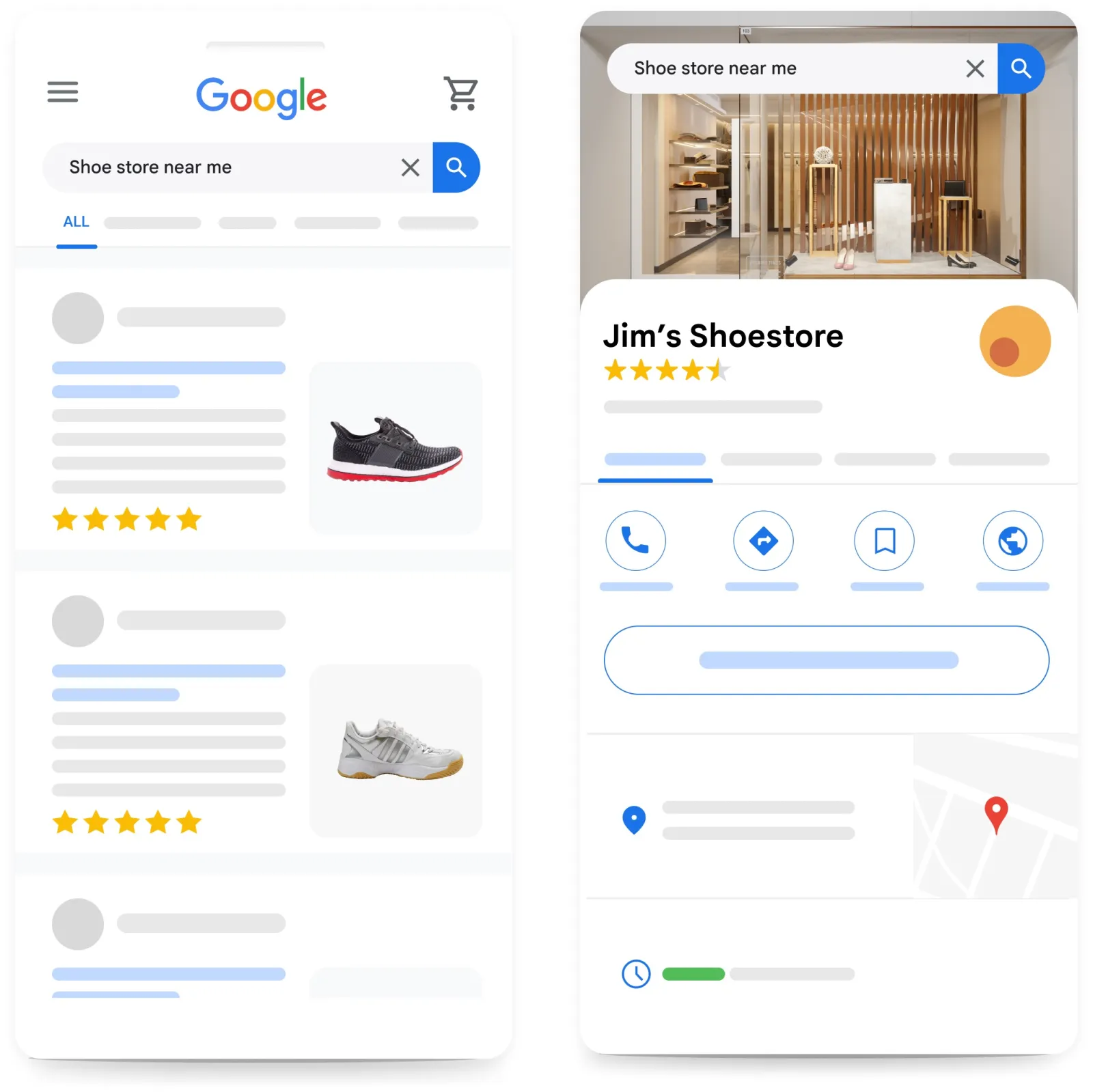
Google Shopping Feed Optimization Tips

Remember, the key to success with shopping ads lies in optimising your product feed and targeting the right audience. By following these simple steps and staying attentive to Google’s guidelines, you’ll be well on your way to running successful shopping ad campaigns.

Get your free Marketing Action PlanNot sure where to start? Answer a few questions and get your plan in about a minute. No email needed.

Uzair KharawalaLIVE
Free weekly YouTube live

Live every Tuesday at 2pm UK. Bring your marketing questions.

Get your Google, local SEO and AI questions answered live.

Join for free
Get my plan →

In conclusion, selecting keywords for shopping ads may not be as straightforward as traditional text ads, but with the right approach, you can create effective campaigns that drive results. So, roll up your sleeves, dive into the world of shopping ads, and watch your online business thrive!

Uzair Kharawala

Written by Uzair Kharawala

Partner at SF Digital Studios, a Google Premier Partner agency. Uzair has been helping businesses grow with Google Ads since 2002 and teaches it every week on YouTube.

Book A Call →Subscribe on YouTube for new videos every weekday →
Free every week

Get our best Google Ads tips by email

New articles and videos, straight to your inbox. Unsubscribe any time.

We respect your privacy at all times. Privacy Policy

You may also like

Read the blog →

Your next customers are out there. Let's go and get them.

Tell us where you want your business to be, and we'll show you how to get there.

Book A Call →or get your free Google Health Check →
Happy clients

Don't take our word for it

4.9 from 157 Google reviews, plus case studies and client videos.

See our happy clients →
"It has now been 3 months since we started and our sales have increased 300%."
Ruhi Latif Rafplay, Dubai
"Uzair and Farzana are two of the most honest, sincere and trustworthy people you will ever meet."
Gavin Morgan GDM Jewellery · Google review
"If I needed a campaign built, this is one of the rare few people IN THE WORLD I would trust to do it properly."
Hemmel Amrania Google Ads professional · Google review
Book A Call →
Chat with us on WhatsApp