...This YouTube live stream. Please give me a moment. I'll make sure everything is working fine and we shall get started. Okay. Everything seems to be working fine. Hello, and a very warm welcome to today's YouTube live stream. My name is Uzair and it is 17th of March, 2021 four o'clock in the UK, every weekday, we go live at this time and we cover topics such as Google Ads, video ads, video marketing, digital marketing, anything and everything to do with your online marketing and advertising, to help you generate more leads and sales and to take your knowledge, expertise and know-how to the next level, every weekday we have a different topic and today I shall be covering a topic, which is about YouTube video ads.
It's one of the most underrated channel and platform where businesses are taking advantage of or leveraging the YouTube platform. YouTube, as you may well know is the second biggest, I should say search engine in the world. It is owned by Google and after Google, it is the second most searched engine. The staggering stat is on average a session on YouTube is around forty minutes long.
So, when someone goes on YouTube every day, which a lot of us do, they spend about forty minutes a day. There's no other channel or social media platform where such a huge amount of time is being spent on. So, we know that our audiences are hanging out on YouTube, all the millennials, they're pretty much on YouTube. YouTube is the next big TV or the next TV.
Our kids don't or never watch TV. They're always on YouTube. So, you need to get started on YouTube and with video ads if you haven't already done so and in today's session, I'm going to show you how easy it is to get started with setting up a campaign and a little nice little campaign, which will hopefully generate more leads and sales for you.
YouTube Ads or video ads is for literally any kind of business, whether you are B2B, B2C, whether you are selling an e-commerce store or generating leads or leads for your business, you can leverage YouTube. For us, YouTube is the biggest platform where we are generating all our leads, sales, and clients. Our core focus is on YouTube and we have built up a nice little community of just over fifteen thousand subscribers and we are generating thousands of views every week and every month.
Now, if you are new to this channel or this live stream, the format is fairly informal and friendly. I'll go through today's topic, which is video ads and then towards the end of the session, I'll try my best to answer any questions you may have. If you haven't put in any questions yet, then please do so on the comment box around the video and I'll come to those questions towards the end.
Before I get started. I just want to mention our masterclass. If you do want to learn how to create a high converting Google Ads campaign in under thirty minutes, then you can watch the masterclass on this URL, which is on the screen over here. All right, let's get started. So, I'm in the Google Interface and I'll go to the plus button and go new campaign.
Now, here is where quite a few of you get confused as to which option to select. I tend to go with this one, but I'm going to show you what is the difference between selecting leads or website traffic or product and brand consideration. If I were to go on leads and then go to video, which I want to create a video ad because this is for search, display, shopping, video, smart, and discovery.
These are all different types of campaign. We're going to focus on video today. You will see that the option over here for the ads and the type of campaign I can run is just to drive conversions. If I were to go to website traffic, and then go to video, I still get drive conversions. If I were to go to create a campaign without the goals guidance.
This is where you will get all the options and then go to video. Now, you can see I've got this campaign sub-type, I've got custom video, non-skippable, in-stream, out-stream and so on. All the options are available and also over here, I have got eight campaign types compared to five. So, if you want all the options in the campaign setup, I would recommend you to use this one.
This does not mean that we are not setting up a campaign without conversion tracking, conversion tracking is completely different. We need to, obviously, set up the conversion tracking before we start any campaign, but this has got nothing to do with conversion tracking. So, I going to select a campaign without the goals guidance, go to video, and I'm going to create a custom video campaign.
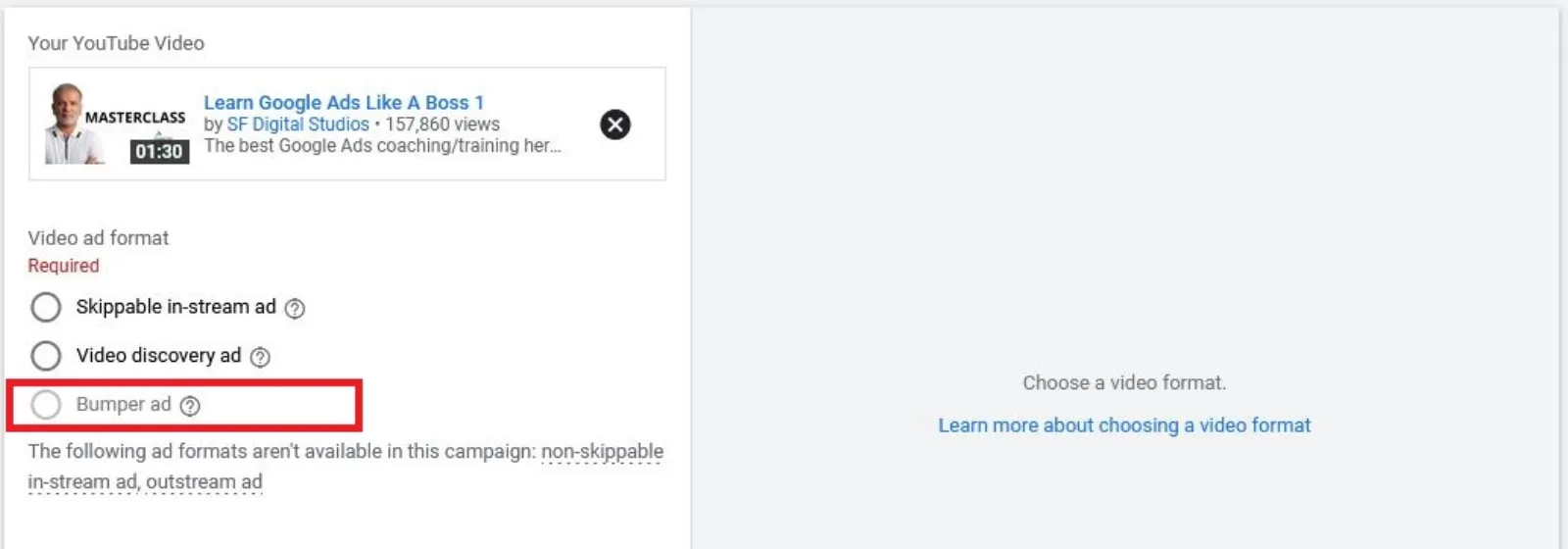
So, I can customise my settings with skippable in-stream ads, bumper ads are the six-second ads and video discovery ads, skippable in-stream is what these ads pop-up as before, during, and at the end of the video where you cannot skip them for five seconds, right. I am going to select that and continue. And, then what you do is you create your custom campaign name as this is a test one.
I'm just going to leave it as it is. Then, we go onto the bid strategy. You have two options, maximum CPV, which is cost per view. Every time someone views your video, you get charged by Google. So, this is not on the CPC, which is the cost per click. This is the CPV. What is a view? It's up to thirty seconds long or until the end of the video, whichever is the sooner.
If somebody quits or skips the ad after let's say twenty-six seconds, you had twenty-six seconds worth of free branding and advertising. The other one is the target CPM, which is the cost per thousand impressions. So, irrelevant of the views. Google is going to charge you every thousand times your ad is shown. We'll stick to maximum CPV. You can then select daily or campaign budget.
I tend to go with daily. I'm just going to put in ten pounds. Start date is fine unless you want to put an end date. Let's say, for example, this was for a Christmas offer and I don't want the ad to continue running after Christmas Day. Then, you can put in the end date. Networks, I would recommend you take these two out, just run on the YouTube search and this one is the YouTube videos because it will show on the YouTube videos, channel pages and the YouTube homepage as well, potentially.
You don't want to go on there, which is on the display network, which is other third-party websites. You select your location. If you want to be a little bit more advanced, you go in there and what you can also do is either select a certain area, or you can select a radius. You can delete and start again and let's say I want to do radius of around five miles from where I am.
I target that. I made a mistake. There you go and you can have as many as you want in here. Save that. Language, English is fine, but if you want multiple languages, you can select it. Inventory type, you can keep it expanded, standard, or limited. If you don't want any of your videos to be shown on stuff, which has got profanity and sexual content, then you can choose whichever ones you want and which ones you don't want.
But the standard works pretty much fine. For most of the time. Again, I tend to take these out teens and older audiences and then this is where a lot of people miss out. You miss this little button. I don't know why they have got this one in a little drop down and not like the other sections, but there you go.
Conversions, you can either set a conversion or use the conversion at account level. So, whichever conversions you have set up in the account, you can track, or you can choose a specific conversion, which you may have set up, just select this one, or it could be any of the other ones and it will track that conversion. I will go...
Most of the time, you're good to go over here, but if you've got various conversions in your account, then you can be super targeted and the machine will start to learn what sort of conversions you're looking for. Then, you look at the devices. If you want to show on all devices, I.E. Computer, mobile, tablets, you can choose that, or you can select or unselect which ones you don't want to run.
I tend not to worry too much about these. Frequency capping. You got two options, cap impression frequency as to how many times that ad in this campaign can show to the same user. You don't want to have it too many times. What I tend to do between two and three per week, as the frequency and the frequency cap for you.
Maybe a couple of times per day, if you want, or per week, it's entirely up to you. You don't want to have too many impressions because it does get annoying. Ad schedule, select when you want to show your ads, if you are not restricted by your office hours, then I would suggest just let it run twenty-four hours a day.
Okay. Then, we come onto the ad group naming. What you want to do is to be very precise and the way I always teach people is we can target one audience, per ad group, that's what I would do. I will come back onto the name of it in a minute and first of all, I'm going to go in here, you can target by keywords, topic, placements, and you can also target by audiences.
You can also include or exclude any demographics, such as gender, age, parental status and, obviously, household income is not selected. It's not available and it's only available in selected countries and most of it is usually in the US, but I'm not sure how accurate this data is. If I don't want to show ads to teenagers or youngsters, then I can take them out and also take out the retired people.
So, I just want to target between twenty-five to sixty-four. Okay. Audiences depends on who you are targeting, what your niche is. You can select from a variety of audiences in here. There's loads of them, right. If I want to type in, let's say this is for teeth whitening. Let's see if something pops up or not. Nothing. So, we can also create custom audiences, which I have covered in different videos.
But what I want to do is I want to go in the keywords and I will put in teeth whitening kit, let's say. Okay, it didn't pop up very strange. Okay. Let's put in dentists then. All right. So, is there something wrong at Google? I've never seen this happen, but what I want to do is to then...
If I want to find out what sort of searches are being made on Google and YouTube. So, I'll go onto my browser and I'm going to put in teeth whitening kit and now if you put in a, then you will see all these keywords, which are now beginning from a after the word kit. So, you can get lots of ideas, teeth whitening kit at home.
This is what people are searching for. If I remove a and go to b. Best, best UK, before and after, that's a good one, bulk. Okay. If I go c and you can carry on doing this and keep finding some really good keywords, but what I can do, going back to our campaign setup. I'm going to go after this topic health, and there you go.
That's a really good topic for me, oral and dental care. Google knows our surfing and searching history. So, all we do is we select this one and I'm going to name my ad group as oral and dental care. The other thing which you can also do is you can try a different topic or keyword. No, maybe under lifestyle, I'm trying to look for family something like...
No, it doesn't have it. So, that is fine. I mean, I got my bull's-eye topic targeting. This is exactly what I'm after and this is who I'm going to go after. So, you can try entering keyword ideas in there later on. I'm not sure why it's not popping up. We'll stick with oral and dental care. I'm going to name my ad group as topic oral and dental care.
Placements is other people's video where you can put in and you can say dental care. Let's say. Okay, nothing. There is something not quite right, teeth whitening, with Google today. Okay, I'm going to leave this for now. Otherwise, you can also put in words over here it will give you a list of channels and videos and websites and you can put your ads on there as well, as well as apps, but we're going to stick with topics for now.
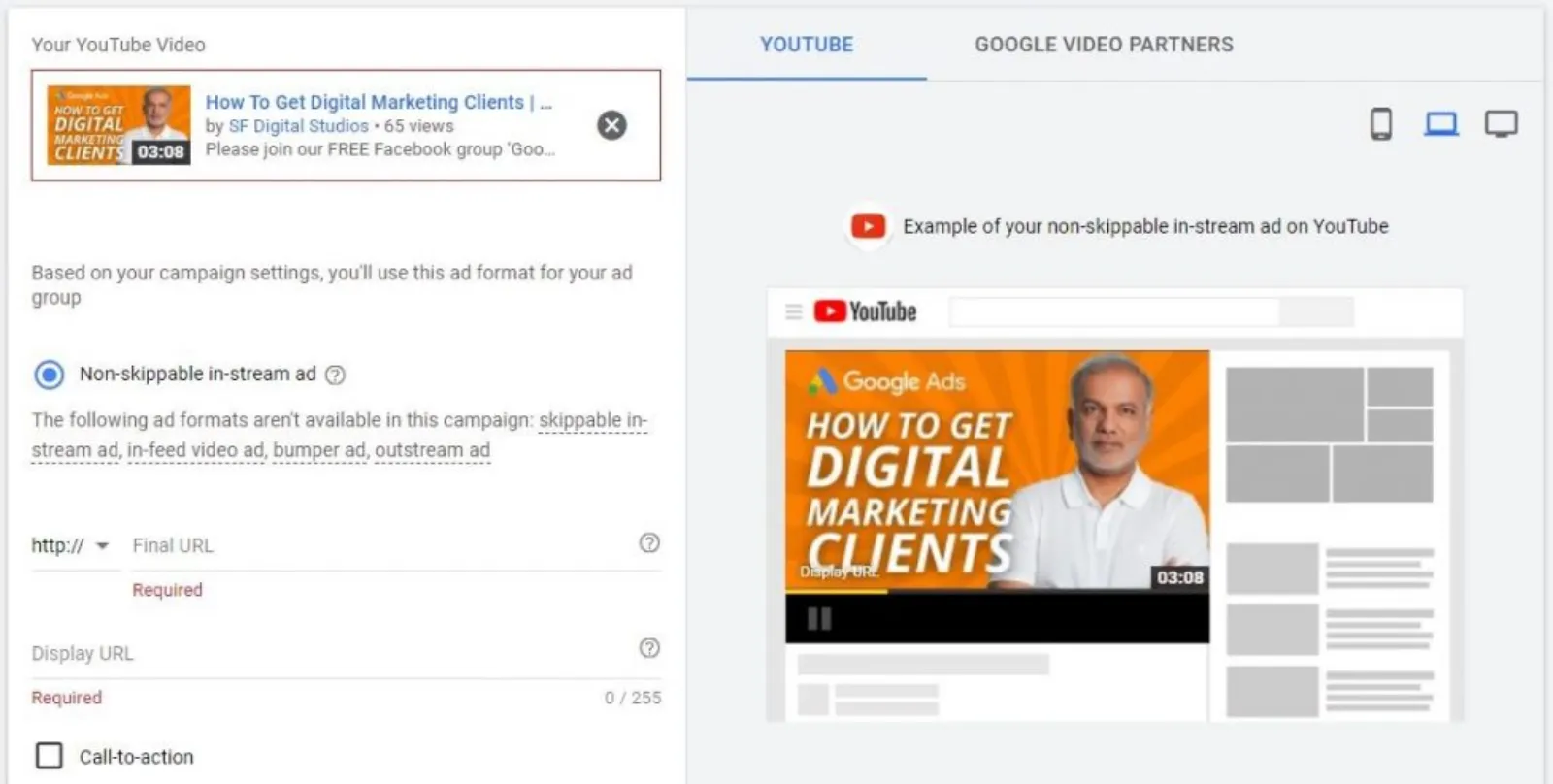
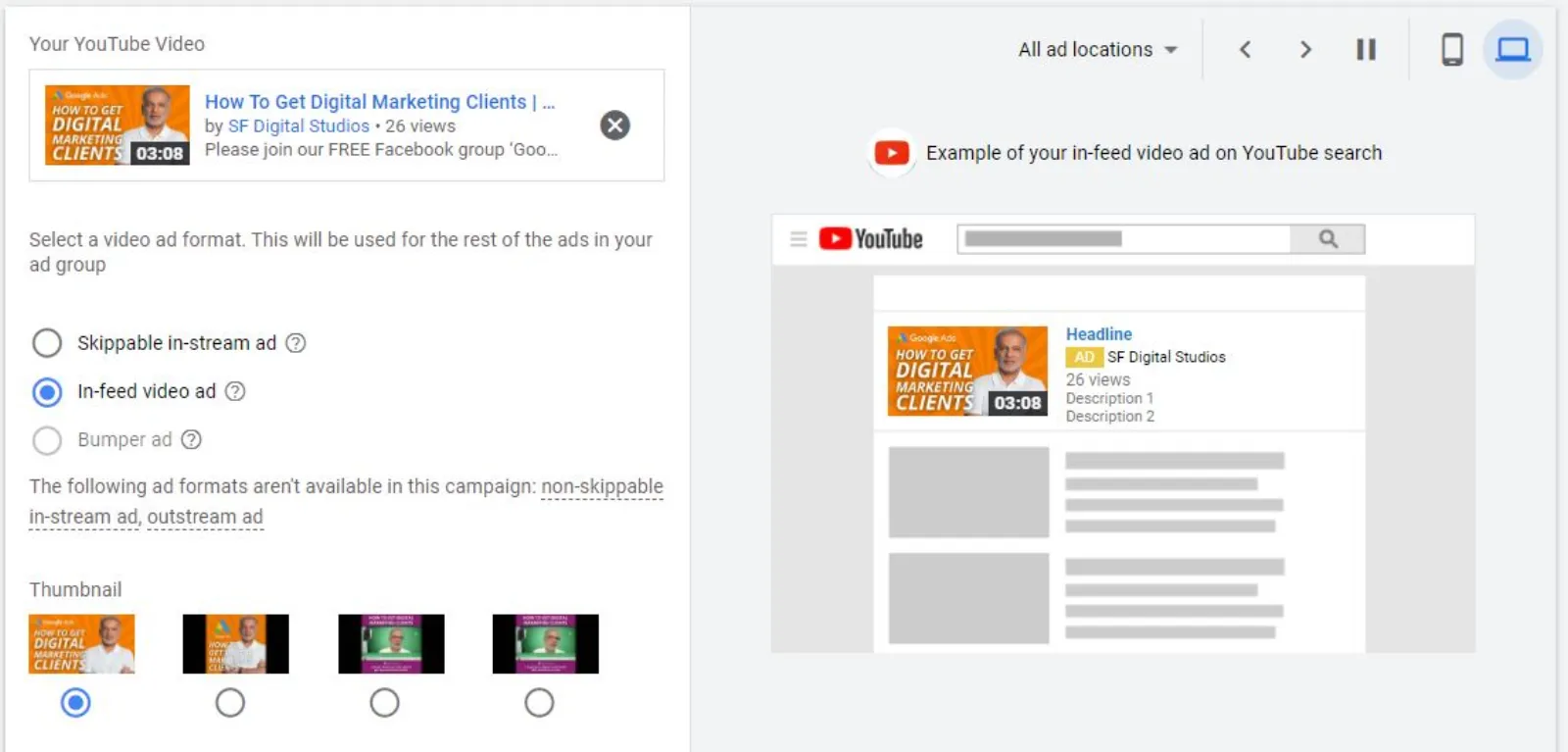
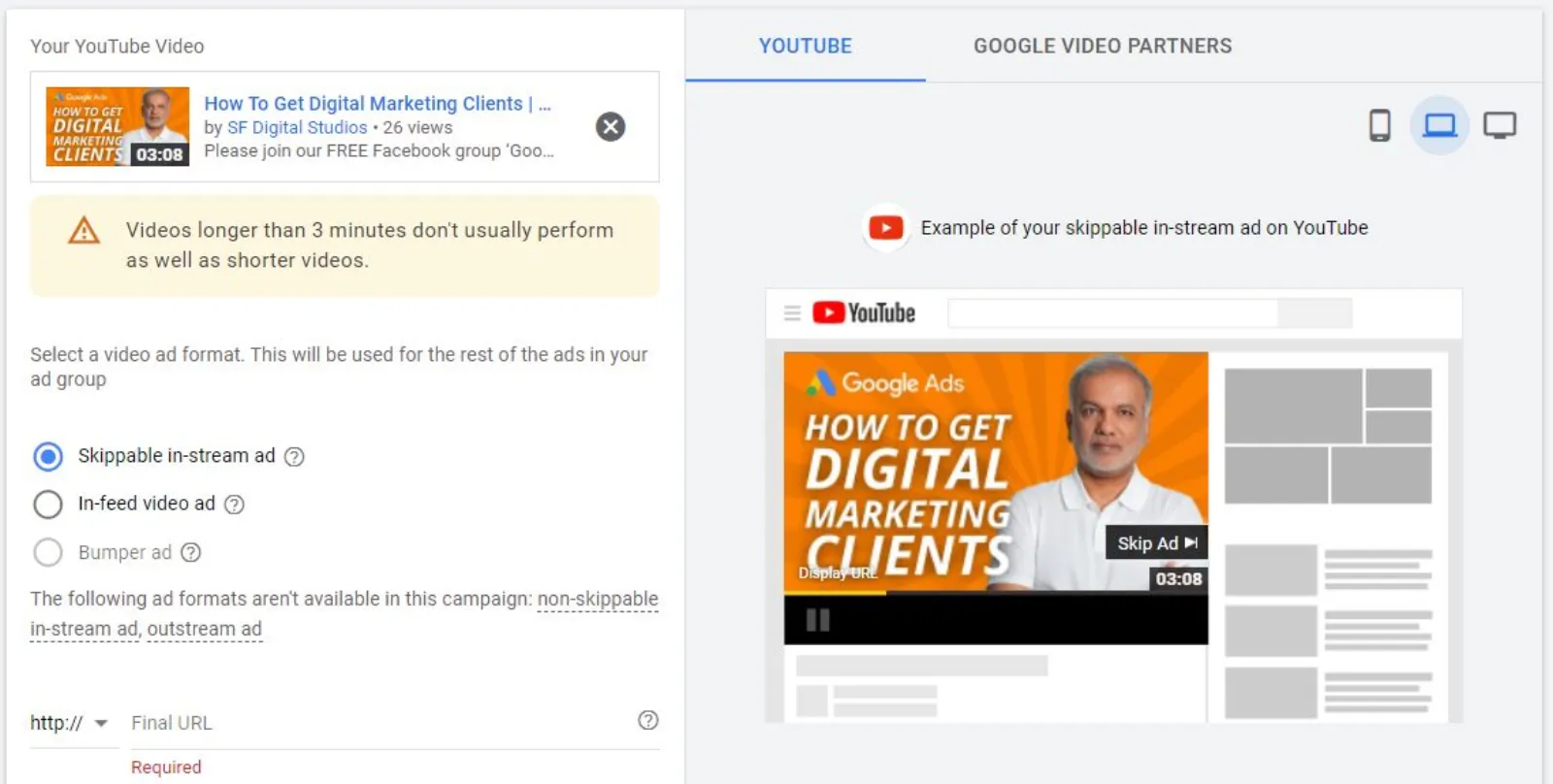
I will bid... You can start off with ten P. If you don't get any impressions, then you keep on increasing it until you get it. Next thing is to create your ad. I'm going to pick up a video from YouTube, just a random one about teeth whitening. You got two options here. One is a skippable in-stream ad, which we want, which is with that skip ad button or the discovery ad is like this.
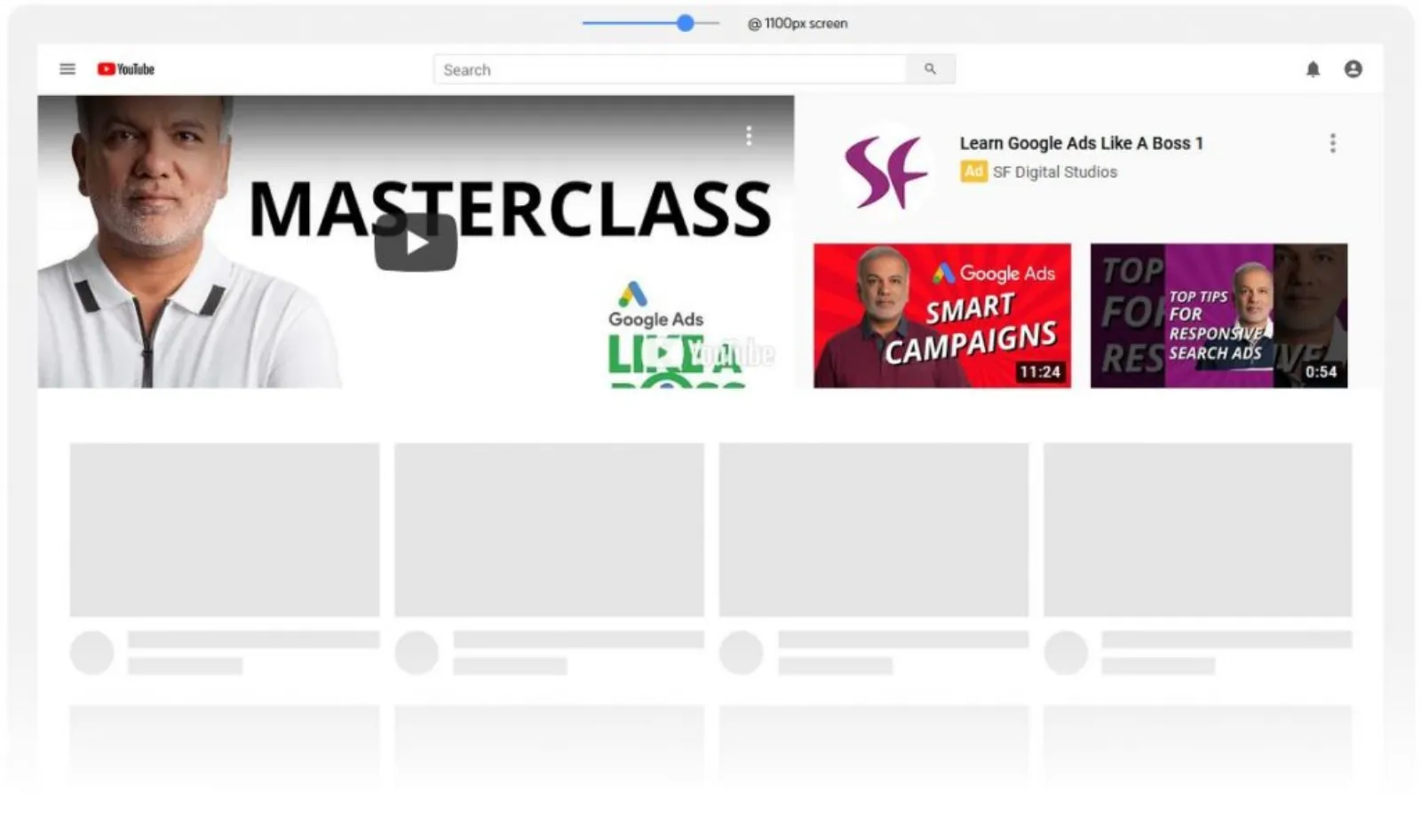
When somebody searches on YouTube, and it's going to show up like this with a thumbnail of your video headline, your channel name and the number of views you have got. So, that's the discovery ad. I'm going to go skippable in-stream ad. Now, I will put in my website, I'll put in my website.com. Display URL could be the same.
You don't need this WWW and HTTPS in the display URL. The other thing which a lot of people miss out on is this, the call to action. Now, if I unchecked this, have a look over here, the blue button disappears or disappears now, and it comes back. This is extremely important. So, if you've got a direct call to action, where you want someone to make a purchase or take action, and it's just a branding exercise or a campaign for brand awareness, then you got to have this call to action.
I can say, shop now. You only have ten characters in here and the headline could be something like DIY teeth whitening. Okay. So, it won't fit in. Oh, okay. That fits. Now, I've got my headline in here as well. You can check it out on the desktop by clicking on there and that's how your shop now will come up and your headline will come up as well as your website.
The skip button comes on the right-hand side. Another thing which you should definitely do is upload an image because that image goes over there. It's a premium space on YouTube. Even if you skip the ad that banner stays there and if nobody clicks on it, you will get free ads or free advertising. Don't let YouTube auto-generate this custom banner, spend some time, put your product photo on it, logo or whatever, but do make an image, it's three hundred by sixty pixels and you upload it from here and that is it really.
DIY... I can call it whatever I want. Create campaign. I haven't selected... So, I'm just going to use it as auto-generated ones. Then, you continue. Okay. So, that's how we set up our video campaign. Now, I've gone through it very slowly and this can be done within ten minutes. As long as you got your video, you must have your video set up on YouTube and that's all you need to do and link it to your Google Ads account and that's about it really.
That's how easy it is. Okay. I'm going to go onto the comments now and I've got a very interesting comment. I can delete it, but I won't because I'll give you your two minutes' worth of fame. "I only come to dislike." So, I haven't had any problems speaking or presenting on YouTube and in person. So, if you don't like my videos, you know where to go.
So, bye for now and I'll say this message to others as well, who are looking to start with video campaigns, video marketing, creating a YouTube channel. Don't let these idiots and these trolls stop you from doing it. Just ignore them. They're really not worth your time and don't waste any energy. Like, I'm not wasting any energy on him.
So, goodbye. All the best to you. Okay. Sandy, "If we run search ads, we are providing WordPress SEO." Okay. Just give me a moment. I'll read up the question and see if I can understand it. Okay. Yes, absolutely. So, you are running search ads for WordPress SEO. Okay. Got it. I always say put the price in, because price can attract a click or distract a click.
If I can't afford your price, I probably will not click on it and if I like or love the price, which you are offering for, I'll probably click on it. So, that's what I would say and yes, absolutely. You don't want to put the price in everywhere because, in the call extension, the price does not belong there.
It's only for the call extension, location extension. The price does not belong there, but there is an extension for the price and this is where you should go to, extensions and site links and in here you can put in because this is a video ad. We don't get the full gambit of extensions. Where is it gone? There you go.
So, whatever site links you want to put in, you put in, but what you also want to do is go in the automated... They keep changing this, definitely turn this off because Google makes its own extensions and sometimes, they're not good. Turn off. So, you know, these are all dynamic call-outs, dynamic site links, all these are dynamic ones.
So, just turn these off and then you're good to go, but yes, price, put them in wherever you can, Sandeep and that's it. Amna, thank you very much for being here. I appreciate your comment and thank you guys for being here. Brilliant. So, I believe there aren't any other comments or questions, so we shall wrap things up.
So, tomorrow is Thursday and it is question and answers time, it's purely Q&A. I've got quite a few already sent across to me, I'll try my best to answer them for you. So, come back here again at the same place, same time, put in any questions, make some notes, and I'll try to answer them for you tomorrow.
So, till tomorrow, stay safe and I look forward to seeing you to, same place, same time tomorrow. Bye for now.


 LIVE