
NatWest Accelerator Events Free one-day marketing seminar at the NatWest Accelerator, Milton Keynes · 10 November 2026 Free marketing seminar · NatWest Accelerator, Milton Keynes · 10 Nov 2026 Free seminar · 10 Nov 2026
NatWest Accelerator, MK
Get your free invite →Invite →

Home › Blog › Google Ads

Google Ads

How To Duplicate Campaign In Google Ads

How To Duplicate Campaign In Google Ads
Read the video transcript

How Do I Duplicate A Campaign In Google Ads? It's very straightforward and simple to do. There are two ways to do this. One is through the actual interface and the other one is through the Google Ads editor which hardly anyone knows about and use it. So, that's a free tool by Google. Which turbocharges your workflow and without an editor, I don't think we'll be able to manage our client accounts and our accounts.

The way we use the workflows and the way we set up our campaign. So, the editor is absolutely critical to the success of our Google Ads account. So, let's go into the interface first of all show you the easy way. I guess both of them are pretty easy to do. So all you do is you go at the campaign level.

You check the box for whichever campaign you want to copy. Then you go to copy and paste. Now, this takes a few seconds. Depends on how fast or slow the Google servers are. And you can either pause it or start at just start and it's I'm just gonna leave it the way it is and paste it. So, if it's a very big campaign, you may find that this takes ages.

Well, when I say ages, it may be 3, 4 minutes or so. And then you can carry on working going forward but what this does is when you are copying quite a big campaign with lots of ad groups, keywords and ads. Then this may take a few minutes. So you might as well go grab a cup of tea or coffee.

And then come back. And as you can see now. this is my test account. It is taking quite a while to upload. And copy-paste. So what we'll do is instead of just hanging around waiting over here. We'll hop on to the editor and you will see how fast it is. In fact, it is lightning fast. So here we are and the Google Ads editor.

This is a free tool by Google Ads and you can download it for free either for a Mac or a PC and get started. So, all I would do over here is going to my campaign copy and I'm going to paste it. And you will see how quick this is. And it's done. So, I've got two campaigns over here.

I'll just rename this and then if it is, exactly the same campaign and with minor adjustments. I can make the adjustments over here and then post it to Google Ads. And that is going to upload to the Google server. That's how quick and easy this is. So, I would highly recommend you try and learn Google Ads editor.

Because this is going to turbocharge your workflow. Let's go back over here and you can see that that one has copied and pasted a new campaign.

So you want to duplicate a campaign in Google Ads? No problem, you’ve come to the right place. It’s a very simple and straightforward process if you follow our steps.

Firstly before you start, there are two ways of duplicating a campaign;

Free NatWest Accelerator event

Get Found, Get Chosen, Get Your Time Back

A free one-day marketing seminar in Milton Keynes · 10 November 2026

Get your free invite →

The first way is through the actual Google Ads Interface, the second is through the Google Ads Editor. 

Get your free Marketing Action PlanNot sure where to start? Answer a few questions and get your plan in about a minute. No email needed.

Get my plan →

The Google Ads Editor is a free tool by Google, in which it turbocharges your workflow. Without the Google Ads Editor, it would be difficult to manage your own accounts and client accounts successfully. 

The Google Ads Interface (Google Ads Web Version)
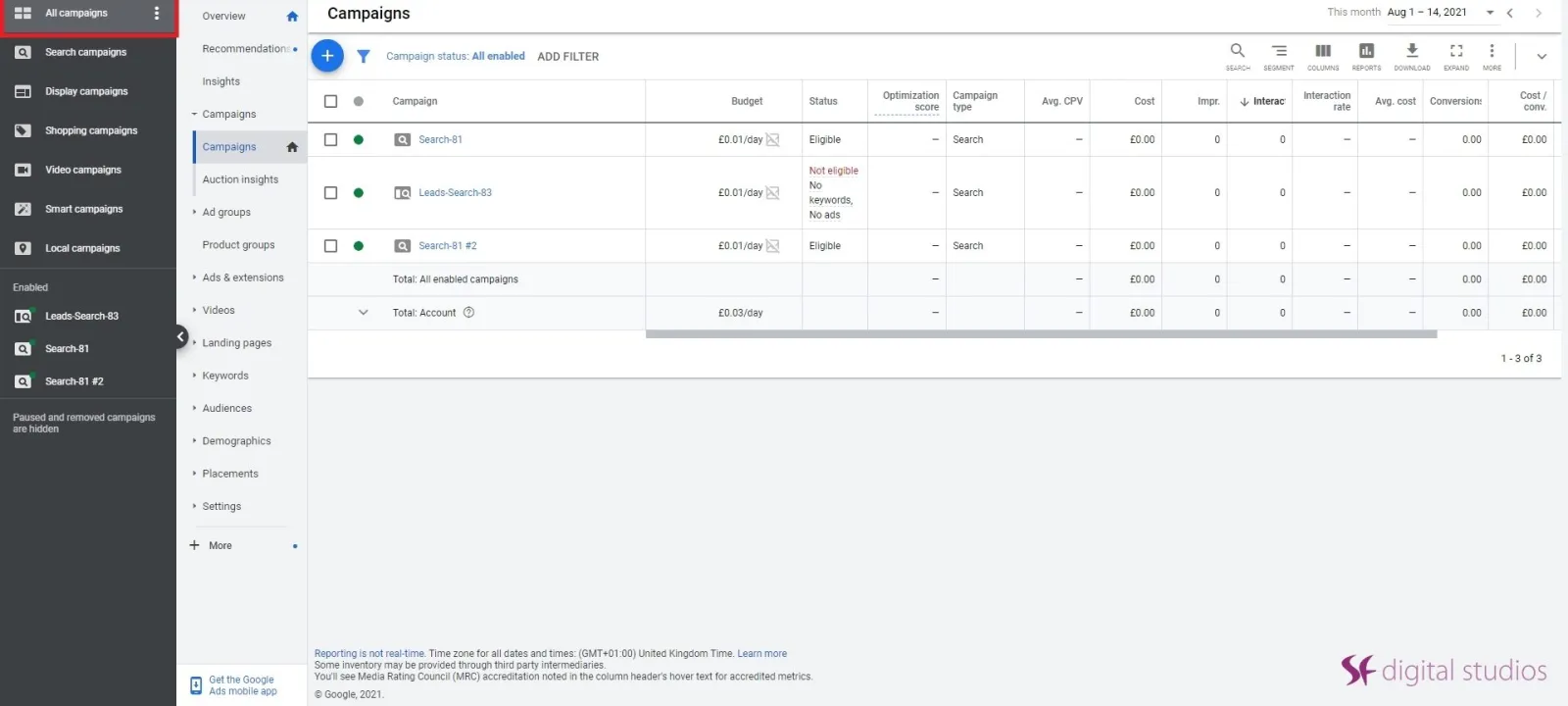
Google Ads Campaign Tab

Step 1: Find the campaigns tab in the Google Ads Interface.
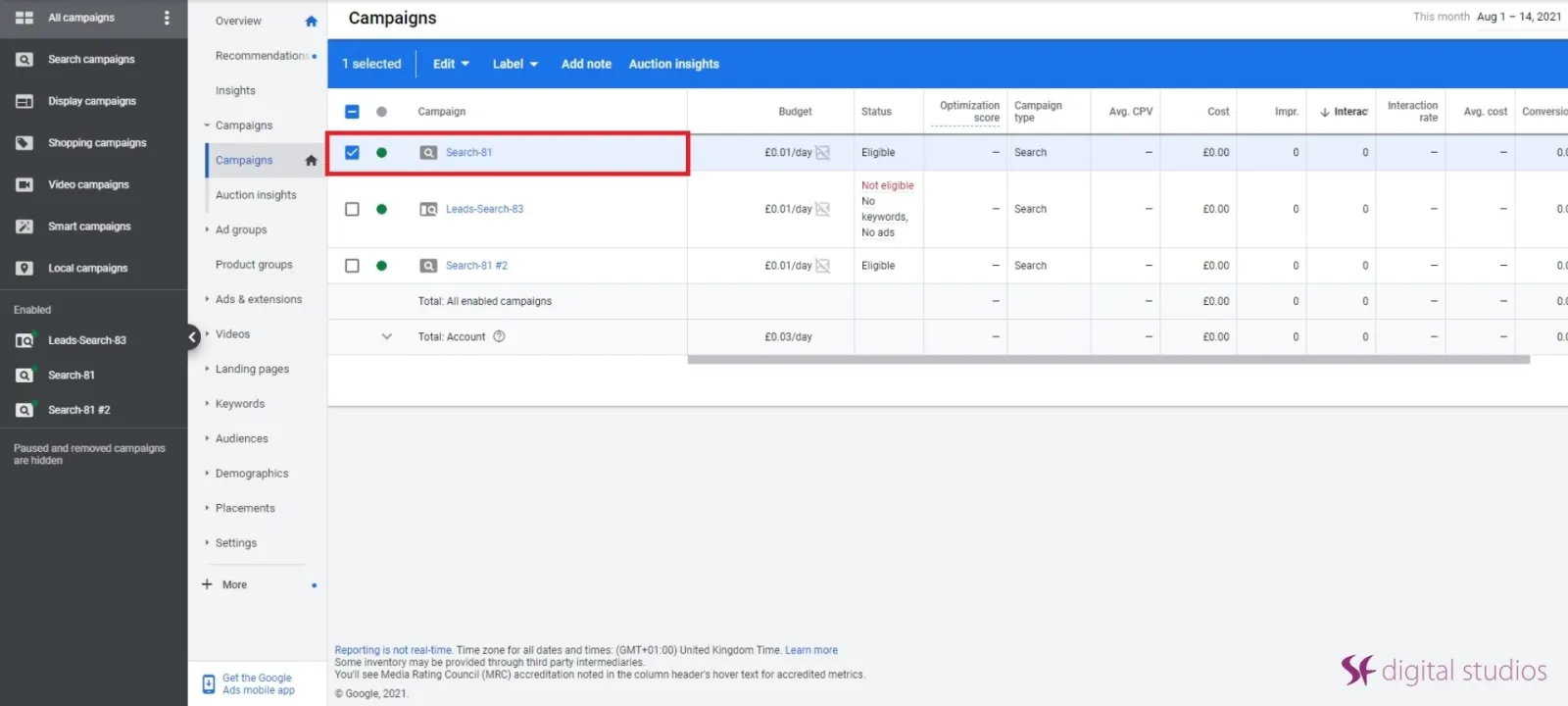
Select Google Ads Campaign

Step 2: Check the box of which campaign you want to copy.

Uzair KharawalaLIVE
Free weekly YouTube live

Live every Tuesday at 2pm UK. Bring your marketing questions.

Get your Google, local SEO and AI questions answered live.
Join for free
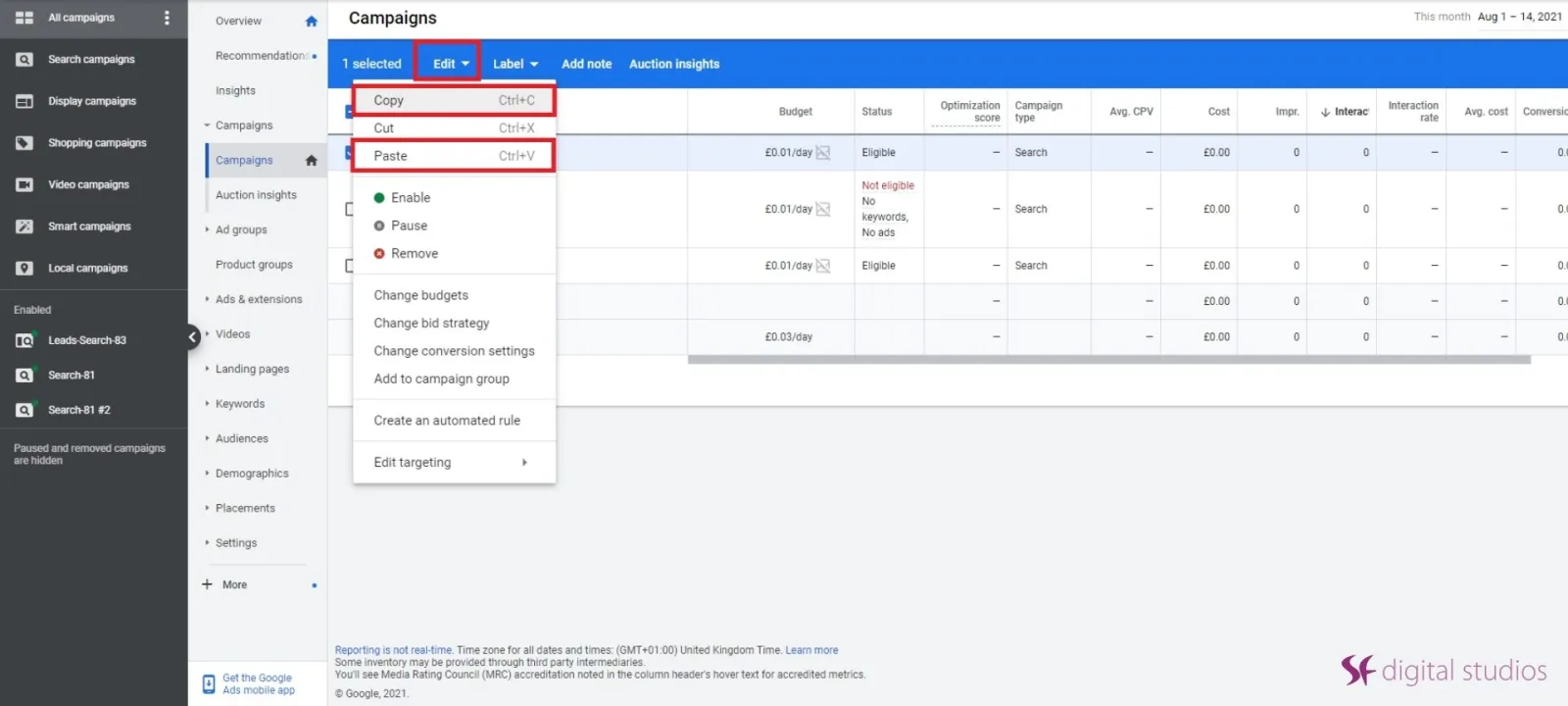
Copy Google Ads Campaign

Step 3: Find the Edit tab and click Copy and then Paste. Depending on how fast the Google servers are, will depend on how quick it copies.
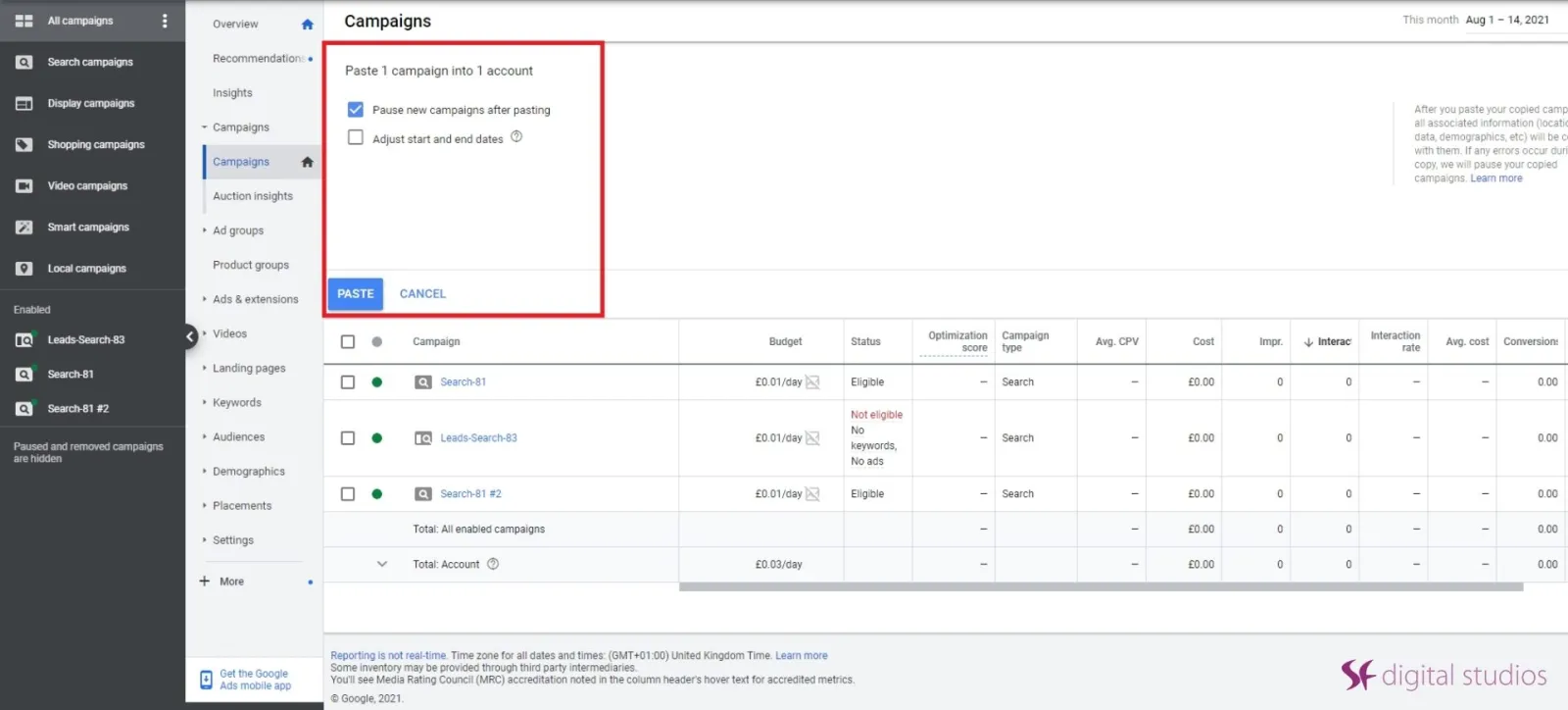
Paste Google Ads Campaign

Step 4: If you have a fairly large campaign, it may take 3 to 4 minutes to paste onto the Google interface.

The Google Ads Editor (Free Download on Mac or PC)
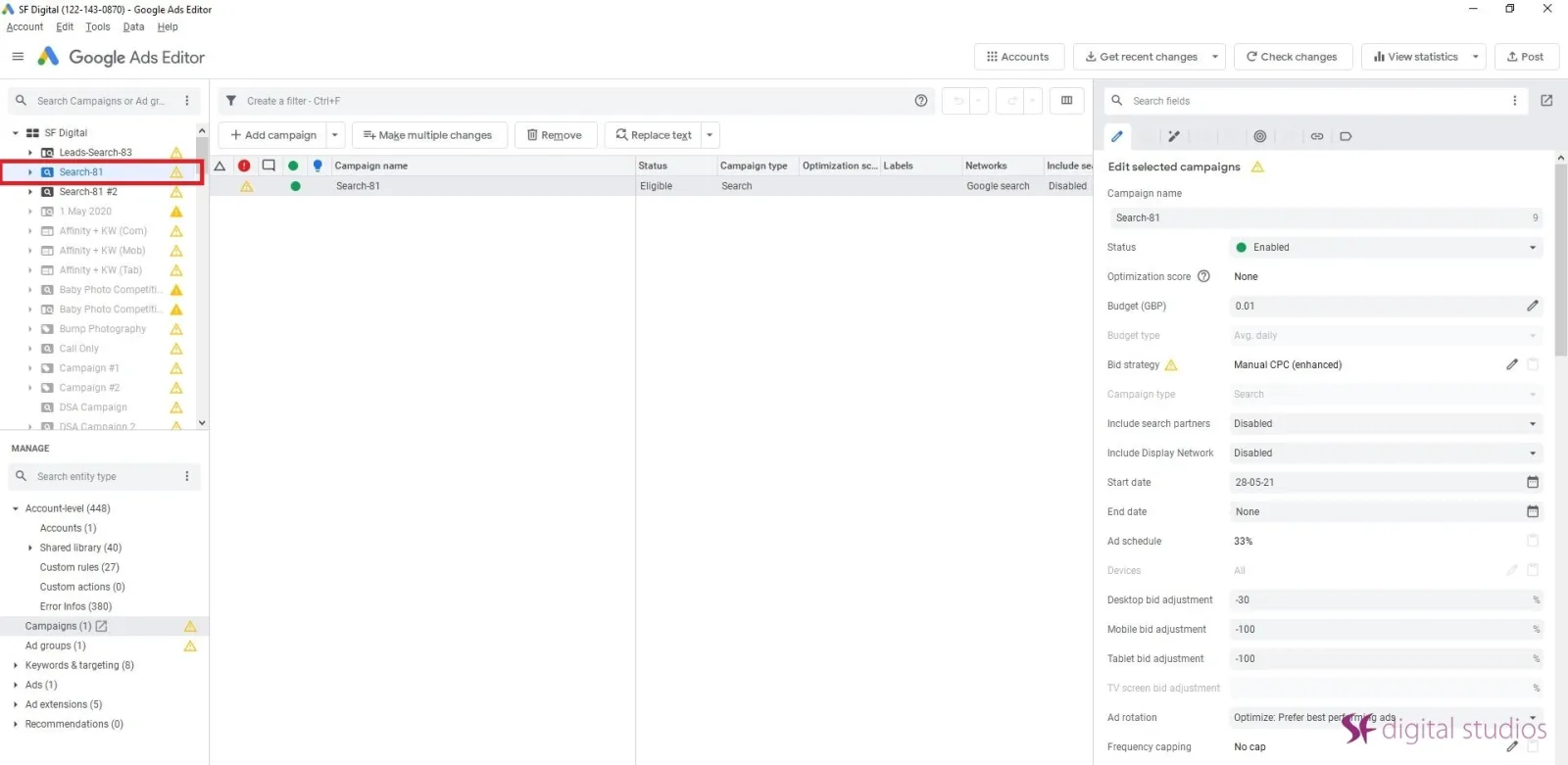
Select Google AdWords Campaign

Step 1: Head over to your campaigns and highlight which campaign you want to copy
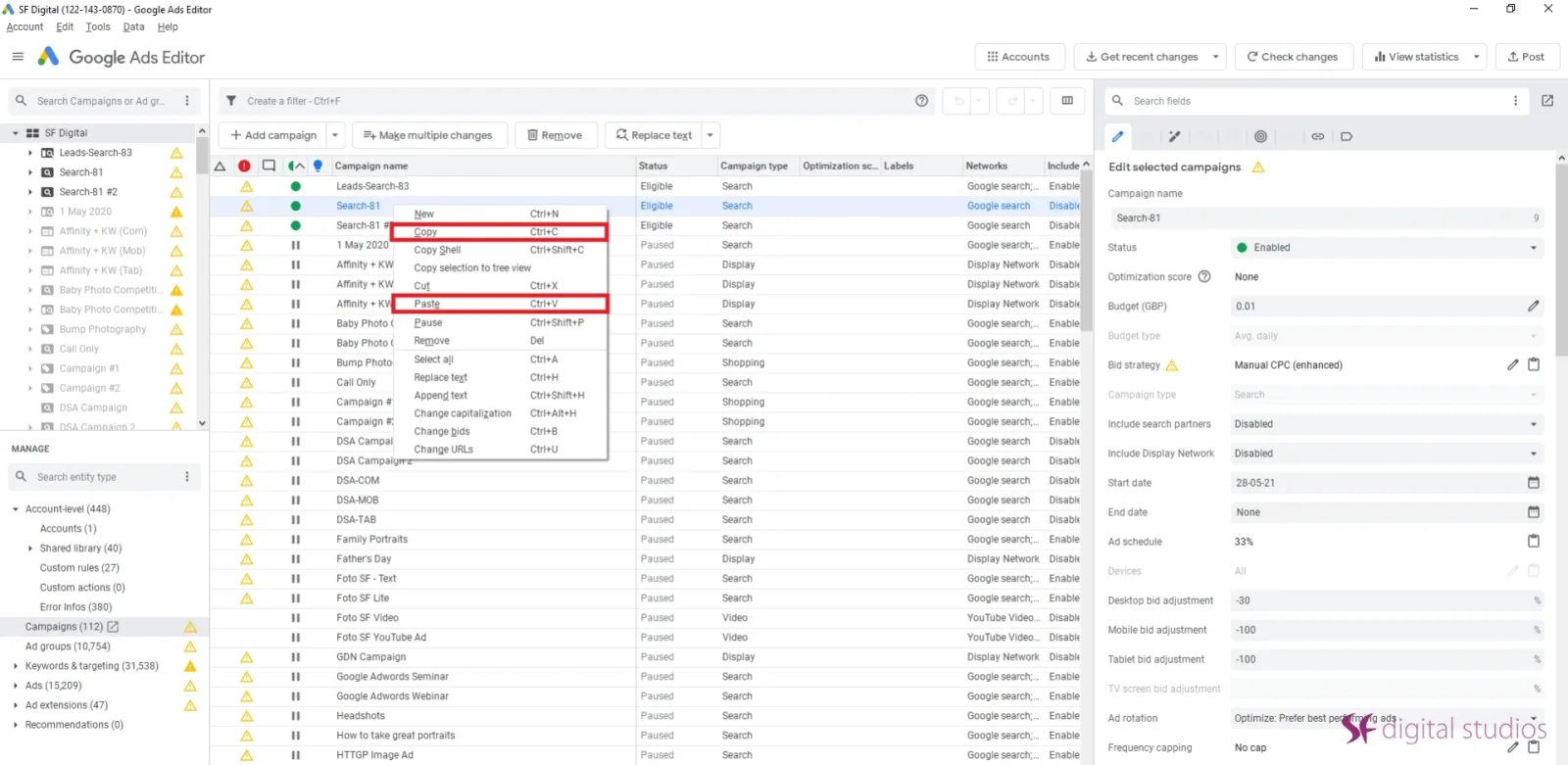
Copy & Paste Google Ads Campaign

Step 2: Press Ctrl C and then Ctrl V to duplicate the campaign
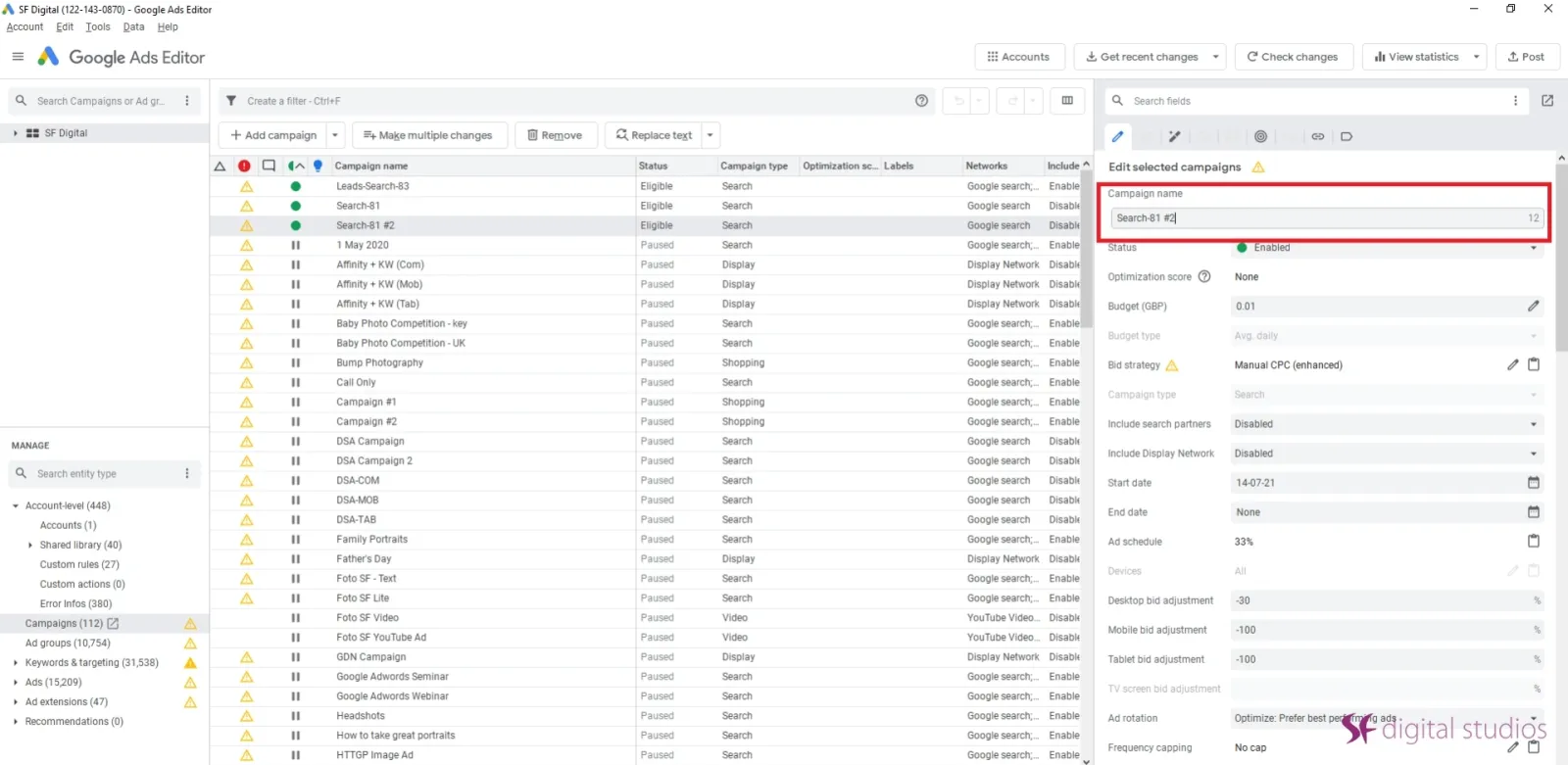
Rename Google Ads Campaign

Step 3: In the Edit Selected Campaign tab on the right, you can adjust the name of the duplicated campaign to avoid confusion.
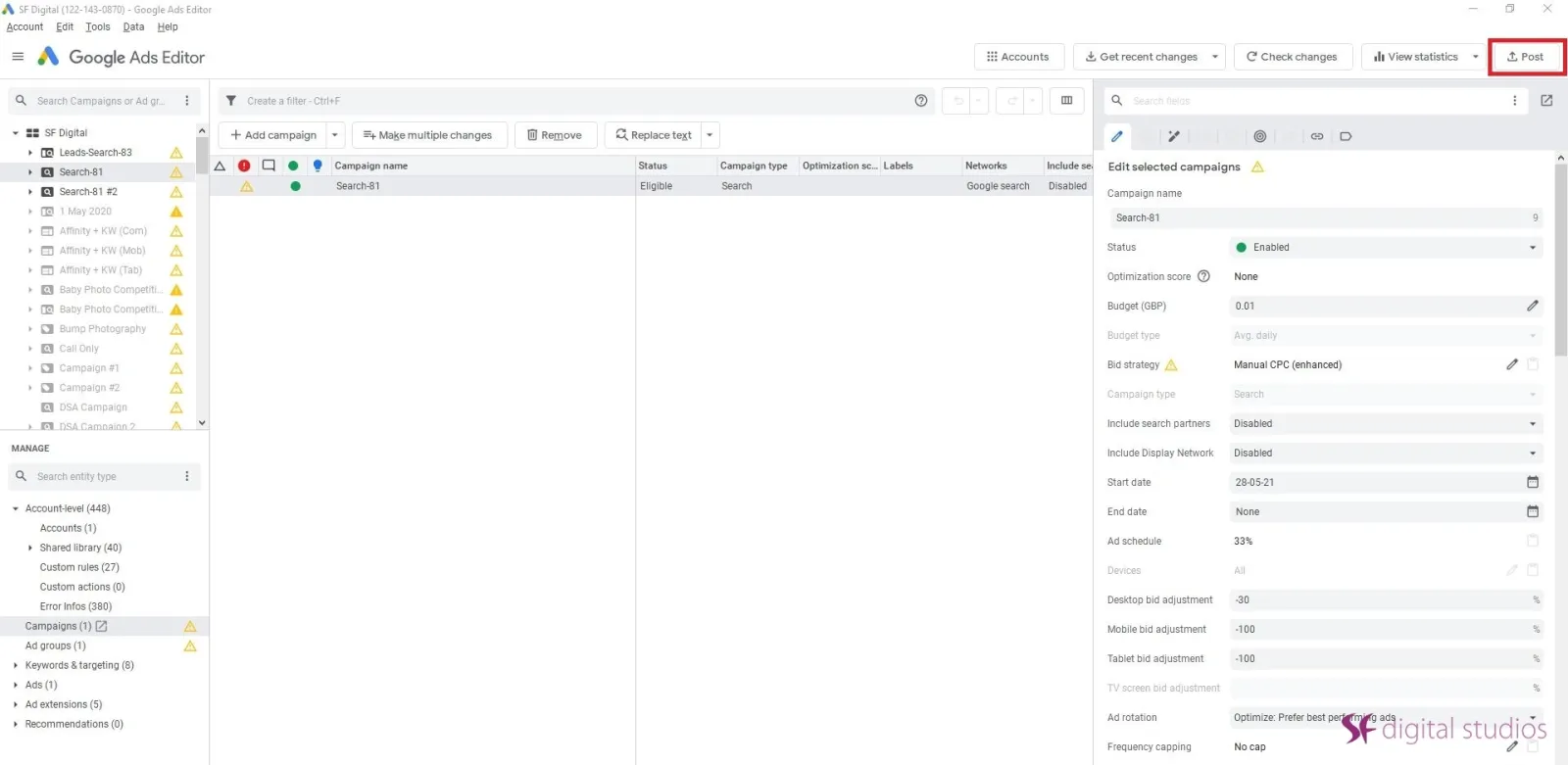
Google Ads Post Changes

Step 4: Click Post (top right corner) and your duplicated campaign will be uploaded to the Google Server.

We highly recommend using Google Ads Editor for your ad campaigns, as it will boost your workflow, increase efficiency and be much quicker when working on your campaigns.

Uzair Kharawala

Written by Uzair Kharawala

Partner at SF Digital Studios, a Google Premier Partner agency. Uzair has been helping businesses grow with Google Ads since 2002 and teaches it every week on YouTube.

Book A Call →Subscribe on YouTube for new videos every weekday →
Free every week

Get our best Google Ads tips by email

New articles and videos, straight to your inbox. Unsubscribe any time.

We respect your privacy at all times. Privacy Policy

You may also like

Read the blog →

Your next customers are out there. Let's go and get them.

Tell us where you want your business to be, and we'll show you how to get there.

Book A Call →or get your free Google Health Check →
Happy clients

Don't take our word for it

4.9 from 157 Google reviews, plus case studies and client videos.

See our happy clients →
"It has now been 3 months since we started and our sales have increased 300%."
Ruhi Latif Rafplay, Dubai
"Uzair and Farzana are two of the most honest, sincere and trustworthy people you will ever meet."
Gavin Morgan GDM Jewellery · Google review
"If I needed a campaign built, this is one of the rare few people IN THE WORLD I would trust to do it properly."
Hemmel Amrania Google Ads professional · Google review
Book A Call →
Chat with us on WhatsApp