

Top Google Ads tips to find your competitors in Google Ads. Watch the video.
By following the below simple steps, you can find your top competitors in Google Ads.

Get Found, Get Chosen, Get Your Time Back
A free one-day marketing seminar in Milton Keynes · 10 November 2026
Auction Insights Report
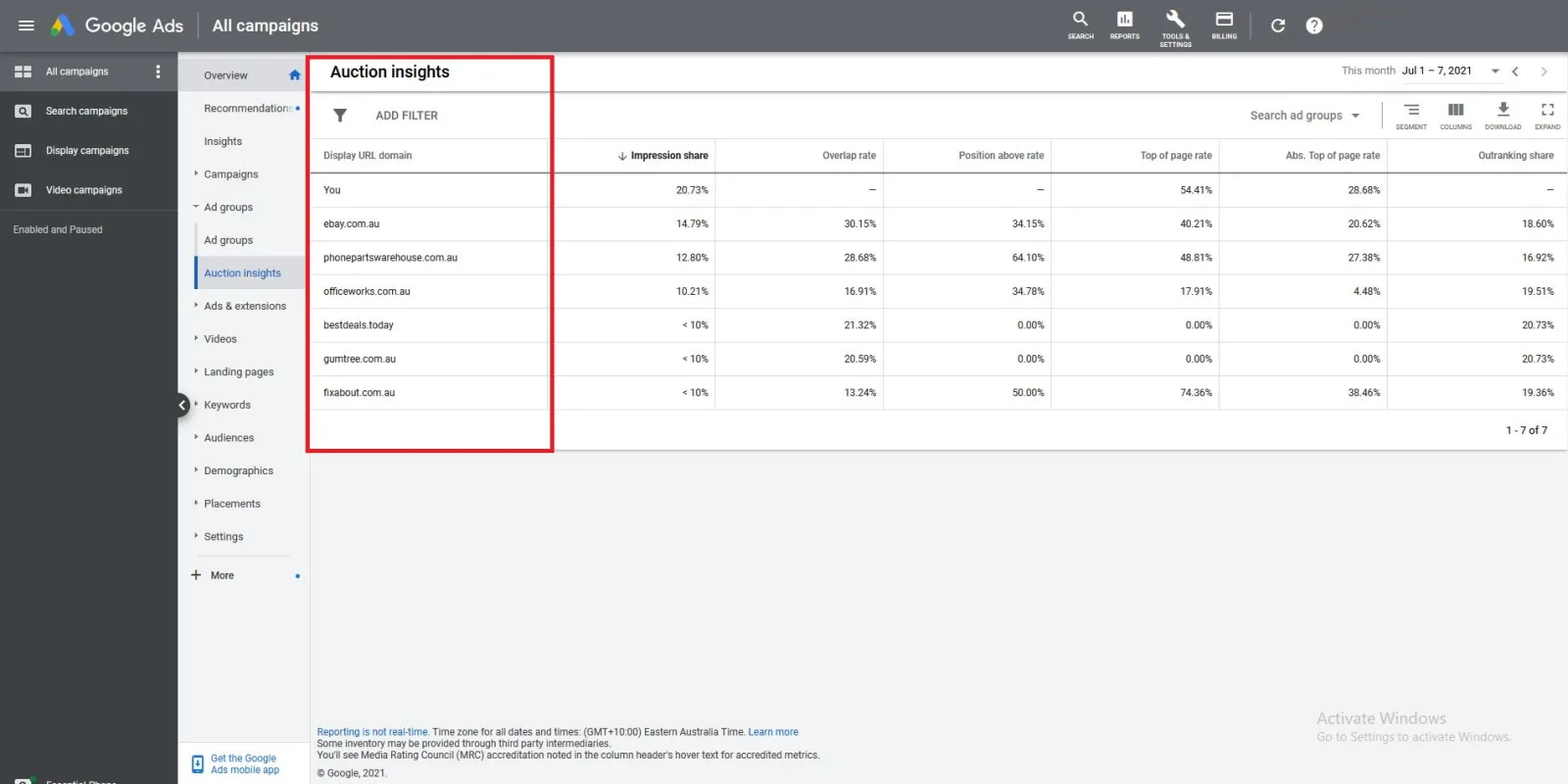
In a variety of ways. You can look in for search campaigns. You can look at the insights auction report. Where you will find all the competitors who are who Google things are your competitors or direct competitors.
Get your free Marketing Action PlanNot sure where to start? Answer a few questions and get your plan in about a minute. No email needed.
Get my plan →Google Ads Search Network
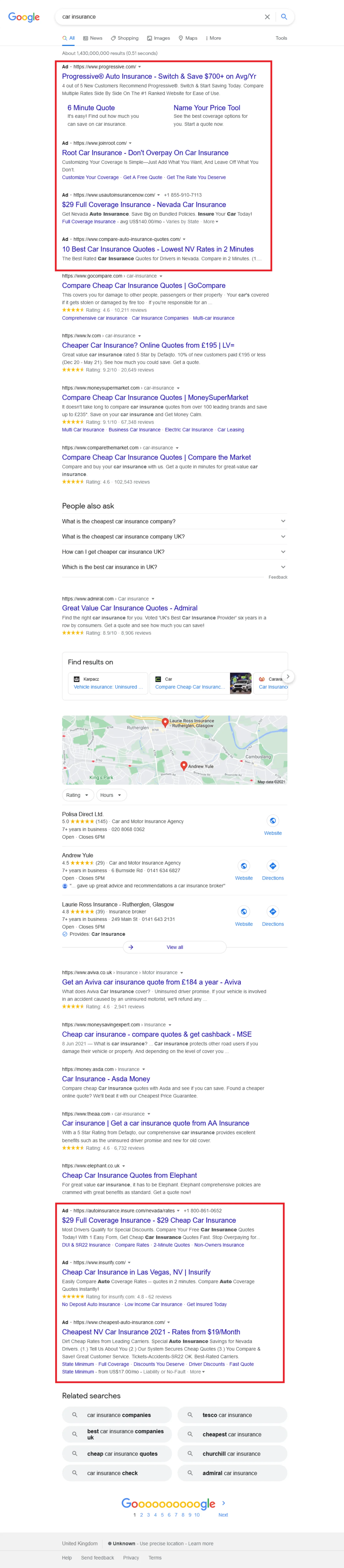
The other way you can find your competitors is on the search network. Let’s say you are in the car insurance business and want to find out who your competitors are. You go to Google and search for “car insurance” and all the ads will pop up.
So, the top four ads and the bottom four ads on the page, are the advertisers. You know that these companies are advertising on Google Ads. But then you can also find your direct competitors for that keyword with the organic rankings and listings. The rankings are in the middle of the page.
 LIVE
Live every Tuesday at 2pm UK. Bring your marketing questions.
Get your Google, local SEO and AI questions answered live.
You will find all these companies are getting their search engine optimization done for that keyword because they are targeting that keyword. These are also your competitors.
You can go on to the second page, the third page as well but I don’t find those very competitive because that’s why they are languishing on the second page and third page. Those who are very competitive will be on the first page because they want to stay on the first page.
Google Ads Remarketing
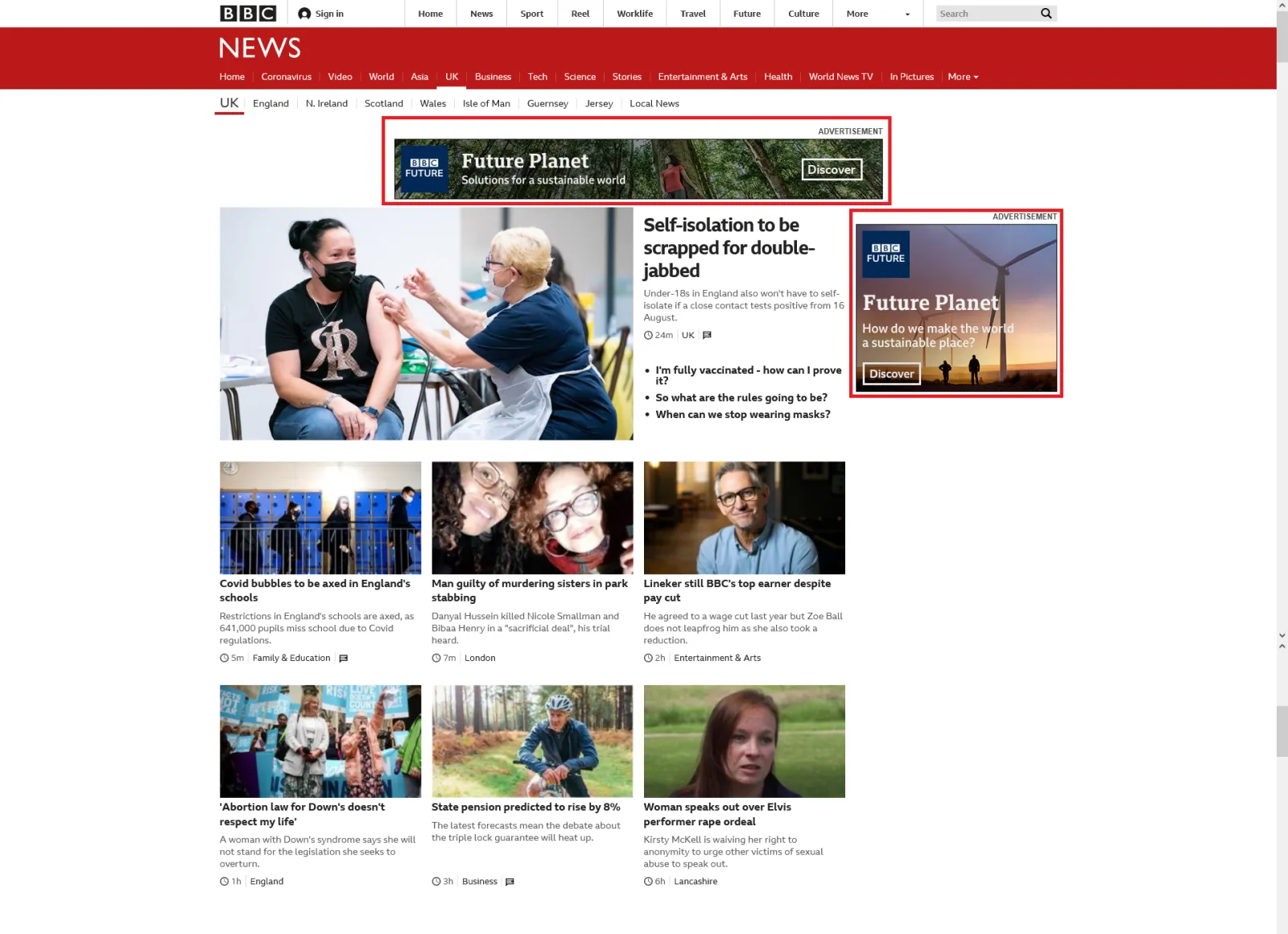
Then when you have been to some of your competitors’ websites, you’ll get pixeled in and then the ads will follow you as a remarketing ad. You will know what they are doing and when you see a remarketing ad from your competitor.
What I do is take a screenshot and put them into my swipe file. Always have a swipe file especially for your competitors because then when you do wish to create a new campaign, later on, you can get ideas for your campaigns.
You can get some inspirations and aspirations from your competitors, what they are doing, how they are doing it. You also make a note of their landing page, how they’ve designed it, what the offer is on that page. What the call to action may be.
So, this is how easy it is to find your competitors and the same thing applies on YouTube, when you go on YouTube and your competitor ads pop up as a video ad. Click on that ad. Go to that page and see what they are offering.

Written by Uzair Kharawala
Partner at SF Digital Studios, a Google Premier Partner agency. Uzair has been helping businesses grow with Google Ads since 2002 and teaches it every week on YouTube.
Get our best Google Ads tips by email
New articles and videos, straight to your inbox. Unsubscribe any time.