NatWest Accelerator Events Free one-day marketing seminar at the NatWest Accelerator, Milton Keynes · 10 November 2026 Free marketing seminar · NatWest Accelerator, Milton Keynes · 10 Nov 2026 Free seminar · 10 Nov 2026
NatWest Accelerator, MK
Get your free invite →Invite →

Home › Blog › Google Ads

Google Ads

How To Promote YouTube Videos With Google Ads

How To Promote YouTube Videos With Google Ads
Read the video transcript

How do I promote YouTube videos with Google Ads? Good question. Now, a lot of people get confused with video ads or YouTube Ads and Google Ads. They are the same. You can only run video ads on YouTube through Google Ads. Google owns YouTube. And running ads on YouTube has to be done through Google Ads. So, the first thing you want to do is to have a video.

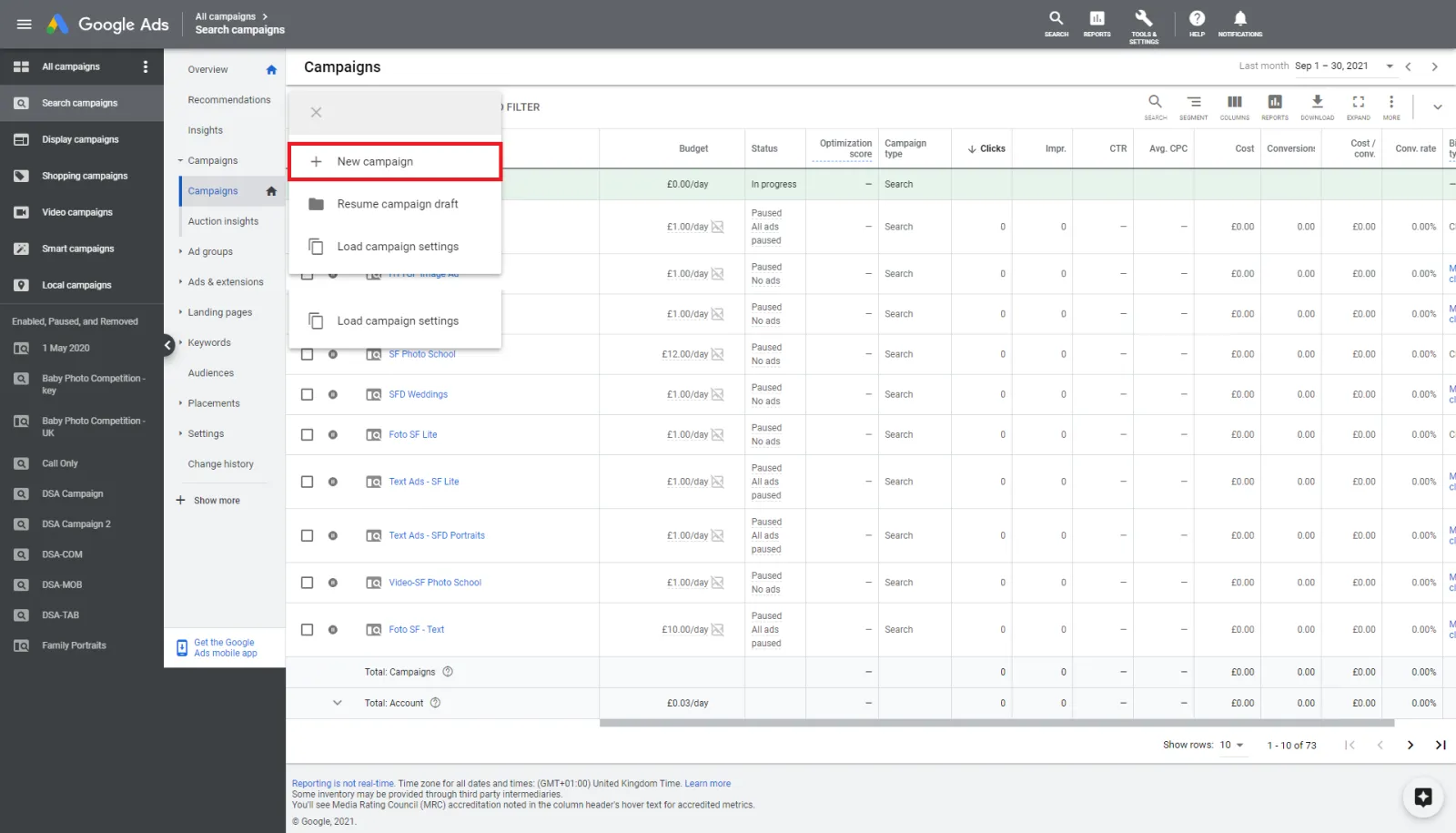
Upload to your YouTube channel. Link your YouTube channel to Google Ads. Go into Google Ads and start setting up your video campaign. So this is how we do this. We go into our account. And then you go all campaigns. At the campaign level, click on the plus button, new campaign. Whatever your goal is be it sales, leads, website traffic you select.

And then you select video over here. Now you are going to get the option to set up your video campaign. I'm not going to go through all of this but what will happen is at the ad level over here where it says create your ad. So, you need to obviously set up all these campaign name, bids, budgets, networks, etc.

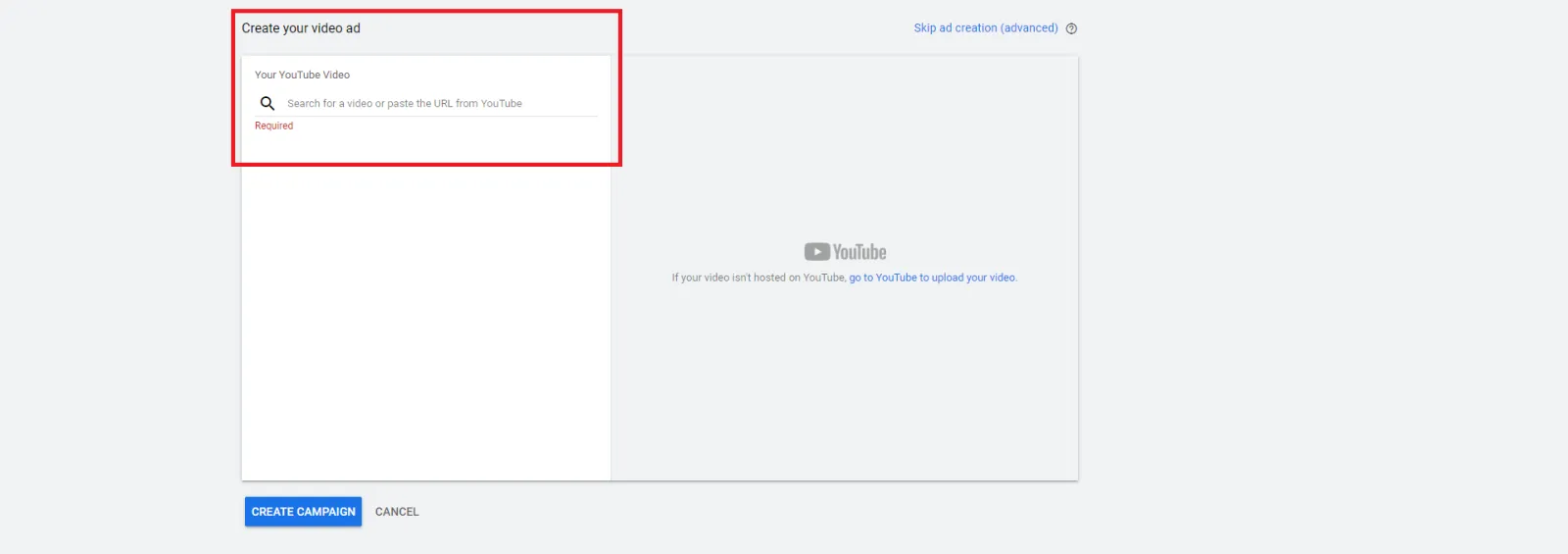
Location. All of these. Once you've done all of these and the targeting as to who you wish to target, how you wish to target. Then you go to your YouTube account copy. Let me quickly do that. Okay. So, I'm gonna go copy. I'm just picking up a random video from my channel. Paste it. And then you will see that that video pops up.

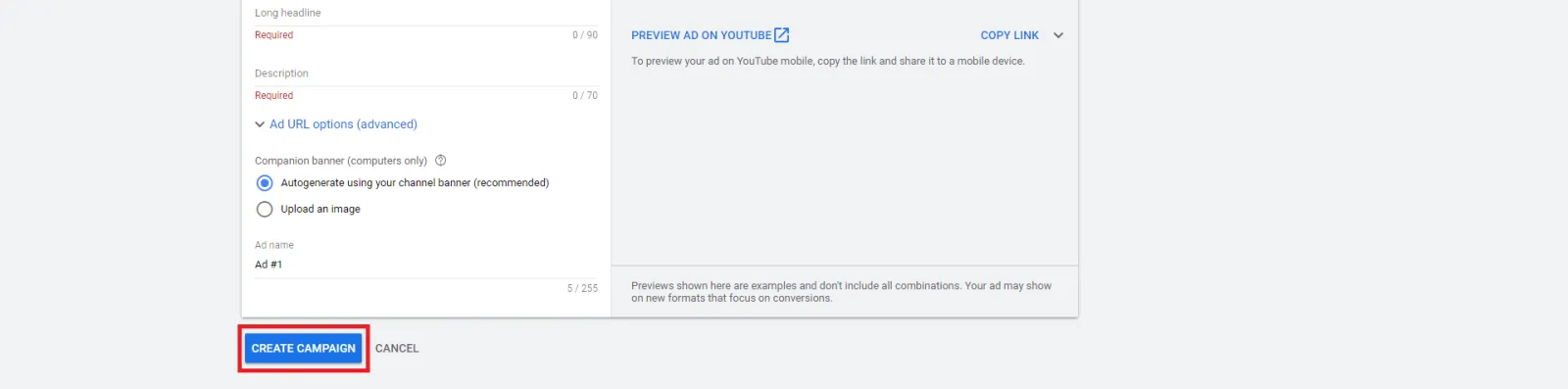
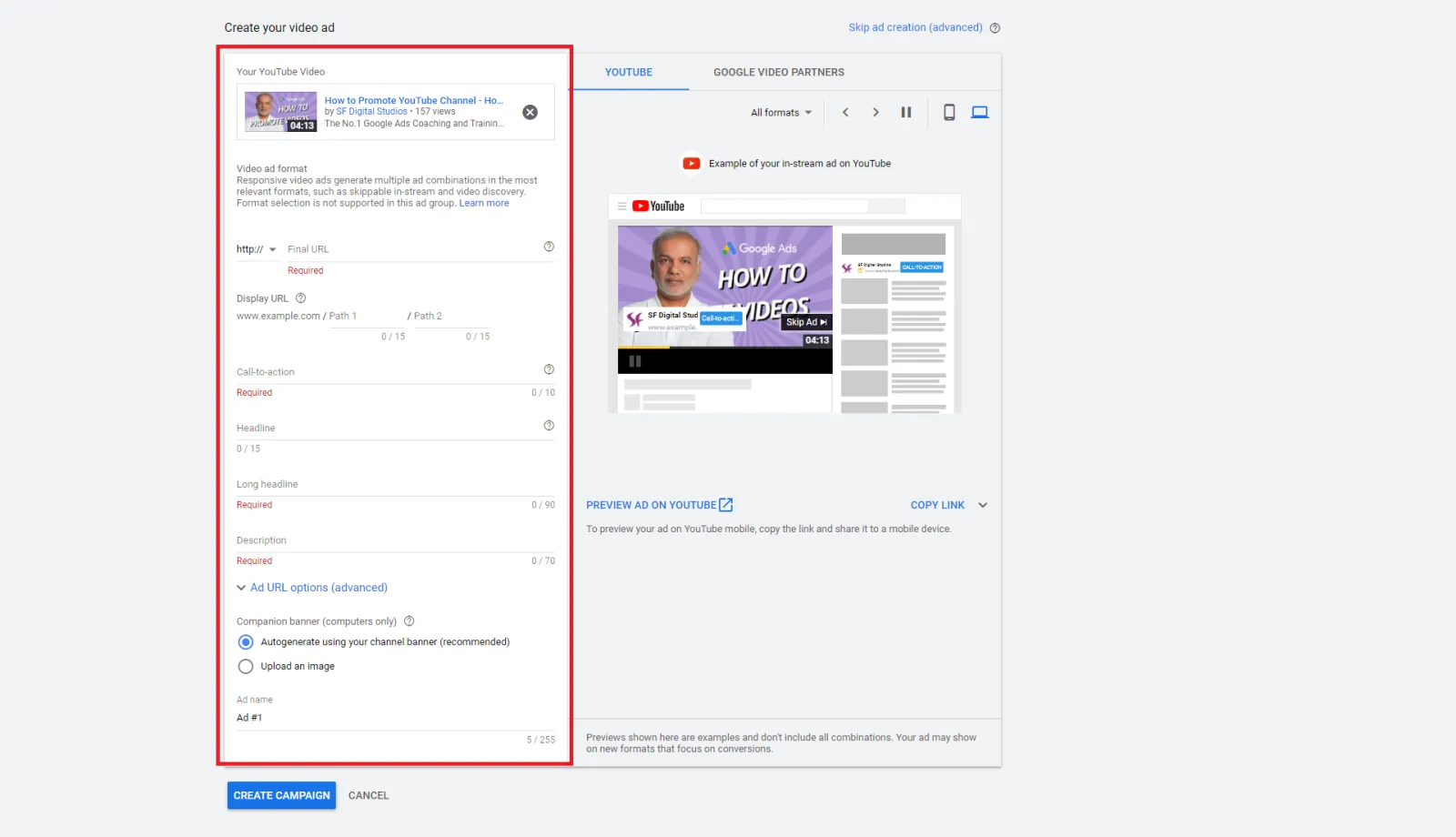
That's how the ad is going to look. You put in your final URL, the call to action headline, long headline. So, the headline is up to 15 characters, long headline up to 90 characters. And the description which is up to 70 characters. I would also highly recommend that you upload an image which is 300x60 pixels wide. So something like this is nice and simple.

Because they show up on the right-hand side on the desktop. So your video is coming up before or during somebody's someone else's video. You have the call to action over here with your logo name. and your skip ad button is there. The headline will pop up over there as well. So if I say learn you can see that that button called to action has changed and then it has changed over there as well.

So even though somebody has skipped this ad after 5 seconds. That stays on for quite a while. So you are getting free branding. So I would highly recommend you do that. And then you put in your headline whatever you want. It will show up over here which is up to only 15 characters long. And put in the long headline, description and create the campaign.

Make sure you know that YouTube Ads are exactly the same as video ads and Google Ads. You can only run video ads on YouTube through Google Ads. YouTube is within the Google umbrella and is owned by Google.

Do you want to get more views for your YouTube videos? In this video, you’ll discover how to set up a Google Ads video campaign with YouTube video to boost YouTube Channel growth to get more audiences into your funnel at a fraction of the cost.

Free NatWest Accelerator event

Get Found, Get Chosen, Get Your Time Back

A free one-day marketing seminar in Milton Keynes · 10 November 2026

Get your free invite →

How to promote your YouTube video with Google Ads

  • Step 1: First thing you need a video. So upload a video onto your YouTube channel. 
  • Step 2: Link your YouTube channel to Google Ads
  • Step 3: Go into your Google Ads dashboard and set up a video campaign for that chosen video.

How to set up a video ad campaign

Step 1: Find the Google Ads campaigns tab

Get your free Marketing Action PlanNot sure where to start? Answer a few questions and get your plan in about a minute. No email needed.

Get my plan →
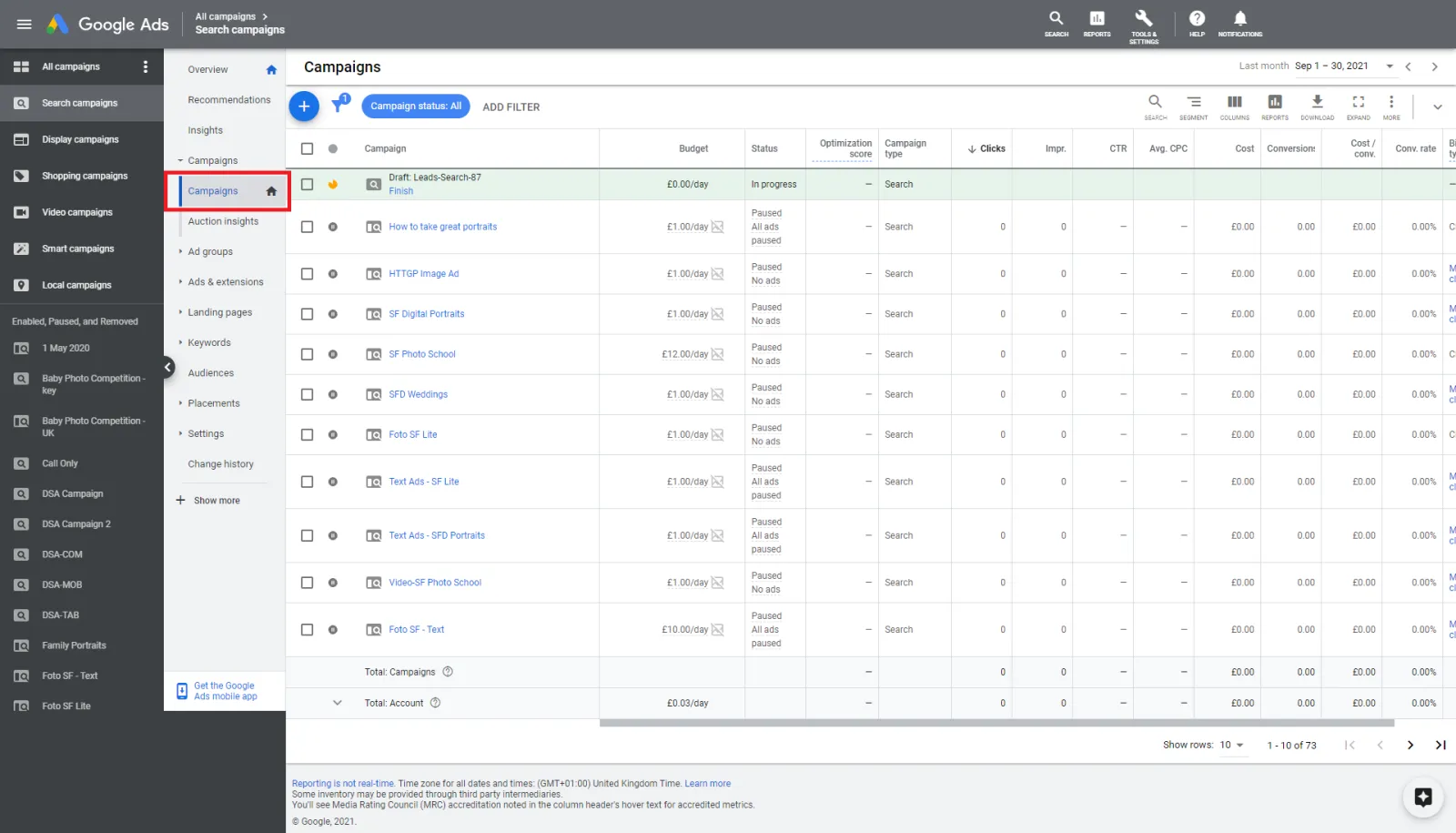
Google Ads Campaigns Tab

Step 2: Click on the blue plus (+) button on the left
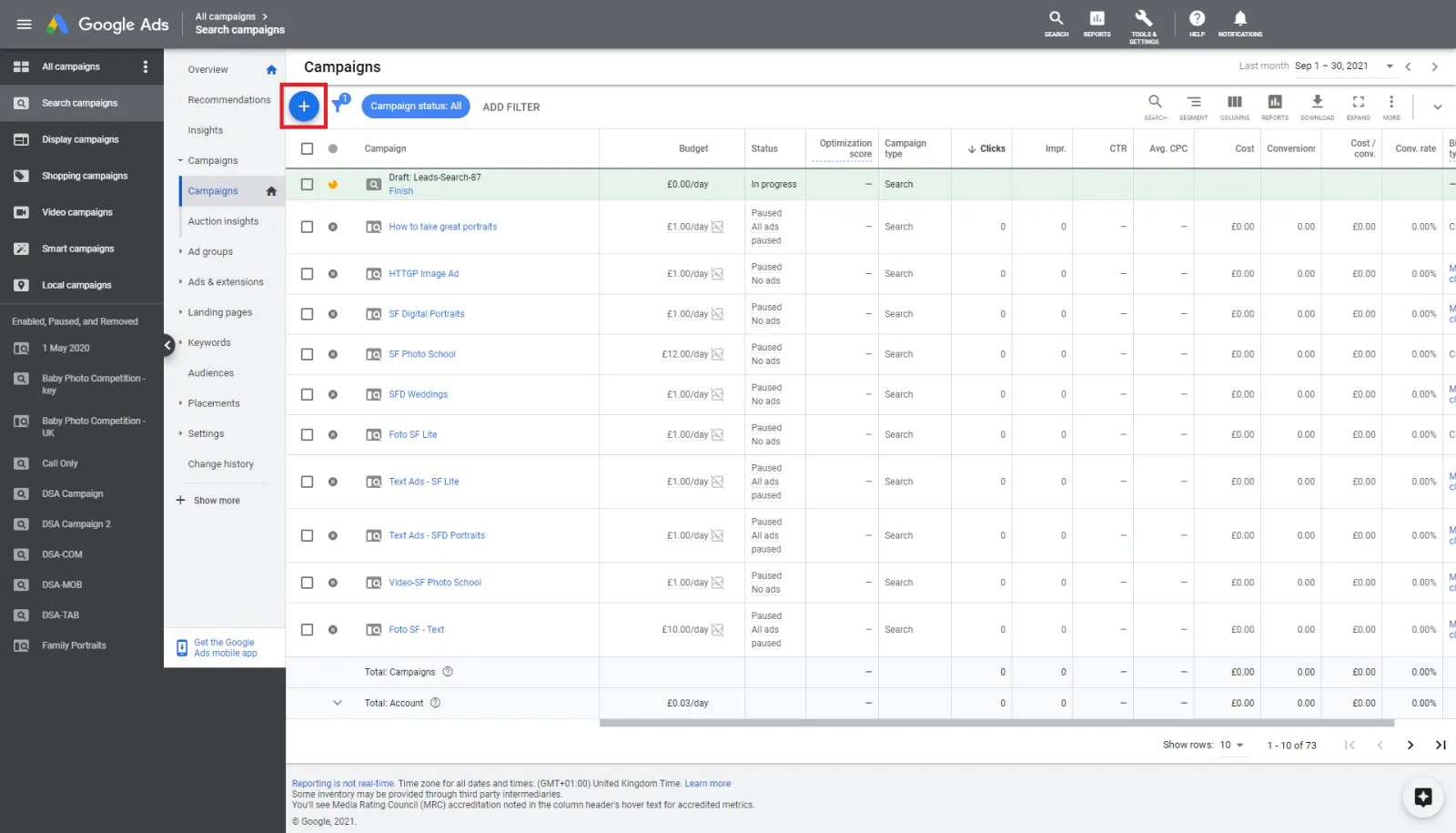
How To Create Google Ads Campaign

Step 3: Click new campaign

Uzair KharawalaLIVE
Free weekly YouTube live

Live every Tuesday at 2pm UK. Bring your marketing questions.

Get your Google, local SEO and AI questions answered live.
Join for free
How To Setup Google Ads Campaign

Step 4: Choose whichever campaign goal you have, it could be more sales, leads or website traffic.
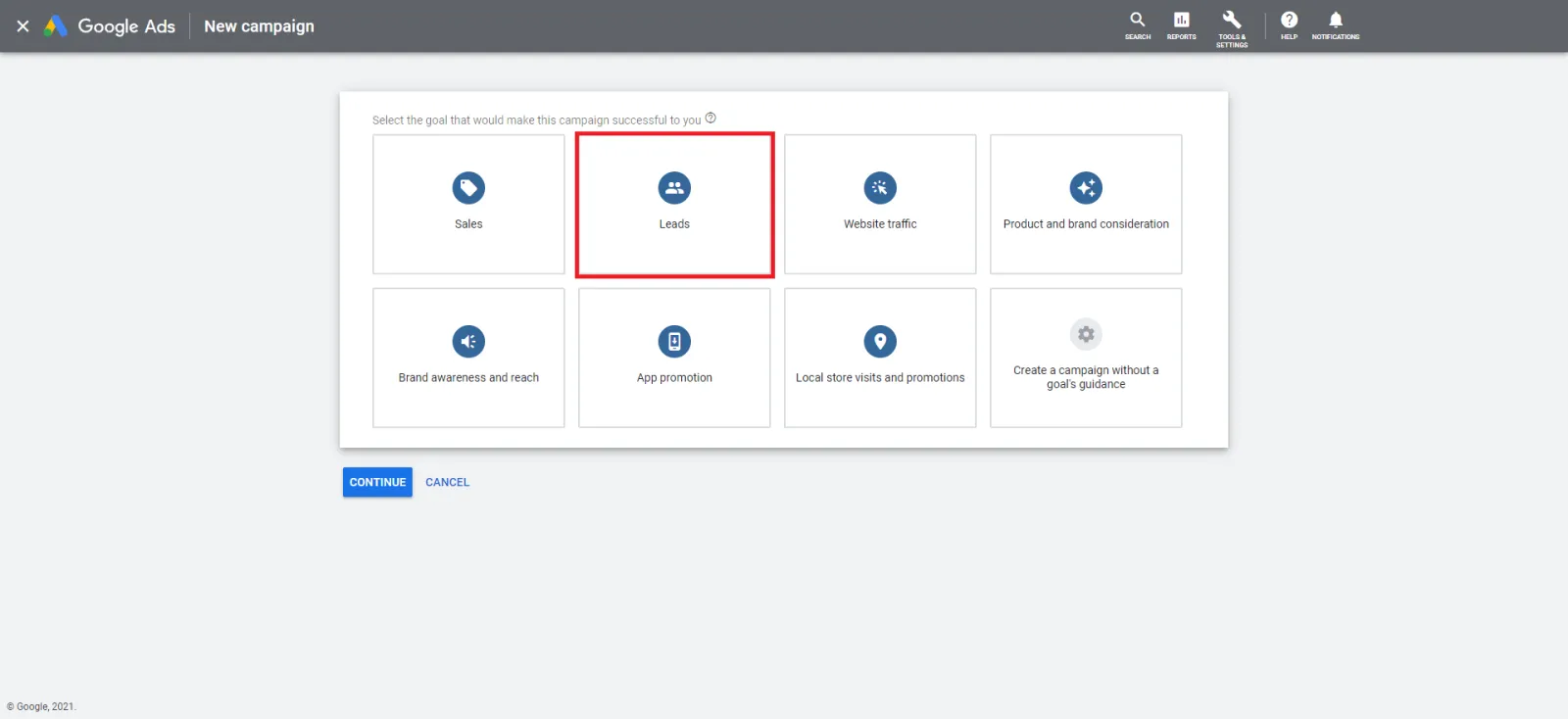
Google Ads Campaign Goals

Step 5: Once the goal is chosen, select a YouTube video.
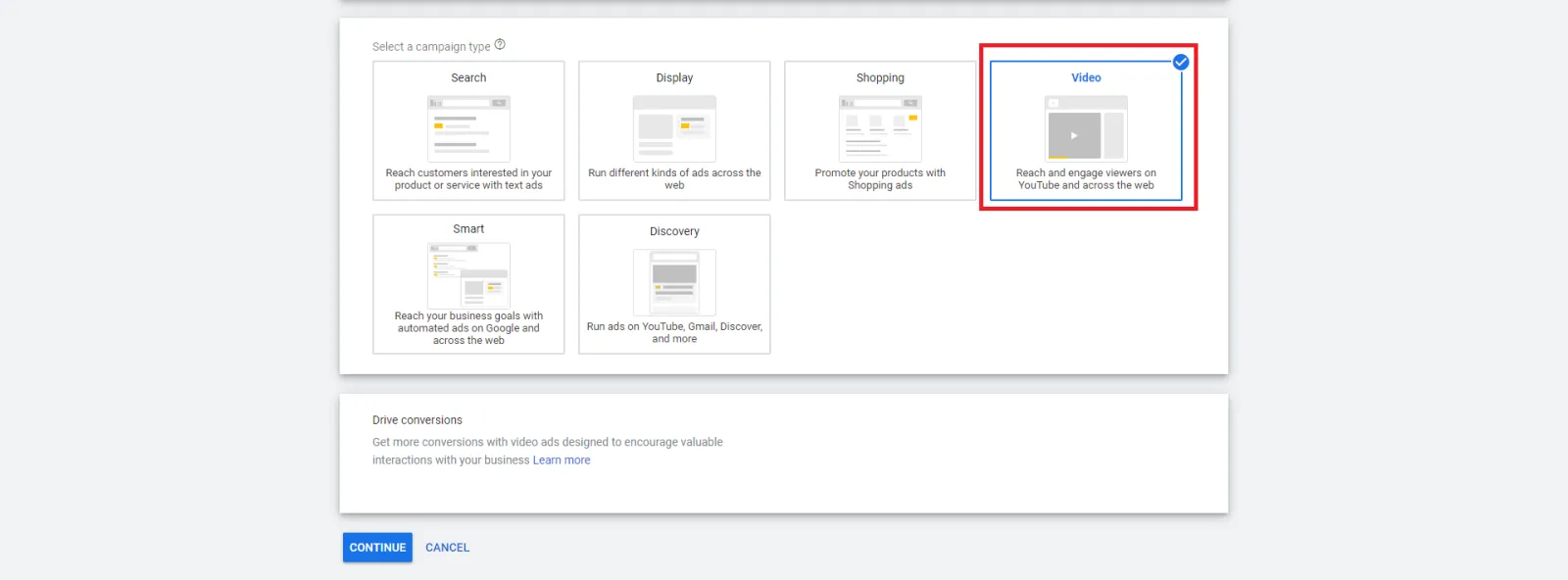
Google Ads YouTube Campaign

Step 6: The video ad campaign settings will pop up and you will have to enter all the details; budgets, dates, bids, target audience etc.
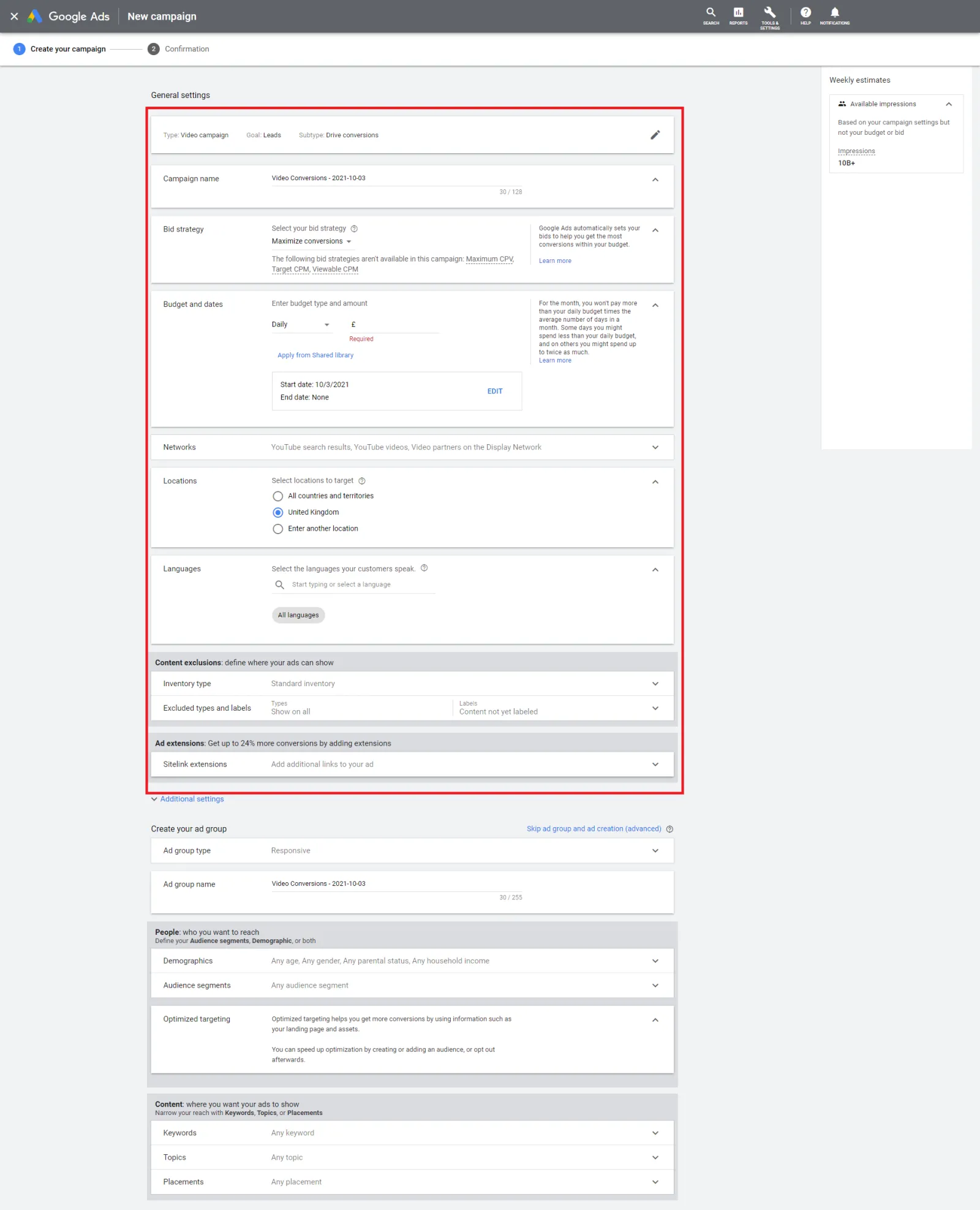
YouTube Campaign Setup

Step 7: The tab that says ‘Create your video ad’, that is where you copy and paste your YouTube video URL 
YouTube Campaign Ads

Step 8: You can then create your headlines, call-to-action and banners for the ad.
YouTube Campaign Google Ads

Step 9: Click create campaign

How To Create YouTube Campaign

That is our quick and easy step by step guide on how to create and promote Google ads within YouTube. Using this tool will essentially give you and your company free branding on YouTube even if the audience skips the ad. We highly recommend using the Google Ads feature for your YouTube videos.

Uzair Kharawala

Written by Uzair Kharawala

Partner at SF Digital Studios, a Google Premier Partner agency. Uzair has been helping businesses grow with Google Ads since 2002 and teaches it every week on YouTube.

Book A Call →Subscribe on YouTube for new videos every weekday →
Free every week

Get our best Google Ads tips by email

New articles and videos, straight to your inbox. Unsubscribe any time.

We respect your privacy at all times. Privacy Policy

You may also like

Read the blog →

Your next customers are out there. Let's go and get them.

Tell us where you want your business to be, and we'll show you how to get there.

Book A Call →or get your free Google Health Check →
Happy clients

Don't take our word for it

4.9 from 157 Google reviews, plus case studies and client videos.

See our happy clients →
"It has now been 3 months since we started and our sales have increased 300%."
Ruhi Latif Rafplay, Dubai
"Uzair and Farzana are two of the most honest, sincere and trustworthy people you will ever meet."
Gavin Morgan GDM Jewellery · Google review
"If I needed a campaign built, this is one of the rare few people IN THE WORLD I would trust to do it properly."
Hemmel Amrania Google Ads professional · Google review
Book A Call →
Chat with us on WhatsApp