
Google Ads callout extensions are a fantastic way to introduce more information into your Google Ads without them being too lengthy and hard to read. They’re effective for highlighting important information about value-adding attributes such as unique offers for your customers. In this blog, we will talk all about callout extensions, their benefits and how they work.
What are callout extensions?
If you’re new to the Google Ads world, you’re probably wondering what callout extensions are. Don’t worry, we’re here to tell you all about them and how they can really benefit your Google Ads campaign.

Get Found, Get Chosen, Get Your Time Back
A free one-day marketing seminar in Milton Keynes · 10 November 2026
Google Ads callout extensions are short snippets of text that fit into your Google Ad to add important information that your potential customers will benefit from when they see it on the Google search page. They are used to highlight key bits of information in a small space, allowing you to cram as much info into the ad as possible without it being too many words.
Get your free Marketing Action PlanNot sure where to start? Answer a few questions and get your plan in about a minute. No email needed.
Get my plan →The type of callout extensions varies depending on what your product or business promotes/sells. However, popular callout extensions range from offering free shipping to your customers to 24-hour customer service. Whatever niche or USP your product/business has, put them in the callout extensions to grab the attention of your potential customers.
Tips for using callout extensions for the first time
- Keeping it short: Shorter, more snappier text is best for callout extensions as you can fit more into the ad. If you think of callout extensions as bullet points, you’ll be able to easily write them.
- Being specific: Although you have a limited amount of space for callouts, you still have to keep specific when writing them. Give customers detailed information, rather than something vague so they can choose if you have what they’re looking for. For example; ‘34 MPG max mileage’ instead of ‘Great fuel economy’.
- Character limiting: As mentioned before, callout extensions are short and limited within a number of characters. Google Ads callout extension texts are limited to 25 characters in most languages.
Here are just a few of the benefits callout extensions can have on your brand or business:
- Highlight your best: You can promote and spotlight your best offers or UPS so the customer can see them straight away.
- Expand your ad: By adding callout extensions to your Google Ad, you’re increasing your share of screen space with an extra line within your ad, thus potentially increasing your click-through rate.
- Focused value: Google Ads callout extensions ultimately increase your ad size. However, since callout extensions don’t give potential customers any links to click, they allow you to maintain the primary focus on your main link and values as a business.
- Super easy setup: The callout extension setup is as easy as all the other Google Ads tools, you’ll have them up and ready in a flash
- You can combine callout extensions with your other chosen extensions to boost engagement
- Callout extensions are visible and can appear on mainline and sidebar ads
Google Ads Callout Extensions improves your Google Ads campaigns performance. Use Callout Extensions to add more information and value to your Google Ads. Grow your business with these tips and advanced settings.
A quick straightforward and simple guide on how to add callout extensions to your Google Ads campaign.
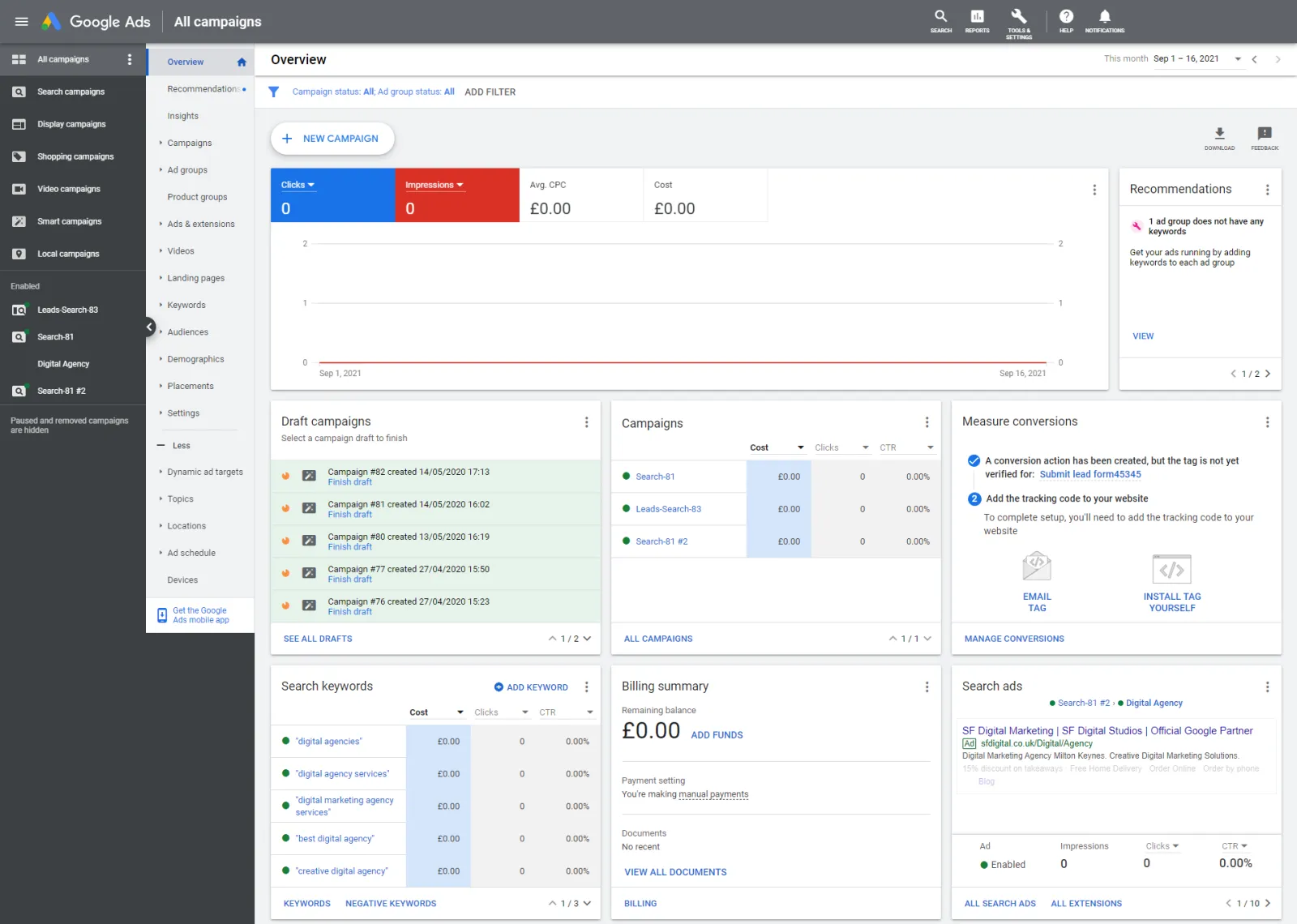
Step 1: Go to your Google Ads dashboard
 LIVE
Live every Tuesday at 2pm UK. Bring your marketing questions.
Get your Google, local SEO and AI questions answered live.
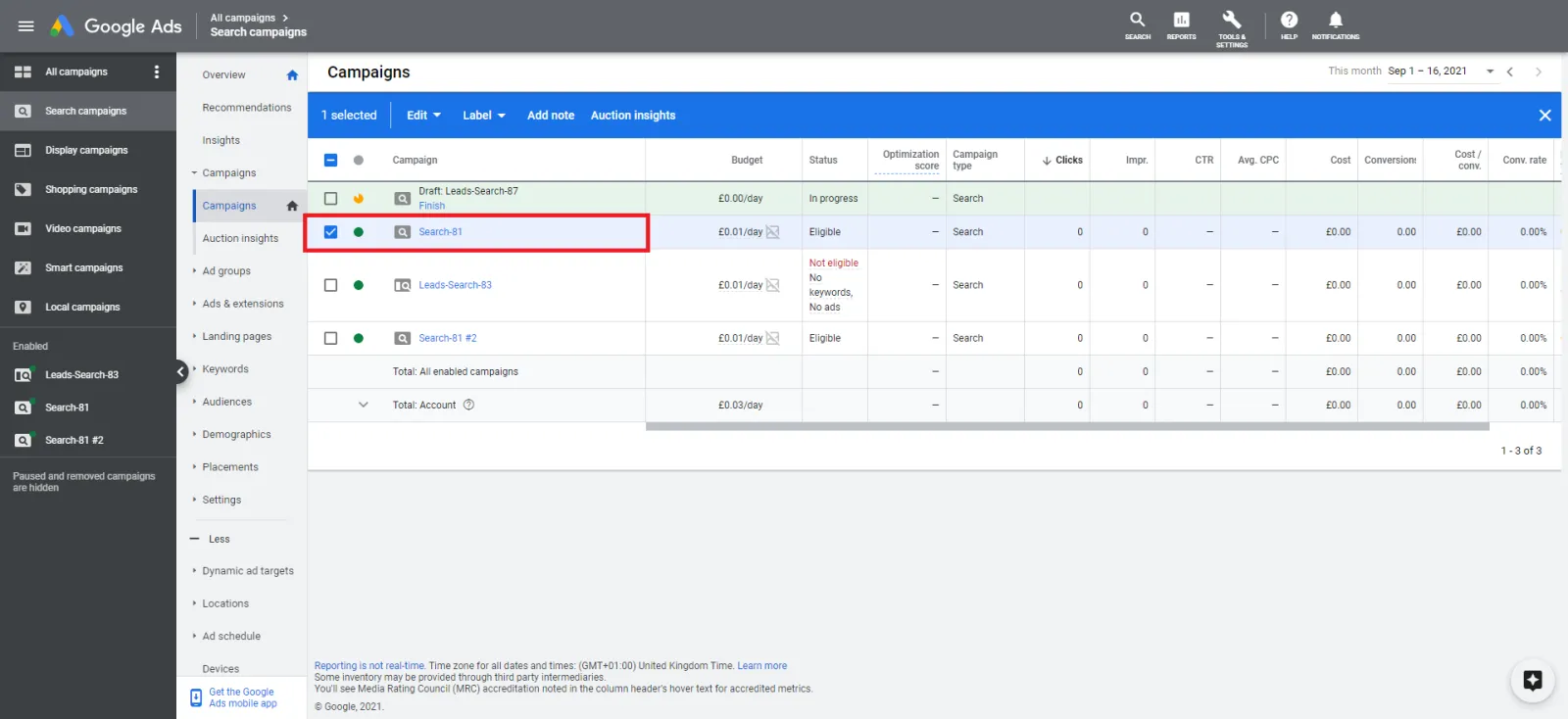
Step 2: Select your Google Ads campaign
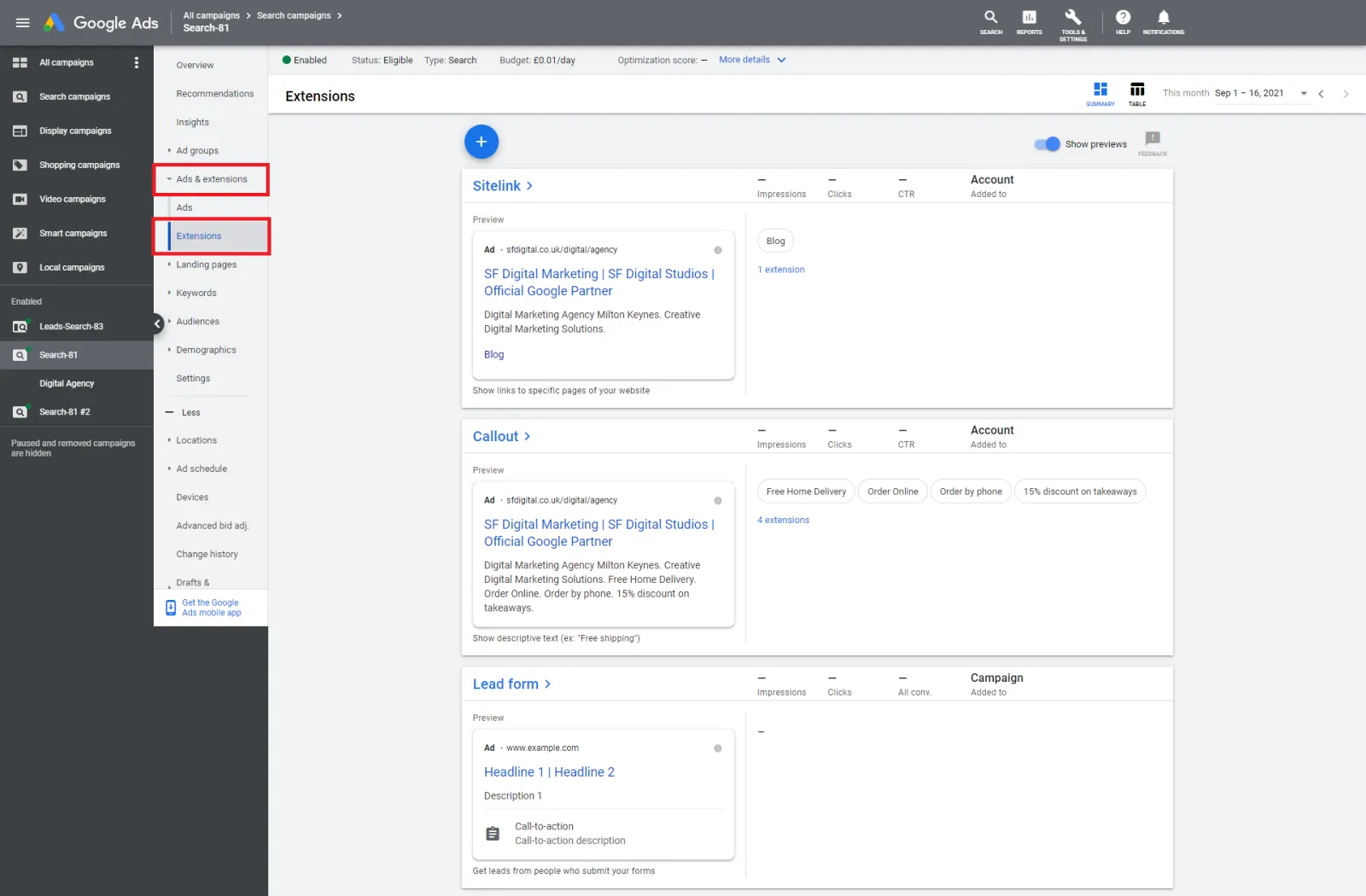
Step 3: Click on “Ads & Extensions” and click on ‘Extensions’
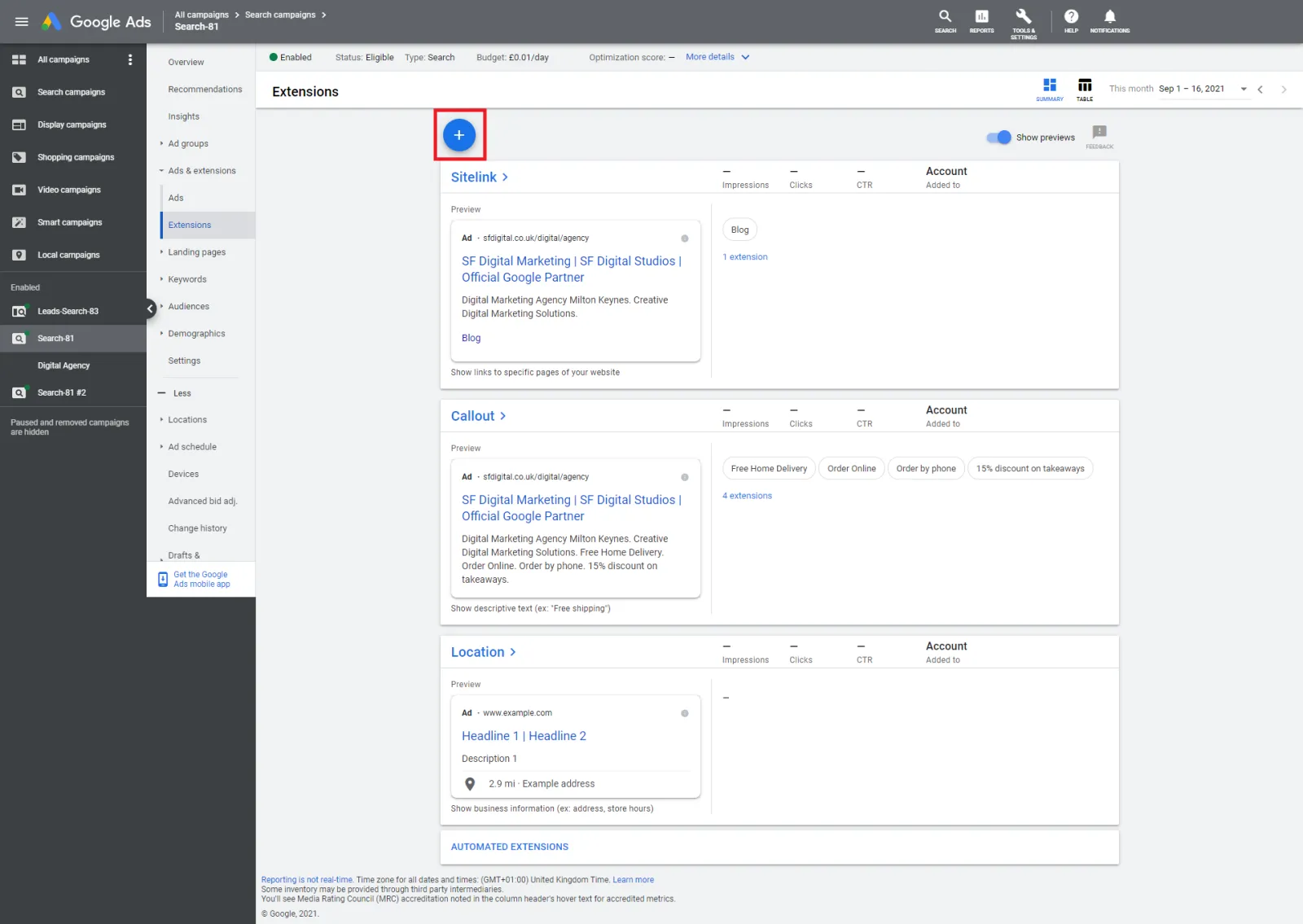
Step 4: Click on the blue plus (+) sign button
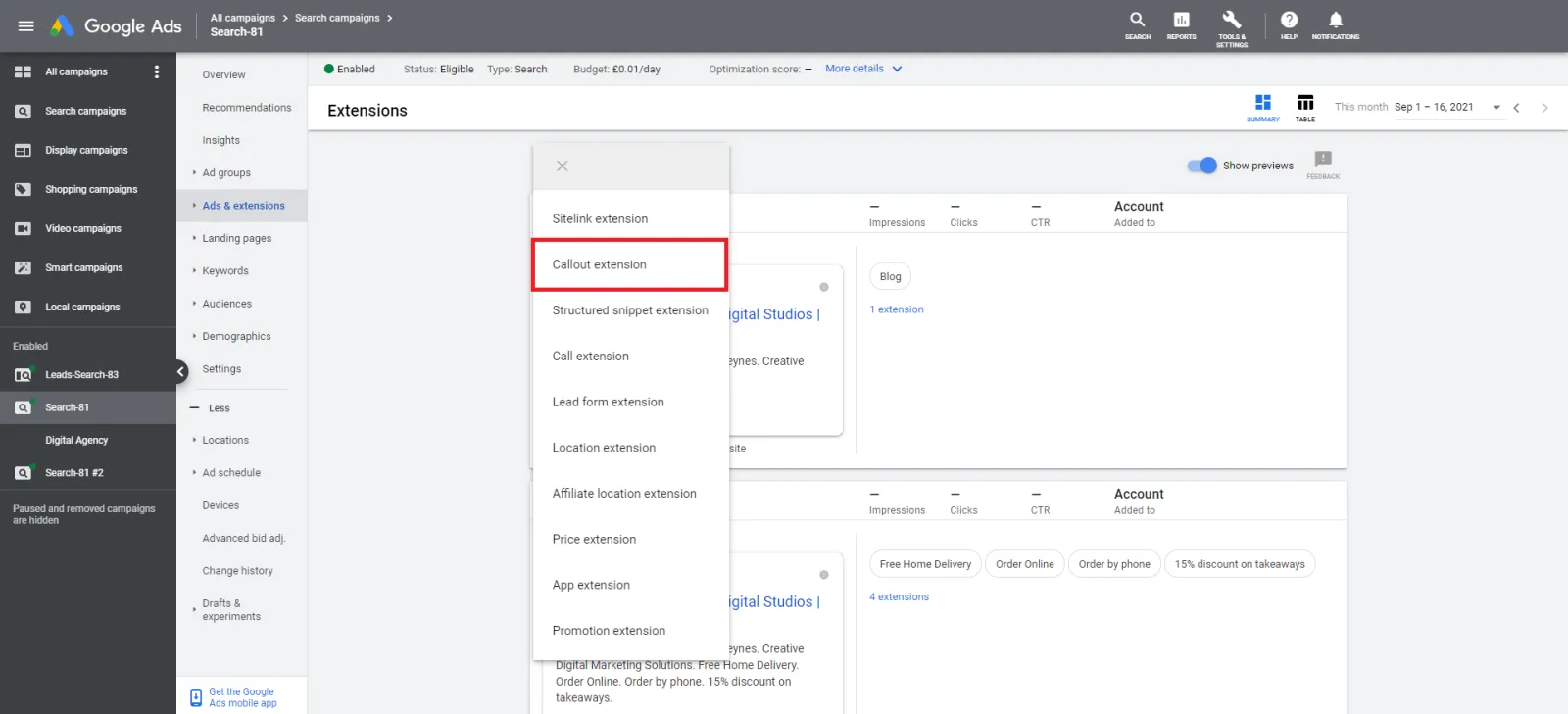
Step 5: Select “Callout Extension”
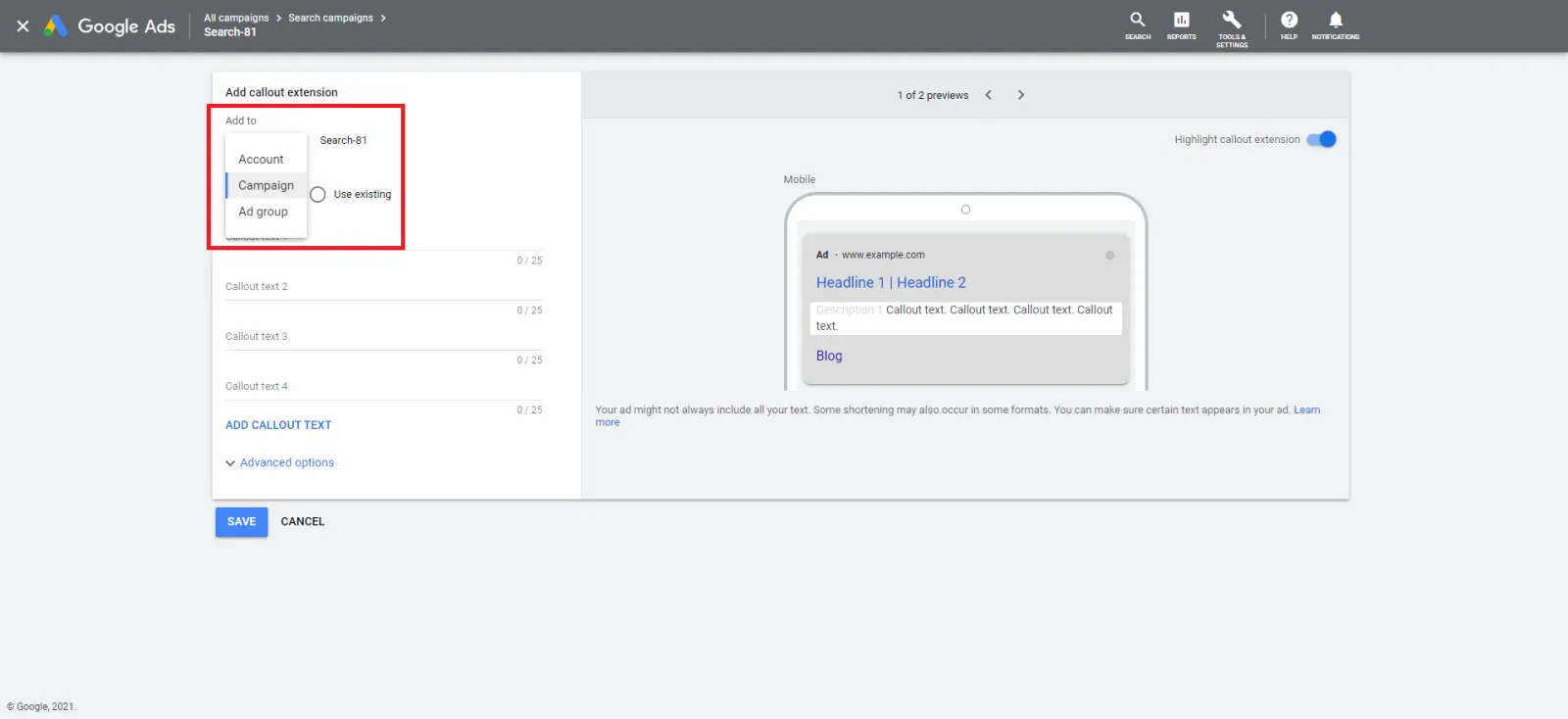
Step 6: Choose where you want your callout extension to go:
- Account-level
- Campaign level
- Ad group level
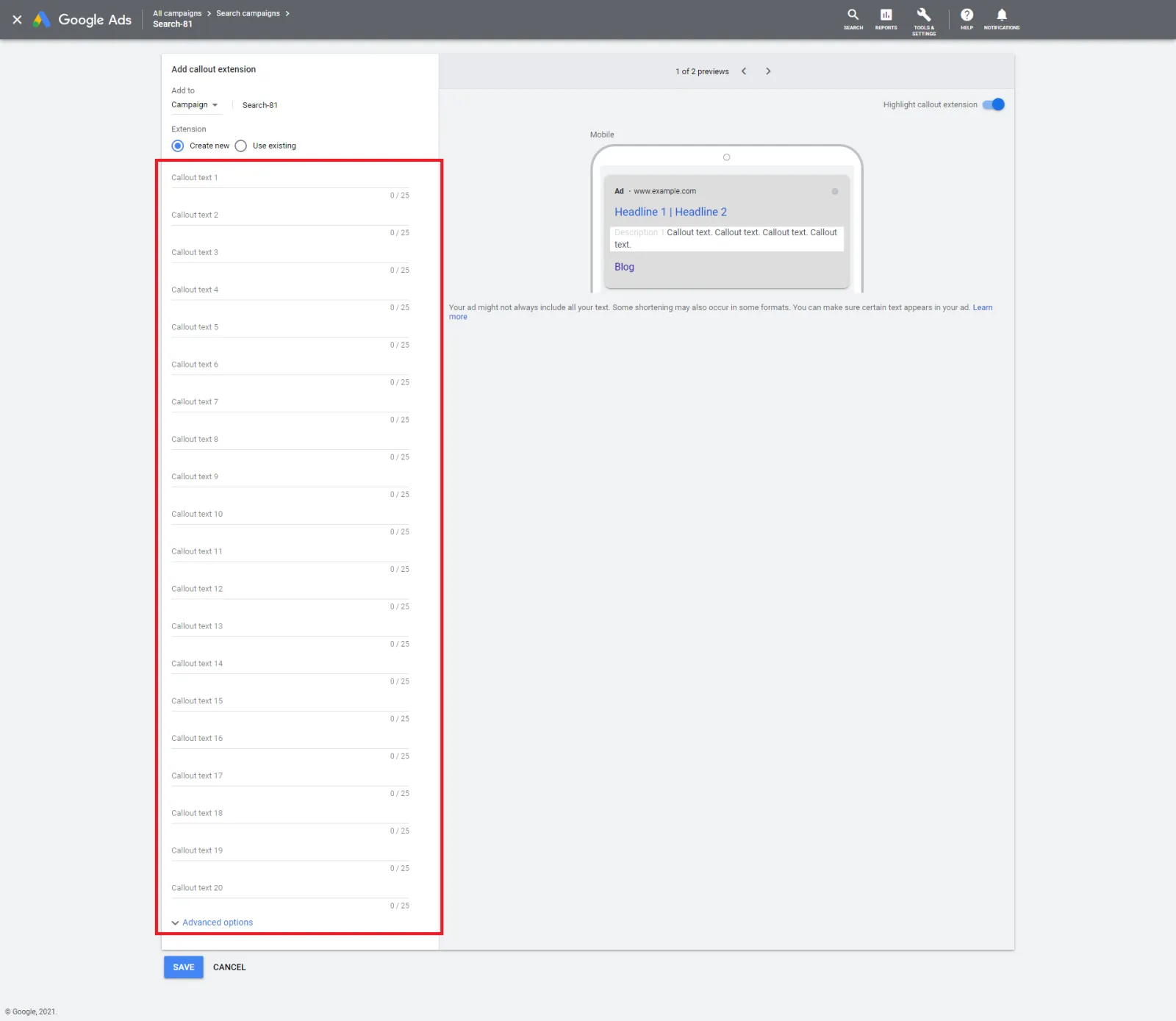
Step 7: Fill out each 20 Callout texts.
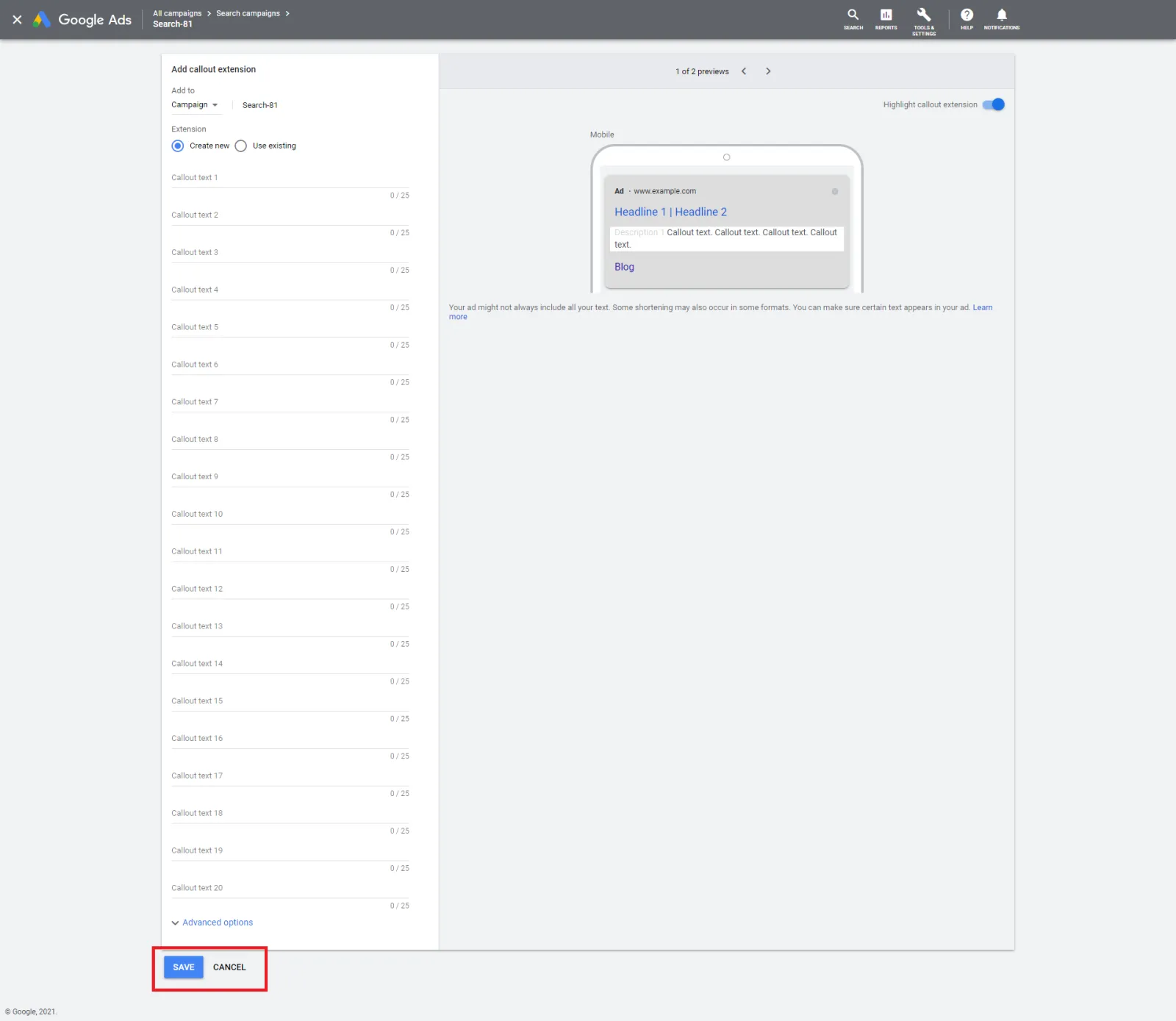
Step 8: Click ‘Save’
That’s it. Using callout extensions are the best Google Ads practice. We highly recommend using them.

Written by Uzair Kharawala
Partner at SF Digital Studios, a Google Premier Partner agency. Uzair has been helping businesses grow with Google Ads since 2002 and teaches it every week on YouTube.
Get our best Google Ads tips by email
New articles and videos, straight to your inbox. Unsubscribe any time.