
Before we go into the step-by-step guide, let’s talk about how Google Ads work and why they are effective for your brand and business.
How does Google Ads work?
Google Ads work by businesses bidding on specific keywords and phrases that they think will be beneficial to their search campaign. Ads with the most bids and best end solutions for the customer show whilst the others are hidden. That’s the more simple explanation, Google Ads is a huge topic with lots of different branches.

Get Found, Get Chosen, Get Your Time Back
A free one-day marketing seminar in Milton Keynes · 10 November 2026
So, if you’re a dental practice in London, for example, and you bid on the search term ‘family dentist London’, and you’re successful in outbidding the previous owner, then this search term will rank higher, driving more traffic to your site.
Get your free Marketing Action PlanNot sure where to start? Answer a few questions and get your plan in about a minute. No email needed.
Get my plan →Based on different factors like location, intent, past browsing history and preferences, Google shows what best matches the actual intent of the customer/searcher.
Why are Google Search Ads effective?
The reason being that Google Ads show results based on search intent, compared to other ad platforms like Facebook, for example.
When using Google Ads:
- They only show on searches when your customers are looking – So compared to unwarranted ads popping up when you least expect it, these ads are targeted towards users when they’re actually searching for a product or a brand.
- They allow brands and businesses to reliably find local customers – Going back to the dentist example from before, if someone is looking for a local dentist in the London area, the user is going to immediately turn to Google for answers.
- They allow you to display your business location in exact detail with the help of ad extensions – Ad extensions on search ads allow a great customer experience by showing the exact location of your business, so the customer doesn’t have to go looking for it.
- They target highly specific OR broad search terms – Whether your customers are looking for something specific or just browsing.
Step-by-Step Guide to Create a Google Ads Search Campaign
Step 1 –
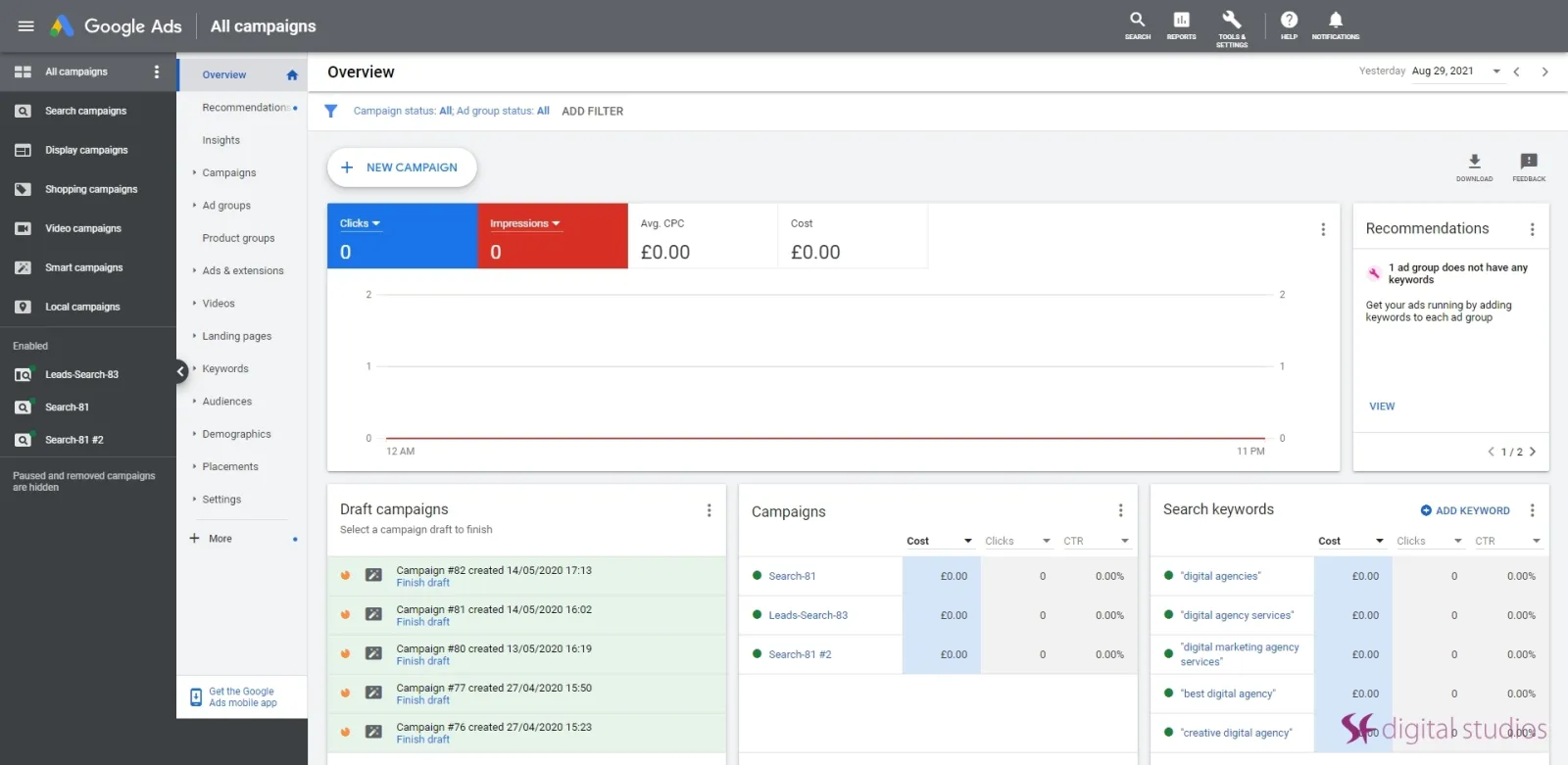
Go to your Google Ads dashboard, it may look scary at first but once you play around with it and understand all the features, you’ll think it’s a breeze.
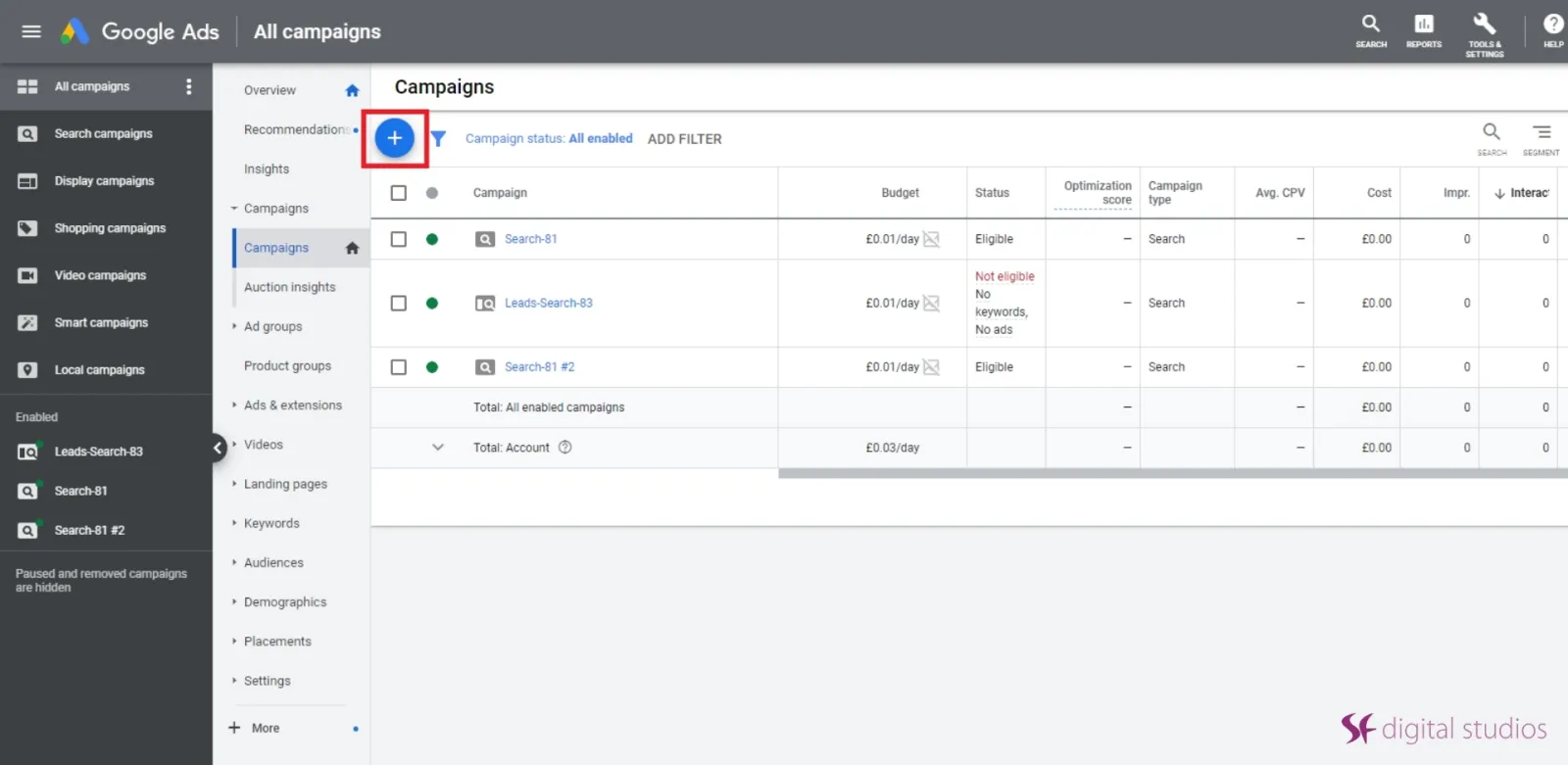
Click on the + blue button that says the campaign.
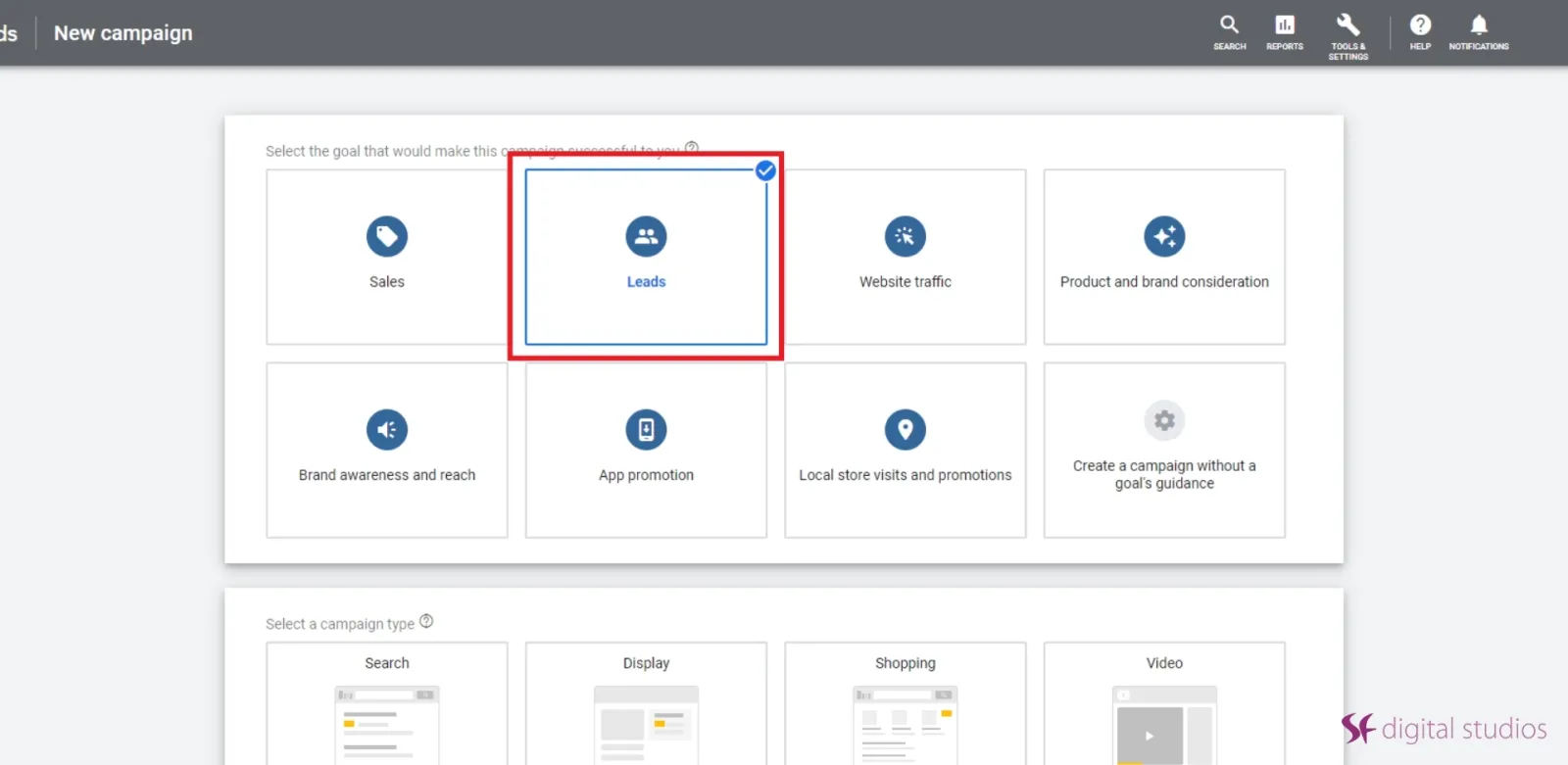
And select the goal that would make this campaign successful to you.
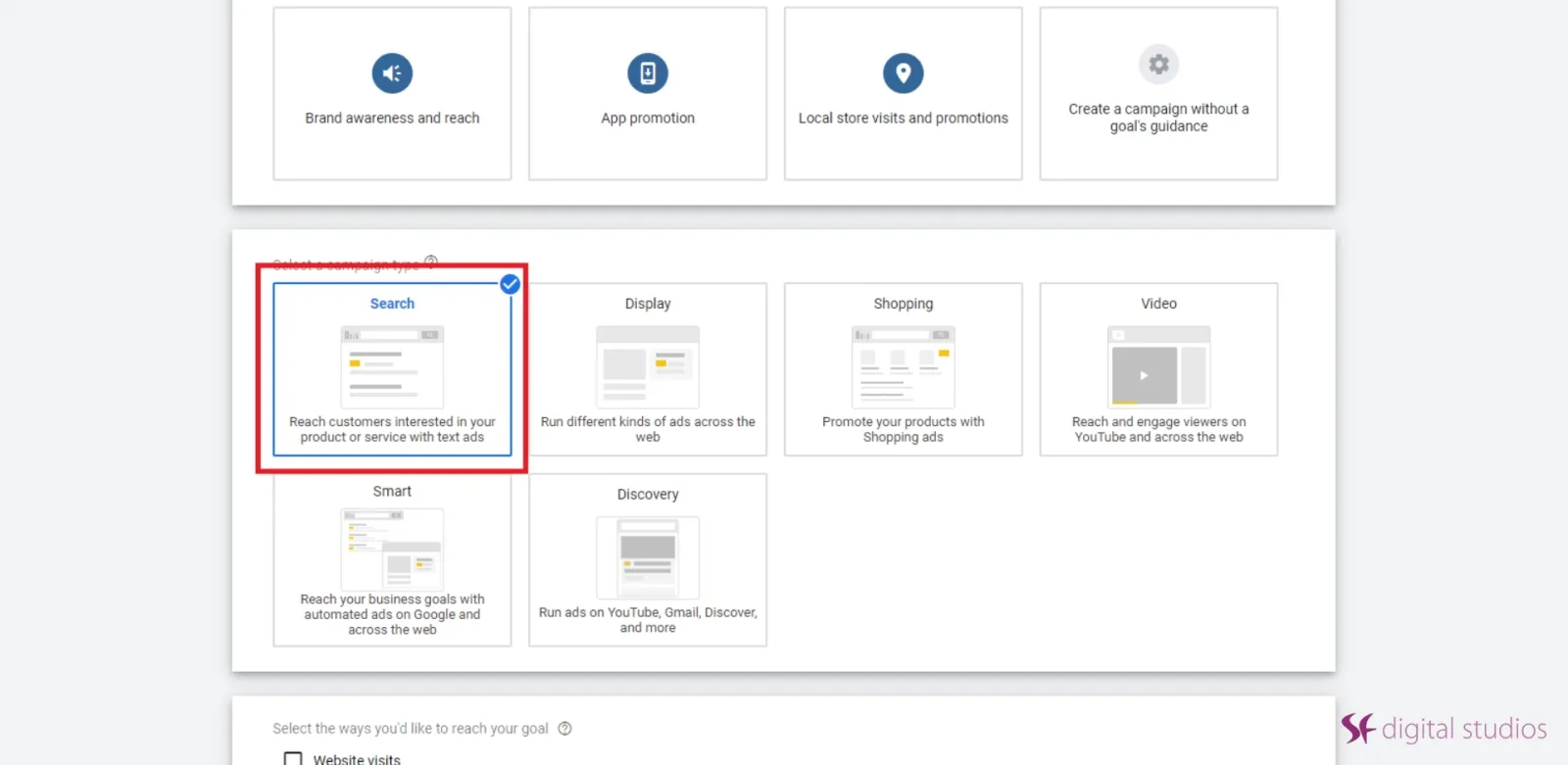
Choose Search campaign, this ad campaign allows you to create and publish ads on Google’s search networks.
Step 2 –
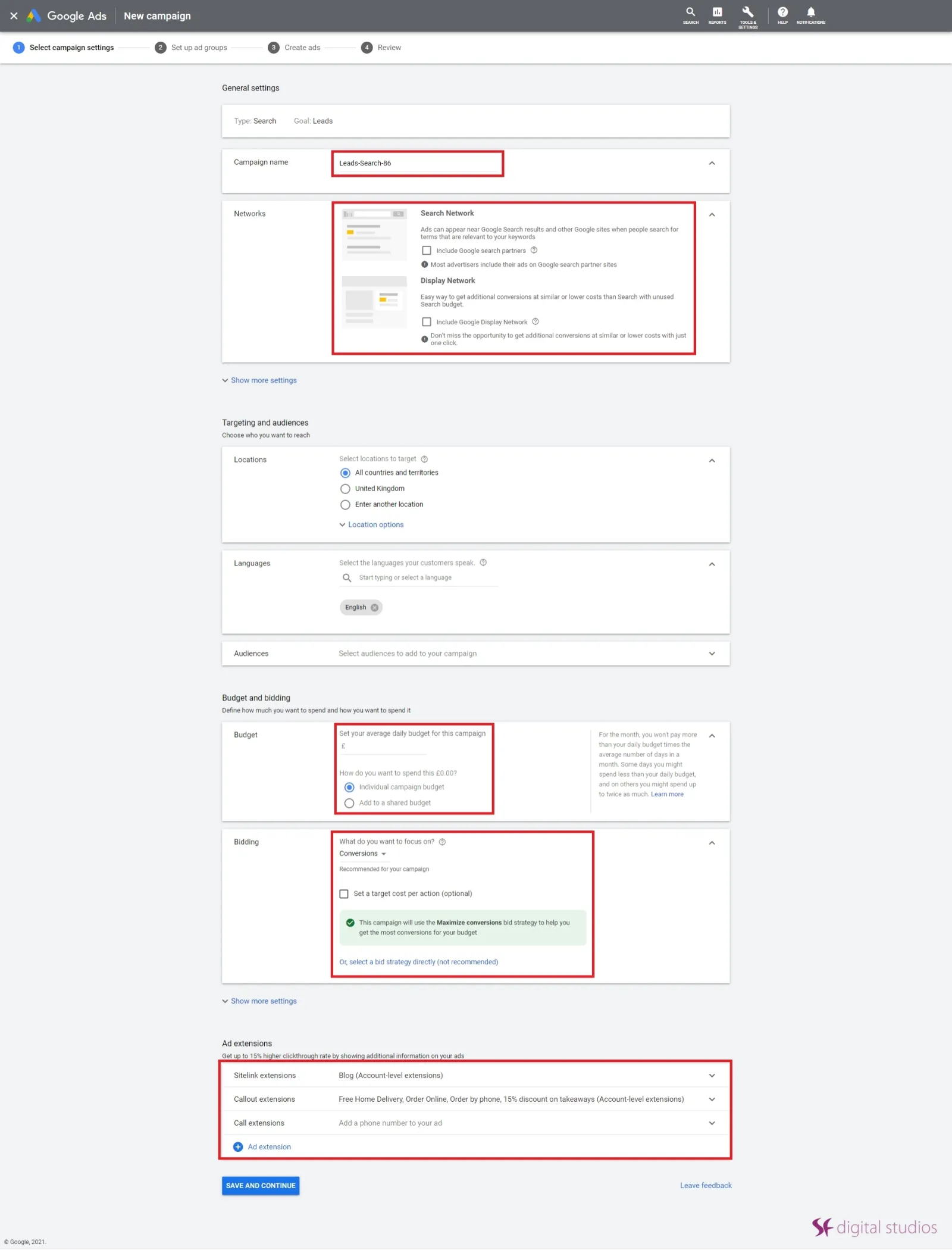
Once you choose your ad campaign, you will need to input your campaign settings. These range from locations and languages to budget and ad extension options.
 LIVE
Live every Tuesday at 2pm UK. Bring your marketing questions.
Get your Google, local SEO and AI questions answered live.
If you’re a beginner with Google Ads, we suggest leaving the settings as default before you become more confident in setting them yourself.
Step 3 –
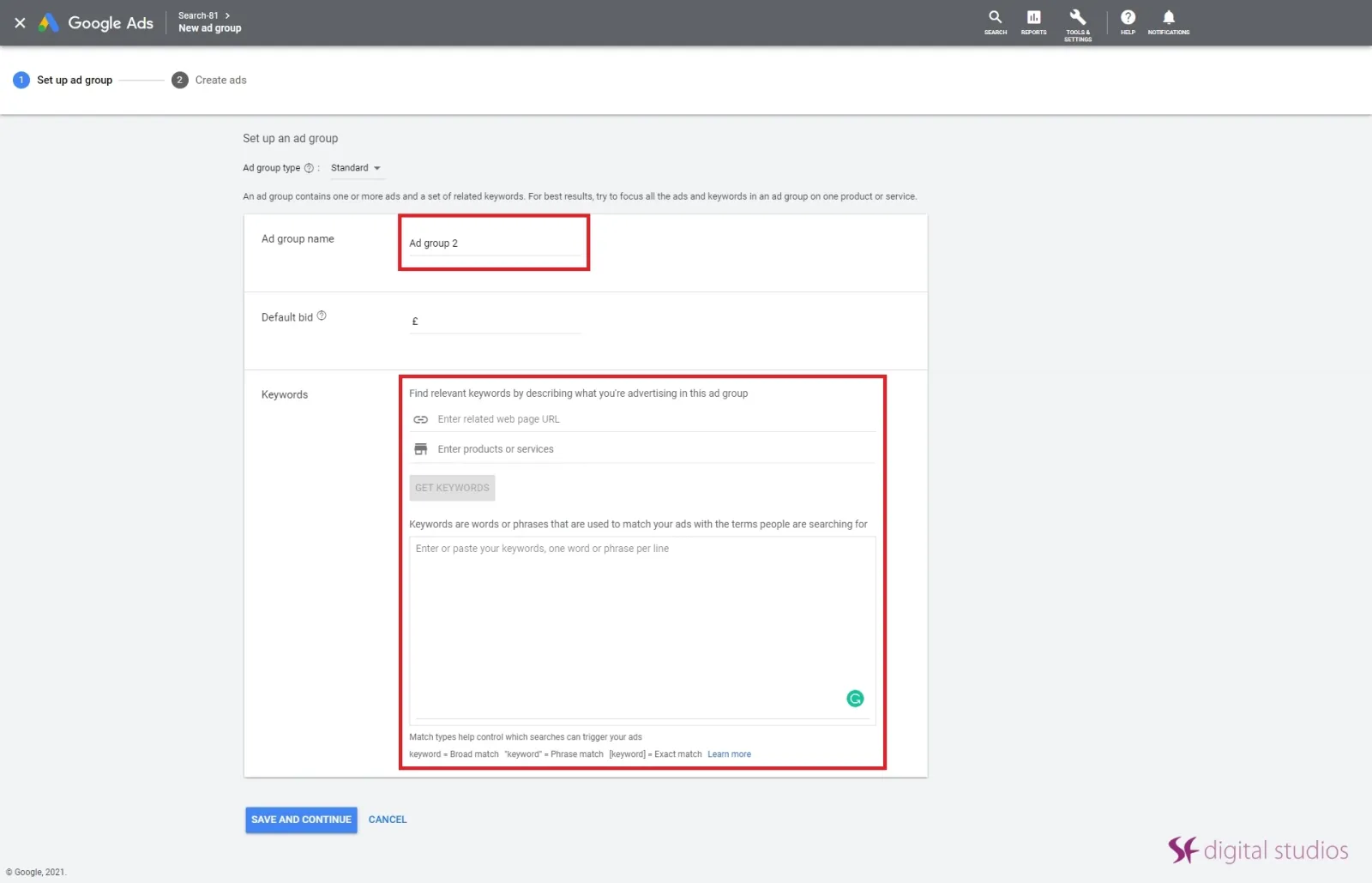
For the next step, you will have to choose, carefully, which phrases and keywords you’d like to target and bid for.
Remember: You will need a specific landing page that the chosen ads will send your customers to. It could be your website’s homepage but we suggest the landing page to be something different, so it doesn’t confuse your users when they click on the ad. Something like a sign-up page or a page that has a call-to-action is the best for a landing page with an ad.
When choosing your keywords and phrases, it’s best to come with a list. So taking the dentist example again, target the phrases, ‘London family dentist’ and your business name for starters. Once you’ve added these keywords and phrases, suggestions for others will pop up and you can choose if they’re right for your ad campaign.
Step 4 –
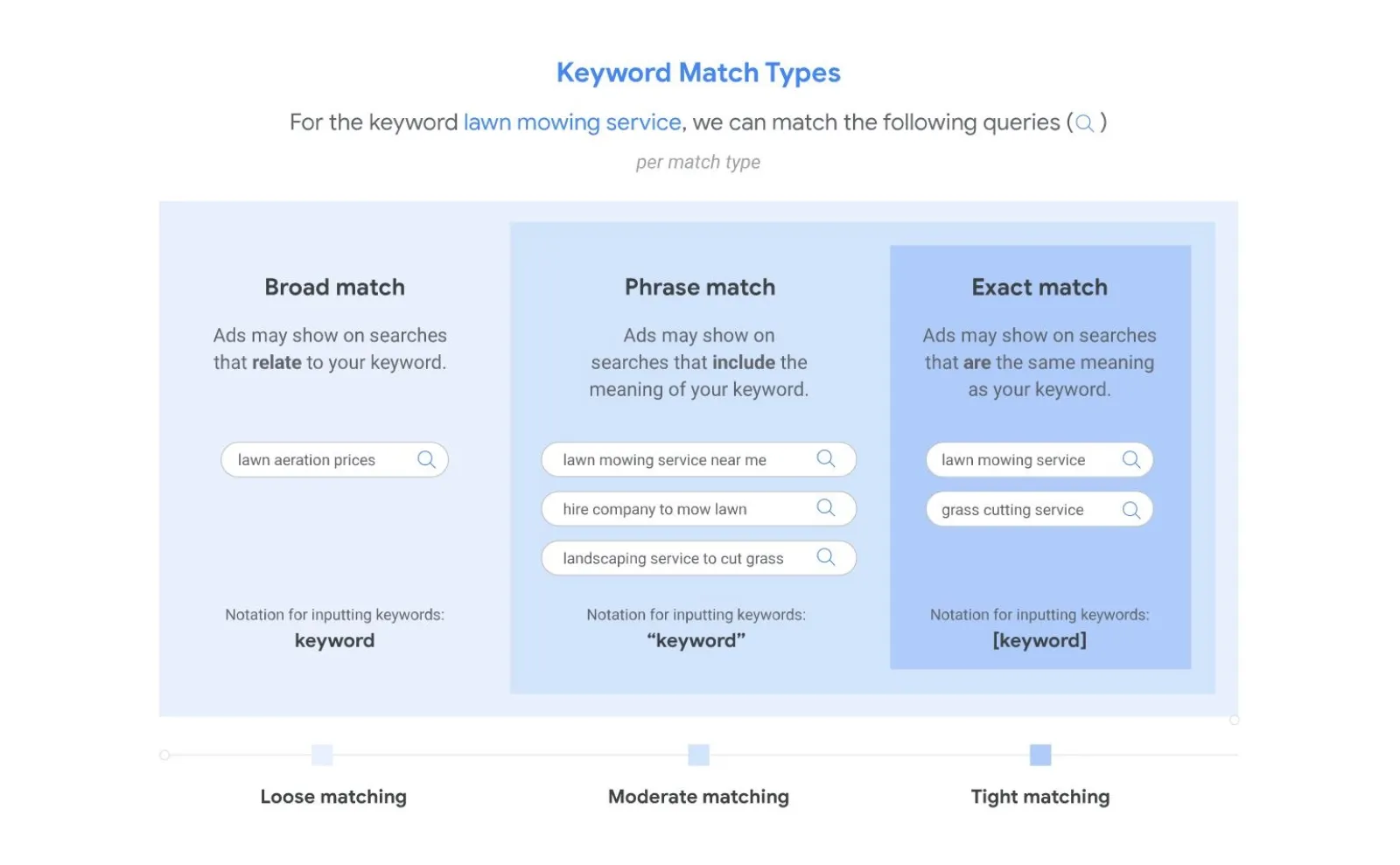
In addition to sorting out your keywords, you’ll need to know about keyword match types. They determine how the keywords you select will trigger your ads in search results.
When Google is choosing which keywords to trigger, they’ll look at what match types you’ve pre-selected, broad or specific.
Step 5 –
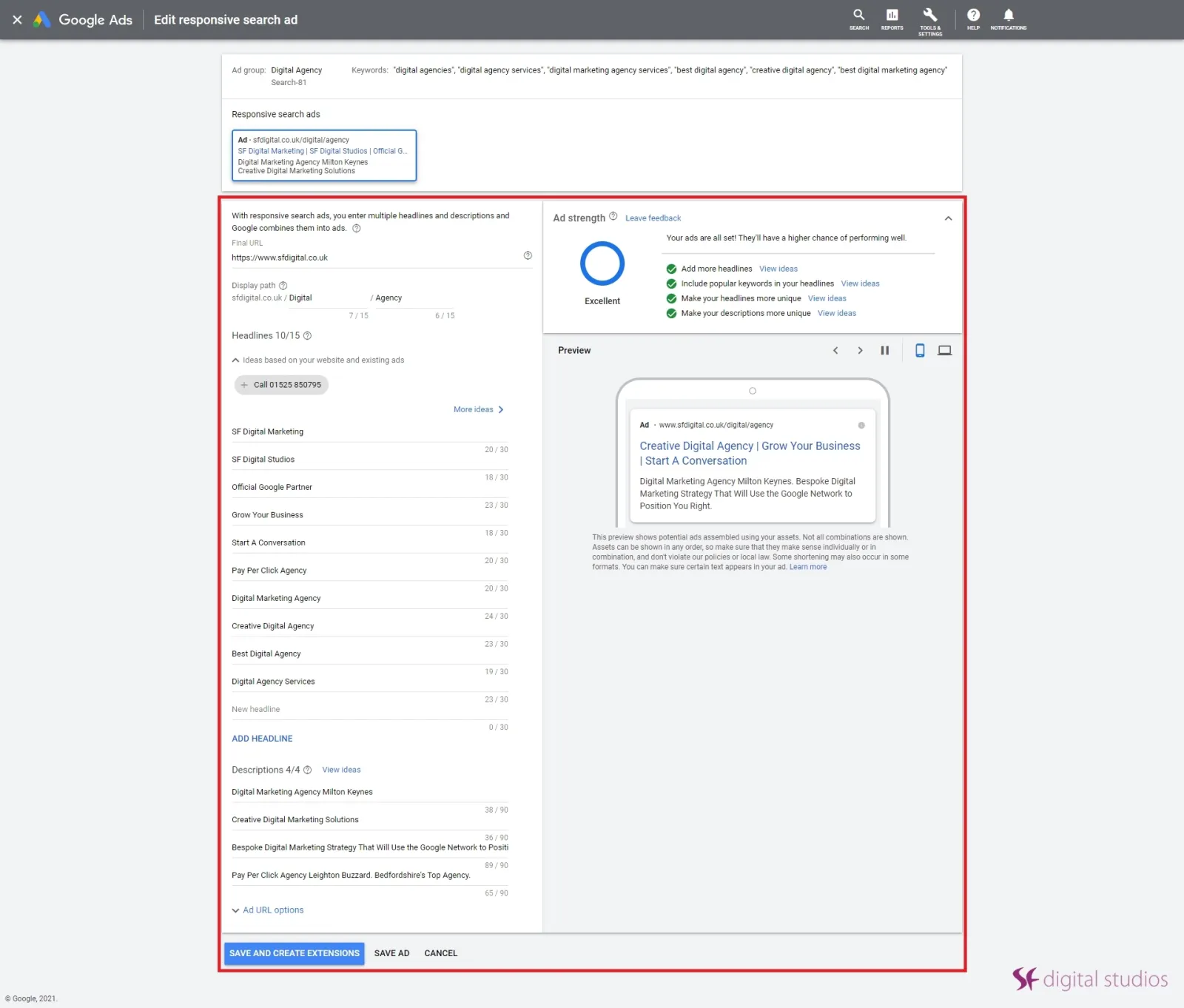
Now to get creative with your ad copy in this next step. Your ad is shown within the search results based on two things: your bid amount and your ad quality score.
Remember: Ads with a higher quality score are shown above the ads with a lower score even if the big amount is the same.
Getting a good Ad quality score comes down to refining and optimizing your keywords, phrases and ads to improve their performance. A good practice to have if you’ve got the budget and the time is to have individual ad groups with landing pages for each keyword you choose. This way Google will only be able to determine a quality score based on a single keyword.
Step 6 –
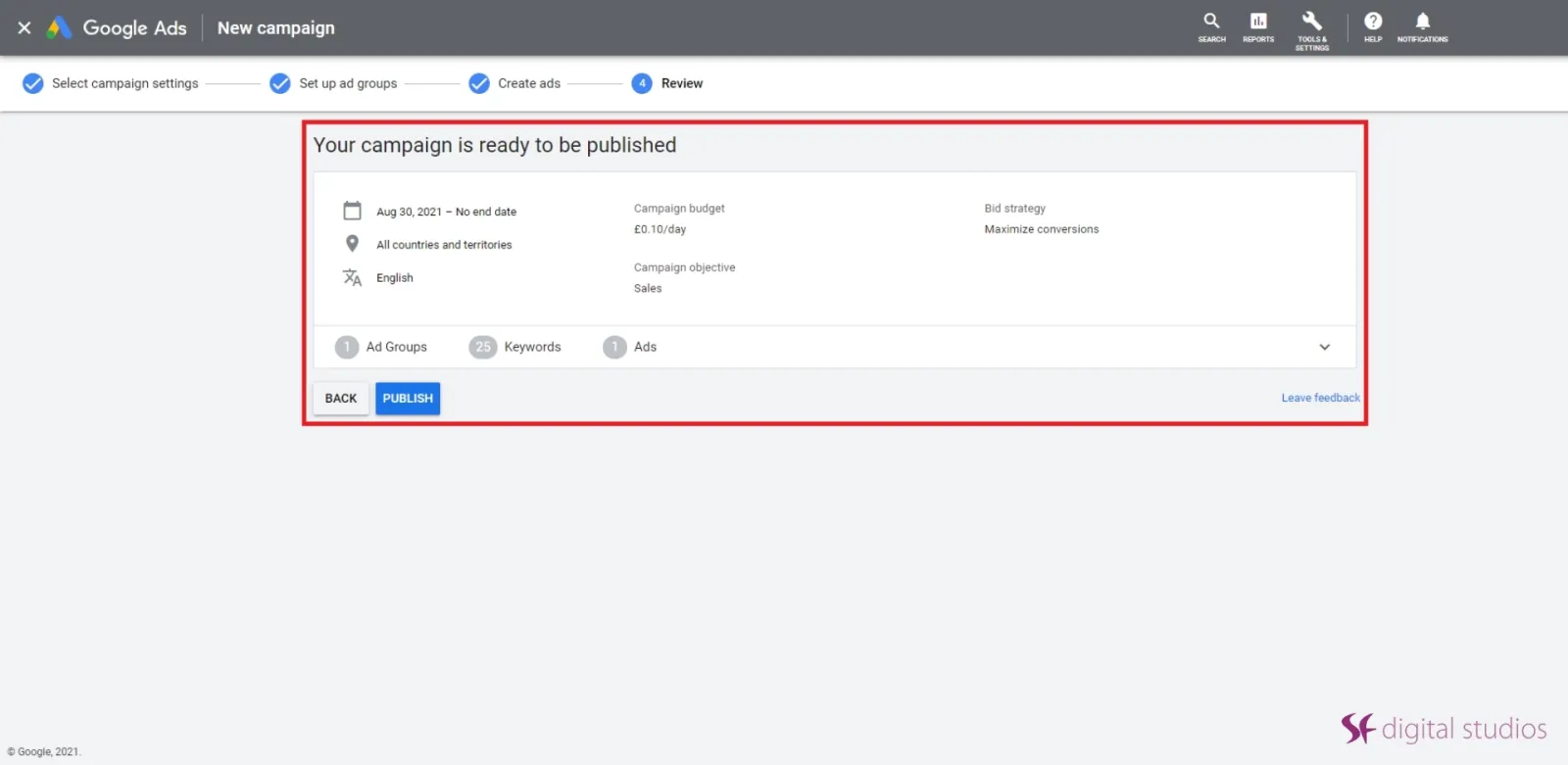
The last step is to have a final review of your ad groups and your ads. Don’t worry, however, you’ll be able to go back and make changes and then, once you’re happy you can publish your ads for review.
And that’s it! 6 easy, simple steps on how to create and build Google Ads Search campaigns, optimized for dental businesses.

Written by Uzair Kharawala
Partner at SF Digital Studios, a Google Premier Partner agency. Uzair has been helping businesses grow with Google Ads since 2002 and teaches it every week on YouTube.
Get our best Google Ads tips by email
New articles and videos, straight to your inbox. Unsubscribe any time.