

NatWest Accelerator Events Free one-day marketing seminar at the NatWest Accelerator, Milton Keynes · 13 January 2027 Free marketing seminar · NatWest Accelerator, Milton Keynes · 13 Jan 2027 Free seminar · 13 Jan 2027
NatWest Accelerator, MK
Get your free invite →Invite →

Home › Blog › Corporate

Corporate

Top Tips for a Killer Email Signature

Top Tips for a Killer Email Signature
Read the video transcript

Hello. Would you like to design a beautifully made out email signature with your branding, headshot, logo and links to your social media networks? Keep watching and I'll show you how you can do that very easily and quickly in under 10 minutes.

Hello, thanks for joining in. My name is Uzair, and in this video I'm going to show you how you can create and design a beautiful email signature. But before you start the design process, why should you have an email signature? As you may know, email is the most common way of communicating nowadays, whether on a business or a personal level. We send out more emails and receive more emails than we make phone calls.

So why not have a beautifully designed e-signature which will portray your branding and perhaps your message as well, which links to your website, a blog post or any other important message which you wish to convey? So before I go ahead and start the design process, I'm going to show you how my e-signature has been designed.

So here I am in my new message, and as you can see, my email signature. When I click on my headshot, there is a clickable link which is pointing to my website, and so are these two logos, going back to my website as well. So they are hyperlinked. And then I've got a blog post in here, which again is linked to the blog post, and I can change it on a regular basis.

So when I upload a new blog post, I'll change it, or if I've got some other important message which I want to send out, I can quite easily put it in here with the link direct to that web page. And then at the bottom, obviously, got my office address. So here's how my signature looks like.

So let's go ahead and start the design. So all you need to do is open up a word processing. So I'm in my G Suite and I open up word processing document. To save time, I've got the email signature already in here, but I'm going to show you how to recreate it from the ground up. So first of all, what you need to do is to insert a table. So for this signature I've got two columns by three, so this one is row 1, 2 and 3.

Okay, so if I wanted to insert a picture or a logo in this cell, I would normally go in insert image and then import that image, but to save time, all I'm going to do is copy and paste it. I'm sure I don't need to show you how to import or insert an image on a Word document. Okay, the next thing I'm going to do is to copy my name and my phone numbers. Okay, I'm happy with that.

And you can resize the column width however you want. You can also drag and drop the image so that it is at the right size. So I'm happy with that. Okay, so now I'm going to copy my logo and paste it, and then the second logo, I'm going to paste it so that fits in nicely. Okay, so this is looking good.

Next, I'm going to copy that line. So now I want to merge these two cells, so I'll highlight them, right-click, merge cells, it becomes one. Copy that and paste. I'm just gonna make that a bit smaller. And then we have a key line, so we could insert a horizontal line in there, and you can obviously change the colour to whatever colour you want as per your branding. And the last one is my address, so I'm gonna merge the cells again, copy that and paste it.

Okay, now all I need to do is remove all these key lines, because they look ugly. So I highlight the whole table and then I go to, you can either make the border as white or reduce the border width to zero, whichever, one is the same. So now it has all gone.

The only thing which I don't like at the moment is my headshot is a little bit higher and not centralised, so I can either make it a bit bigger or centralise it. So you can play around however you want, but yeah, that looks fine.

The last thing I need to do now is to hyperlink or create the links to my website or to the blog. So all you do is highlight or click on that logo, and then you go to insert link, and you would just paste in that link or the URL, website address, and apply it, and that's it. I'm not going to do that right now, but it's already linked in. So that's also linked in. That isn't at the moment, so just to show you what I would do is I'm going to type in my web address, and that's done. That one is hyperlinked as well.

So now that's ready to go, and now all I need to do is copy the whole thing, go back to my email and go there and settings, scroll the way down. I'm going to close that window, and in here I have put in kind regards and my first name, and then all I do is paste it, and that is it. And then don't forget to save the changes at the bottom.

Once you've done that, you compose and then your signature comes in. And if I were to send this email to myself as a test one, just to see how the hyperlinks come in. So here's my email, and if I were to click on there, the blog post comes up. Click on the logo, and the logo takes me to my website.

So hope you enjoyed this video. It is super simple to create a highly effective email signature which will send out your branding, logos and any important message you may wish to send out with every email. Thanks for watching this video. I'd really appreciate if you could like, share, comment on the video. I look forward to seeing you in the next one. Bye for now.

Why Email Signature?

Signing off the email is not a new concept in the world of emails, where every day an average of 40 emails from a single employee circulates. It is yet debatable on how is email signature important. Considering that with increasing globalization, the need to leave an impact on everything you do is both necessary and the trend of the day. Leaving an impact is not as easy as it seems, and knowing how to end an email with a brief signing off, is even harder. Making the most out of just 3-4 lines you have for signing off; email signatures are an art that only a few have mastered.

Unlike the traditional mails, a business executive does not have the same credibility to his name, as he has with the letterhead of the company while using emails. The only way a business personal seems credible while using emails is when he signs off with his professional addressing. After all, who would feel safe dealing with any Jack, without a corresponding professional information?  

Free NatWest Accelerator event

Get Found, Get Chosen, Get Your Time Back

A free one-day marketing seminar in Milton Keynes · 13 January 2027

Get your free invite →

Most often than not, you represent yourself much more than you represent the company while emailing. An email signature is just not “another formality”, it holds a wide potential for you as an individual. The way you sign off the email, says volumes about you. You can either invite yourself a better job opportunity or be just another employee, circulating the business emails, without trying to make an impact.

Get your free Marketing Action PlanNot sure where to start? Answer a few questions and get your plan in about a minute. No email needed.

Get my plan →

So, since the email signature is so much more important and holds such enormous potential, what exactly should it look like? While your email signature should attract attention, it has to be professional. It can neither be too flashy, nor too bland too. Then what exactly must it be like??

Here are some of the ideas that can come handy to leave your mark:

Limit your email signature to three to four lines

A business signature must be brief. The basic format which includes your name, title and your company, and your phone number; is used with a few variations here and there. Keeping the basic design in mind one can always add one or two lines more, making it more personalized.

Using the space well, you can add things like:

Show off your expertise and market your product creatively

If you have a business blog or a business-related personal blog, feel free to link it to your email. It is like letting the world know about the blog. With every 10 emails you send across, chances are that 8 receivers open the link. This is a perfect example of marketing your blog.
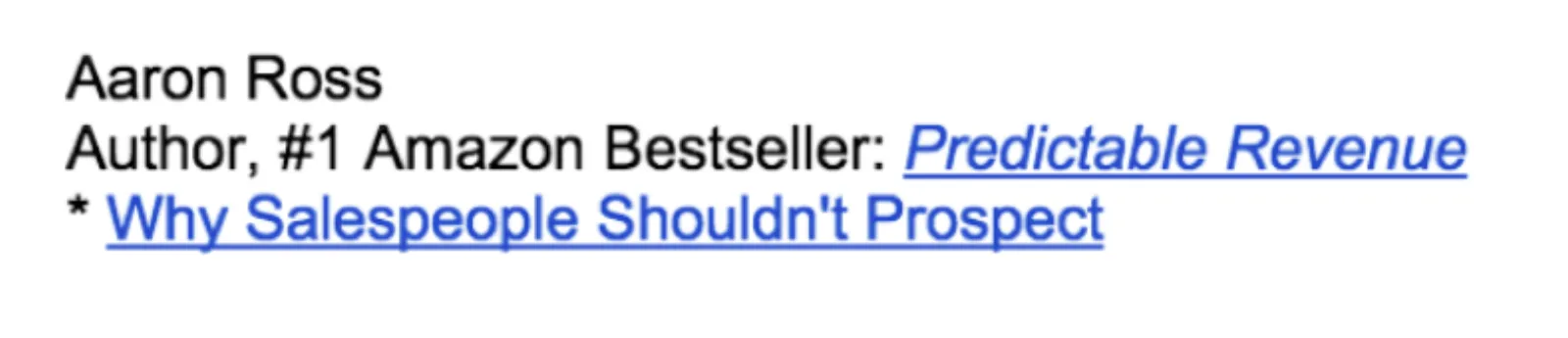
Top Tips for a Killer Email Signature

Show off your social media profiles

Each business executive has numerous social media profiles to showcase. While the sales representative might be more interested in adding his LinkedIn account, another person may want to add their twitter account.

Adding your accounts artfully is how you make an impact. The following example is one classic way of adding all your active social media accounts, without creating a rush.
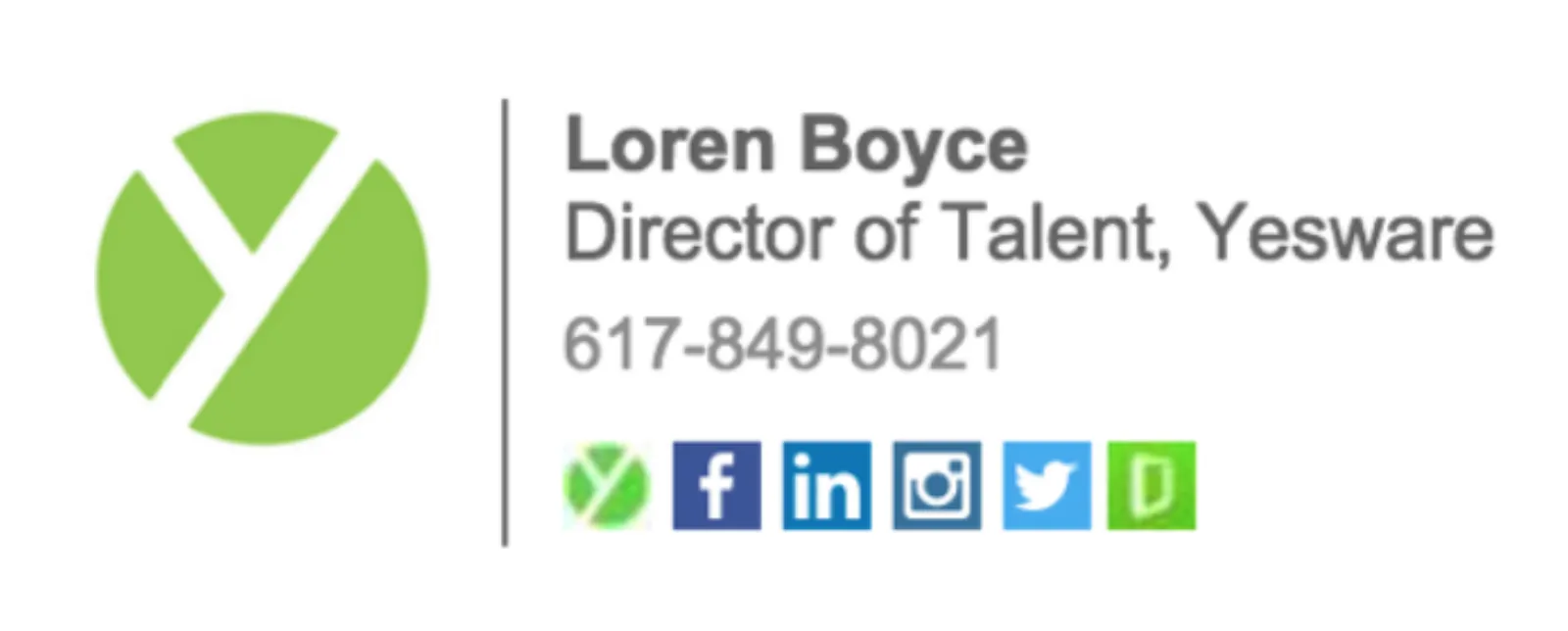
Top Tips for a Killer Email Signature

Do not overstuff your email signature

Trying to leave a mark, we usually outdo what is required. Nobody is interested in taking a glance over such big sign-offs, leave alone reading. A precise, actionable sign off pays much better than a heavily clogged email signature.

The following example makes it easier to understand why clogging information is both unattractive and needless.
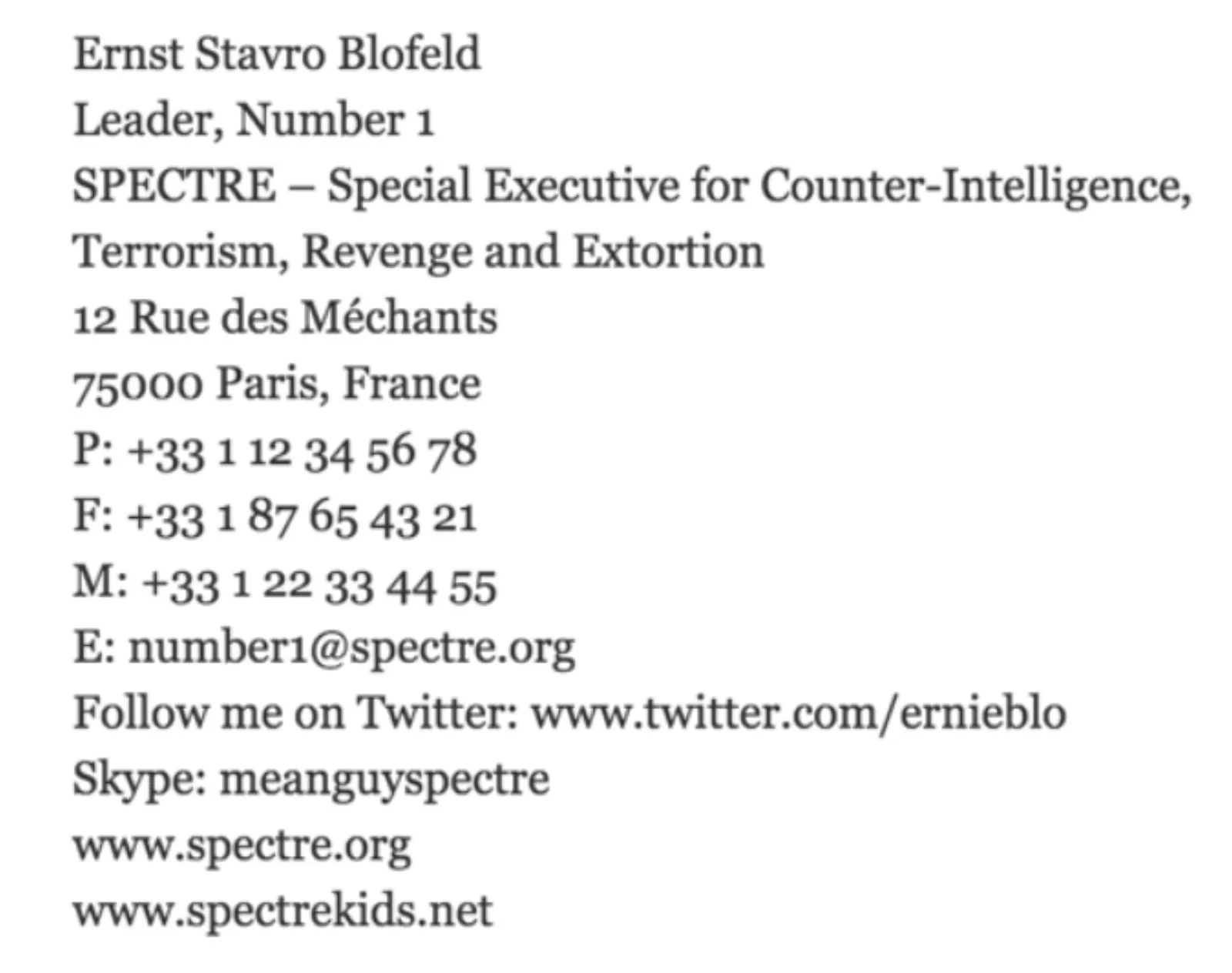

Top Tips for a Killer Email Signature

Uzair KharawalaLIVE
Free weekly YouTube live

Live every Tuesday at 2pm UK. Bring your marketing questions.

Get your Google, local SEO and AI questions answered live.

Join for free

Do not shy away from putting up your business headshot!

The first thing that grabs the attention of a person is a picture. It leaves a long-lasting impact on the mind, and thus creates and an immediate impression. While yes, a picture is attractive, but not any random picture.

Putting your face, to your profile, is the type of picture that leaves an impact. It gives a sense of belonging to your account, and also adds a hint of colour, not overdoing anything.

Looking at the email signature of Jessica Reed, it creates an immediate impact on the mind. You are more likely to remember her, over the other people emailing you.

Top Tips for a Killer Email Signature

Use Space Dividers for Fitting in More Information

While not much information is clogged in an email signature, yet space dividers come handy while adding up extra information. Proper space management allows you to include a lot more information compactly. You can easily divide information such as your logo, name, call-in-action, visiting details, phone number etc.

Picking up an example, Jake Crowley has arranged the information much compactly in a relatively smaller area.

Top Tips for a Killer Email Signature

Use your Company Name as a Thematic guide

It is very important to not neglect the company name altogether. The best thing to do in a situation where your company demands that their logo to be more prominent in your signature is to adjust your signature according to the theme of the logo. This restriction may bound some people, while some any feel happy about the restriction to their possible choices.

Taking an example here, we can see how carefully the colours are blended well in such a way that there is no prominent distinction between the company logo and personal details.

Top Tips for a Killer Email Signature

Do Not Use Fun Fonts

It is never formal to use fun fonts while doing your email signature. While one must stick to only two fonts while writing the email signature, none of them should be informal. A proper formal font must be used.

Such informal fonts decrease your credibility as a business person. It shows lack of seriousness and leads to a loss of a good number of clients.

Here, taking the following example, it seems as if some child, who has just started learning computers, has created this email signature.

This is one of the greatest points that you must avoid under all circumstances.
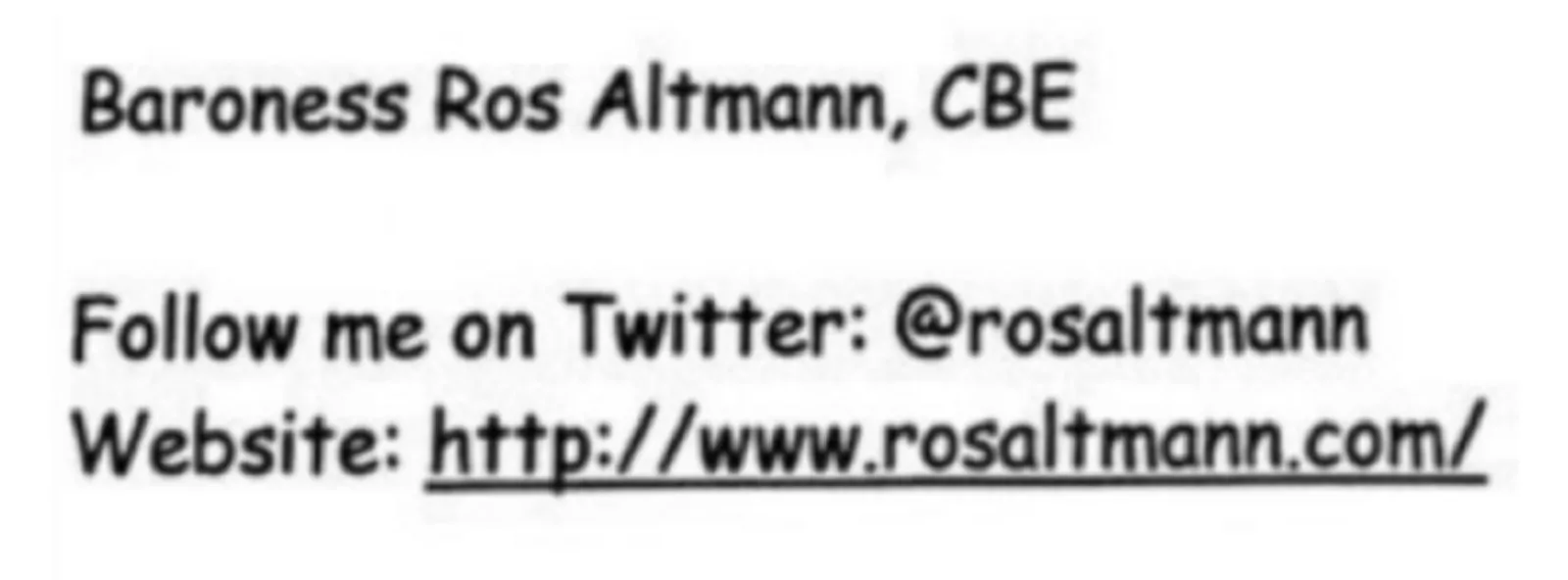
Top Tips for a Killer Email Signature

A consistency in the tone of whatever you have mentioned in the email or the call to action must be harmonised with the tone of your email signing too. Now that we are much aware of the do’s and the don’ts of the email signing, I hope that you start using our own, sooner, to leave the impact.

Uzair Kharawala

Written by Uzair Kharawala

Partner at SF Digital Studios, a Google Premier Partner agency. Uzair has been helping businesses grow with Google Ads since 2002 and teaches it every week on YouTube.

Book A Call →Subscribe on YouTube for new videos every weekday →
Free every week

Get our best Google Ads tips by email

New articles and videos, straight to your inbox. Unsubscribe any time.

We respect your privacy at all times. Privacy Policy

You may also like

Read the blog →

Your next customers are out there. Let's go and get them.

Tell us where you want your business to be, and we'll show you how to get there.

Book A Call →or get your free Google Health Check →
Happy clients

Don't take our word for it

4.9 from 157 Google reviews, plus case studies and client videos.

See our happy clients →
"It has now been 3 months since we started and our sales have increased 300%."
Ruhi Latif Rafplay, Dubai
"Uzair and Farzana are two of the most honest, sincere and trustworthy people you will ever meet."
Gavin Morgan GDM Jewellery · Google review
"If I needed a campaign built, this is one of the rare few people IN THE WORLD I would trust to do it properly."
Hemmel Amrania Google Ads professional · Google review
Book A Call →
Chat with us on WhatsApp