
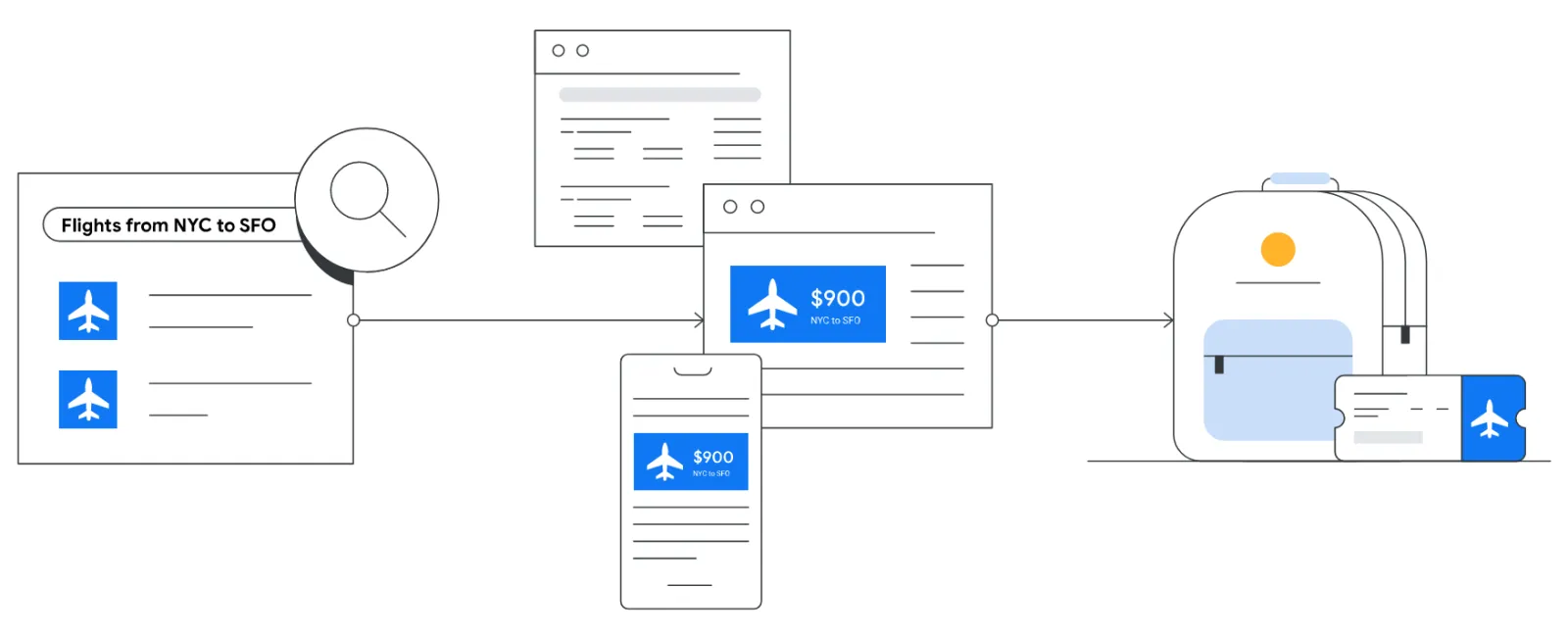
Ever browsed a product online, only to find ads for that same product following you around the internet? That’s not a coincidence—it’s Google Ads remarketing at work. In this blog post, we’ll break down what Google Ads remarketing and retargeting are, and how they can benefit your business.
Understanding Google Ads Remarketing
Google Ads remarketing is a strategy where you tag visitors to your website with a tracking cookie. Whether they made a purchase or just browsed, this tag allows you to display ads to them as they visit other websites within Google’s vast Display Network. This network includes high-traffic sites like ESPN, The New York Times, and BBC, among many others.Think of Amazon as a prime example. You visit Amazon, look at a product but don’t buy it. Later, you might see ads for that exact product on different websites. This is dynamic remarketing in action, where ads are tailored to show specific products you’ve viewed.

Get Found, Get Chosen, Get Your Time Back
A free one-day marketing seminar in Milton Keynes · 10 November 2026
The Power of Remarketing
Remarketing helps keep your brand in front of bounced traffic after they leave your website. Studies show that most people don’t make a purchase on their first visit to a site. Remarketing gives you another chance to convert these visitors into customers.
Get your free Marketing Action PlanNot sure where to start? Answer a few questions and get your plan in about a minute. No email needed.
Get my plan →Here are some common platforms where you can run remarketing campaigns:
 LIVE
LIVELive every Tuesday at 2pm UK. Bring your marketing questions.
Get your Google, local SEO and AI questions answered live.
- Google Display Network: Reach users on over 2 million websites and apps.
- YouTube: Show ads to users who have previously interacted with your website.
- Gmail: Target users within their Gmail accounts.
- Search Ads (RLSA): When users search again on Google, you can target them with specific ads based on their previous interaction with your site.

Types of Remarketing
- Standard Remarketing: Show ads to past visitors as they browse the Display Network and use apps.
- Dynamic Remarketing: Create ads tailored to what users viewed on your website, perfect for e-commerce businesses.
- Remarketing Lists for Search Ads (RLSA): Customise search ads for past visitors when they search on Google again.
- Video Remarketing: Show ads to people who have interacted with your YouTube channel or other videos.
- Customer List Remarketing: Upload a list of contact details your customers have provided, and when these users are signed into Google, you can show them ads.
Implementing Remarketing
To start a remarketing campaign, you need to add a snippet of code (remarketing tag) to your website. This tag collects data and adds visitors to your remarketing lists based on their behavior on your site.
For example, if someone visits your webpage about Google Ads services, they get added to a list. You can then create specific ads related to Google Ads services that will follow them around the web. Similarly, if another visitor checks out your photography services, they’ll see ads related to photography.
Why Use Remarketing?
- Increased Conversion Rates: By targeting users who have already shown interest, you have a higher chance of converting them.
- Better ROI: It’s cost-effective as you are targeting a more receptive audience.
- Brand Recall: Keeps your brand at the top of mind for potential customers.
Conclusion
Google Ads remarketing is a powerful tool for re-engaging visitors who have shown interest in your products or services. By understanding how to implement and use remarketing effectively, you can increase your conversion rates, improve ROI, and keep your brand in front of potential customers.

Written by Uzair Kharawala
Partner at SF Digital Studios, a Google Premier Partner agency. Uzair has been helping businesses grow with Google Ads since 2002 and teaches it every week on YouTube.
Get our best Google Ads tips by email
New articles and videos, straight to your inbox. Unsubscribe any time.