

Threat actors no longer rely only on obvious break-ins. They target everyday access points: browser sessions, saved credentials, synced extensions, cloud-connected tools, and shared workstations. When a single device is infected, campaign data may begin reflecting unauthorised actions while the Google Ads interface looks normal on the surface.
Teams notice unusual results but cannot connect them to a technical cause because the issue sits outside the platform.
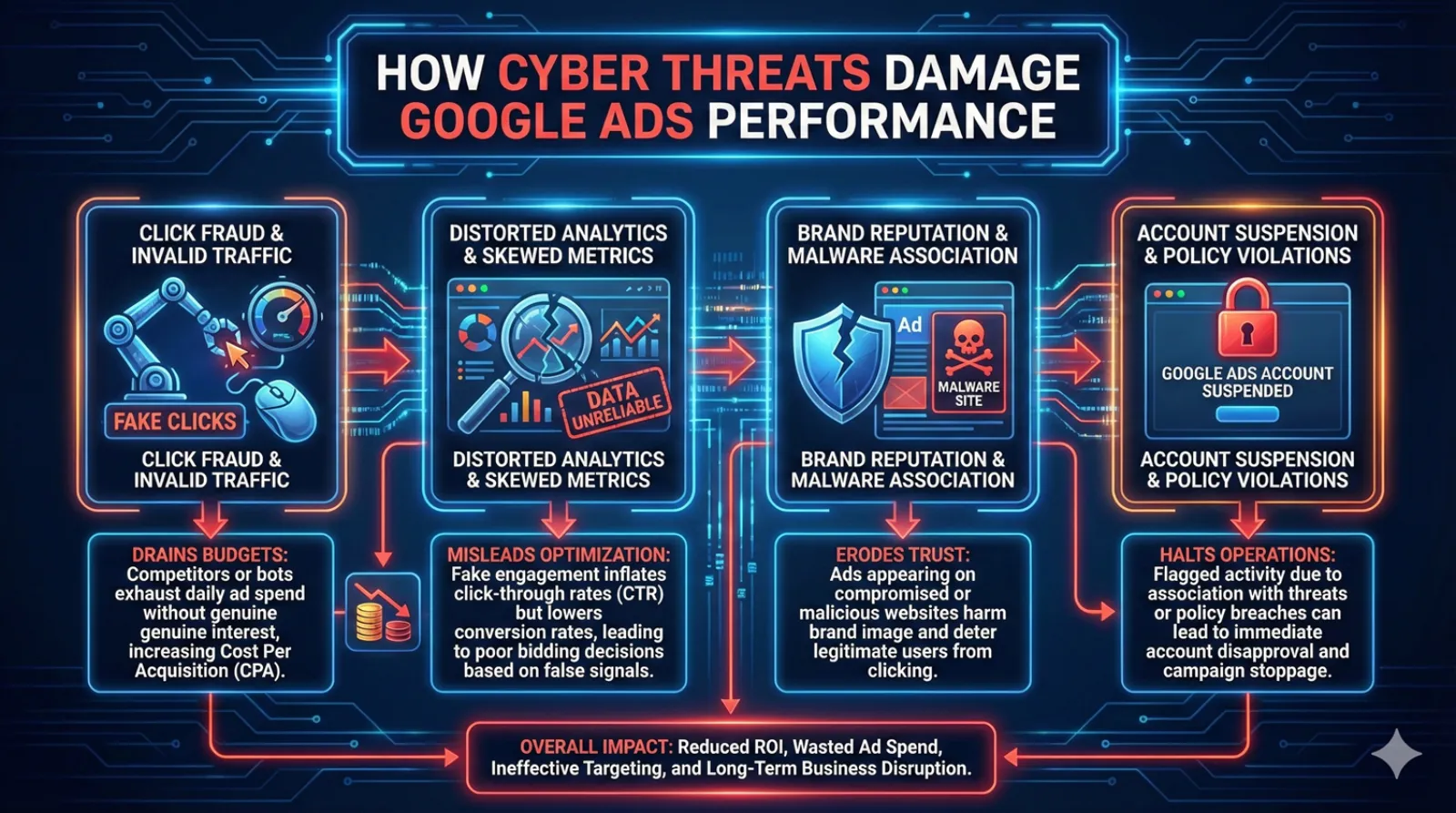
How Malware Disrupts Google Ads and Distorts Performance Signals
Threats often start with small, unnoticeable deviations that gradually affect budgets, targeting accuracy, user flow, and reporting clarity.
By the time patterns become visible, several weeks of data may already be unreliable, which is why such cases require device-level investigation, and not just campaign optimisation.
| Technical Disruption | Resulting Performance Distortion |
| Redirected sessions triggered by modified browser routes | Traffic spikes with no real engagement |
| Quiet access to campaigns after password or cookie theft | Changes in audience quality and targeting settings |
| Altered conversion signals created by injected scripts | Declining or inconsistent conversion rates |
| Broken checkout or tracking flow due to malicious modules | Unstable CPA and incomplete user journeys |
| Hidden code affecting load or navigation behavior | Erratic session duration and irregular user flow |
Practical Protection Measures
Security works best when it becomes a regular habit rather than an emergency response. Strong baseline practices include updating passwords on a schedule, limiting access permissions, removing questionable extensions, scanning devices after risky network use, and keeping clean campaign backups outside the main workspace.
This reduces the chance of unnoticed interference and shortens recovery time if something goes wrong.
Tools for Threat Detection and Leak Monitoring
Below are three tools that help advertisers identify risks before they escalate.
NordProtect and its malware breach alert
NordProtect tracks data that appears on hidden marketplaces after malware extracts it from infected devices. When credentials tied to the user are detected in those locations, the service immediately sends a malware breach alert, providing a clear picture of what exactly leaked and where the exposure may have originated.
Identity Guard with dark-web breach detection
Identity Guard monitors breached datasets and hidden marketplaces for any sign of exposed accounts. Its alert system helps advertisers reconnect the dots between suspicious activity and potential leaks that may have started on infected devices or unsecured networks.
SpyCloud for stolen-session and infected-device discovery
SpyCloud specialises in identifying data taken directly from infected machines. Its database contains information recovered from malware logs, which makes the service especially valuable for advertisers who rely on browser sessions tied to their Google accounts.
Recovery and Ongoing Security Strategy
After a suspected breach, change passwords across connected services, review Google Account access logs, remove unknown sessions, run full device scans, and restore clean campaign settings if anything was altered.
Google Ads performance depends on secure devices and stable browser environments, so treating security as a routine operational task protects both budget and long-term campaign stability.

Written by Uzair Kharawala
Founder of SF Digital Studios, a Google Premier Partner agency. Uzair has been helping businesses grow with Google Ads since 2002 and teaches it every week on YouTube.
Get our best Google Ads tips by email
New articles and videos, straight to your inbox. Unsubscribe any time.