
Home › Blog › Technical Tips

Technical Tips

Enhance Productivity With EDGE® Pro Core & Light: Magnetic Dual Displays & Lighting

Enhance Productivity With EDGE® Pro Core & Light: Magnetic Dual Displays & Lighting
Read the video transcript

Hello and thank you for joining in. Not often do I get very excited when I buy a bit of magnet. And this is exactly what this video is all about. It's why these little magnets is making me very productive. So, hello, my name is Uzair, and thanks for joining in. As you know, most of my videos are all about marketing and Google Ads, YouTube and so on.

But productivity is a big part when it comes to working, especially when you're traveling. I travel quite a lot, and I'm used to my three screen setup on my desk. When I'm traveling, I don't have that luxury. I only have my MacBook. So from going from three screens to one screen, I find it really frustrating and tedious and time consuming because I feel that I'm being productive.

One third of what I should be working at and or the capacity I should be at. So I came across these little pieces of magnet. I don't know where, but obviously on the Internet somewhere. And I looked at it and I thought, this looks interesting. I'm going to buy them. And trust me, this is a game changer when it comes to having multiple screens.

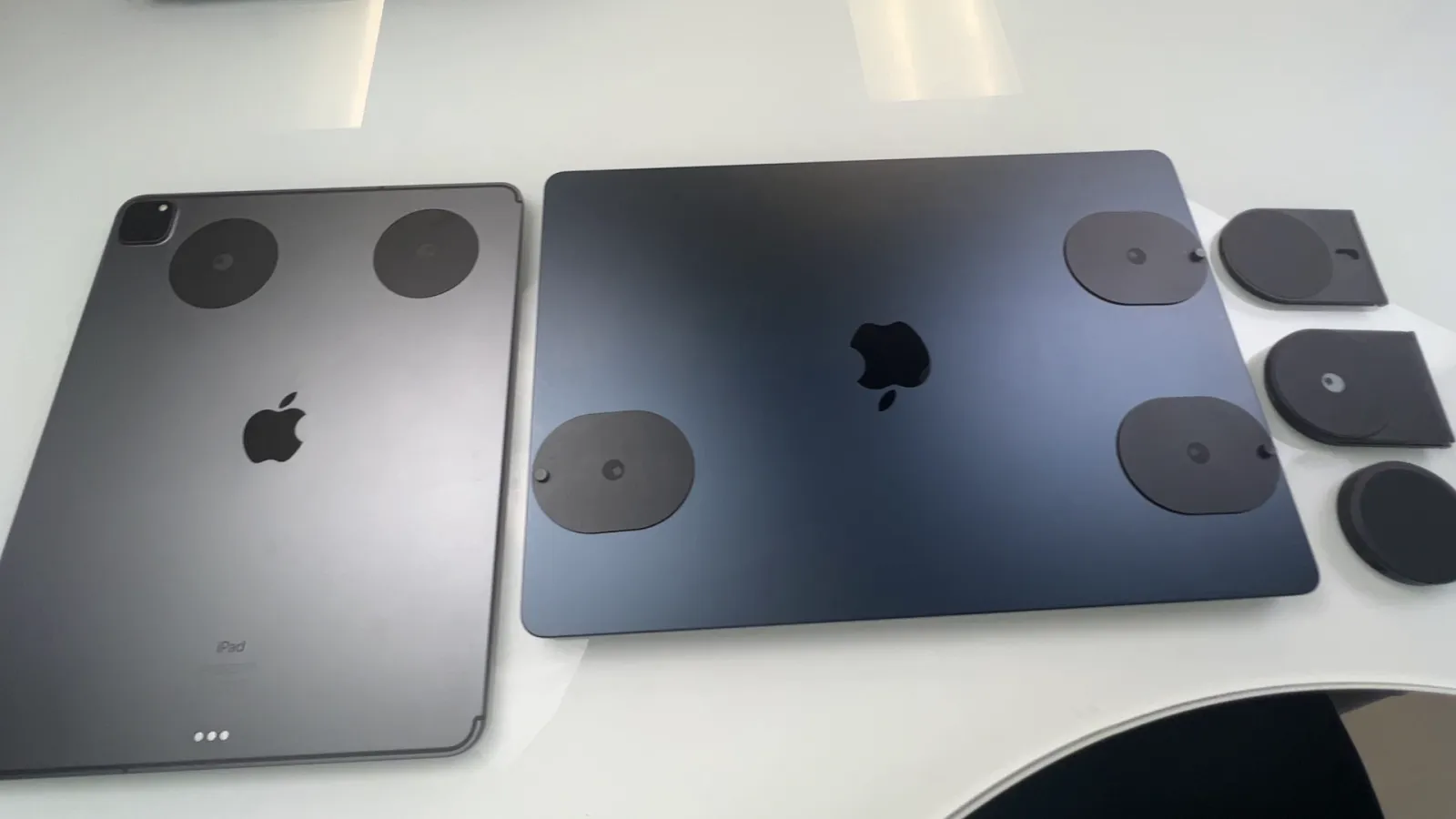
So let me show you why I'm so excited about this. So I've got my MacBook, I've got my iPad, and I've got these little pieces of bits and pieces of magnets. So I'm going to separate them out and I'll explain to you what all these are. Now, you'll see that there is these bits of magnet stuck on the back of my MacBook as well.

And then all I'm going to do is to use my iPad to be the second display or the secondary display to my MacBook Air. And I can do that very easily by opening this up. It so these are stuck, they don't come out. You can take them out, but I just leave them on because I use them all the time.

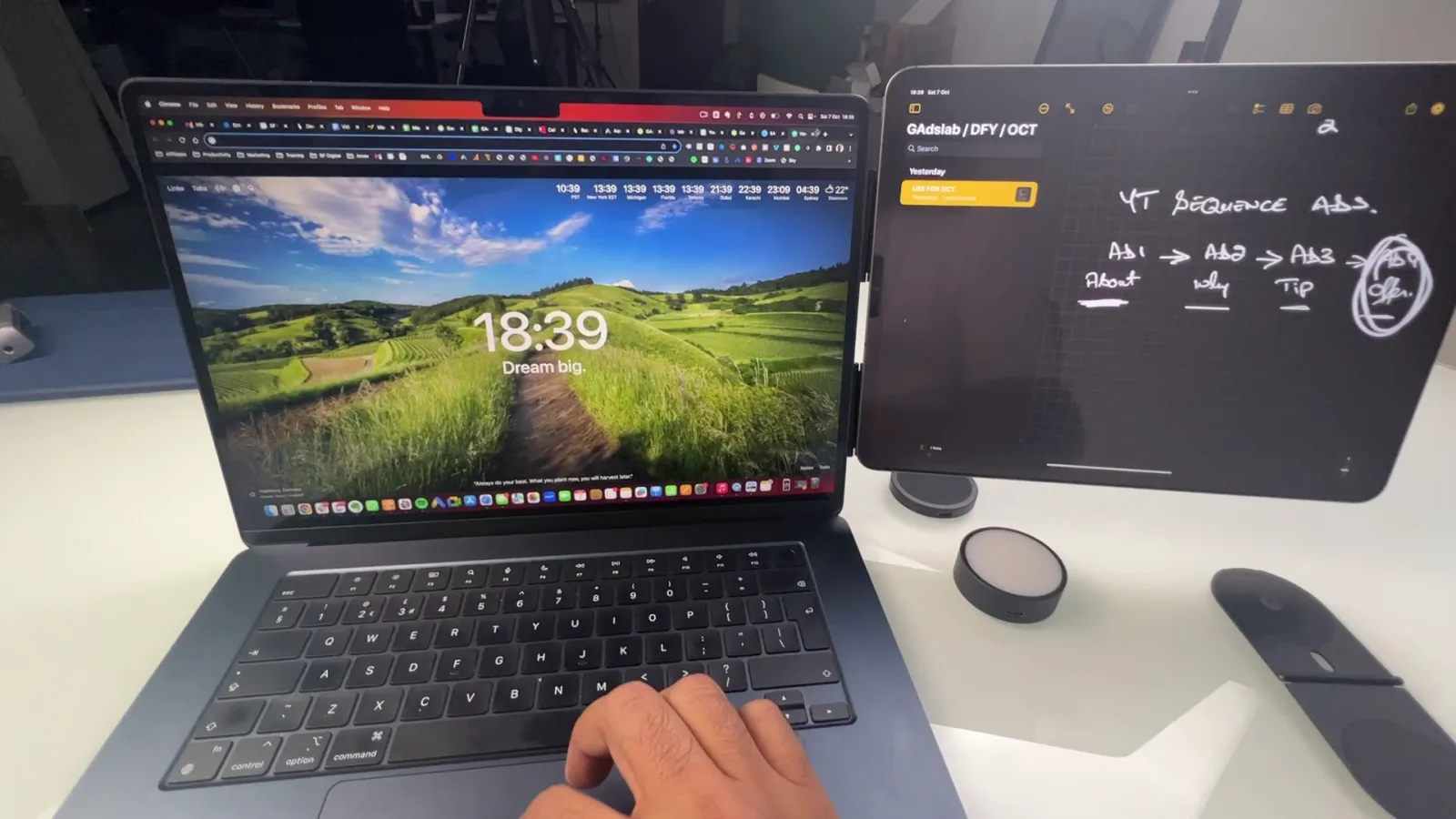
I'll put one of these here, put this other one here, think up yeah, the other way around. Okay, I open up my MacBook and all I do is attach my iPad to my MacBook Air. Now I've got a dual screen display, so all I do is when I need to take them out, take it out. I take out my iPad and if I want to attach it, I can attach it.

I've got one more which I use on the other side. Take this out, I can use it over on the right or the left hand side and attach my iPhone to it. So if you are one of those where you want to have your music on or some video or anything you want to watch on your iPhone, your iPhone goes on one side, your iPad goes on the other side.

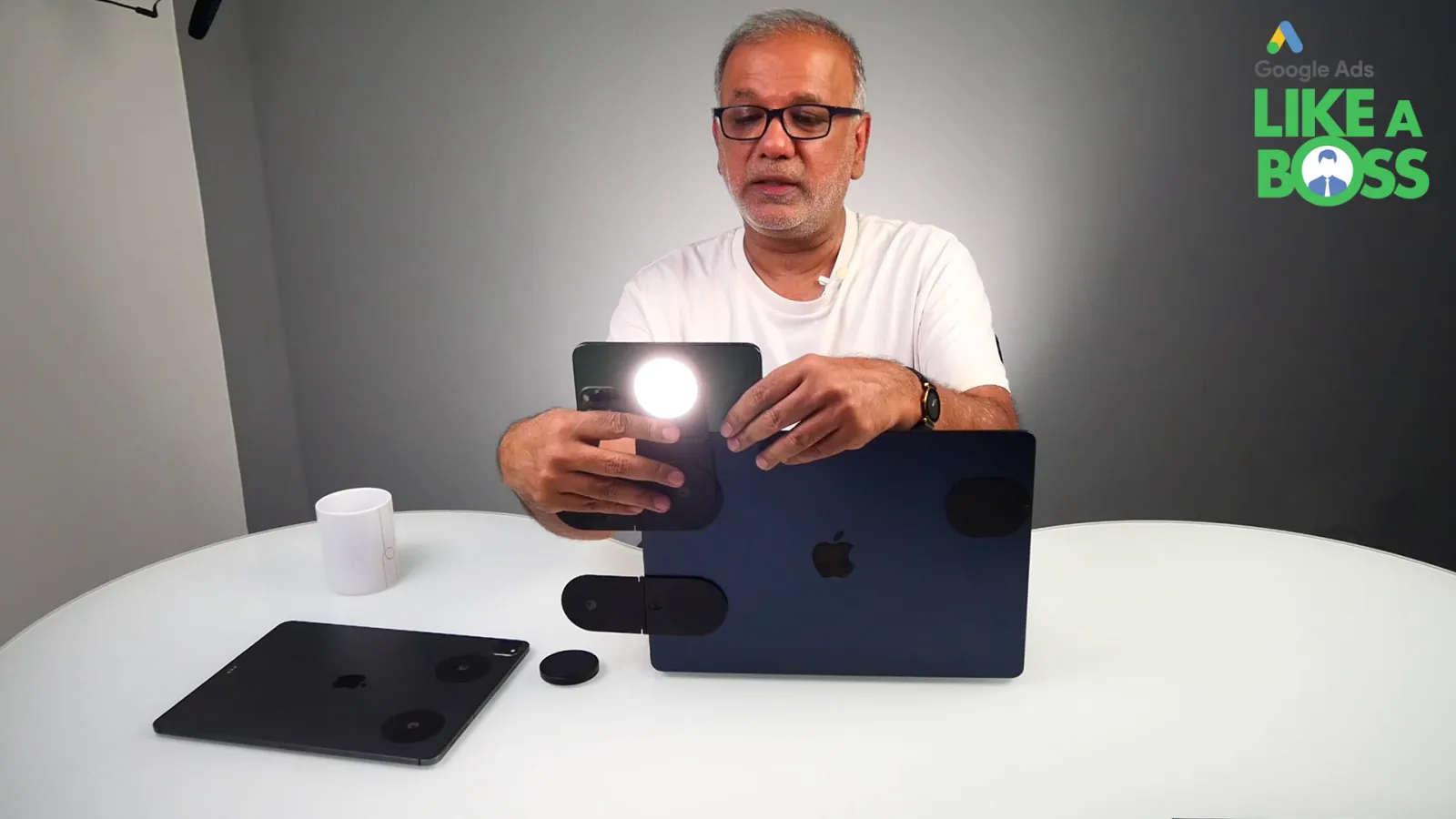
And I've got a complete system which looks like this. I also purchased this little light. So what this does is when I'm shooting a video, I can attach it on the back of my iPhone and then shoot it. So the other way to do that is like this. I take out my iPhone and then I can attach this to the back of the over here, like that.

But obviously I'm using the other way around. I can turn it around as well, like that and shoot it. So if I've got a meeting on a zoom or something like that and I want to use this as my webcam, I can use it. And also this little light. I purchased this from a company called Rolling Square.

I'll put the link in the description. It's not an affiliate link or I've not been paid by this company to make this video, but I made this video because I'm super impressed. The quality of these little magnets is unbelievable. And I would highly recommend that if you are looking for a solution for a dual display, little very portable system, then you can use your iPad as a sidecar to your MacBook or MacBook Air, which is very portable and it's not very expensive as well.

So thank you very much, Rolling Square for creating these. Very impressed with these and it has made my life a lot easier, especially when it comes to traveling light, which I prefer.

In a world where productivity is the name of the game, every tool that can give you an edge is a game-changer. Today, I am about to introduce you to a simple yet revolutionary solution that can significantly enhance your productivity, whether you’re a digital nomad or just someone who needs an extra screen on the go. Welcome to the world of EDGE® Pro Core and EDGE® Light, the magnetic dual display and lighting solutions that are taking the tech world by storm.

EDGE® Pro Core

When at my desk, I’m accustomed to a three-screen setup. But when on the road, there’s often a limitation to just a MacBook. The drop in screen real estate can be frustrating, as productivity dwindles. That’s where these unassuming magnets come into play, and they’ve completely changed the game.
Rolling Square EDGE® Pro Core

Let me show you why this is so exciting. All you need is a MacBook, an iPad, and these tiny magnets. The magnets are affixed to the back of your MacBook, ready for action. Simply open your iPad, and with a magnetic connection, it becomes a seamless extension of your MacBook. Now, there’s a dual-screen display at your disposal. Need to detach it? No problem. Just pull the iPad away. It’s that simple and efficient.

Additionally, there’s an additional magnet for an iPhone, providing quick access to music, videos, or any other content. The iPhone can be attached on the other side, creating a comprehensive, multi-device workspace. It’s the perfect solution for those who crave productivity and versatility on the go.
Rolling Square EDGE® Pro Core

EDGE® Light

Now, let’s talk about the EDGE® Light. This little accessory is a game-changer for those who need quality lighting when recording videos, attending Zoom meetings, or using their devices as webcams. It can easily be attached to the back of an iPhone, or with a simple twist, it serves as a handy light source for a camera. It’s a versatile tool that enhances visual presence and makes one look more professional during video calls.

These accessories were purchased from a company called Rolling Square, and there’s no endorsement involved. I’m genuinely impressed by the quality of these little magnets and lights. If you’re looking for a portable, dual-screen solution or a convenient lighting source, these are worth considering. They’ve made life a lot easier, especially when wanting to travel light and maintain productivity.
Rolling Square EDGE® Light

In conclusion, the EDGE® Pro Core and EDGE® Light are practical tools that can enhance productivity, whether on the go or just looking for a versatile workspace at home. If you’re interested in checking them out, you can find them at the following links:

These innovative solutions have become an integral part of the work routine, and I hope they can help you achieve greater productivity and convenience in your daily tasks as well. Thank you, Rolling Square, for creating such impressive tools that make our lives easier and more efficient.

Uzair Kharawala

Written by Uzair Kharawala

Founder of SF Digital Studios, a Google Premier Partner agency. Uzair has been helping businesses grow with Google Ads since 2002 and teaches it every week on YouTube.

Book A Call →Subscribe on YouTube for new videos every weekday →
Free every week

Get our best Google Ads tips by email

New articles and videos, straight to your inbox. Unsubscribe any time.

We respect your privacy at all times. Privacy Policy

You may also like

Read the blog →

Your next customers are out there. Let's go and get them.

Tell us where you want your business to be, and we'll show you how to get there.

Book A Call →or get your free Google Health Check →
Happy clients

Don't take our word for it

4.9 from 157 Google reviews, plus case studies and client videos.

See our happy clients →
"It has now been 3 months since we started and our sales have increased 300%."
Ruhi Latif Rafplay, Dubai
"Uzair and Farzana are two of the most honest, sincere and trustworthy people you will ever meet."
Gavin Morgan GDM Jewellery · Google review
"If I needed a campaign built, this is one of the rare few people IN THE WORLD I would trust to do it properly."
Hemmel Amrania Google Ads professional · Google review
Book A Call →
Chat with us on WhatsApp