
When you’re thinking about advertising on Google, keywords likely come to mind first. However, a powerful and often underutilised aspect of Google Ads is audience targeting. This involves showing your ads to specific groups of people based on who they are rather than just what they’re searching for.
Audiences are a potent tool in Google Ads, allowing you to target users across various campaign types, including Search, Display, Discovery, Video, and Shopping. (Note that Performance Max campaigns use “audience signals,” which are discussed elsewhere.) This post will delve into the different Google Ads audience targeting options available, helping you determine the best fit for your next campaign.

Get Found, Get Chosen, Get Your Time Back
A free one-day marketing seminar in Milton Keynes · 10 November 2026
To better understand Google’s audience targeting capabilities, they can be broadly divided into four main categories:
Get your free Marketing Action PlanNot sure where to start? Answer a few questions and get your plan in about a minute. No email needed.
Get my plan →- Google’s audience segments
- Your data segments
- Custom segments
- Other segments
Let’s explore each of these in more detail.
1. Google’s Audience Segments
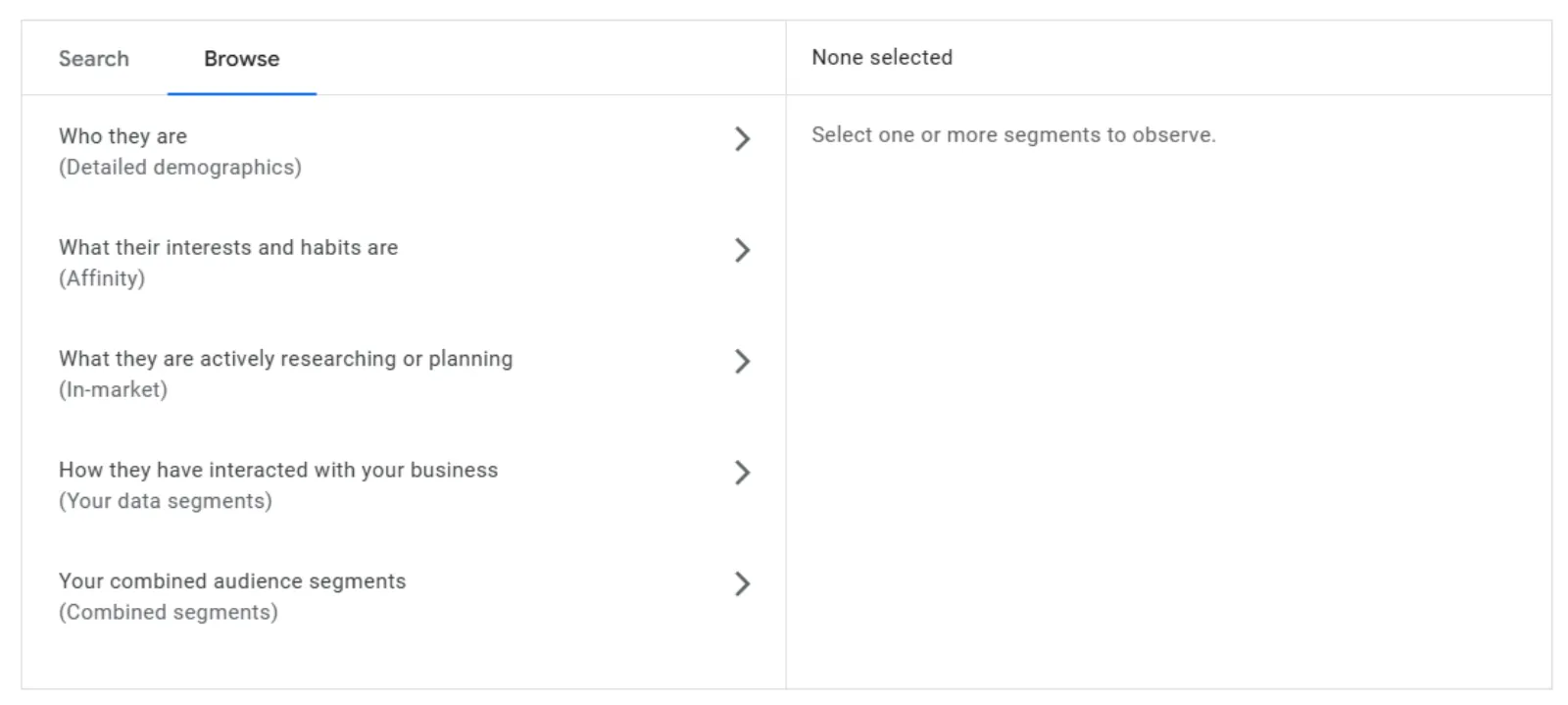
Google offers four “pre-packaged” audience categories readily accessible to all advertisers. This is a straightforward way to begin using audiences.
- Detailed demographic targeting: This goes beyond basic demographics like age and gender, offering deeper targeting based on life and career stages. Examples include targeting people based on their marital status (e.g., married) or homeownership status (e.g., renters).
- Affinity segment targeting: This allows you to reach people with similar interests, hobbies, and habits. These interests tend to be stable over time and are useful for awareness marketing. Examples include reaching “beauty mavens” or “luxury travellers”.
- In-market segment targeting: These segments identify people who are actively researching or intending to purchase specific products or services. Users are dynamically added to and removed from these categories based on their current online behaviour, making them ideal for high-intent prospecting campaigns. Examples include targeting those looking for “SEO & SEM services” or “Trips to Singapore”.
- Life event targeting: This option allows you to target individuals who are experiencing significant life transitions. Examples include people who are “getting married soon” or have “recently added a dog to their household”.
2. Your Data Segments
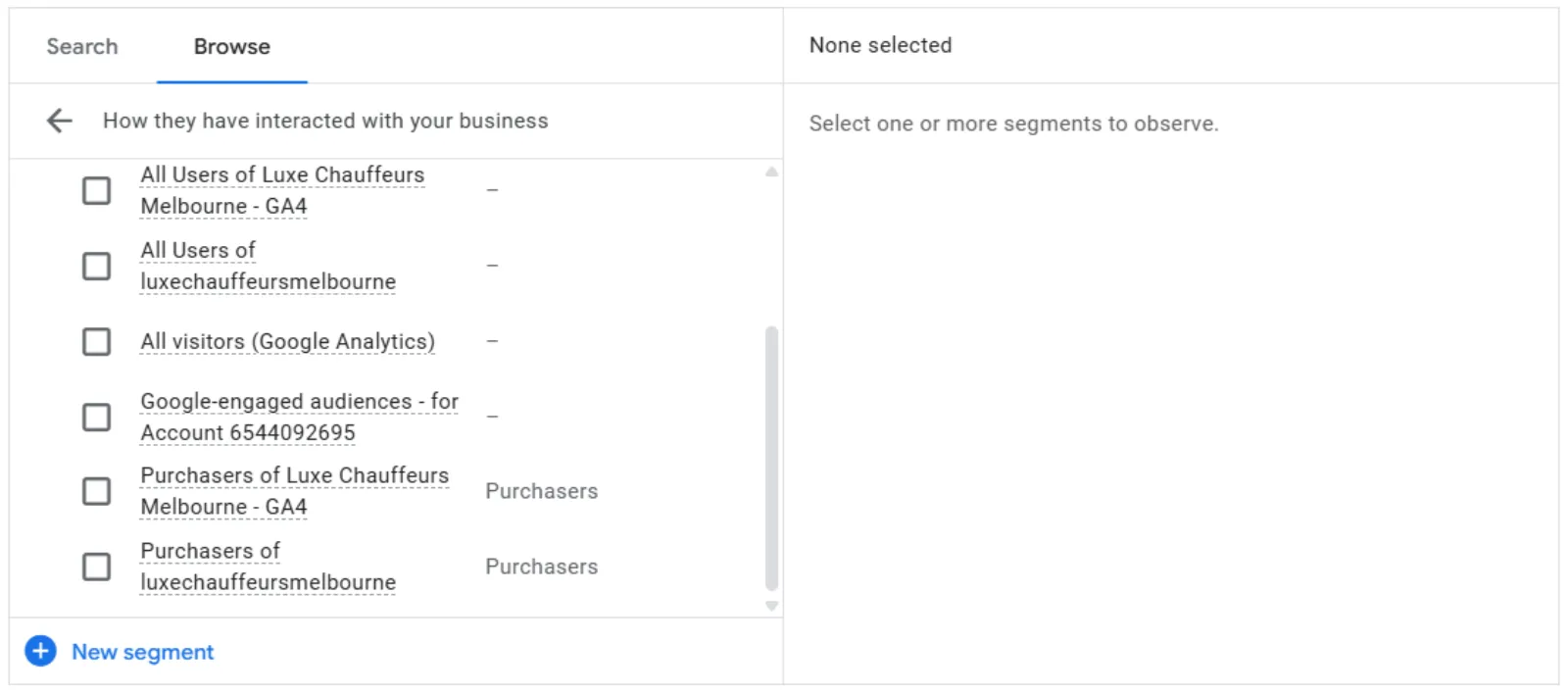
Previously known as “remarketing,” Google now refers to this section as “your data”. Regardless of the name, the concept remains the same: showing your Google ads to people who have already interacted with your business. This is a frequently used and often highly profitable paid advertising tactic.
Remarketing audiences: There are four main types of remarketing audiences available in Google Ads:
- Website: A list of users who have interacted with your website.
- App: A list of users who have interacted with your app.
- YouTube: A list of users who have interacted with your YouTube channel or content.
- Customer Match: A list of users whose personal data (e.g., email, phone number) you have uploaded into Google Ads.
Similar segment audiences: Also known as lookalike audiences, these are lists of new users who exhibit online behaviour similar to those on your remarketing lists. For instance, a similar segment derived from your “Most Profitable Customers” list would target new individuals whose online habits resemble your best customers, making them more likely to be interested in your offerings. Google Ads automatically generates these segments when there is sufficient data in your remarketing lists. This is a powerful tactic for customer acquisition.
3. Google Ads Custom Segments
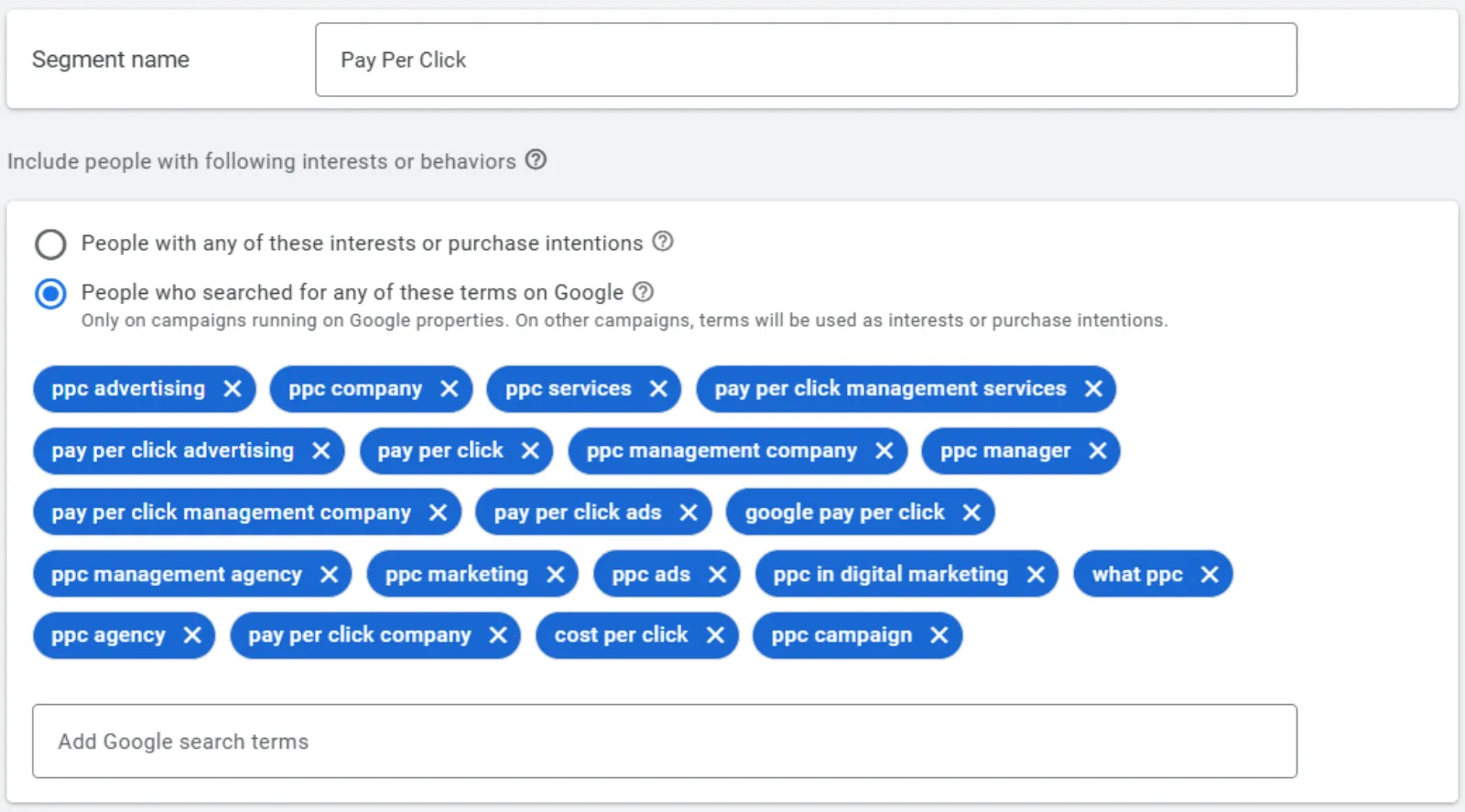
Custom segments offer a unique audience targeting option that bridges Google’s extensive data with the specific nuances of your business. This allows you to combine various pieces of information Google has about users in ways that are tailored to your needs.
Within custom segments, you have three options for audience creation:
 LIVE
Live every Tuesday at 2pm UK. Bring your marketing questions.
Get your Google, local SEO and AI questions answered live.
- People who are searching for specific interests and products/services.
- The types of websites people frequently browse.
- The types of apps people commonly use.
It’s important to note that custom segments cannot be used for Search or Shopping campaigns but are a valuable targeting option for Display, Discovery, and Video campaigns.
For example, when launching a Google Ads course, one could create a custom segment of individuals who have searched for terms like “Google Ads course” or “learn Google Ads” and another segment of those who have apps like “Google Ads” or “Meta Ads” installed.
These custom segments can then be used in a Video campaign to reach new, potentially interested audiences.
4. More Google Ads Audience Targeting
Beyond the core categories, Google Ads offers additional audience targeting capabilities.
- Combined segment targeting: This feature allows you to create audiences by combining multiple audience targeting requirements, and these combinations can even include custom segments. The possibilities for creating highly specific audience groups are vast. For example, you could target individuals who are in the market for athletic shoes OR activewear AND are luxury shoppers, but who are NOT already on your customer list or website remarketing list.
- Optimised targeting: This leverages Google’s machine learning to discover new audiences that are likely to help you achieve your business goals. When creating Discovery, Display, or YouTube campaigns, you are automatically opted into optimised targeting at the ad group level. The aim is for Google’s algorithms to identify opportunities for better performance based on your bid strategy’s optimisation goals, such as CPA or ROAS.
- Audience expansion: Similar to optimised targeting, audience expansion is used in reach-focused Video campaigns to broaden your reach to audiences similar to your chosen target audience.
Google Ads Audience Targeting Cheat Sheet
Here is a summary of the Google Ads audience targeting options discussed:
Google’s audience segments
- Detailed demographics
- Affinity segments
- In-market segments
- Life events
Your data segments
- Website remarketing
- App remarketing
- YouTube remarketing
- Customer Match
- Similar segments
Custom segments
- Search term-based
- Website-based
- App-based
Other
- Combined segments
- Optimised targeting
- Audience expansion
By understanding and effectively utilising these diverse audience targeting options, you can significantly improve the reach, relevance, and, ultimately, the ROI of your Google Ads campaigns. Don’t just rely on keywords – explore the power of audiences to connect with your ideal customers!
To assess if you are maximising your Google Ads potential, consider using a Free Google Ads Performance Grader.

Written by Uzair Kharawala
Partner at SF Digital Studios, a Google Premier Partner agency. Uzair has been helping businesses grow with Google Ads since 2002 and teaches it every week on YouTube.
Get our best Google Ads tips by email
New articles and videos, straight to your inbox. Unsubscribe any time.