
So, you’re running Google Ads. Cool! But how do you know if it’s working? Are you getting the biggest bang for your advertising buck? It’s time to dive into conversion tracking. This might sound technical, but it’s really simple and crucial for your ad strategy. Let’s break it down.
What is Conversion Tracking?
Conversion tracking tells you what actions people take after clicking your ads. Did they buy something? Sign up for your newsletter? Download an ebook? Knowing this helps you understand which ads are working and which ones aren’t. Without it, you’re flying blind.

Get Found, Get Chosen, Get Your Time Back
A free one-day marketing seminar in Milton Keynes · 10 November 2026
Why is Conversion Tracking Important?
Imagine you’re spending money on ads but have no idea if they’re bringing in sales or leads. That’s wasted money. Conversion tracking helps you see the ROI (return on investment) of your ads. It shows you what’s working so you can do more of it and what’s not so you can fix or stop it.
Get your free Marketing Action PlanNot sure where to start? Answer a few questions and get your plan in about a minute. No email needed.
Get my plan →Setting Up Conversion Tracking
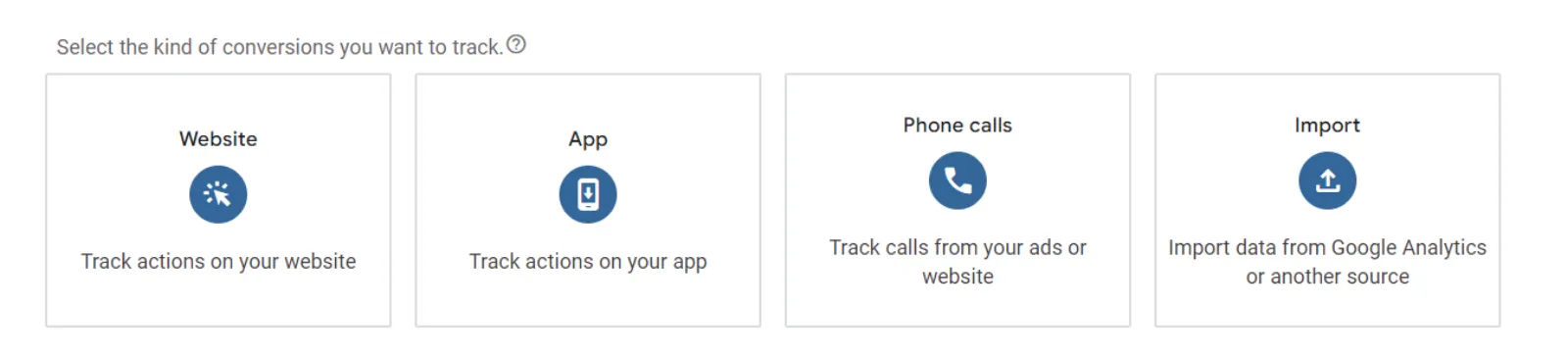
Create a Conversion Action: In your Google Ads account, go to the “Tools & Settings” menu and click on “Conversions.” Here, you can create a new conversion action. This could be a purchase, a sign-up, a download, or any other action that’s important to your business.
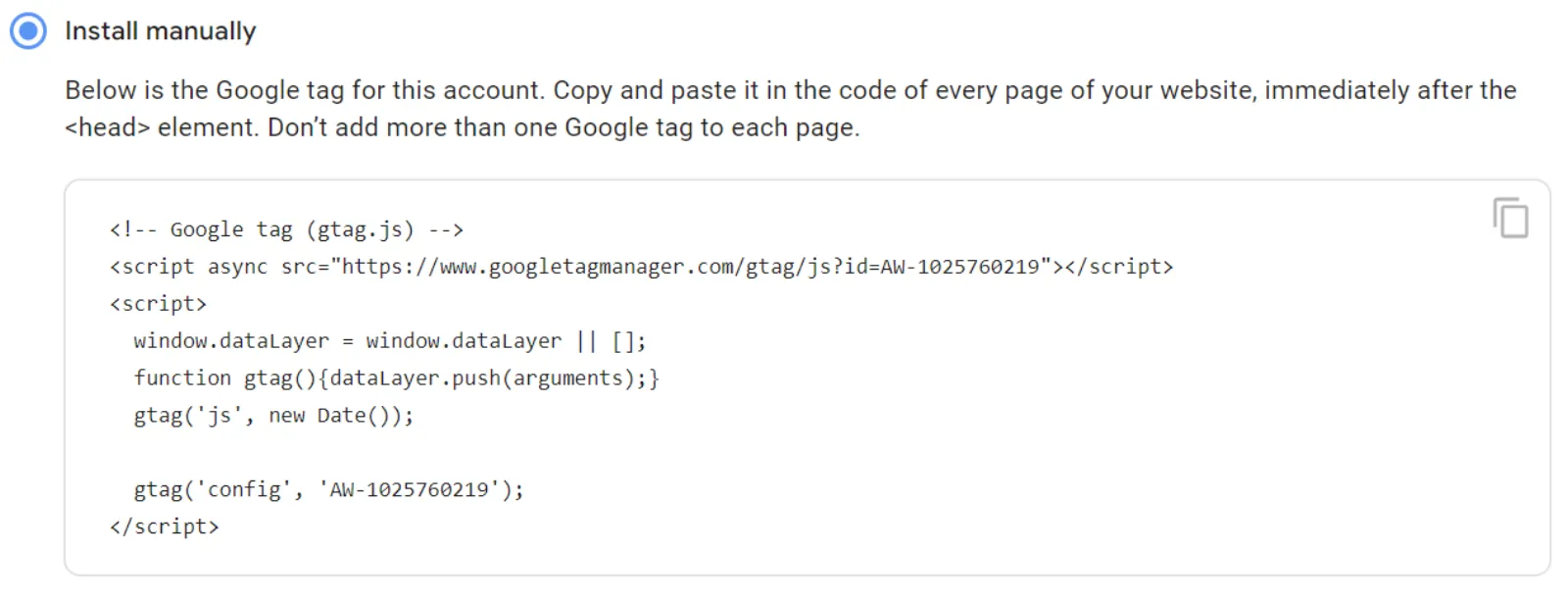
Add the Tracking Tag to Your Website: Google Ads will give you a piece of code (a tracking tag) to add to your website. This tag tracks when the conversion action happens. If you’re not tech-savvy, you might need a web developer’s help to add this code to the right pages.
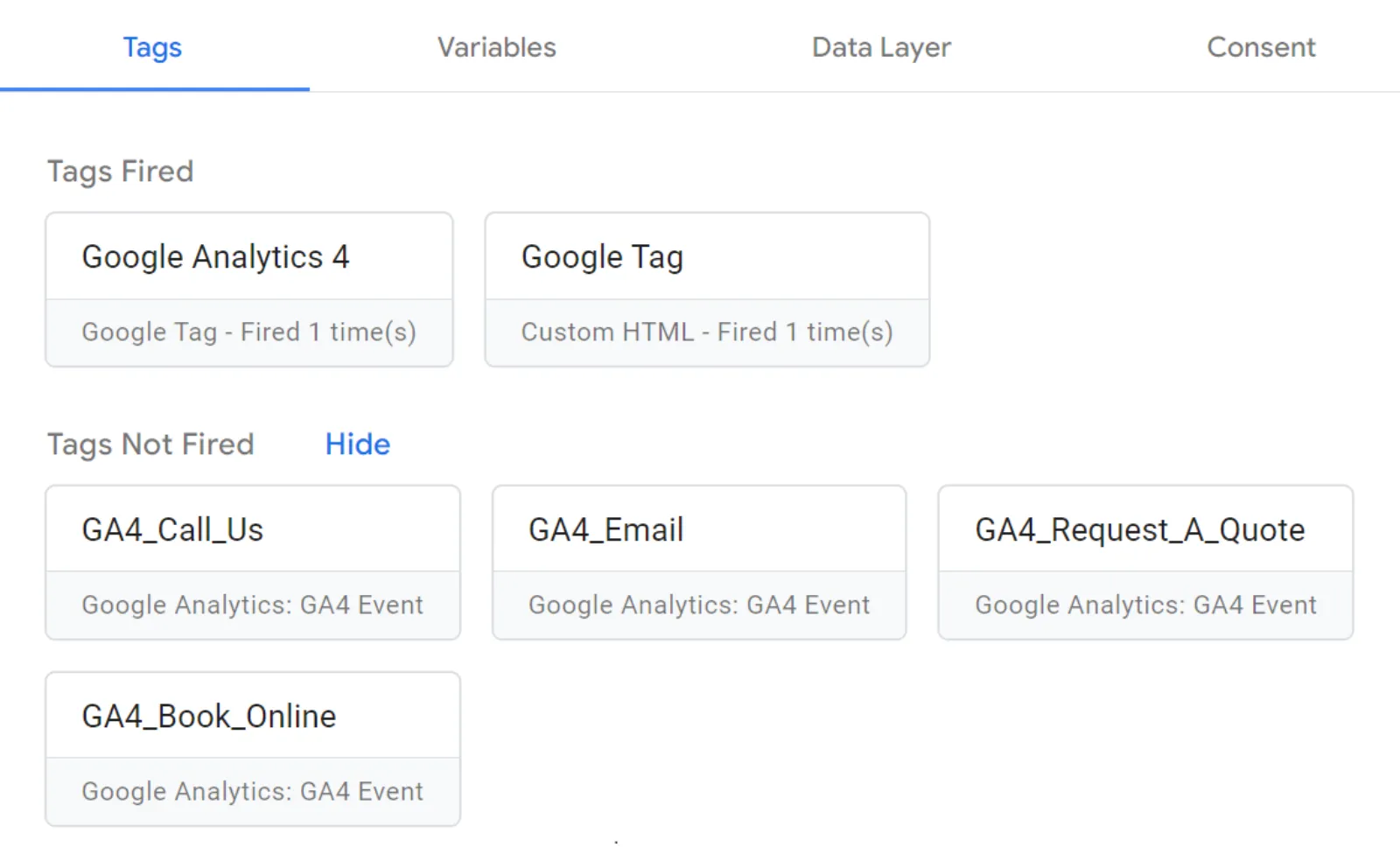
Verify the Tracking Tag: Make sure the tracking tag is working. You can use tools like Google Tag Assistant or Tag Manager to check if the tag is firing correctly when someone completes the conversion action.
Common Pitfalls and How to Avoid Them
- Not Tracking the Right Actions: Make sure you’re tracking actions that matter to your business goals. If you’re an online store, track purchases. If you’re a service provider, track lead forms or calls.
- Ignoring Inconsistencies: Sometimes, the data might not look right. Investigate any inconsistencies. Maybe the tracking tag isn’t firing correctly, or there might be an issue with how the conversion action is defined.
- Not Regularly Checking Data: Make it a habit to regularly check your conversion data. This helps you stay on top of your ad performance and make necessary adjustments.
Conclusion
Conversion tracking is the foundation of your Google Ads strategy. It tells you what actions people take after clicking your ads and helps you understand the ROI of your campaigns. Set it up correctly, track the right actions, and regularly check your data to ensure you’re making the most of your advertising budget.

Written by Uzair Kharawala
Partner at SF Digital Studios, a Google Premier Partner agency. Uzair has been helping businesses grow with Google Ads since 2002 and teaches it every week on YouTube.
Get our best Google Ads tips by email
New articles and videos, straight to your inbox. Unsubscribe any time.