

As a YouTube advertiser, you might have noticed that your ads are showing up in YouTube searches despite your efforts to exclude them. This can be frustrating, as it might not be the best use of your advertising budget or the desired placement for your ads. In this blog post, we will discuss how to exclude YouTube ads from showing up in YouTube searches.
Previously, advertisers could exclude their ads from showing on the Google Display Network (GDN), but now video ads are being displayed outside of YouTube, making it difficult to control ad placement. However, there are still some steps you can take to minimise the chance of your ads showing up in YouTube searches.
The first step is to create a placement exclusion list. This is a list of websites and apps where you do not want your ads to appear. To create a placement exclusion list, follow these steps:
Step 1: Log in to your Google Ads account.
Step 2: Select the campaign you want to exclude from YouTube search results.
Step 3: Click on the “Content” tab.
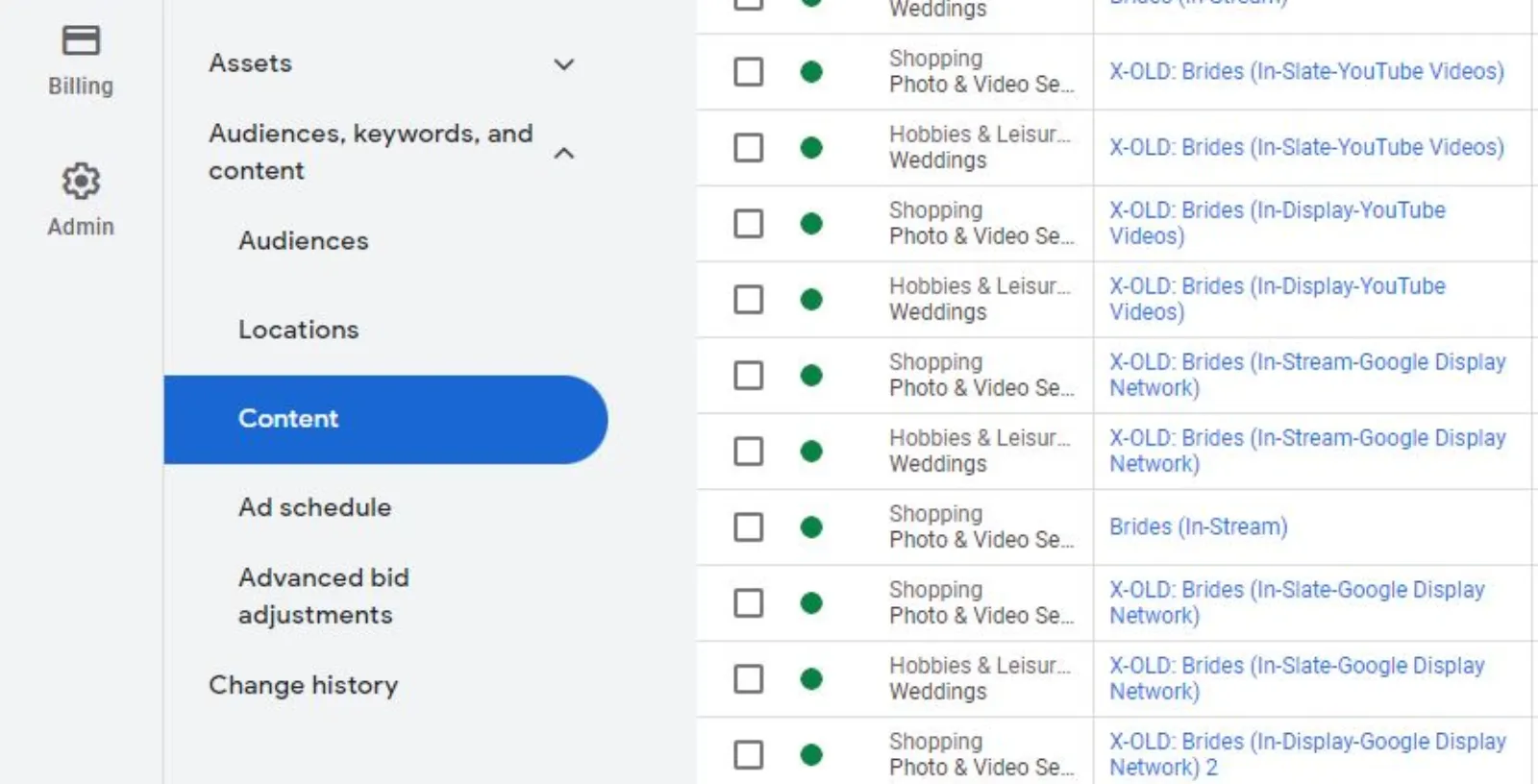
Step 4: Click on “Placement Exclusions” and select “Add placement exclusion.“
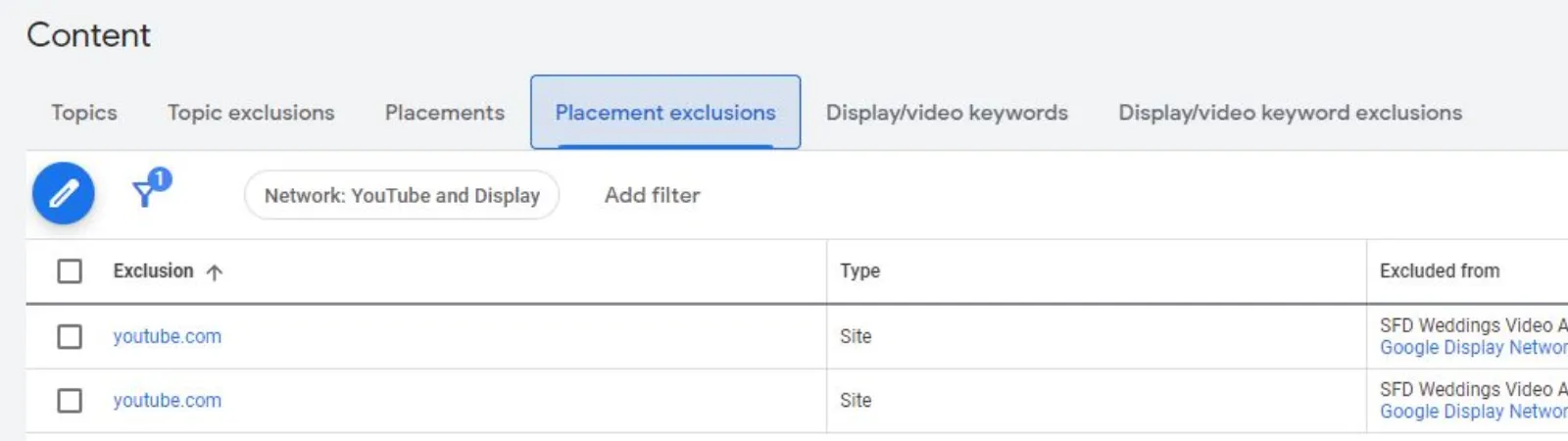
Step 5: Enter “youtube.com” and select “Video” as the placement type.
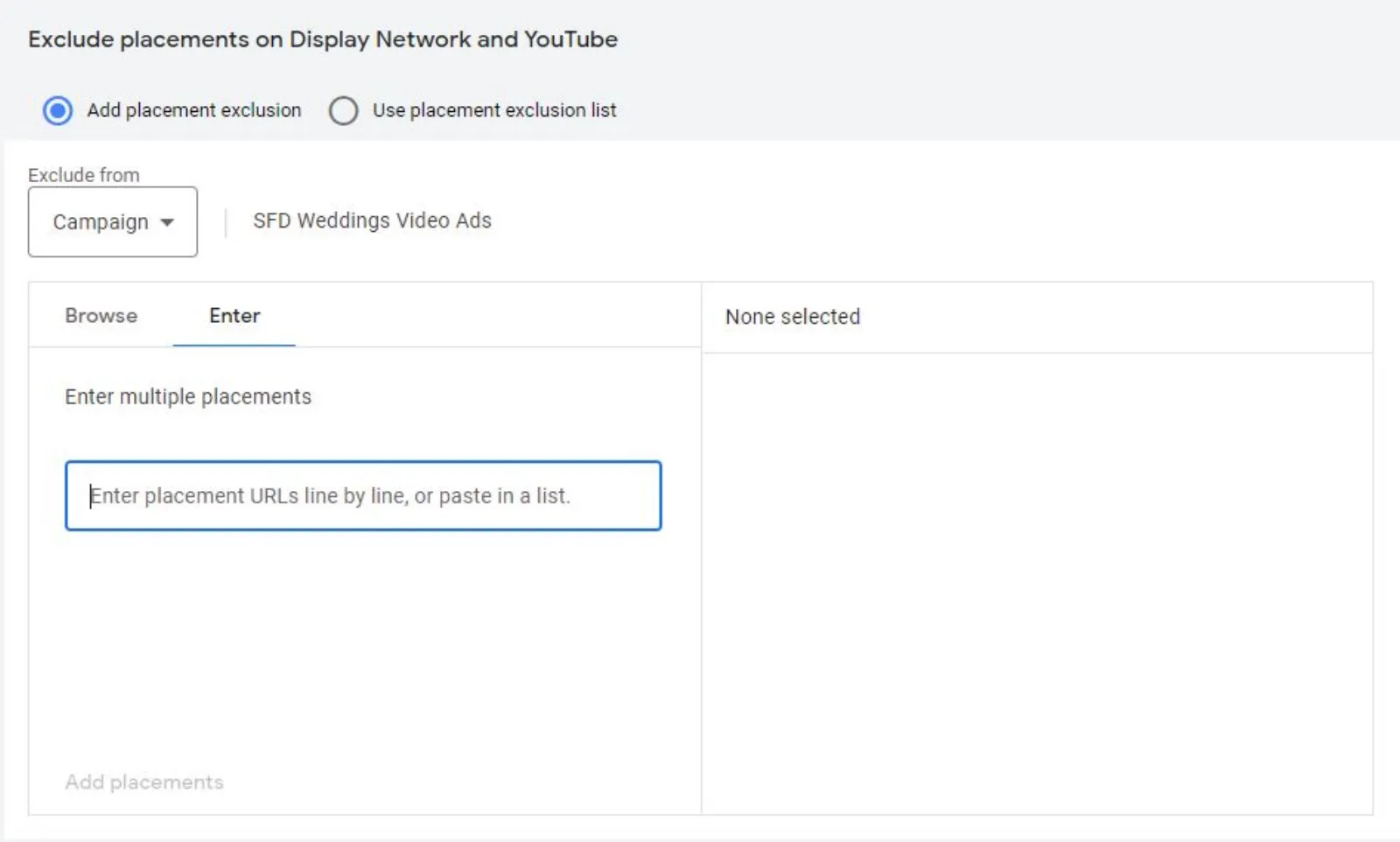
Step 6: Save your changes.
Step 7: By adding “youtube.com” to your placement exclusion list, you are telling Google not to display your ads on YouTube search results.
Another way to exclude your ads from YouTube searches is to use targeting options. By using targeting options, you can specify the type of videos and content your ads will appear in. For example, you can target your ads to specific channels or videos that are related to your product or service.
To use targeting options, follow these steps:
Step 1: Log in to your Google Ads account.
Step 2: Select the campaign you want to exclude from YouTube search results.
Step 3: Click on the “Content” tab.
Step 4: Click on “Placements” and select “YouTube videos.“
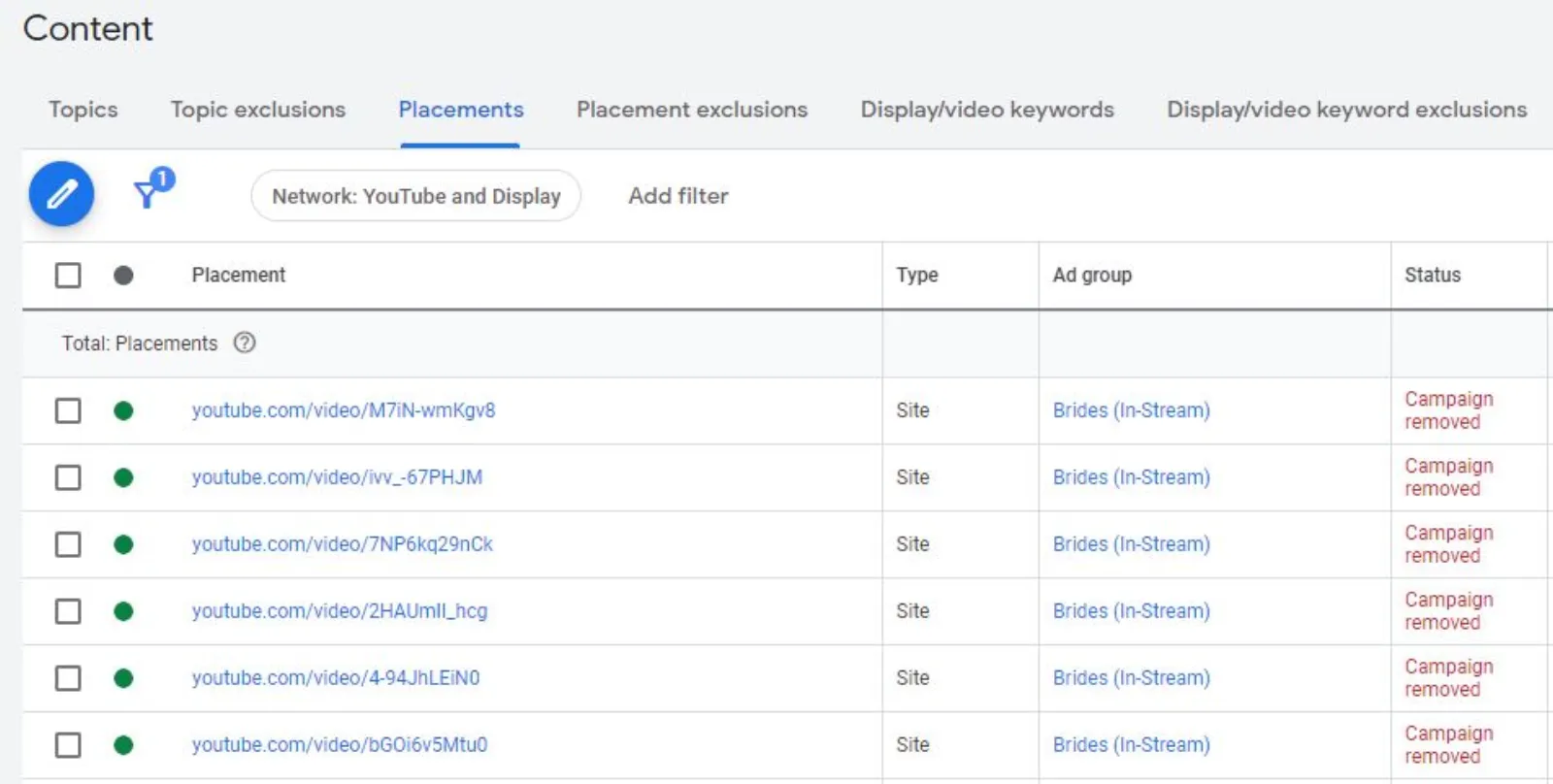
Step 5: Enter the keywords or video URLs that are relevant to your product or service.
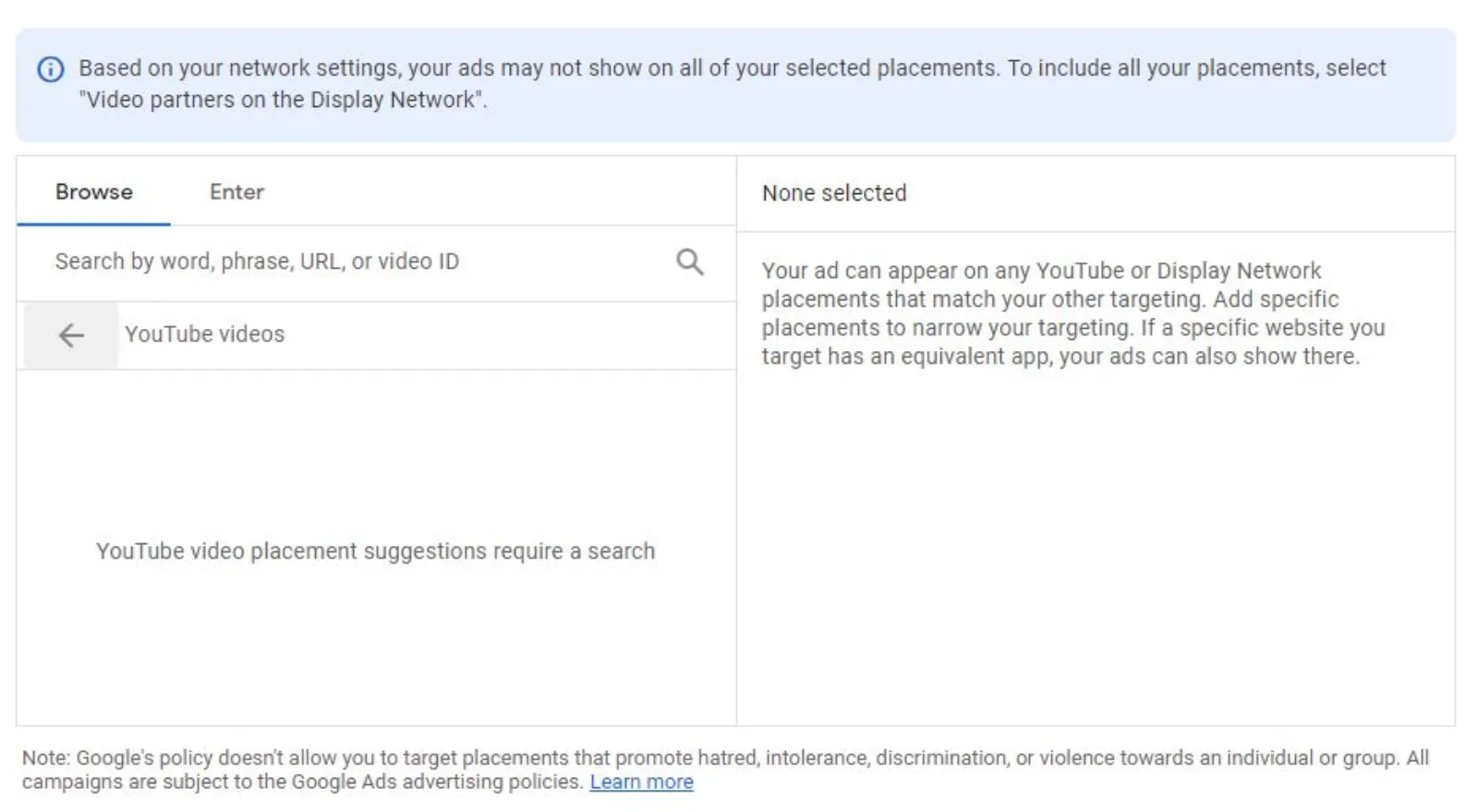
Step 6: Save your changes.
By using targeting options, you are increasing the chances of your ads appearing in relevant videos and content, rather than in YouTube searches.
In conclusion, excluding YouTube ads from showing up in YouTube searches can be challenging, but there are still some steps you can take to minimise the chance of it happening. By creating a placement exclusion list and using targeting options, you can control where your ads appear and increase their relevance to your target audience. Remember, experimentation and testing is key to finding the best placement for your ads.

Written by Uzair Kharawala
Founder of SF Digital Studios, a Google Premier Partner agency. Uzair has been helping businesses grow with Google Ads since 2002 and teaches it every week on YouTube.
Get our best Google Ads tips by email
New articles and videos, straight to your inbox. Unsubscribe any time.