

Disclosure: Some of the links in this post are affiliate links. This means that if you click on a link and sign up or take a free trial, we will receive compensation at no extra cost to you.
In today’s competitive digital landscape, optimising your website’s performance is crucial for success. Understanding how visitors interact with your site and analysing competitor strategies are essential for staying ahead. That’s where Semrush Traffic Analytics comes in.
Semrush Traffic Analytics is a comprehensive tool designed to give you deep insights into your website traffic, helping you fine-tune your SEO strategies and improve overall performance. In this post, we’ll walk you through the basics of Semrush Traffic Analytics, how to use it, and why it’s the ultimate tool for site optimisation.
What is Semrush Traffic Analytics?
Semrush Traffic Analytics is a tool that provides detailed insights into website traffic, visitor behaviour, and more. It’s part of the Semrush suite of tools, which are known for their ability to help businesses with SEO, content marketing, PPC, and social media strategies. This tool is perfect for businesses looking to better understand their audience, track traffic patterns, and gain valuable competitor insights.
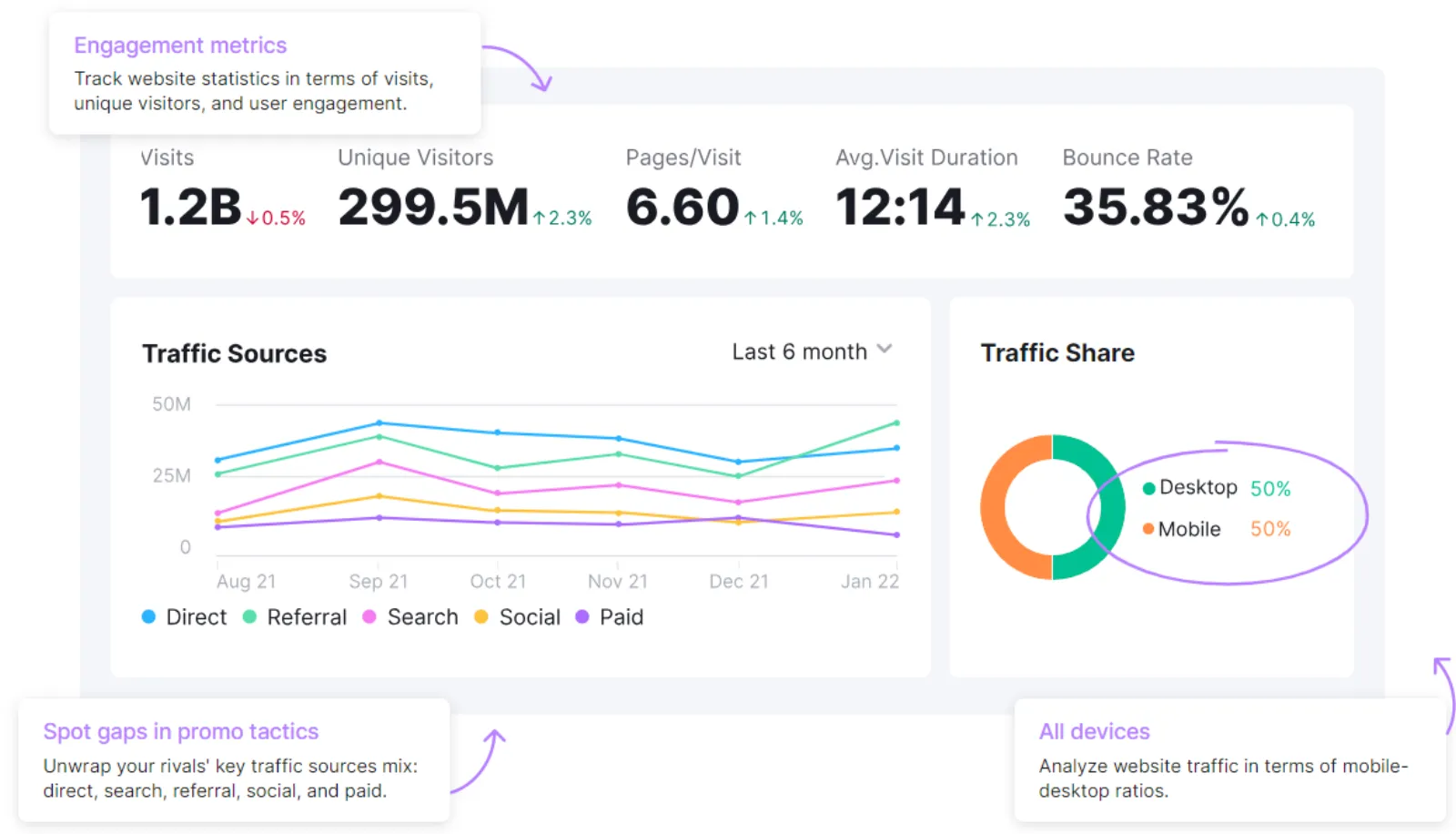
Unlike other traffic analytics tools, Semrush goes beyond basic metrics. It gives you data on things like traffic sources, device usage, geographical location of visitors, bounce rates, and more. These insights are essential for tweaking your website’s SEO strategy and improving its visibility in search engines.
How Does Semrush Traffic Analytics Stand Out?
There are plenty of traffic analysis tools on the market, but Semrush offers unique features that make it stand out:
- Comprehensive Insights: Semrush provides detailed data, including visitor behaviour, traffic sources, and time spent on site, which can be crucial for improving SEO performance.
- Competitor Analysis: One of its best features is the ability to analyse competitor data. This lets you see how your site stacks up against others in your industry and find areas for improvement.
- Historical Data: Semrush also offers historical data, helping you track long-term trends and make informed decisions.
- User-Friendly: The interface is easy to use, even for beginners, and allows for quick access to essential metrics.
- Mobile and Desktop Data: Semrush provides insights across devices (mobile, desktop, tablet), giving you a complete picture of user engagement.
How to Use Semrush Traffic Analytics: A Simple Step-by-Step Guide
Using Semrush Traffic Analytics is easy, even for beginners. Follow this simple guide to make the most of the tool:
Step 1: Access the Tool
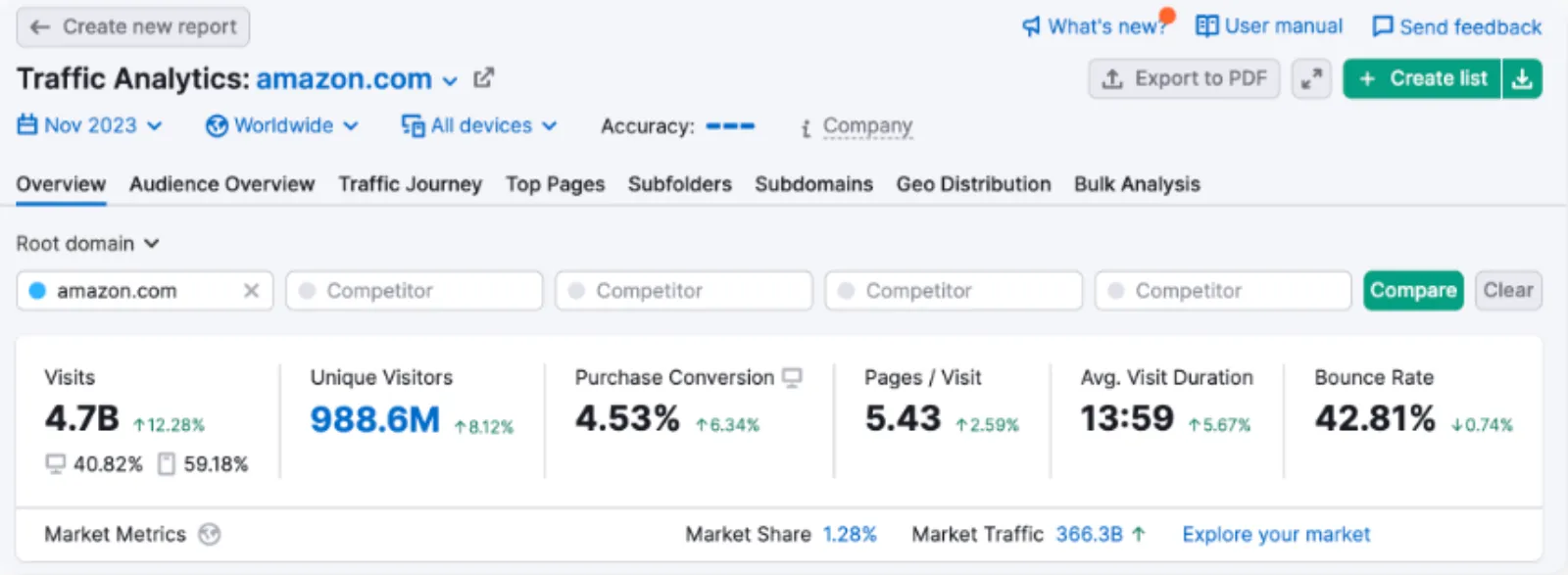
Start by logging into your Semrush account. If you don’t have one, sign up on their website. Once logged in, navigate to the “Traffic Analytics” section in the menu.
Step 2: Enter a Domain
Enter the domain you want to analyse. This can be your website or that of a competitor.

Step 3: Analyse the Dashboard
The dashboard will provide you with key metrics like visits, unique visitors, pages per visit, and bounce rates. These are essential for understanding user engagement.
Step 4: Explore Detailed Data
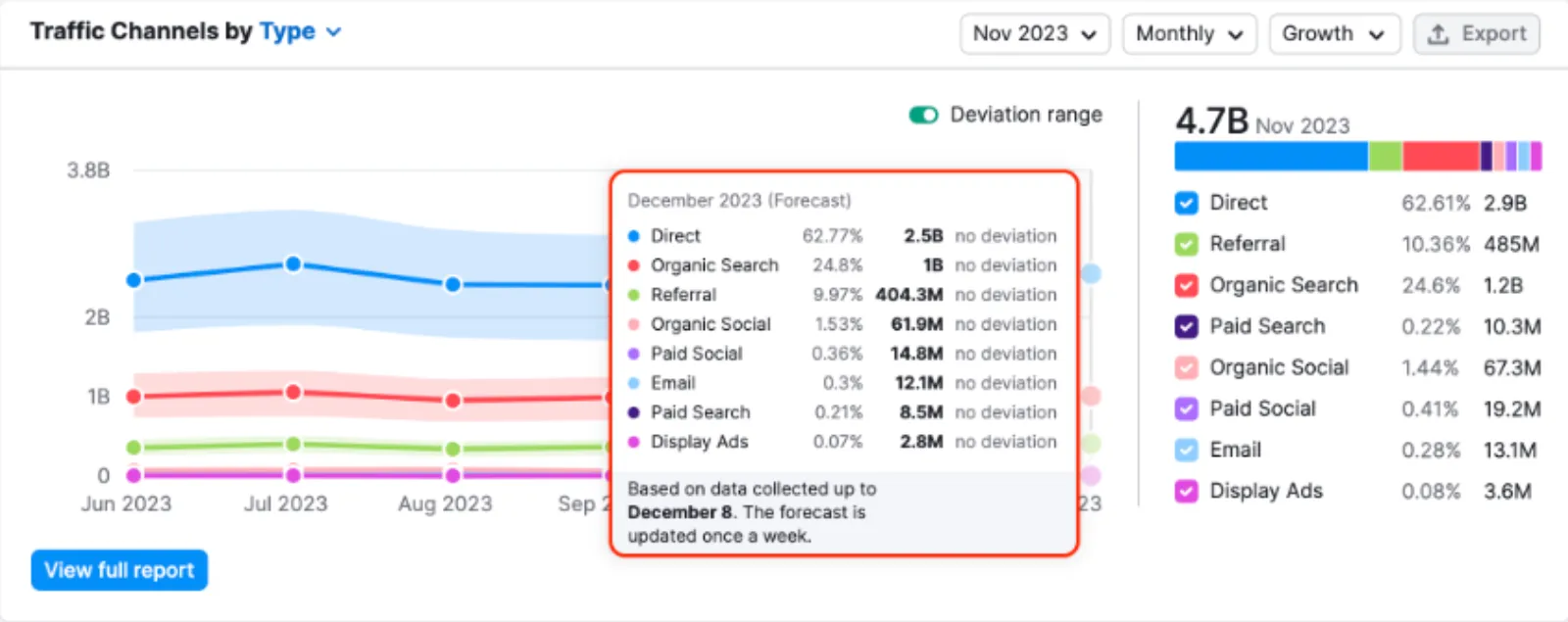
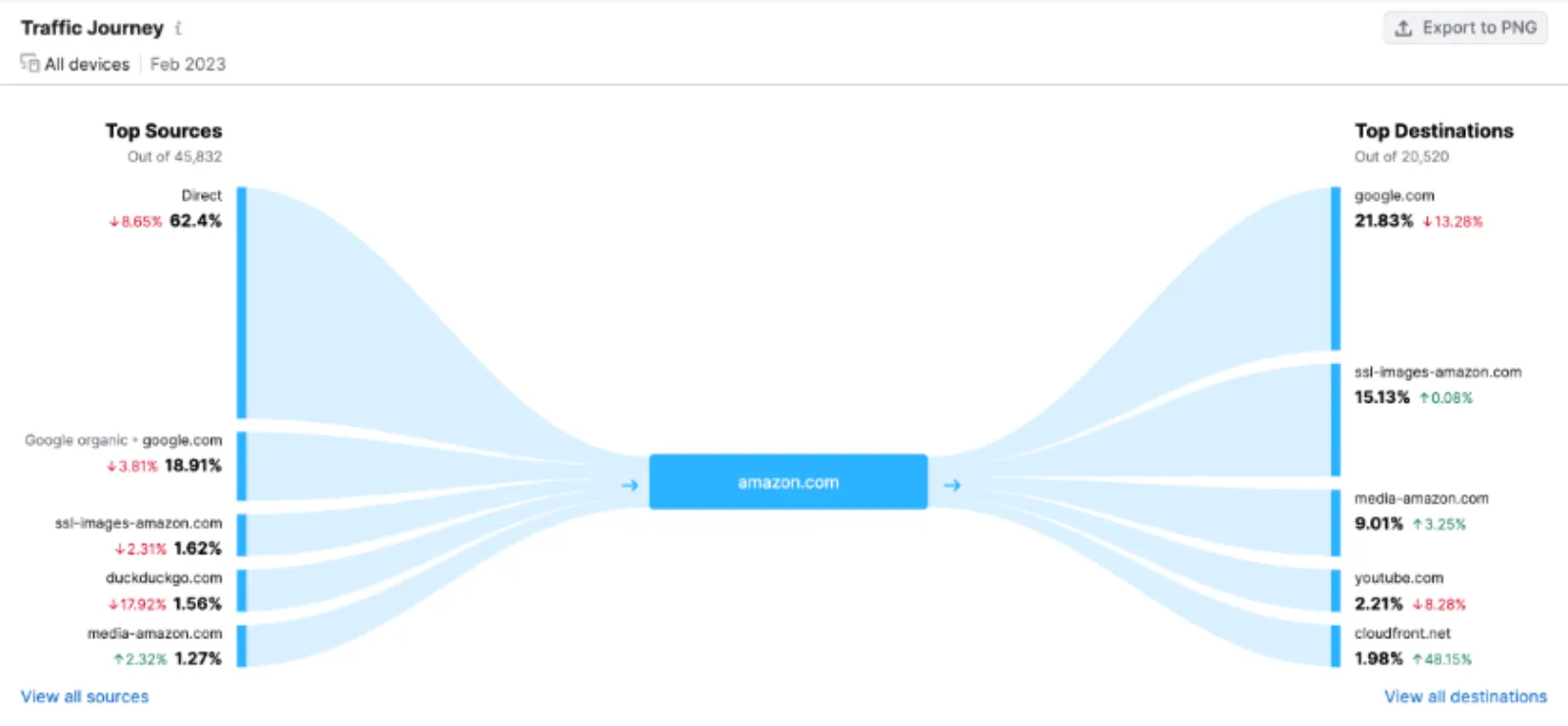
For more in-depth insights, explore tabs that give information on geographic traffic, device usage, and traffic sources.
Step 5: Conduct Competitive Analysis
Add competitor domains to compare their performance with yours. This will help you understand what your competitors are doing right.
Step 6: Export Data
Semrush allows you to export data for further analysis or to share with your team. This feature is useful for reporting and strategy planning.
Advanced Features for Niche Markets
Semrush Traffic Analytics also includes several advanced features that cater to niche markets:
- Market Explorer: Understand trends and key players in your industry.
- Bulk Analysis: Analyse up to 200 URLs at once, perfect for high-competition sectors.
- Historical Data: Track long-term trends for better decision-making.
- Subdomain Tracking: Monitor traffic across multiple subdomains, a must for media and publishing businesses.
These advanced features make it easier to tailor your marketing strategies to specific business needs.
Integrating Semrush with Other Marketing Tools
Semrush Traffic Analytics is powerful on its own, but it works even better when integrated with other marketing tools. For example:
- Google Analytics: Combine data from both tools to get a complete view of your website’s performance.
- CRM Platforms: Link Semrush to tools like HubSpot or Salesforce to track lead origin and conversion rates.
- Social Media Tools: Pair Semrush with platforms like Hootsuite to correlate social media activities with website traffic.

Tailoring Strategies Based on Insights
Once you have collected data through Semrush Traffic Analytics, it’s time to use that information to fine-tune your strategies. Here’s how different businesses can benefit from this tool:
- Startups & Small Businesses: Focus on competitive analysis and user behaviour insights to improve engagement.
- Mid-size Businesses: Optimise for different geographic markets and traffic channels.
- Large Enterprises: Use historical data to track market trends and benchmark against industry leaders.
Conclusion
Semrush Traffic Analytics is a powerful tool that provides detailed insights into website performance and user behaviour. It goes beyond just showing basic metrics and gives you a comprehensive understanding of your traffic, competitors, and market trends. Whether you’re a startup or a large enterprise, using Semrush Traffic Analytics can help you make informed decisions and improve your digital marketing strategy.

Written by Uzair Kharawala
Founder of SF Digital Studios, a Google Premier Partner agency. Uzair has been helping businesses grow with Google Ads since 2002 and teaches it every week on YouTube.
Get our best Google Ads tips by email
New articles and videos, straight to your inbox. Unsubscribe any time.