
IP address exclusion can be a solution to a problem you might face while running your Google ads. It occurs when a lot of fraudulent clicks are done by your competitors deliberately. The main aim is to impact and exhaust your daily budget.
Although Google has a system in place known as the invalid click system to deal with this problem, you will still find people clicking on your ads.

Get Found, Get Chosen, Get Your Time Back
A free one-day marketing seminar in Milton Keynes · 10 November 2026
How To Deal With Fraudulent Clicks In Google Ads?
The optimal approach to deal with fraudulent clicks is by identifying the same IP address that is coming through and making several clicks on your ads. You can choose to exclude the same way you do to a negative keyword.
Get your free Marketing Action PlanNot sure where to start? Answer a few questions and get your plan in about a minute. No email needed.
Get my plan →In addition, you can choose to use software and tools that help you in identifying and stopping any fraudulent clicks. It will give additional protection to your account – saving it from any IP address to make deceitful clicks on your ads.
Why Is Blocking IP Addresses A Smart Move?
Many reasons point out why it is optimal to block any fraudulent IP address. The top reason is that you will pay a significant amount of money just for a single person who is clicking on your ads repeatedly. It will yield no return on the investment you are making in Google Ads.
So, if you are wondering how to deal with this issue, here is a step-by-step guide for blocking an IP in Google Ads. It is a straightforward process that will only take a couple of minutes at max.
 LIVE
Live every Tuesday at 2pm UK. Bring your marketing questions.
Get your Google, local SEO and AI questions answered live.
Step-By-Step Process For Blocking An IP Address In Google Ads
If you want to block a specific IP from clicking on your ads, then all you have to do is:
Step 1: Sign in to your account for Google Ads.
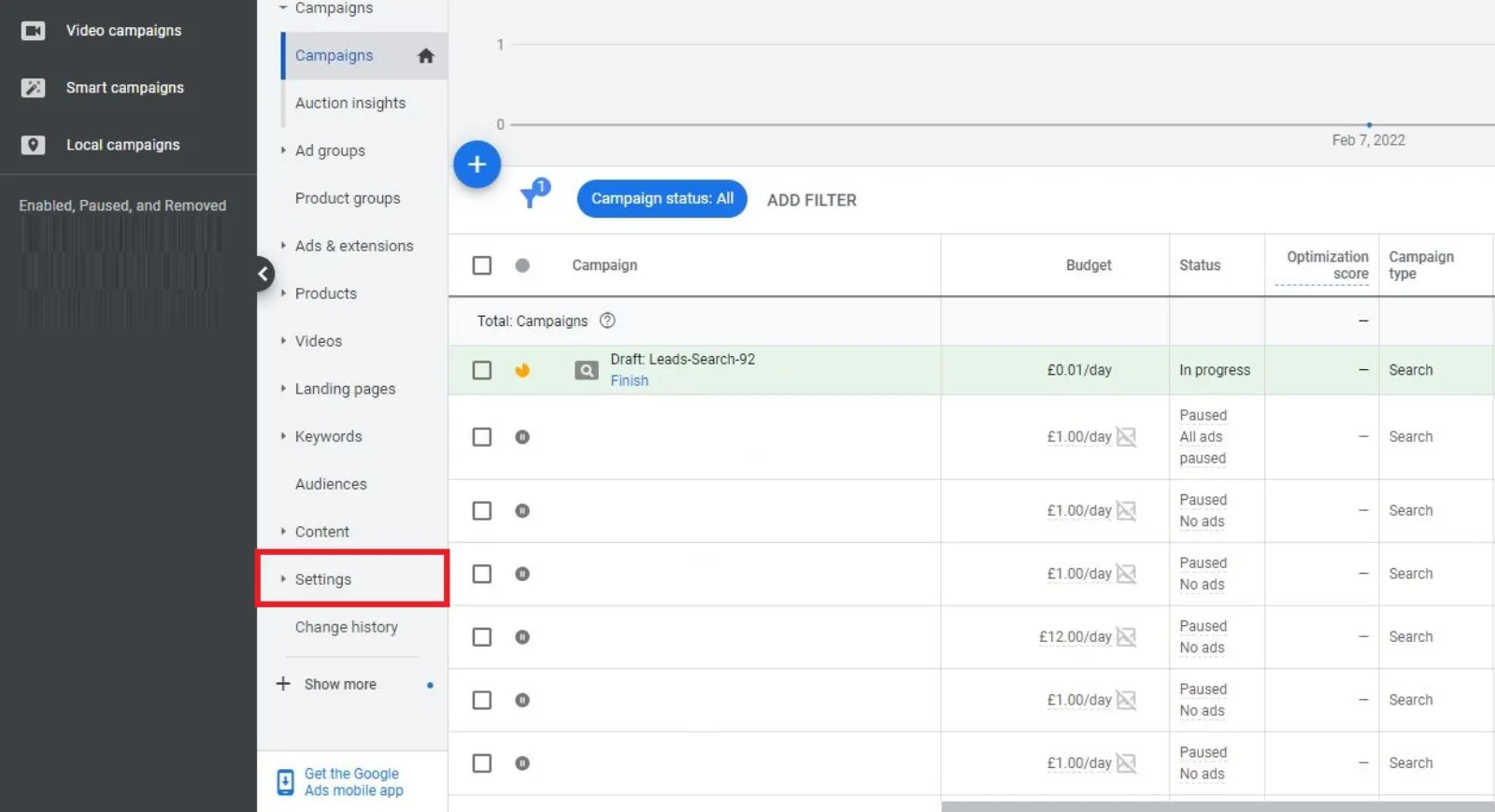
Step 2: Click on the menu on the left side and go to Settings.
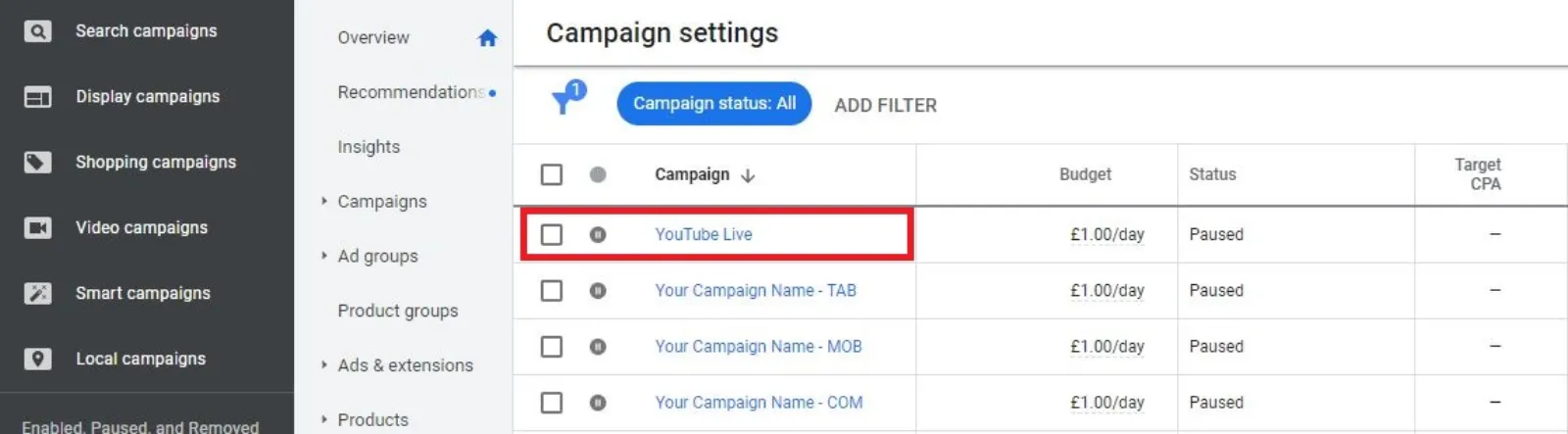
Step 3: Choose the campaign that you want to stop the IP addresses from clicking.
Step 4: Select the option for IP Exclusions (You might find it under the Additional Settings.)
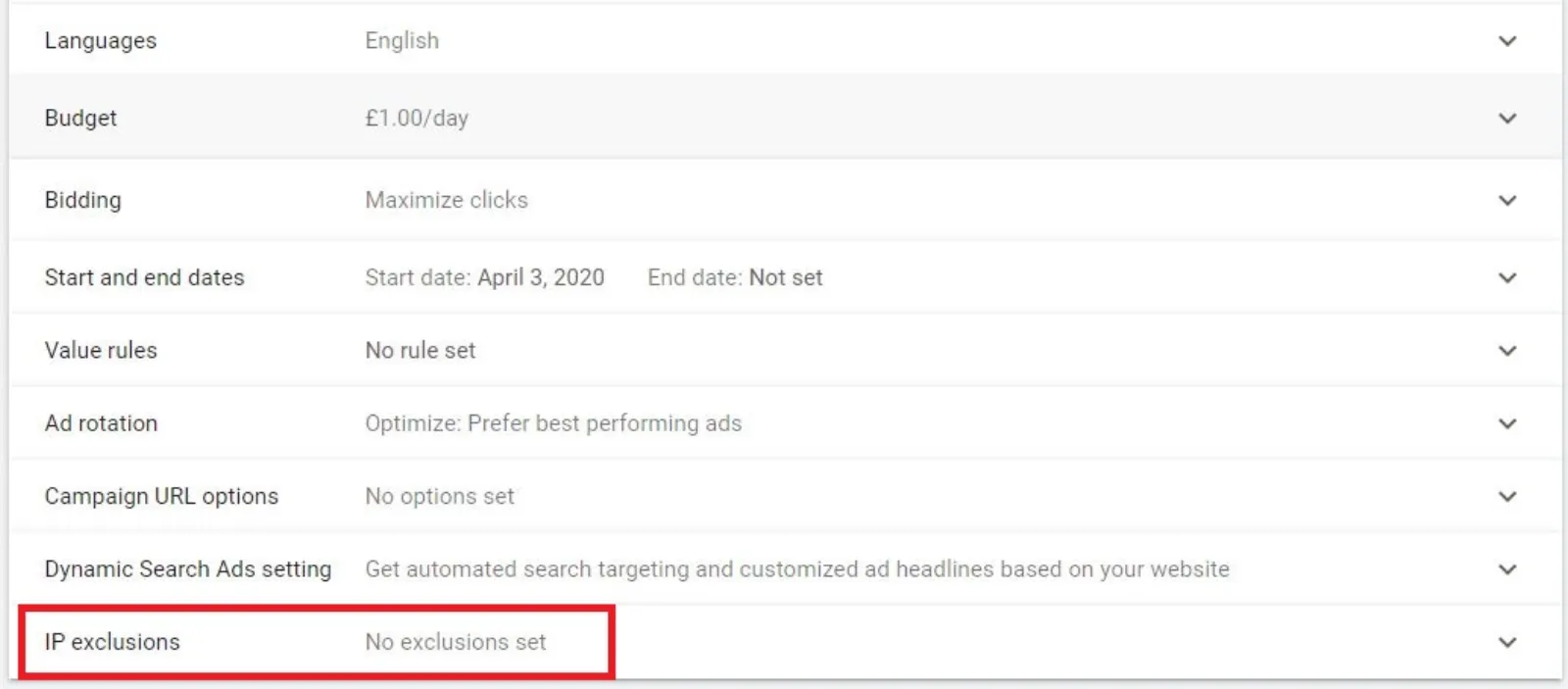
Step 5: Enter the IP address you wish to exclude from your campaigns.
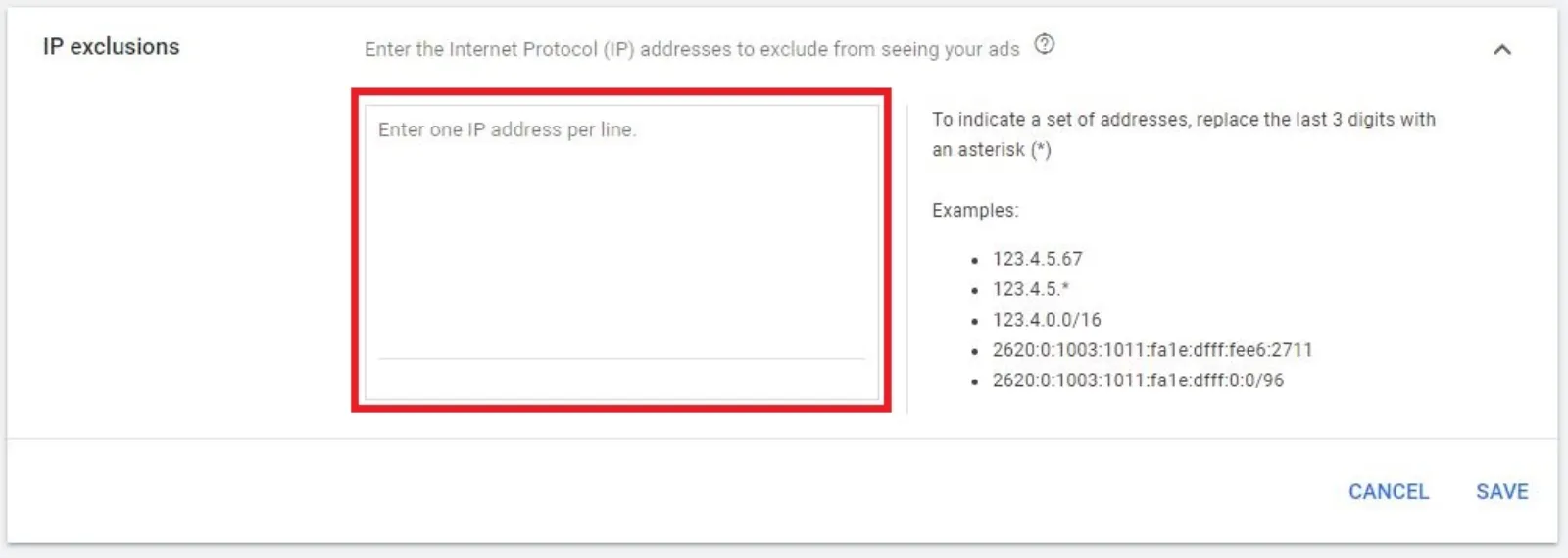
Step 6: Click on Save to enforce the new settings and block the IP address.
One thing that you have to keep in mind is that you can only block 500 IP addresses. So, be careful to choose the ones that are actually clicking on your ads multiple times and are giving you no results.

Written by Uzair Kharawala
Partner at SF Digital Studios, a Google Premier Partner agency. Uzair has been helping businesses grow with Google Ads since 2002 and teaches it every week on YouTube.
Get our best Google Ads tips by email
New articles and videos, straight to your inbox. Unsubscribe any time.