
Google Ads is trying to bring in change within its algorithm by adopting machine learning. That is why it is now allowing auto-apply ad suggestions.
However, users might still feel that they are better off with their previous settings. So, if you think that your settings are better for your campaigns than Google Ads ad suggestions, then here is how you can turn them off.

Get Found, Get Chosen, Get Your Time Back
A free one-day marketing seminar in Milton Keynes · 10 November 2026
Why Should You Avoid Google Ads Auto Applied Ad Suggestions?
There can be a situation where you activate the auto-applied ad suggestions. Still, later you would want to get back to your previous settings or cancel the setting that it is recommending. It can be because you feel your previous settings better enable your campaign to create a better impact than the auto-applied ad suggestions.
Get your free Marketing Action PlanNot sure where to start? Answer a few questions and get your plan in about a minute. No email needed.
Get my plan →Since Google will recommend a lot of things for your settings, it is not necessary to apply them all. You can choose to ignore or cancel them. Some of the things that they recommend are good. But that does not mean that you just trust their suggestions blindly.
There can be a chance that your campaign might not remain that effective, and sooner or later, it will die out. The best solution for this problem is that you can go to your change history and look at the recent changes. After that, you can choose to undo or redo anything that is applicable to bring the campaign back on track before the application or the activation of these auto-applied ad suggestions.
How to Turn Off Auto-Applied Ad Suggestions in Google Ads
New Google Ads accounts automatically apply ad suggestions by default. If you don’t want your ad suggestions to auto-apply, you can opt out manually. Previously auto-applied ad suggestions will remain active. You can edit, pause, or remove previously auto-applied ad suggestions from the Ads and extensions page.
To opt-out of auto-applying ad suggestions to standard Google Ads accounts:
Step 1: Sign in to your Google Ads account.
 LIVE
Live every Tuesday at 2pm UK. Bring your marketing questions.
Get your Google, local SEO and AI questions answered live.
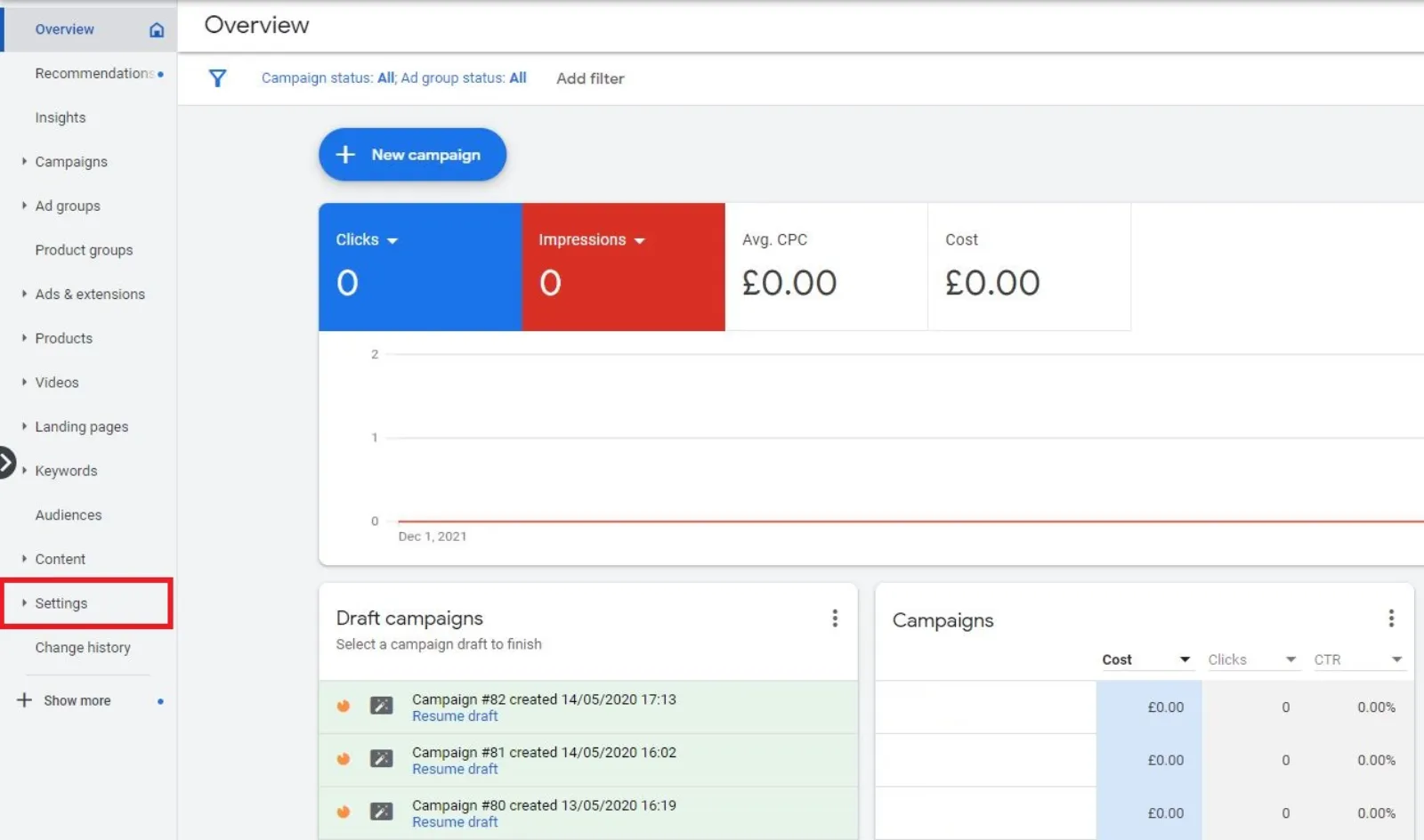
Step 2: In the page menu on the left, click “Settings”.
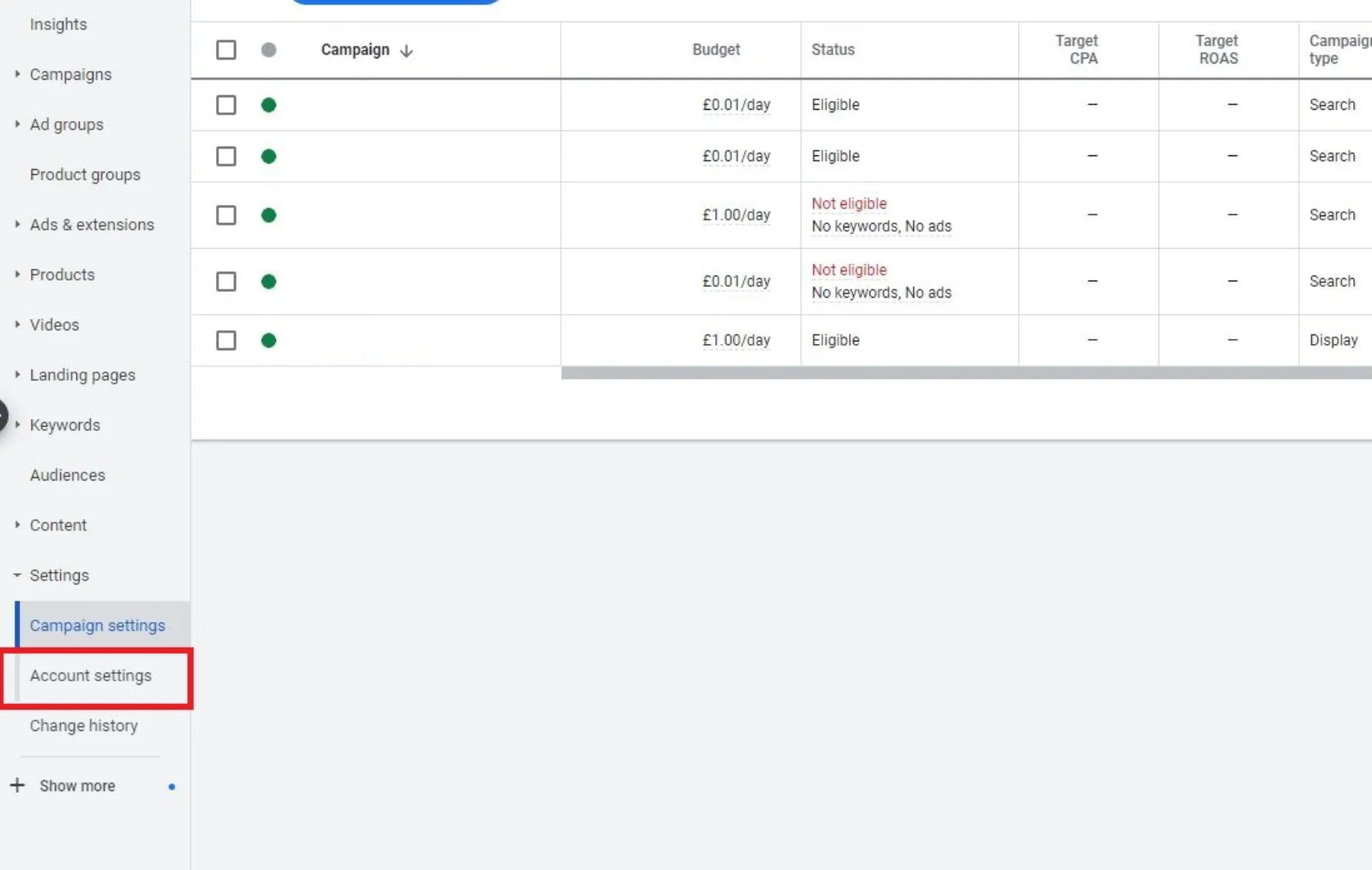
Step 3: Click “Account settings” at the top of the page.
Step 4: Click the drop-down arrow next to “Ad suggestions.”
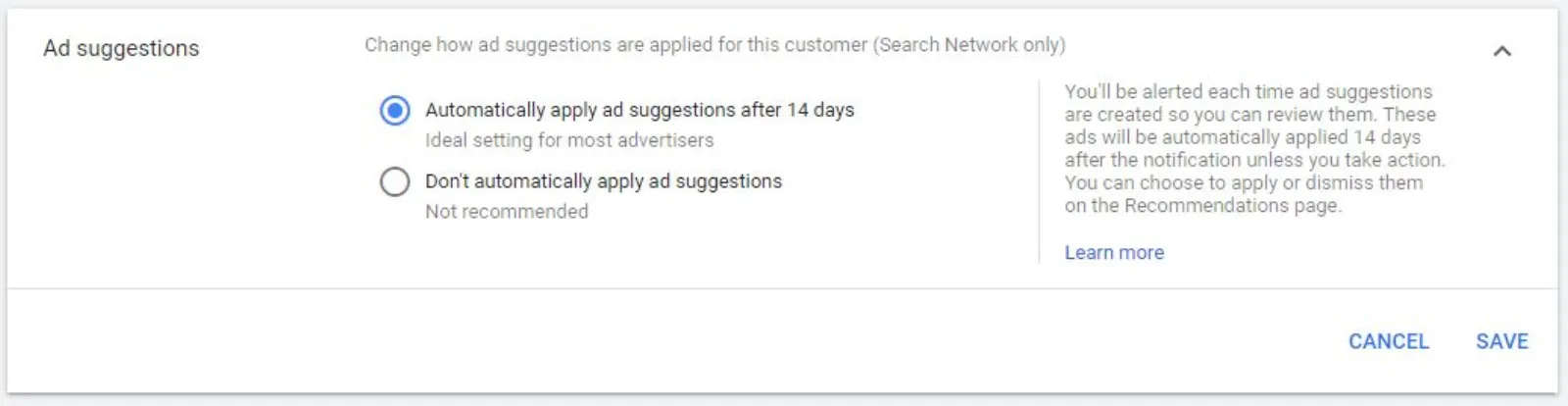
Step 5: Choose “don’t automatically apply ad suggestions”.
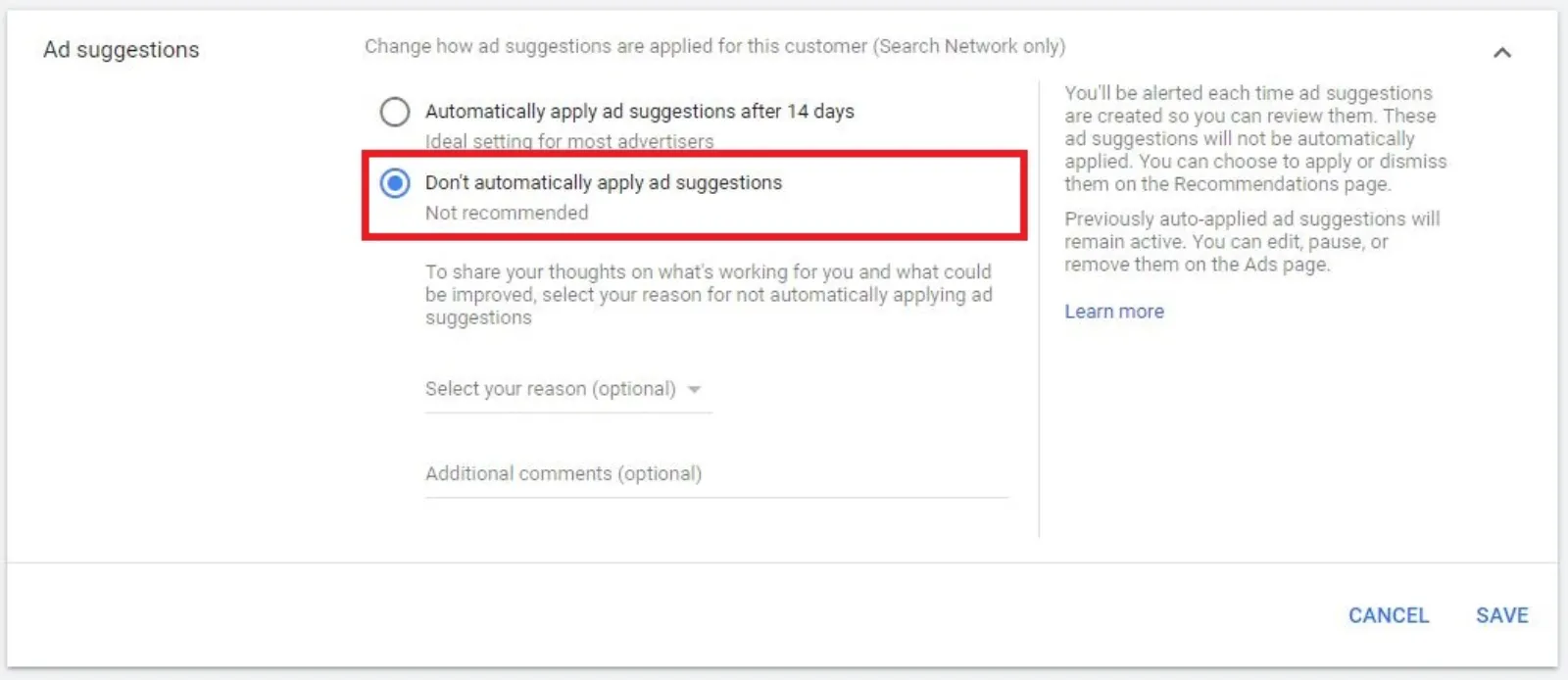
Step 6: Click Save.
Benefits Of Google Ads Auto Applied Ad Suggestions
While you might think that your settings are much better, there are still a lot of benefits of Google Ads auto-applied ad suggestions, such as:
- Google Ads auto-applied ad suggestions enable you to refine your ads.
- It helps you in creating new ads.
- Through these suggestions, you can display your most optimal ads most often.
- Google Ads auto-applied ad suggestions allow you to optimise your ads into better ad groups.
These are just some of the benefits that auto-applied ad suggestions offer. You can take advantage in case you are not sure how to proceed regarding the settings of your campaigns.
Conclusion
We hope you have found this blog post useful on the subject of “how to turn off the Google Ads auto-applied ad suggestions.” We have tried to be as detailed as possible to ensure that you have all the information you need to get your Google Ads campaigns back on track again and create a better impact than before.

Written by Uzair Kharawala
Partner at SF Digital Studios, a Google Premier Partner agency. Uzair has been helping businesses grow with Google Ads since 2002 and teaches it every week on YouTube.
Get our best Google Ads tips by email
New articles and videos, straight to your inbox. Unsubscribe any time.