
Google continues to make the marketers’ lives easy by introducing new features and stuff in Google Ads. The most recent announcement about running experiments makes it simple for you to update and sync the experiments of your all Google Ads experiments.
What Is The New Experiments Page All About?
The issue many people faced before was that to run an experiment, they would have to create a campaign draft first. Then, they would have to test that in a separate experiment. The entire process was hectic and time-consuming.

Get Found, Get Chosen, Get Your Time Back
A free one-day marketing seminar in Milton Keynes · 10 November 2026
However, that is not the case anymore since you can choose a campaign and create an experiment within a couple of minutes. It is super quick and easy to do and can save marketers the time and effort of creating an experiment manually.
Get your free Marketing Action PlanNot sure where to start? Answer a few questions and get your plan in about a minute. No email needed.
Get my plan →When setting up your experiment, you can determine its duration and the portion of the entire campaign budget that you want to set for the experiment. It allows you to split any way you want from 50, 60, 70, and so on.
The experiment creation is straightforward with only three steps, and you will have complete control over the creation process.
The Sync Feature
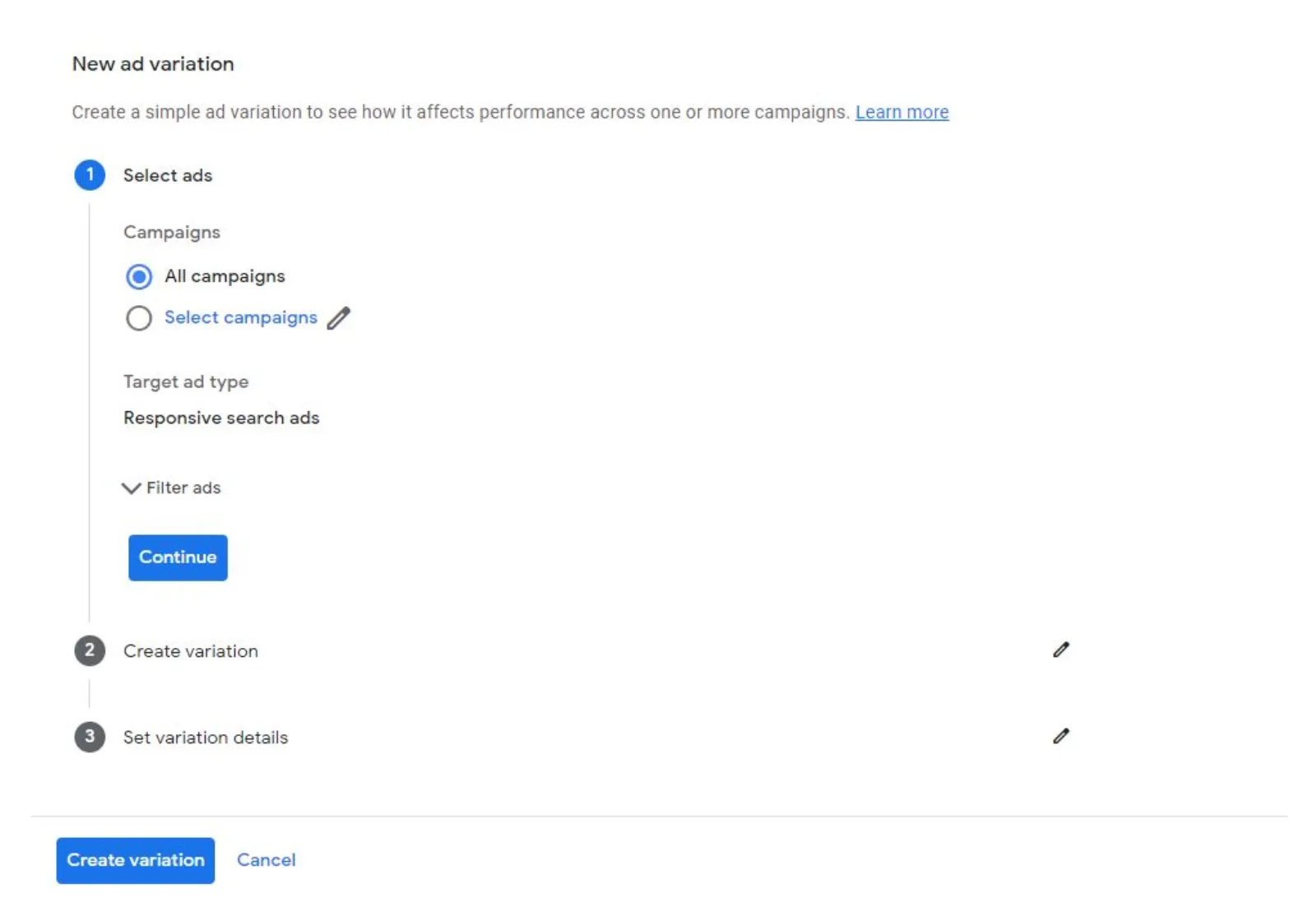
The sync option allows you to optimise the experiments. It is the most vital feature in the new experiments page since the sync makes it easy for you to run valid experiments.
Keeping the experiments was a massive problem for the marketers as they had to do each thing manually. Previously, if you wanted to keep your experiments up to date, you would have to copy the changes from the original one to the new experiment.
This entire process was quite challenging and takes up a lot of your energy and time. It can become next to impossible if you are running various experiments simultaneously.
 LIVE
Live every Tuesday at 2pm UK. Bring your marketing questions.
Get your Google, local SEO and AI questions answered live.
However, the new experiments page saves you from going through this hassle. Google will update all the experiments and the changes you made in the previous campaign. In a nutshell, the new experiments page by Google makes the marketers’ lives hassle-free and easy.
How Does The Sync Work?
Let’s say you want to incorporate the new keywords into your campaign while running the experiment at the same time. You can turn the sync feature on, and all the new keywords will be added to the different experiments automatically.
The sync feature is turned on by default upon creating a new experiment, so you don’t have to worry about turning it. You can turn it off as well, but we recommend you keep the sync feature on at all times.
You won’t be able to enjoy the advantage of the sync feature if you turn it off since you will have to copy all the changes manually.
The optimal way to run experiments is by allocating 50% of your campaign’s budget. By doing so, you can collect the relevant data much more quickly and efficiently.
You can also do a 70-30 or 80-20 if the campaign is doing well. Whatever ratio you choose, you need to consider your goals and the campaign’s performance to make a wise decision.
Benefits Of The New Experiments Page In Google Ads
The new experiments page in Google Ads allows you numerous perks that can help you streamline the entire process of creating experiments. Here are just a few benefits that you can enjoy by using it:
- Helps you save time when creating different experiments.
- Makes it straightforward to make and sync changes to your existing campaigns throughout the testing stage.
- Offers much more transparency in results.
- There is a lower chance of errors when implementing.
Final Word
The new experiments pages allow you to make changes in multiple experiments in your campaign. The syncing experience gives you the leverage to optimise and enhance your campaign. Therefore, you should take advantage of this new feature today to improve your Google Ads campaign.

Written by Uzair Kharawala
Partner at SF Digital Studios, a Google Premier Partner agency. Uzair has been helping businesses grow with Google Ads since 2002 and teaches it every week on YouTube.
Get our best Google Ads tips by email
New articles and videos, straight to your inbox. Unsubscribe any time.