
If you didn’t think you could use your website or blog spot URL for Google call-only ads, think again. In our blog, let’s look at the steps involved in using your URL for this ad type.
Google Ads now allows you to include a link to your blog spot or website. This recent proclamation also corresponds with Google’s retitling of its offering call-only ads.
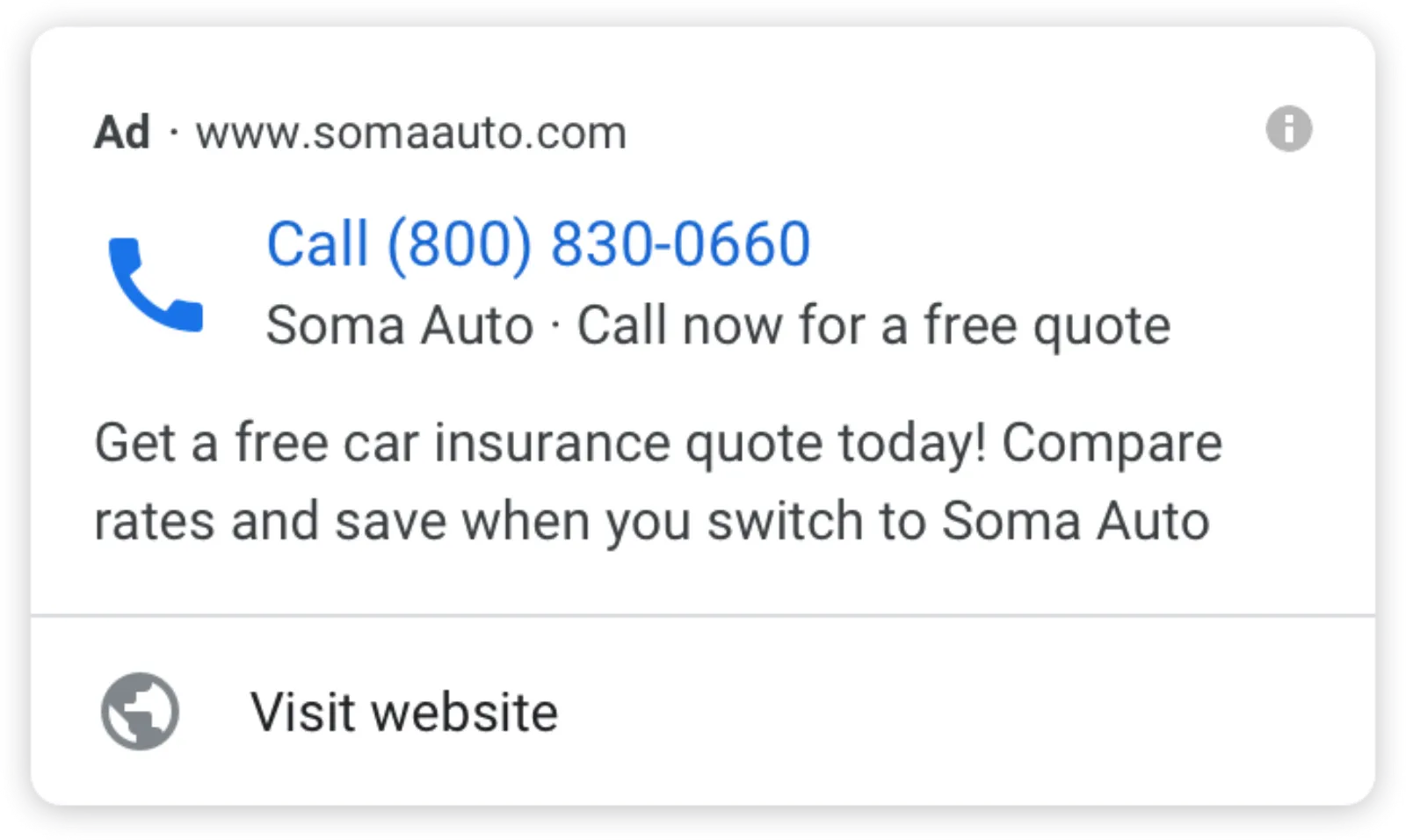
The “visit website” option will allow the ad unit to be a little bigger, with the ad’s main header continuing to trigger a phone call.
URLs For Call-Only Ads
You can use a blog spot URL as long as that page, or the final URL, has the phone number on the page, and Google can verify that number. You can use any URL for call ads because you don’t have to face any problems with conversion tracking tags – this is performed via the Google call forwarding number.
How URLs For Call-Only Ads Are Distinctive
Historically, call-only ads restricted functionality to a sole clickable header that automatically called the phone number you put into it. You can still choose this new feature, but it isn’t a prerequisite.
You can take advantage of the new feature to help cut down the chance of fake clicks. It seeks to stop more unintentional calls by guests who wrongly believe the header will direct them to a website as per other search ads.
How To Active The URL Feature
When you’re creating your call ad, you’ll see a field for “Final URL” (as there is in search ads). You’ll notice it’s a recommended field. Bear in mind, though, that this isn’t the same as the Verification URL field, which ascertains phone number authentication.
Call Ads Incorporate Tracking
And just like search ads, the ad setup screen includes tracking template fields. So, you can carry on using tracking templates and tagging as you would with other paid search adverts, and then they’ll pass through when someone clicks on the “visit website” option. You can find in-depth guidance on how to set up call ads here.

Written by Uzair Kharawala
Founder of SF Digital Studios, a Google Premier Partner agency. Uzair has been helping businesses grow with Google Ads since 2002 and teaches it every week on YouTube.
Get our best Google Ads tips by email
New articles and videos, straight to your inbox. Unsubscribe any time.