
Google made a recent announcement that the image extensions for Google Ads will be available for desktop ads as well. Note, it launched for mobile search ads in May 2021. In addition, the Google Ads image extensions now have dynamic image extensions for all languages. You can choose to use the stock image for the image ad extensions as well.
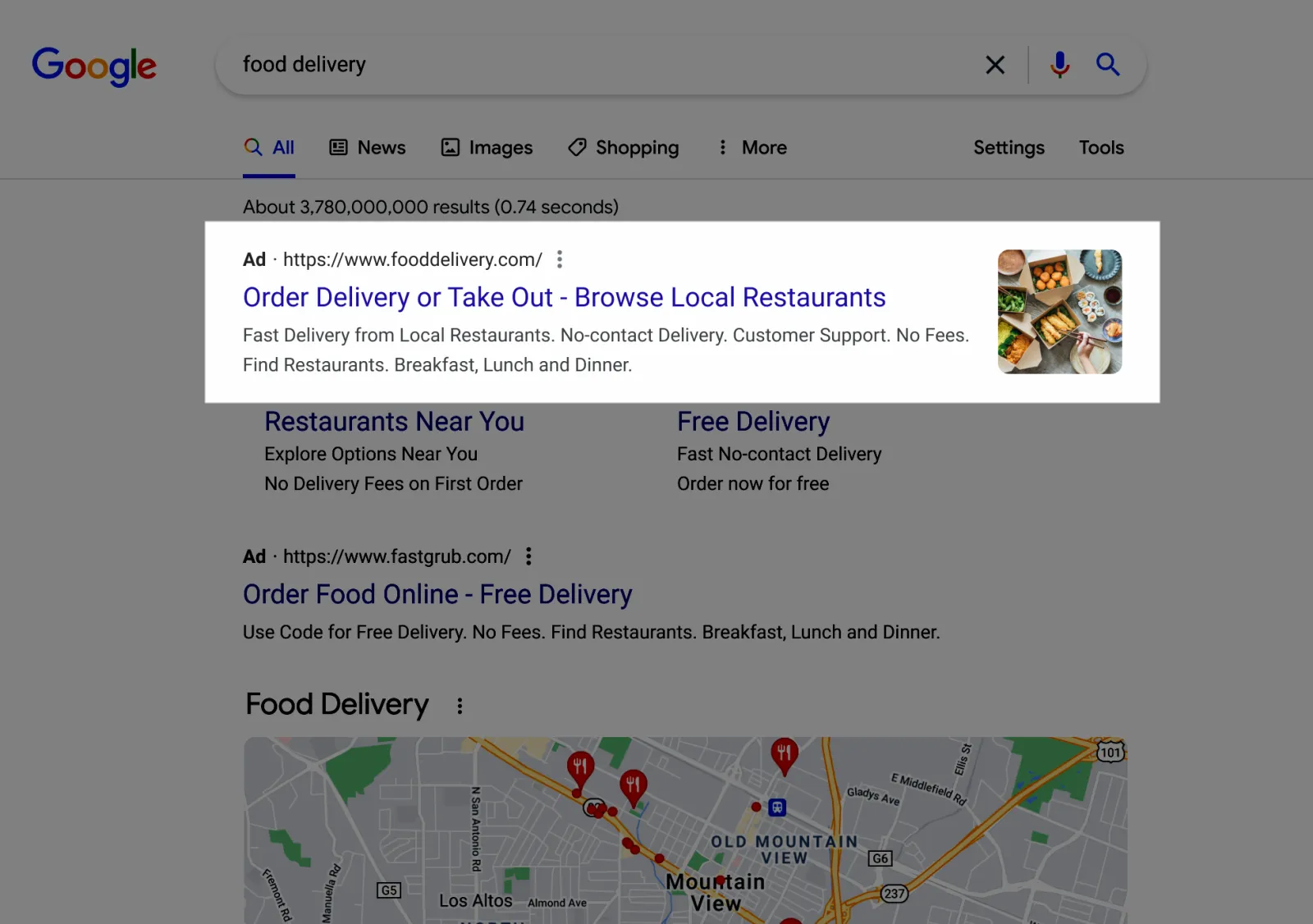
As per Google, the image extensions will be complementing your search ads by displaying appropriate images of your goods and services. The company said, “Previously, image extensions only showed on mobile devices.” With the new updates, you can automatically use it on your desktop devices if you already use the image extensions on your mobile.

Get Found, Get Chosen, Get Your Time Back
A free one-day marketing seminar in Milton Keynes · 10 November 2026
If you want to check your desktop device performance, you can segment it by “Device.” Google also announced that this innovation will also apply to dynamic image extensions.
Get your free Marketing Action PlanNot sure where to start? Answer a few questions and get your plan in about a minute. No email needed.
 LIVE
Live every Tuesday at 2pm UK. Bring your marketing questions.
Get your Google, local SEO and AI questions answered live.
The best part is that the new dynamic image extensions will work in any language of your choice. In the previous update, only the English language was available for the dynamic image extensions. But now, you can use them in any language.
You can also utilise stock photos for your image extensions, which you can find in a search library of complimentary public images (also known as the stock images) in Google Ads. When requested to select a picture for your image extension, Google says you may see it by picking “Stock Images.” After you have selected a picture you like, crop it in Google Ads to a square or landscape size before adding it to your extension.

Written by Uzair Kharawala
Partner at SF Digital Studios, a Google Premier Partner agency. Uzair has been helping businesses grow with Google Ads since 2002 and teaches it every week on YouTube.
Get our best Google Ads tips by email
New articles and videos, straight to your inbox. Unsubscribe any time.