
If you want to organise your conversion actions to achieve your marketing goals, conversion goals can help. That said, to ascertain what these conversion goals truly mean for your performance, it’s vital to apply custom segments, which allow you to view each respective conversion action and each category it represents.
The good news is that Google has streamlined the process to make things a whole lot simpler for you – it’s announced three new columns in Google Ads! This means you can figure out how conversions affect campaign performance more effortlessly. These include:

Get Found, Get Chosen, Get Your Time Back
A free one-day marketing seminar in Milton Keynes · 10 November 2026
- Results
- Results value
- Conversion goals
Previously, you’d have to apply custom segments to view every conversion action and the categories they fell under. But now, it’s easier than ever before to access this data.
Get your free Marketing Action PlanNot sure where to start? Answer a few questions and get your plan in about a minute. No email needed.
 LIVE
LIVELive every Tuesday at 2pm UK. Bring your marketing questions.
Get your Google, local SEO and AI questions answered live.
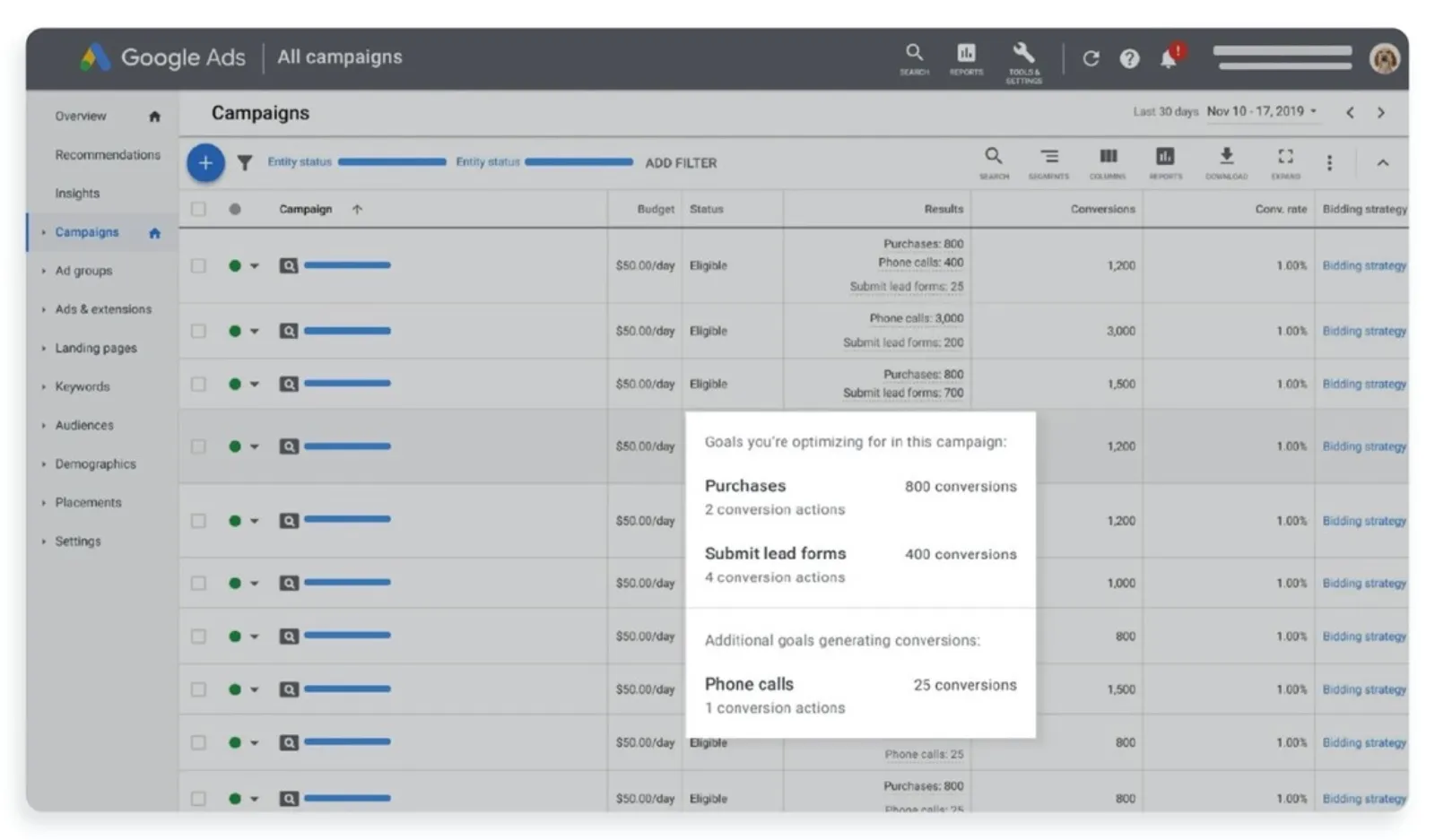
Since the update, the results column displays how many conversions you’ve acquired across primary conversion actions for all the standard conversion goals you set in your account. What’s more, you’ll view the effect your campaign is having against goals it’s not optimising towards.
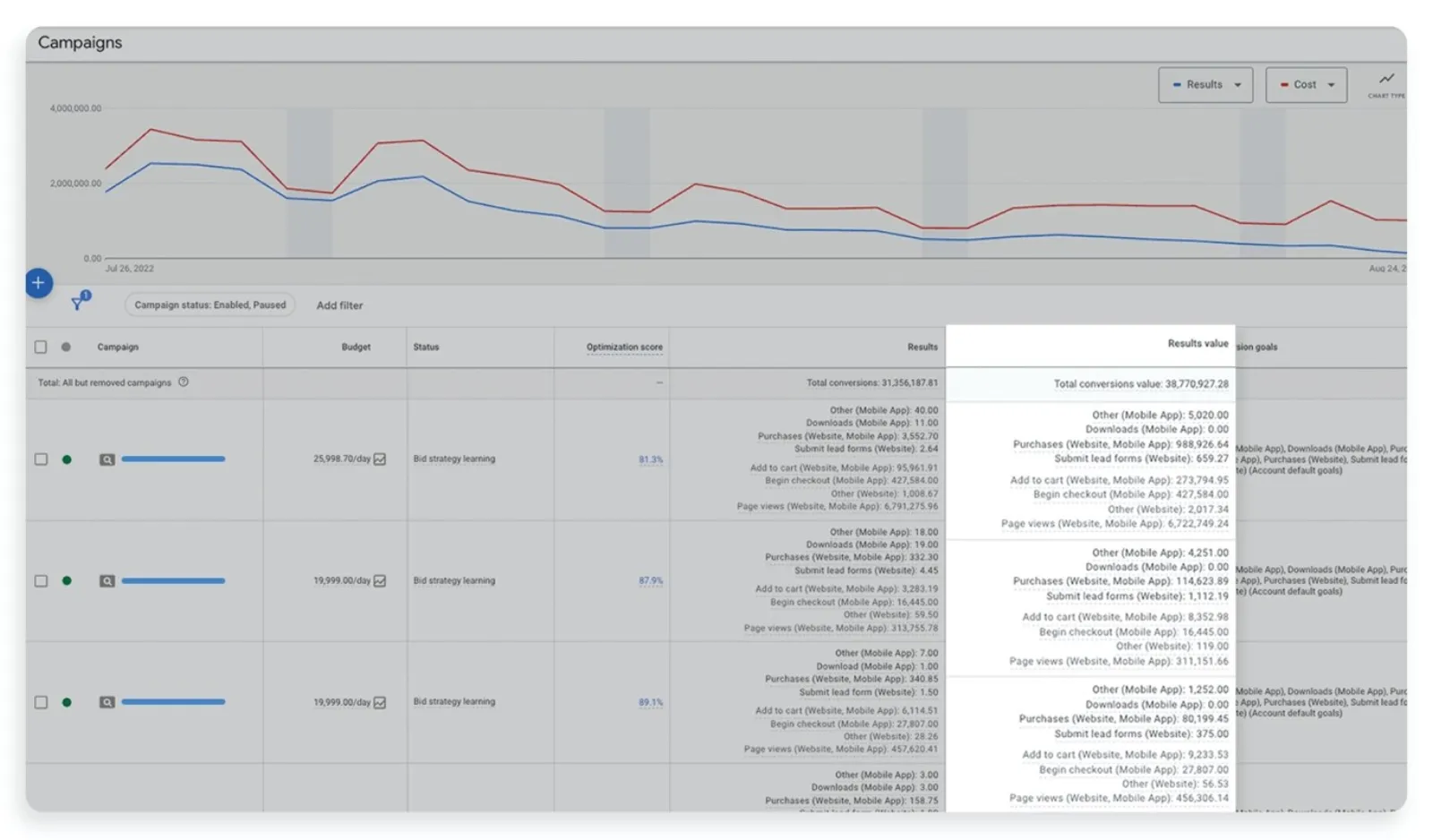
Next, you’ll be able to see the ‘results value column’ which displays the calculated conversion values you acquired in your primary conversion actions for all your account’s standard goals.
And finally, the ‘conversion goals column’ displays the goals recorded in your campaign-level settings that power performance.
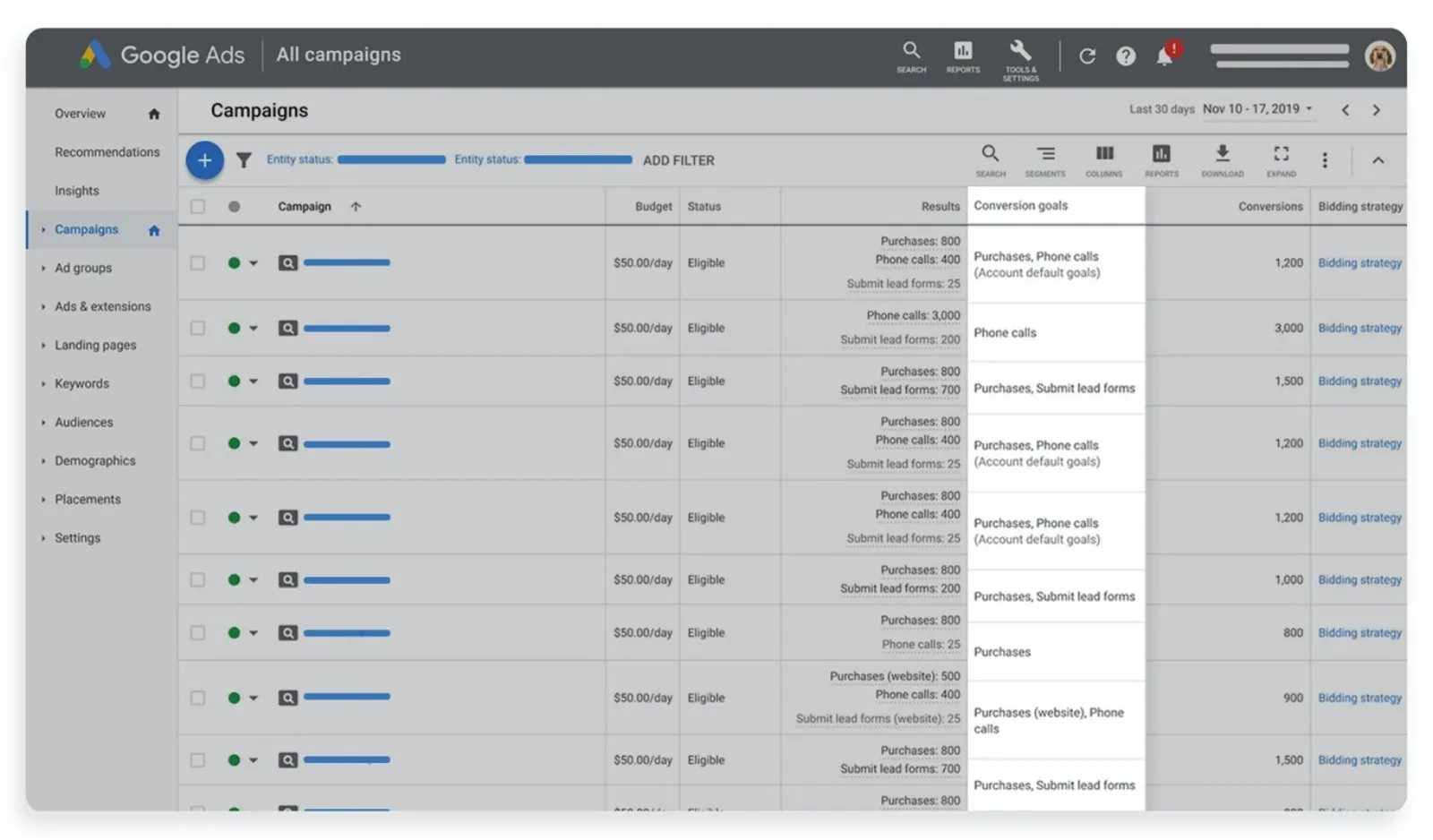
Now, you’ll be able to see these columns on the Campaigns page for charts and tables and in custom reporting pages such as the custom dashboards or report editor. Not only this, you’ll be able to access them at the manager account level.
If you want to calculate your conversions, be sure to check out the new columns. You’ll quickly discover which one provides optimum visibility into your account goals and what it means for your performance.

Written by Uzair Kharawala
Partner at SF Digital Studios, a Google Premier Partner agency. Uzair has been helping businesses grow with Google Ads since 2002 and teaches it every week on YouTube.
Get our best Google Ads tips by email
New articles and videos, straight to your inbox. Unsubscribe any time.