

If you’re looking to advertise your business using Google Ads, one of the most important metrics to track is your cost per acquisition (CPA). CPA is the average cost you pay for each new customer that converts after clicking on your ad. By monitoring and optimising your CPA, you can ensure that your ad campaigns are generating a positive return on investment (ROI).
Here are some tips on how to find your CPA in Google Ads:
Get Found, Get Chosen, Get Your Time Back
A free one-day marketing seminar in Milton Keynes · 13 January 2027
Setup Conversion Tracking
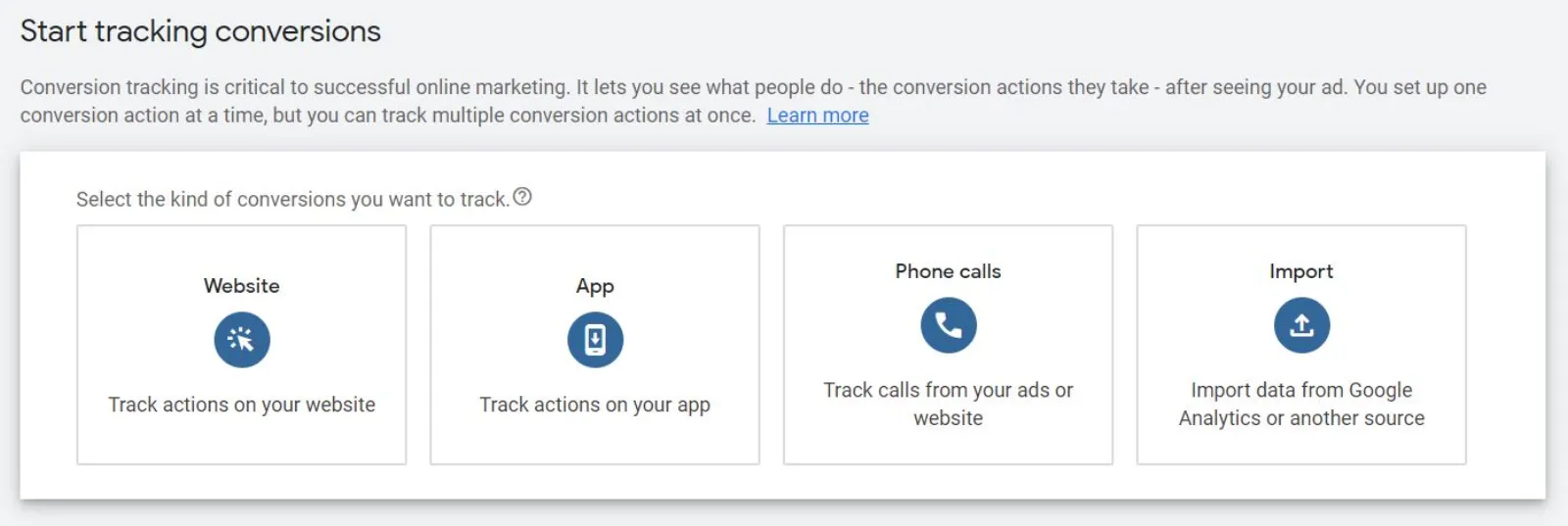
The first step to finding your CPA is to set up conversion tracking in your Google Ads account. Conversion tracking allows you to track the actions that people take on your website after clicking on your ad, such as making a purchase or filling out a contact form. To set up conversion tracking, you’ll need to add a conversion tracking tag to your website and then create a conversion action in your Google Ads account.
Get your free Marketing Action PlanNot sure where to start? Answer a few questions and get your plan in about a minute. No email needed.
 LIVE
Live every Tuesday at 2pm UK. Bring your marketing questions.
Get your Google, local SEO and AI questions answered live.
View Your Conversion Data
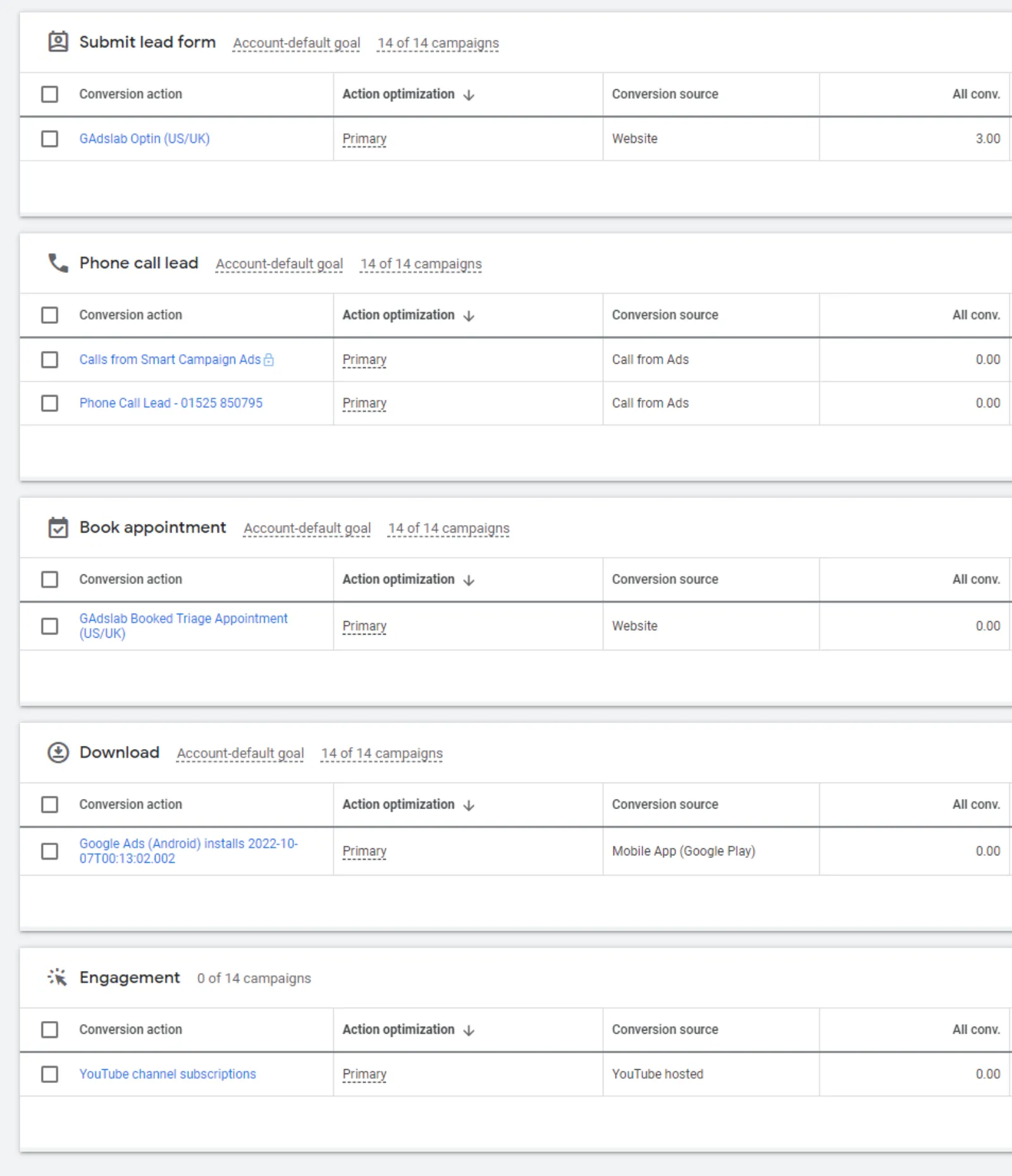
Once you have conversion tracking set up, you can view your conversion data in the Google Ads interface. Click on the “Tools & Settings” icon in the top right corner of your account, then select “Conversions” from the dropdown menu. Here, you’ll be able to see how many conversions you’ve received, what the conversion rate is, and what your average CPA is.
Segment Your Data
To get a better understanding of your CPA, you can segment your conversion data by different criteria, such as device type, location, or time of day. By doing so, you can identify which segments are performing well and which ones need improvement.
Optimise Your Campaigns
Once you have a good understanding of your CPA and how it varies across different segments, you can start optimising your campaigns to improve your ROI. For example, you may want to increase your bids for keywords that are generating a high conversion rate and a low CPA, while reducing your bids for keywords that are generating a low conversion rate and a high CPA.
By following these tips, you can find your CPA in Google Ads and use that information to optimise your ad campaigns for better ROI. Remember to regularly monitor and adjust your campaigns based on your CPA and other key metrics to ensure that you’re getting the most out of your advertising budget.

Written by Uzair Kharawala
Partner at SF Digital Studios, a Google Premier Partner agency. Uzair has been helping businesses grow with Google Ads since 2002 and teaches it every week on YouTube.
Get our best Google Ads tips by email
New articles and videos, straight to your inbox. Unsubscribe any time.