
Let’s be real, launching an app can feel like shouting into a void. You pour your heart and soul into creating something amazing, but then… crickets. That’s exactly where I was. My app was a passion project, something I truly believed in, but it was sitting in the app stores, gathering virtual dust. Downloads were, to put it kindly, non-existent.
Then, I stumbled upon Google Ads App Assets. And let me tell you, it changed everything. In just a few weeks, my app went from being an unknown to getting a buzz, and the downloads? They started climbing, then soaring, and before I knew it, my little app was going viral. Want to know my secret? It wasn’t magic; it was smart use of Google’s powerful tools.
What Even ARE App Assets?
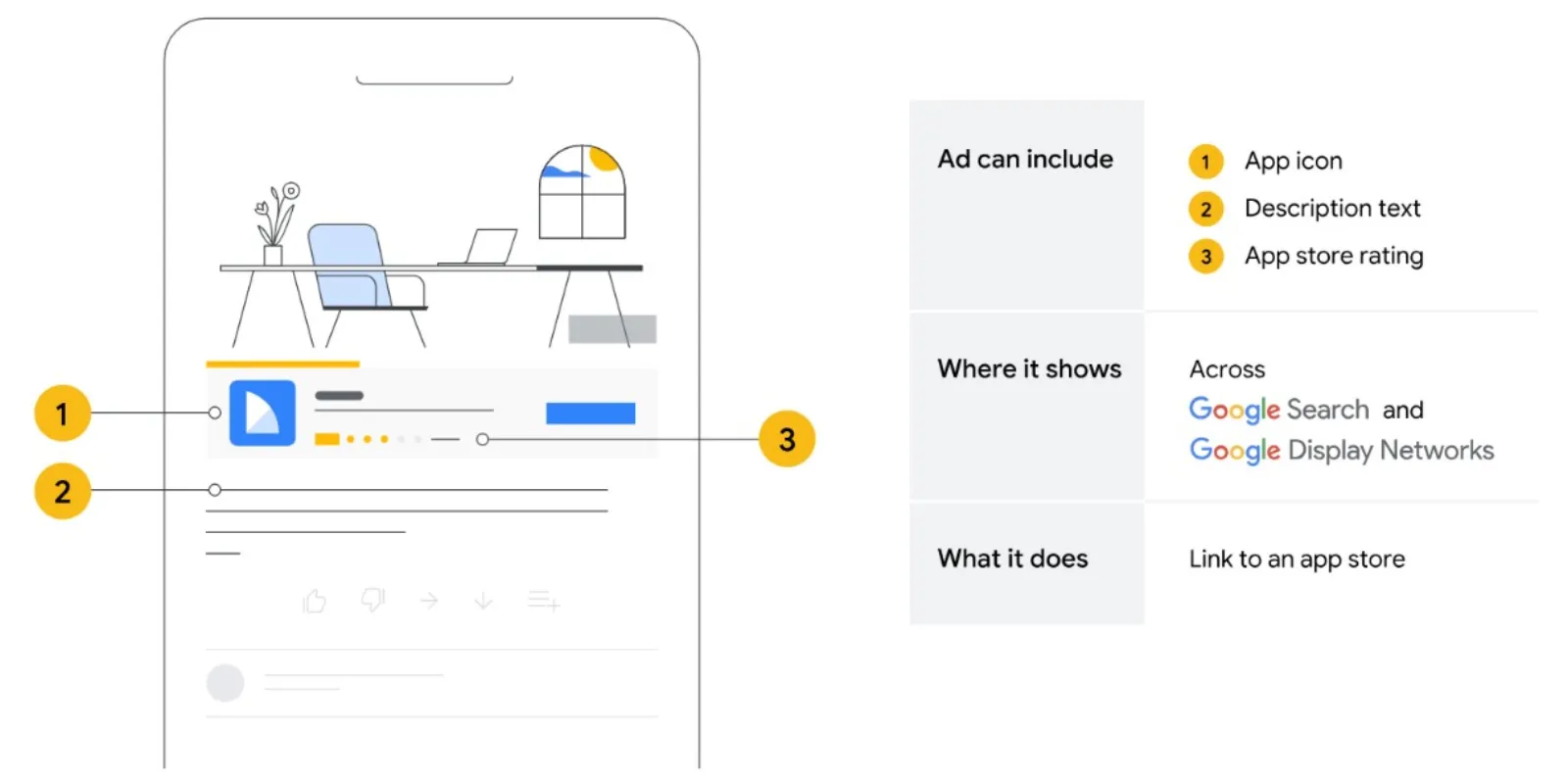
Okay, let’s break it down simply. When you run ads on Google, you usually have a headline and a description, right? App Assets are like extra, super-powered bits you can add to these ads specifically for your app. Think of them as extra hooks that give people more reasons to check out and download your app.
Instead of just saying “Download My App,” you can show people a direct link to your app in the Google Play Store or Apple App Store, right there in your ad! This makes it incredibly easy for interested users to go straight from seeing your ad to downloading your app. No extra clicks, no searching, just a direct path.
Why They Were My Game-Changer

Before App Assets, my ads were just text. They probably blended in with everything else. But once I started using App Assets, my ads stood out. Here’s why they worked wonders for me:
- Instant Gratification for Users: People are busy. If they see an ad for an app and then have to go search for it, many will just give up. App Assets puts the “Download” button right there. It’s like having a direct line from their search to your app. This dramatically reduced the steps for someone to install my app.
- More “Real Estate” on the Page: When your ad has an App Asset, it takes up more space on the Google search results page. Think about it – a bigger, more noticeable ad is going to catch more eyes. It made my ads pop, especially on mobile devices where screen space is precious.
- Smart Targeting by Google: This was huge for me. Google’s system is pretty clever. When you add App Assets, Google automatically works to show your ad to people who are more likely to download your app. It looks at what people are searching for, what kind of devices they’re using (Android or iOS), and then serves up the most relevant ad with the correct app store link. I didn’t have to be a tech wizard to figure out who to target; Google did a lot of the heavy lifting.
- Seeing What Works: Google Ads gives you reports, and with App Assets, you can see how well that direct link is performing compared to other parts of your ad. This helped me understand what was truly driving downloads and allowed me to fine-tune my campaigns. For example, I could see if people were clicking the direct app link more than my website link, and adjust my strategy accordingly.
My Simple Strategy: How I Did It
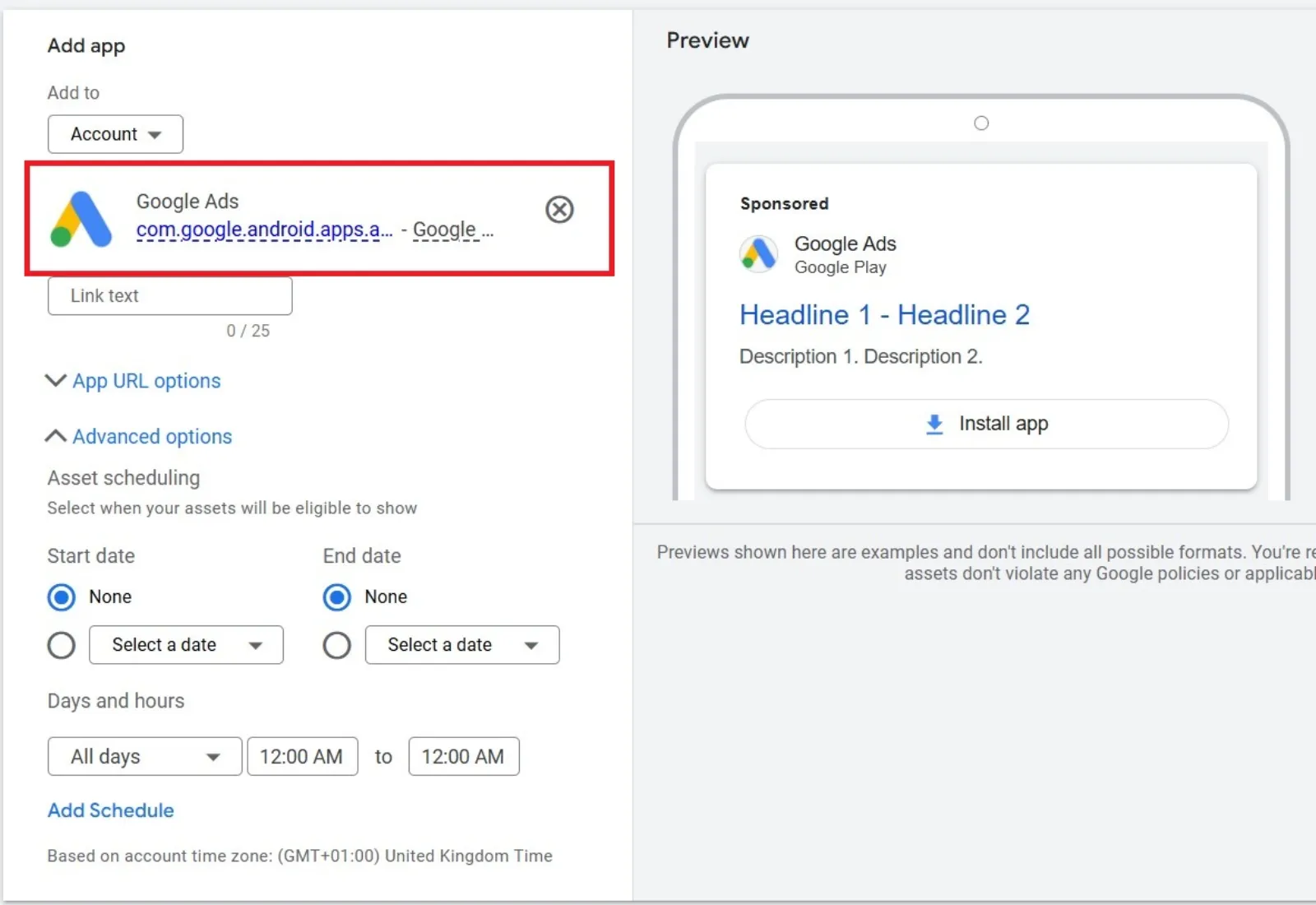
I’m not going to lie, the idea of Google Ads seemed complicated at first. But using App Assets was surprisingly straightforward. Here’s the simple path I followed:
- Set Up a Basic App Campaign: If you don’t have one already, start a Google Ads App campaign. Google guides you through it. You’ll need your app’s link from Google Play or the Apple App Store.
- Add Your App Assets: This is the key. Within your ad settings, look for the “Assets” (they used to be called “Extensions,” so don’t get confused). You’ll specifically select “App Assets.” You then link your app. You can add one for Android and one for iOS, and Google will automatically show the right one based on the user’s device.
- Craft Compelling Text: Even with App Assets, your ad text still matters. Make your headlines and descriptions clear and exciting. What makes your app unique? Why should someone download it now? Focus on the benefits. I focused on the main problem my app solved and how easy it was to use.
- Don’t Overthink It (Initially): When you’re just starting, don’t get bogged down in every single setting. Focus on getting your App Assets live. Let Google’s system learn. You can always refine things later. I started with a modest budget and slowly increased it as I saw results.
- Monitor and Adjust: This is crucial for any advertising. Keep an eye on your Google Ads dashboard. See which ads are getting clicks and downloads. If something isn’t working, try tweaking your ad copy or using new images. I learned that small changes can make a big difference.
The Takeaway
Going from zero downloads to “viral” might sound like an exaggeration, but for my app, it truly felt that way. Before, it was just me, hoping someone would find it. After using Google Ads App Assets, it was like someone finally turned on the spotlight.
If you have an app that’s struggling to get noticed, or even if you just want to supercharge your current download numbers, take a serious look at Google Ads App Assets. They’re a simple yet potent tool that can put your app directly in front of the people who are looking for it. You don’t need to be an advertising guru to see real results. Just give it a try – you might be surprised at how quickly your app takes off!

Written by Uzair Kharawala
Founder of SF Digital Studios, a Google Premier Partner agency. Uzair has been helping businesses grow with Google Ads since 2002 and teaches it every week on YouTube.
Get our best Google Ads tips by email
New articles and videos, straight to your inbox. Unsubscribe any time.