
So, you log into your Google Ads account, ready to check on your campaigns, and… crickets. Or worse, a sudden drop in performance, a total halt in impressions, or something just feels off. And you scratch your head, thinking, “Didn’t they just roll out an update?”
Yep, it happens. Google Ads, being the dynamic platform it is, undergoes frequent updates. Most of the time, these are seamless, but occasionally, an update can throw a wrench in your perfectly calibrated campaigns. Don’t panic! It’s usually not a catastrophe. Let’s walk through some straightforward steps to get things humming again.

Get Found, Get Chosen, Get Your Time Back
A free one-day marketing seminar in Milton Keynes · 10 November 2026
Step 1: Don’t Assume the Worst – Check the Basics First
Before you start tearing apart your campaigns, let’s rule out the simplest stuff.
Get your free Marketing Action PlanNot sure where to start? Answer a few questions and get your plan in about a minute. No email needed.
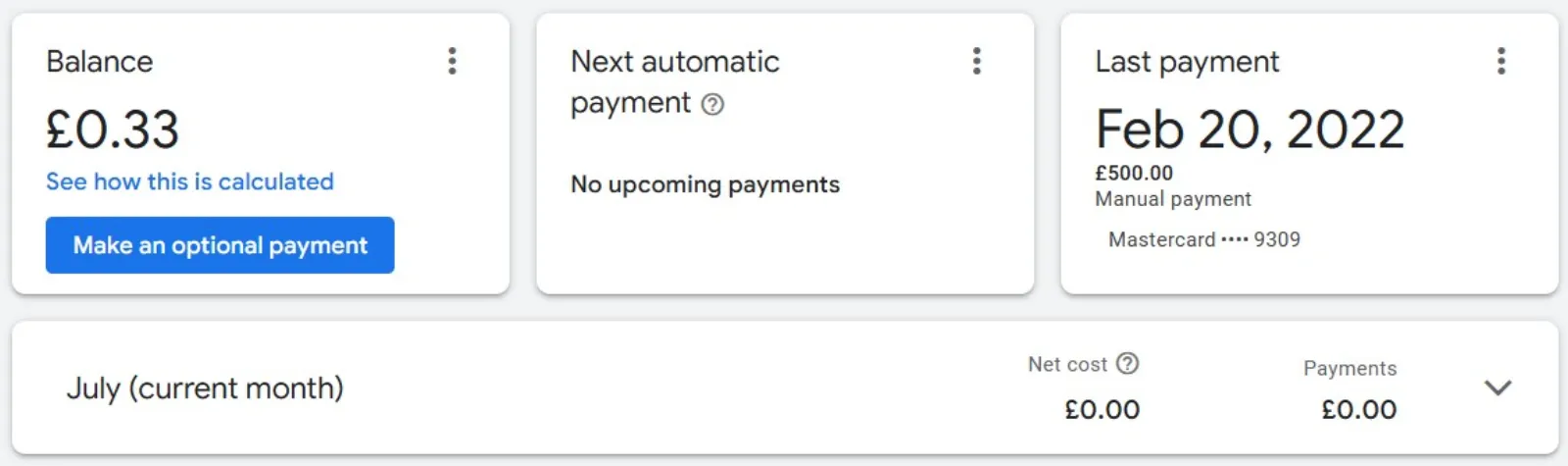
Get my plan →- Is Your Billing Information Up-to-Date? Seriously, this is a surprisingly common culprit. An expired credit card or a failed payment can bring your ads to a screeching halt. Head over to your “Tools and Settings” -> “Billing” -> “Summary” to make sure everything is in order.
- Check Your Account Alerts: Google Ads usually isn’t shy about telling you if something’s wrong. Look for a red or yellow bar at the top of your interface. It might be a policy violation, a billing issue, or a campaign-specific problem. Address these alerts first.
- Are Your Campaigns Enabled? It sounds silly, but sometimes a campaign or even an ad group gets accidentally paused. Double-check the status of your campaigns and ad groups. Green dots are good!
- Check Your Budget: Did you unknowingly hit your daily or monthly budget cap? If your budget is set too low, your ads might stop showing earlier than you expect. Go to “Campaigns” and review the “Budget” column.
- Date Range Matters: Are you looking at the correct date range? You might be comparing today’s performance to a period before the update. Expand your date range to get a broader picture.
Step 2: Did Google Change Something? Look for Official Communications
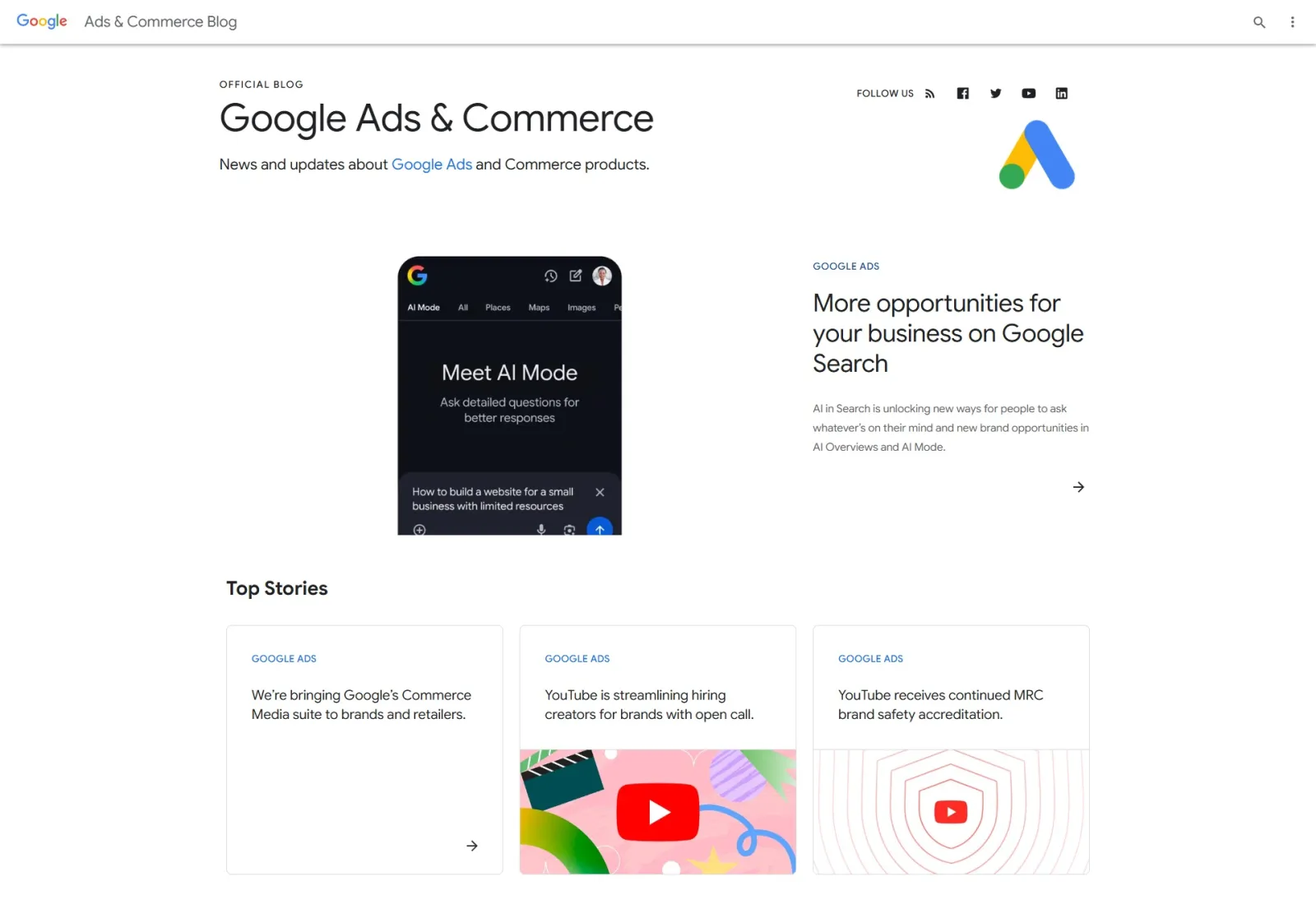
When big updates roll out, Google often communicates them.
- Check the Google Ads Blog: This is your primary source for official announcements. Search for recent updates that might impact your account.
- Google Ads Help Community: This forum is a goldmine. Other advertisers might be experiencing the same issues and discussing potential solutions. A quick search can often reveal if a widespread problem is at play.
- Your Google Account Representative: If you have one, reach out to them. They often have insider information about ongoing issues or specific changes that might affect your campaigns.
Step 3: Digging Deeper – Campaign & Ad Group Level Checks
Okay, basics are clear, no major alerts. Time to get into the nitty-gritty of your campaigns.
 LIVE
Live every Tuesday at 2pm UK. Bring your marketing questions.
Get your Google, local SEO and AI questions answered live.
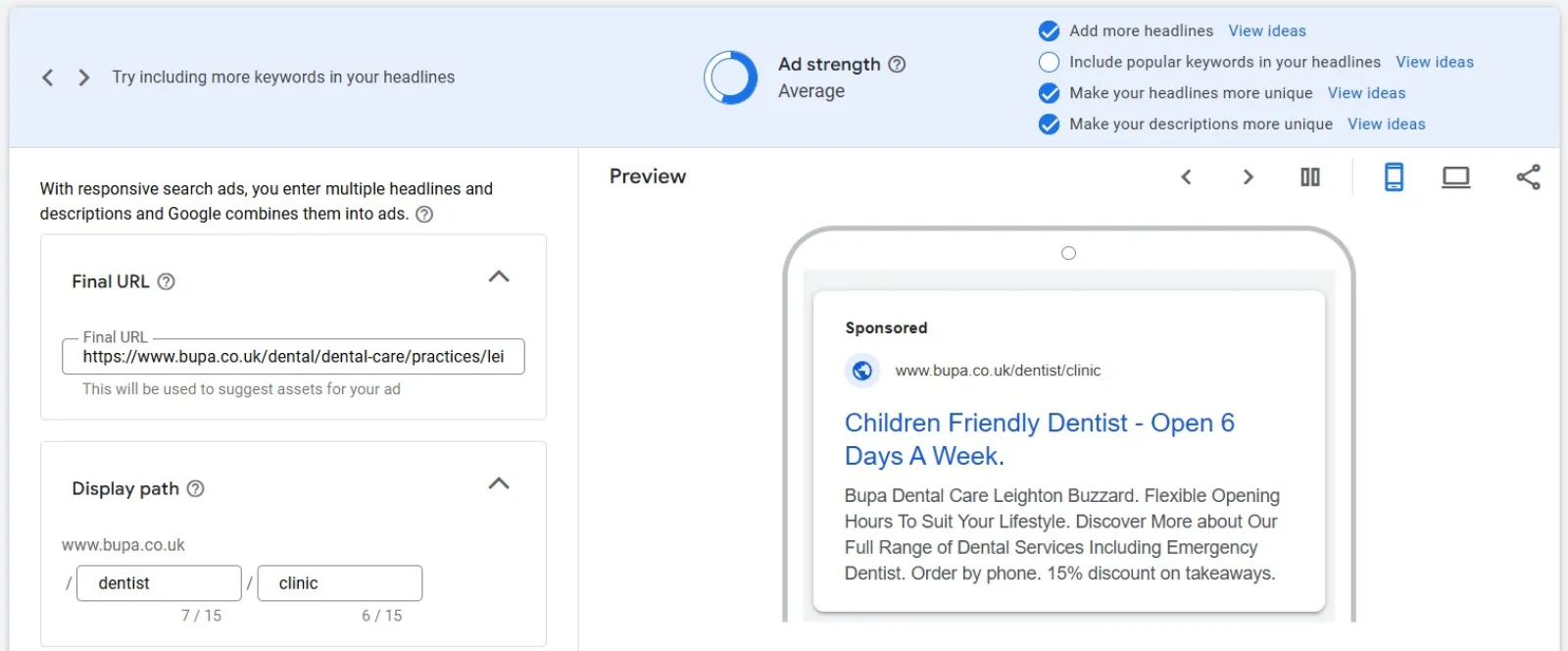
- Ad Strength & Quality Score: Have your Ad Strength scores dropped for responsive search ads? Has your Quality Score plummeted? Updates can sometimes affect how these metrics are calculated or how your ads perform against new competitors. Focus on improving your ad copy, landing page experience, and keyword relevance.
- Keyword Status: Are your keywords still “Eligible” or have some gone to “Low Search Volume” or “Disapproved”? Policy changes in an update can sometimes flag previously eligible keywords.
- Ad Disapprovals: Check your “Ads & Extensions” section. Have any of your ads been disapproved? This is a common reason for a sudden drop in impressions. Fix the issues mentioned in the disapproval message.
- Audience Targeting: Did you recently make changes to your audience targeting? Or did an update potentially alter how audiences are defined or reached? Review your audience segments and ensure they’re still aligned with your goals.
- Bid Strategy Changes: Google often introduces new bid strategies or refines existing ones. Did your chosen bid strategy suddenly become less effective? Consider experimenting with a different bid strategy if your current one isn’t delivering. Sometimes, switching from an automated strategy to a manual one (even temporarily) can help diagnose if the issue is with the bidding algorithm.
- Negative Keywords: Could you have inadvertently added a broad negative keyword that’s blocking all your impressions? Review your negative keyword lists carefully.
- Location Targeting: Has your location targeting somehow been restricted or expanded incorrectly? A minor setting tweak can have a big impact.
Step 4: The Atomic Level – Ad Copy & Landing Pages

Even if your ads aren’t disapproved, their effectiveness can change after an update.
- Ad Copy Relevance: With new features or changes in how ad auctions work, your existing ad copy might be less compelling or relevant. Try testing new ad variations. Are your headlines and descriptions still speaking to your target audience effectively?
- Landing Page Experience: Google constantly refines how it evaluates landing page experience. Is your landing page loading quickly? Is it mobile-friendly? Is the content relevant to the keywords you’re bidding on? A poor landing page experience can negatively impact your Quality Score and ad visibility.
- Call to Action (CTA): Is your CTA still clear and compelling? Sometimes, a fresh perspective on your CTA can make a big difference.
Step 5: Consider Broader Market Shifts (Not Always Google’s Fault!)
Sometimes, the issue isn’t Google Ads at all.
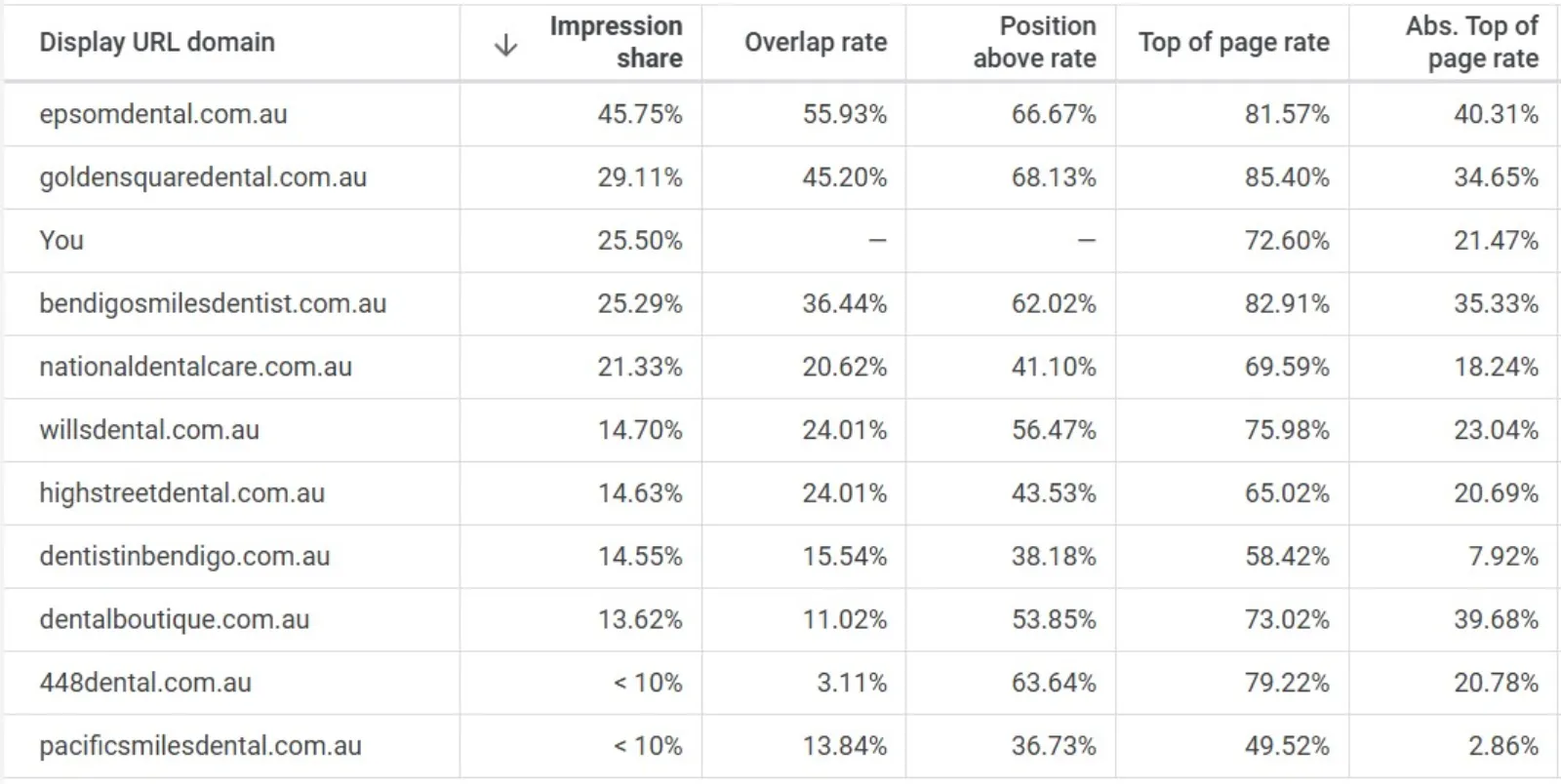
- Competitor Activity: Have your competitors suddenly increased their bids, launched aggressive campaigns, or introduced new offers? This can push your ads down or out of the auction.
- Seasonality/Trends: Is there a seasonal dip in demand for your product or service? Or a new trend that’s affecting search volume? Google Trends can be a useful tool here.
- Website Issues: Is your website down? Is it experiencing slow loading times? This will directly impact your ad performance. Use Google Search Console and other tools to monitor your site’s health.
Step 6: When All Else Fails – Contact Google Ads Support
If you’ve gone through all these steps and still can’t pinpoint the problem, it’s time to reach out to Google Ads support. Be prepared with:
- Your customer ID.
- The specific campaigns and ad groups affected.
- The date you noticed the change.
- All the troubleshooting steps you’ve already taken.
Being thorough in your explanation will help them diagnose the issue faster.
The Takeaway
Google Ads updates are a constant. While they can sometimes cause temporary hiccups, most issues are resolvable with a systematic approach. Don’t jump to conclusions. Start with the basics, work your way through your account, and don’t be afraid to test and iterate. With a bit of patience and detective work, you’ll have your campaigns back on track and performing optimally in no time.

Written by Uzair Kharawala
Partner at SF Digital Studios, a Google Premier Partner agency. Uzair has been helping businesses grow with Google Ads since 2002 and teaches it every week on YouTube.
Get our best Google Ads tips by email
New articles and videos, straight to your inbox. Unsubscribe any time.