
Let’s be real, managing Google Ads can sometimes feel like throwing money into a black hole and hoping for the best. You know you need to be there, but are you getting the most bang for your buck? If you’re feeling like your Google Ads budget is bleeding out without a clear return, you’re not alone. The good news is, with a few smart moves, you can plug those leaks and turn your campaigns into powerful growth engines.
This isn’t about fancy algorithms or complex data science. This is about practical, actionable steps that even an intermediate Google Ads user can implement today to see real results. So, let’s dive in and stop that budget from going to waste!

Get Found, Get Chosen, Get Your Time Back
A free one-day marketing seminar in Milton Keynes · 10 November 2026
Step 1: Clean Up Your Keywords – Less is Often More
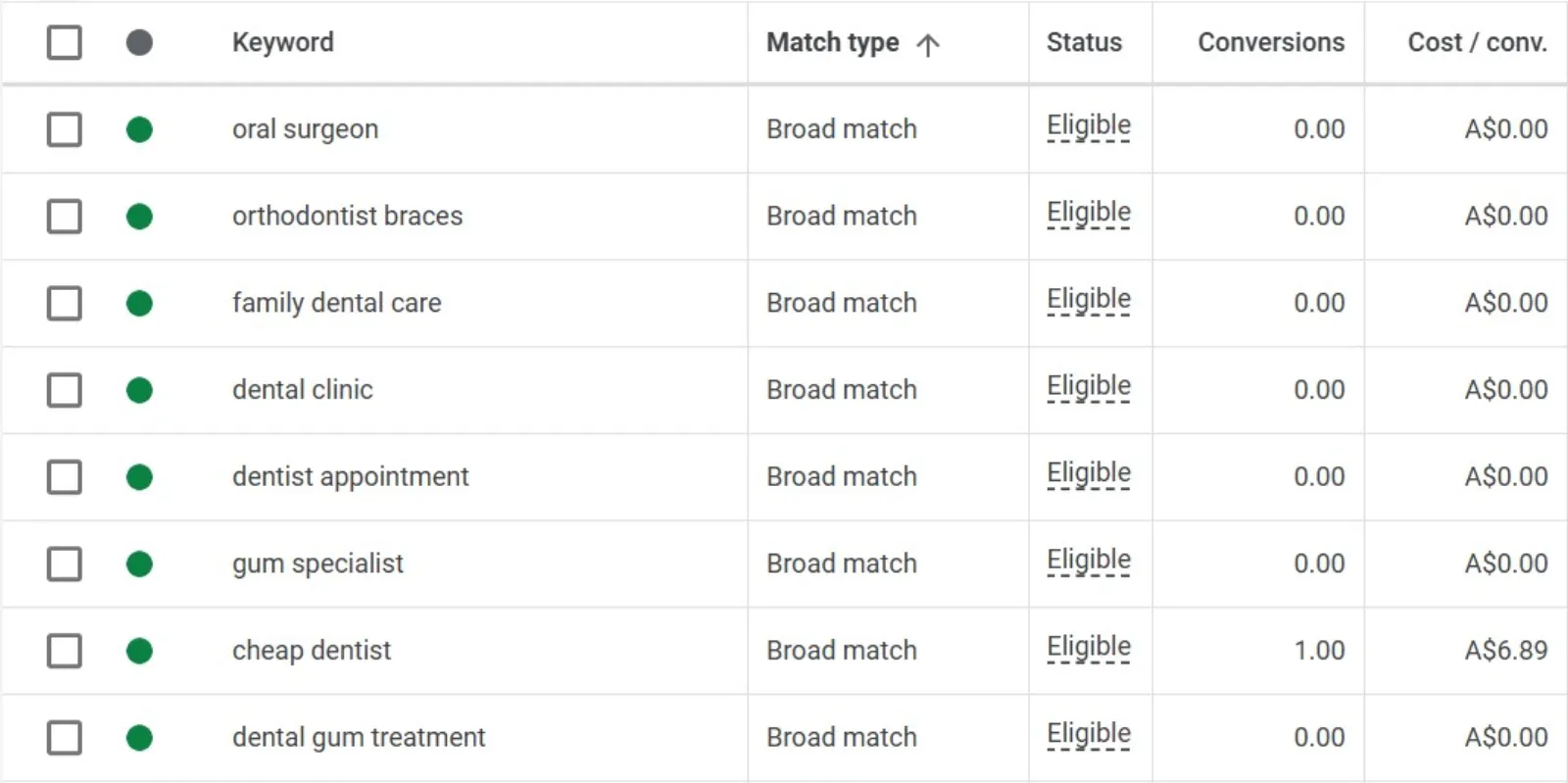
Think of your keywords like the foundation of your Google Ads house. If it’s shaky, the whole thing can crumble. A common mistake is using too many broad keywords, hoping to catch everyone. But what often happens is you catch a lot of people who aren’t interested in what you offer, and you pay for those clicks.
Get your free Marketing Action PlanNot sure where to start? Answer a few questions and get your plan in about a minute. No email needed.
Get my plan →How to optimise:
- Audit your existing keywords: Go through your keyword list with a critical eye. Are all of them truly relevant to your product or service?
- Embrace negative keywords: This is huge! Negative keywords tell Google what searches not to show your ads for. For example, if you sell “men’s watches” but not “free men’s watches,” add “free” as a negative keyword. This prevents wasted clicks from people looking for handouts.
- Focus on specificity: Instead of just “shoes,” consider “women’s running shoes size 7” if that’s what you sell. More specific keywords often lead to higher conversion rates because the user’s intent is clearer.
- Check your search terms report: This report (found in your Google Ads account) shows you the actual search queries people used when your ad appeared. It’s a goldmine for identifying new positive keywords and, more importantly, new negative keywords. If you see irrelevant terms popping up repeatedly, add them to your negative list.
By narrowing down your keyword focus, you ensure your ads are shown to genuinely interested people, saving you money on irrelevant clicks.
Step 2: Refine Your Ad Copy – Speak Directly to Your Customer
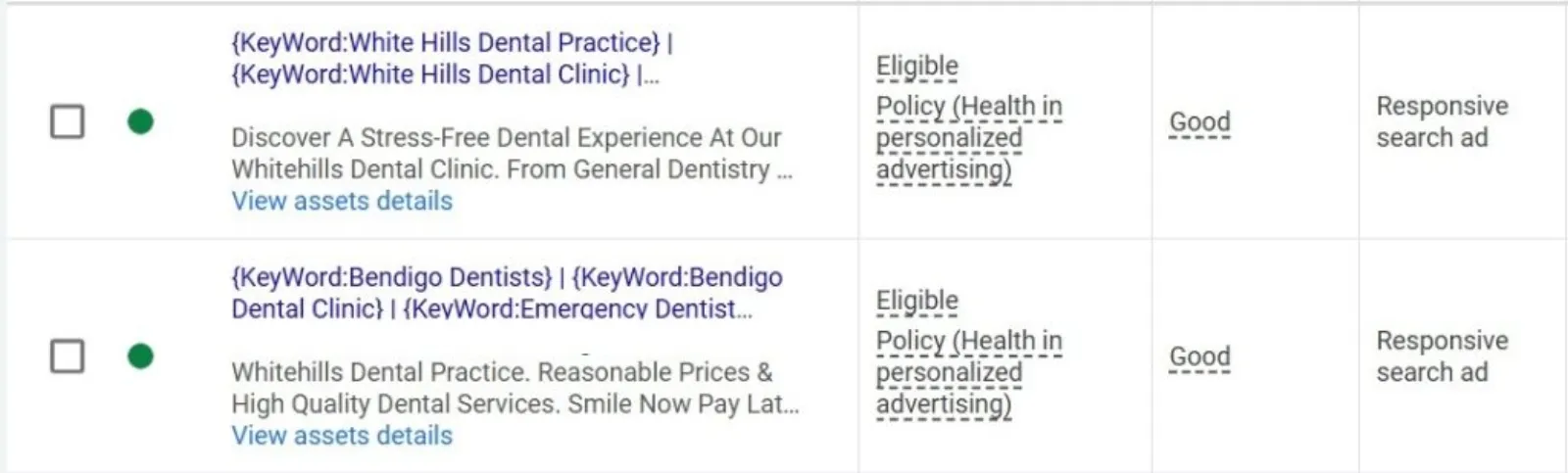
Your ad copy is your sales pitch in miniature. If it’s generic or confusing, people will scroll right past it, and you’ve just paid for an impression that went nowhere. Think about what makes your offering unique and why someone should click on your ad instead of a competitor’s.
How to optimise:
- Highlight your unique selling propositions (USPs): What makes you different or better? Is it your price, quality, speed, or customer service? Make it obvious in your ad copy.
- Include a clear call to action (CTA): Don’t just show your ad, tell people what to do next. “Shop Now,” “Learn More,” “Get a Quote,” “Sign Up Today” – these clear instructions guide the user.
- Mirror keyword intent: If someone searches for “emergency plumbing,” your ad should probably mention “24/7 emergency plumbing services” and not just “plumbing services.” Align your ad copy with the user’s search intent.
- Use ad extensions: These are your secret weapons! Ad extensions provide extra information and links, making your ad bigger and more enticing. Think about sitelink extensions (links to specific pages on your site), call extensions (your phone number), structured snippets (specific features or services), and callout extensions (short, appealing phrases). They don’t cost extra to use, but they can significantly improve click-through rates.
- Test, test, test! Don’t just set and forget. Create multiple versions of your ad copy and let Google Ads rotate them. Pay attention to which versions perform best (higher click-through rate, better conversion rate) and pause the underperformers.
Compelling ad copy grabs attention and encourages clicks from the right people, reducing wasted impressions and improving the quality of your clicks.
Step 3: Optimise Your Landing Pages – The Destination Matters

Imagine clicking on an ad for “red running shoes” and landing on a homepage with hundreds of products, or even worse, a completely unrelated page. Frustrating, right? This is a prime example of wasted ad spend. Even if your ad is perfect, a bad landing page will negate all your efforts.
 LIVE
Live every Tuesday at 2pm UK. Bring your marketing questions.
Get your Google, local SEO and AI questions answered live.
How to optimise:
- Relevance is key: Your landing page must be directly relevant to the ad and the keyword that brought the user there. If your ad is for “organic dog food,” the landing page should be specifically about organic dog food, not just your general pet store.
- Clear and concise messaging: Don’t overload your landing page with text. Get straight to the point. What’s the offer? What are the benefits?
- Strong call to action on the landing page: Just like your ad copy, your landing page needs a clear CTA. Make it easy for visitors to take the next step, whether it’s making a purchase, filling out a form, or calling you.
- Fast loading speed: In today’s fast-paced world, people won’t wait for slow-loading pages. Check your page speed (Google’s PageSpeed Insights tool is helpful) and optimise images and code to ensure a quick load time.
- Mobile-friendly design: A significant portion of searches happen on mobile devices. Your landing page must be responsive and look good, and function well on all screen sizes.
- Minimise distractions: Remove unnecessary navigation, pop-ups, or excessive information that might divert the user’s attention from your primary goal.
A well-optimised landing page converts interested clicks into valuable actions, turning your ad spend into profit instead of lost opportunities.
Step 4: Master Your Bidding Strategy – Don’t Overpay
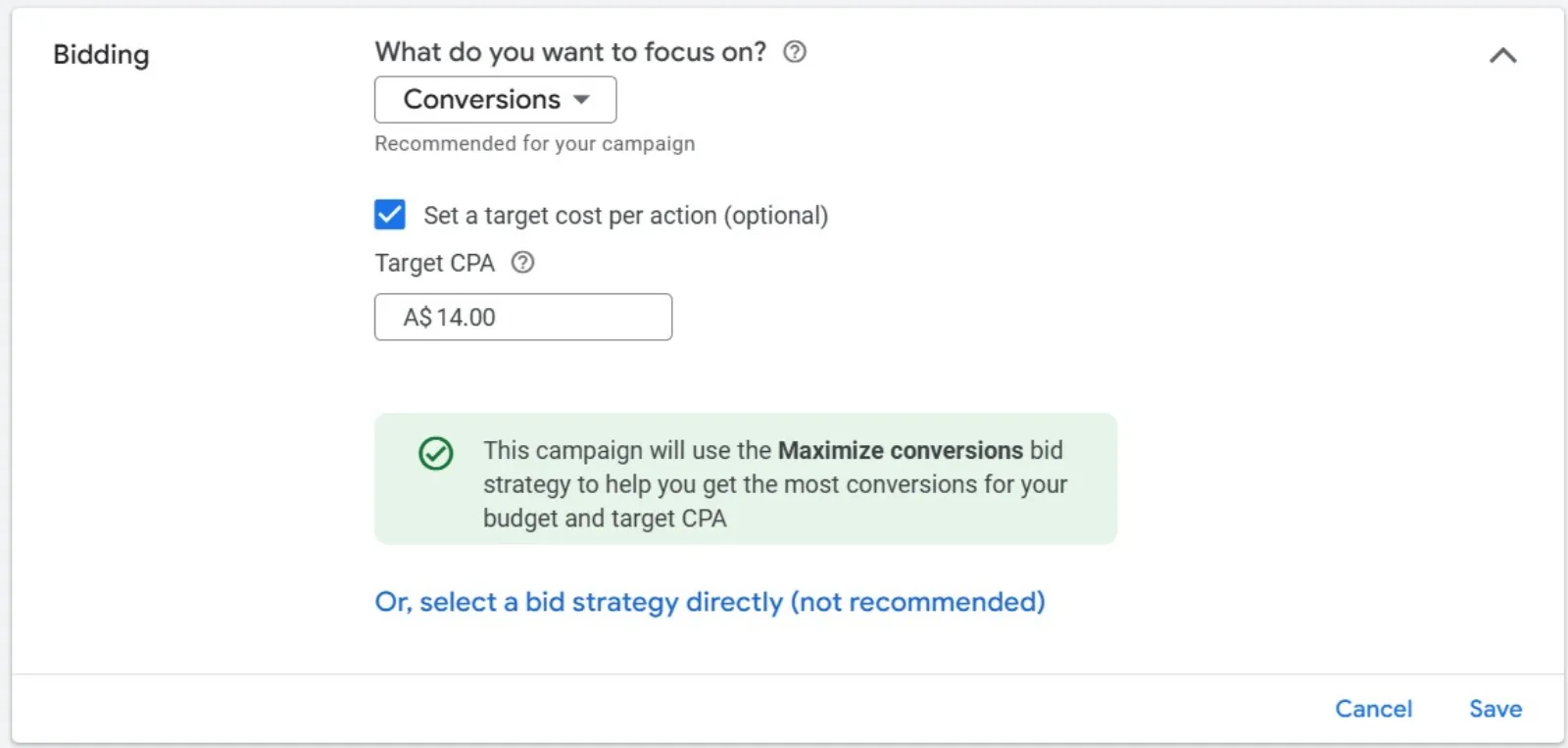
Bidding can feel like a guessing game, but it’s where a lot of money is won or lost. Setting bids too high means you’re overpaying for clicks, while setting them too low means your ads might not show up at all.
How to optimise:
- Understand your goals: Are you aiming for conversions, clicks, or impressions? Your bidding strategy should align with your campaign goals.
- Start with automated bidding (with caution): Google offers various automated bidding strategies like “Maximise Conversions” or “Target CPA.” These can be powerful, but it’s crucial to have enough conversion data for them to work effectively. If you’re new or have limited conversions, start with a manual strategy.
- Manual bidding (if appropriate): If you prefer more control, manual CPC allows you to set your maximum bid per click. This is good for testing and understanding your market. Start with a reasonable bid and gradually adjust based on performance.
- Monitor your bid adjustments: You can adjust bids based on device, location, time of day, and audience. For example, if you know your mobile conversions are poor, you might decrease your mobile bid. If your business hours are 9-5, you might bid less aggressively outside those hours.
- Review your Impression Share: This metric tells you how often your ads are showing compared to how often they could show. If your impression share is low due to budget, you might need to re-evaluate your bids or budget allocation. If it’s low due to rank, your bids or ad quality might need work.
- Utilise conversion tracking: This is non-negotiable! Without conversion tracking, you’re flying blind. You won’t know which keywords, ads, or campaigns are generating leads or sales. Set up conversion tracking properly so you can see the true value of your ad spend and optimise accordingly.
Smart bidding ensures you’re paying the right price for clicks that are most likely to convert, maximising your return on ad spend.
Step 5: Regular Monitoring and Adjustment – The Evergreen Process
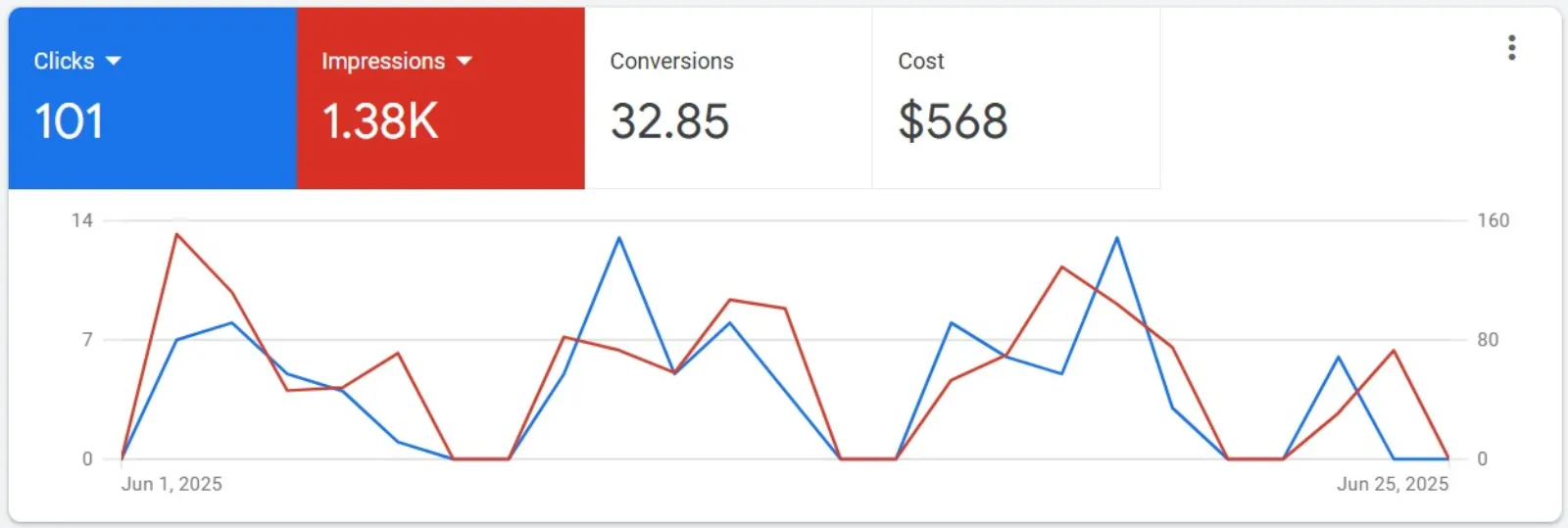
Google Ads isn’t a “set it and forget it” platform. The market, your competitors, and even your business change. Continuous monitoring and adjustment are vital for long-term success and to prevent budget waste.
How to optimise:
- Schedule regular check-ins: Dedicate time each week (or even daily for high-volume campaigns) to review your campaign performance. Look at your click-through rates (CTR), conversion rates, cost per conversion, and overall spend.
- Pay attention to anomalies: Did your CTR suddenly drop? Did your cost per conversion skyrocket? Investigate these changes promptly.
- Experiment with ad scheduling: Are there certain times of day or days of the week when your ads perform better or worse? Adjust your bids or even pause ads during unprofitable periods.
- Analyse your audience: Use Google Ads audience insights to understand who is clicking on your ads and converting. This can inform your targeting and messaging.
- Competitor analysis: Keep an eye on what your competitors are doing. Are they using new ad copy? Are their ads showing up in different positions? While you shouldn’t blindly copy, it can provide valuable insights.
- Don’t be afraid to pause underperforming elements: If a keyword, ad group, or even an entire campaign isn’t delivering, don’t keep pouring money into it. Pause it, analyse why it failed, and reallocate that budget to what is working.
By consistently reviewing and refining your campaigns, you can proactively identify and fix issues, ensuring your Google Ads budget is always working as hard as possible for you.
The Bottom Line:
Optimising your Google Ads budget isn’t about magic tricks; it’s about smart, consistent effort. By focusing on relevant keywords, compelling ad copy, optimised landing pages, intelligent bidding, and continuous monitoring, you can transform your Google Ads from a money pit into a powerful engine for growth. Start with these five steps, and you’ll be well on your way to getting a much better return on your investment. Stop wasting money and start seeing results!

Written by Uzair Kharawala
Partner at SF Digital Studios, a Google Premier Partner agency. Uzair has been helping businesses grow with Google Ads since 2002 and teaches it every week on YouTube.
Get our best Google Ads tips by email
New articles and videos, straight to your inbox. Unsubscribe any time.