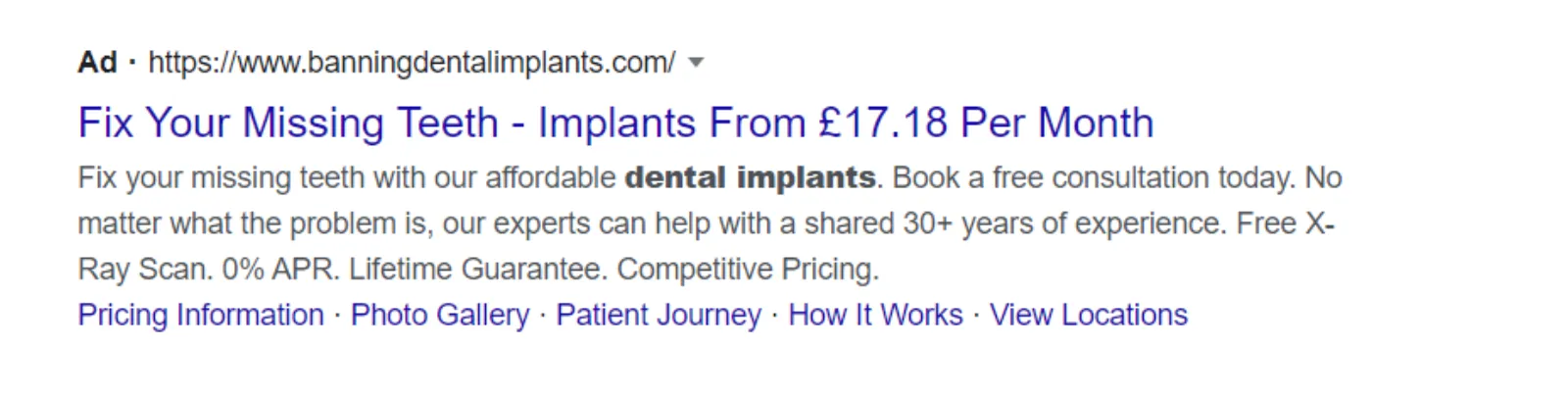
Please give me a moment, I'll make sure everything is working fine and we'll get started. Hey, seems to be working fine. Good afternoon everyone, my name is Uzair, and if it is 4:00 in the UK on the 20th of October 2020. Every weekday we go live over here on our channel and streamed across to, or live streamed across to, Facebook, LinkedIn, Twitter, and hopefully, um, we shall be on Instagram very soon as well, uh, keeping our fingers crossed.
We're just trying to work out the techie bit as to how we go about, uh, doing that. It's, it's a little bit of a, a challenge going live on Instagram, but anyhow, um, four of the, um, biggest, uh, networks is not too bad to go live on, and we've got, I think everything is working perfect. Good.
So today, as, um, it says on the screen, uh, it is about the Google Ads, a responsive display ads. Yesterday I talked about the responsive search ads, and now we're going to go on the responsive display ads, how you can use these ads to your advantage, because not many businesses and advertisers are using them, especially the small accounts. Um, they don't know how to use them. First of all, they don't have the assets, and by assets what I mean is images and videos.
And it's a great way to put text, images and videos, put them all together, and Google is going to do all its magic, um, with making up different sizes and putting up on the Google Display Network. These ads are one of my favorite ones. Um, they're fun to make. You can, you don't need to be a graphic designer to begin with to design them, because if you were designing an image ad or a banner ad before, you need to have, I think, at least 10 to 15 different sizes. It takes time if you're doing it yourself, or you need to hire a graphic designer, uh, to design them.
The other problem is, even if you do hire someone and invest some money in, in those image ads, for split testing and changing and tweaking things around, you still have to constantly make changes. But not with the responsive display ads. They, Google is going to do all the heavy lifting. It's going to split test everything, use the different images and the videos with the different headlines and descriptions and so on, and all you need to do is to just put them in, in your ad and let, uh, Google do its magic.
So a big hello to Siddharth, Emily and De. Um, you do, um, have any questions, or you are new to this live stream, the format is, I'm going to go through the responsive display ads, uh, workflow, how to set them up, um, in a bit, and towards the end of the session, uh, we'll, I'll try and answer any questions you may have. So please put them in the, uh, comment box on the right hand side or under the, under the video, and I'll try my best to answer them for you. Hi, Nick.
Okay, so let's get started. So before we get started, let's go to what Google has to say about these responsive display ads, and I'm going to do the same thing like I did yesterday, um, create these image, uh, these ads for the local dentist, the dental practice. Okay. Um, so if you're not sure about anything, anything to do with Google Ads, uh, go to support.google.com and you will find, uh, the Help Center over here for Google Ads and all the Google products, and this is the Bible, right?
Um, don't listen to me, don't listen to all the gurus or all the other websites, this is where the buck stops. You know, if Google says do this, you do it. If it says don't do it, don't do it, and you won't get into problems, you won't get your ads disapproved and you won't get your accounts suspended. So just follow everything you have over here to the letter and you'll be fine.
Okay, so, and I keep coming here all the time, because it, Google keeps changing, right? So what was working before, they may change, and then something new has come up which I may not be aware of. So just make a habit of, uh, logging in here every now and then. The responsive display ads are replacing responsive ads as the default ad type for the Display Network. See, now this is, I don't know when they updated this, but I didn't see this when the last time I was here, so they are changing things around in Google Ads.
They can be used in standard display campaigns as well as smart display campaigns. Okay. To create a responsive display ad, upload your assets, and this is what I meant, images, headlines, logos, videos and descriptions, and Google will automatically generate ads to be shown on the Display Network. So all you do is throw all of these items in your, uh, ad, and that's about it. You don't need to worry about sizing, making different sizes and all that, it's going to make up the sizes itself. It's really good.
Uh, then you got some other bits and pieces about how to optimize your ads, broader reach. I'm not going to go through them in great detail, you can come here and read all about it, it's pretty basic stuff. Um, it can also be used with dynamic remarketing as well. We create a responsive display ad and manage your responsive, let's quickly go in there and see what they say, and they've got some little videos in here as well as to how to create them.
Okay, so, uh, before you begin, let's do that. Uh, if you include a formatted price in your feed, then it will be used instead of the price prefixed. We are not doing that. Because this ATO has more sizes than your dynamic feed images, okay, it's all about feed, product shs, with, not applicable to us for right now. Google may show layout tags for retail advertisers, such as new, hot or price drop. Okay, we doesn't, it's not applicable to us for this, um, for today's tutorial.
Not all assets will appear when your ads show. Sometimes, for example, your ads may show without images to increase the reach across the Display Network. So this is what some people get puzzled: oh, why is my ads just showing text and not images or videos? Is because of this. If Google can't fit that image or that video on an ad on somebody's website, then it's going to just use the text. I'm going to show you how to create all of that.
Um, so the most important thing is this: you need to have images in landscape format, in square format, and your logo as well. It does say over here optional, but I would highly recommend that you do that, um, put your logo in as well at all times, because you want your branding to be, uh, shown on every, uh, video or on every ad. And if you got a video, then throw that video in the ad as well.
Then what it does, it is, we need to write short headline, a long headline, description line, business name, final URL, and upload all these assets, and that's it, easy peasy. So let's go into our Google Ads. Hi, Mike. Okay, I'm in my Google Ads account. I'm going to go and create an ad group, and not going to cover a lot about, about audiences. I want to go into, at the bottom, create your ad, and then you can go to the responsive display ad. Okay, so it's got a very similar, um, interface and the feel about how to upload.
So it says here, images and logos, videos, headline you got one headline of 30 characters, is one long headline of 90 characters, one, uh, up to five description lines of 90, and a business name up to 25 characters. Then we've got all these other options. Um, use asset enhancements, auto, use autogenerated video. This I haven't used a lot, to be honest with you, because I don't want, what it does, it, it, it uses all your images which you uploaded and makes it a little, a slideshow, like a video. So you can use that as well if you haven't got video on it. And under more options, you, I'll cover that in a second.
But let's start from the top. So where is my dentist website? Give me one moment while I take that out. Thought I had opened it. Okay, copy the URL where I want the click to take the visitor. Then it says here, add two or more high quality images, and please, uh, it, it does say your high quality, so if you have got, um, low resolution images, don't, uh, it won't run, and it may get disapproved as well.
Click on the plus images. Now we got all these options at the top. You can scan the website, and sometimes it works, sometimes it doesn't. So I had scanned it earlier on, it only gave me these three images, so they're not use. Um, you can upload the images, you can use stock images, recently used images, or your assets which you may have uploaded. So let's go to stock images, and I'm going to put in dentist.
So I am going to click on this one. I can realign to fit. Now you have the option of either using this as a horizontal image, which is the 1.91, uh, to, two to one ratio, or 1 to 1 ratio, which is the square format. Ideally you want both, but sometimes when you upload an image, it may not fit as a square, or it may not fit as a landscape one, so then you need to upload another one.
If I were to, um, use this one, I can then realign it, centralize the lady, and that looks good, I'm happy. So it says your select two ratio, so both, it will use the same image, but one as a horizontal or landscape and one is a square. And you see at the top over here, use as image or as a logo. So at the moment I'm uploading an image, and it will, it show, uh, says your watermark will not appear in your ad if you are using Google's one.
So obviously they use Shutterstock for the, for the stock photo, so these are free to use, so you don't need to go and buy or copy somebody else's images, because these are all copyrighted images, and I would highly recommend you never use somebody else's images or videos. Um, if you need to go and buy, and you don't like some images from here, go and buy, they will be like $2 each or something like that.
Okay, I'm going to use a couple more. This also works fine, centralized as both. This is a good one. See, the good thing about these images is Google is giving us these images, and they know that we need these two ratios, and all these images will be applicable for the horizontal as well as the square one. And I'll just use one more. That's fine, select. Okay, I'm happy with all my images, I'm going to, um, save this.
What I haven't done is uploaded a logo. Now, if I forget, and when I come to saving it, it's going to show, give me an error over here. Um, so what I might, I upload, I had screenshotted the logo. Again, if it's somebody else's logo or trademarks and copyrights, be very careful. This is just to demonstrate how we are going to use these. Now, over here I'm using this as a logo, and now, because this is a square logo, I don't get that option of stretching it to the 4:1 ratio, only going to put up as square. So wherever it can, is going to put up the square logo. Save.
Then we go to the video. Video, I'll just, what you do is there, I'll just go to YouTube, pick one up very quickly. You can see how easy it is, it's literally, it's effortless to create these ads, because you don't need to worry about designing and image sizes and resolution and all that. All you can do is upload and then start writing the ads. I found one of the buer, although it's a mental health one, but it's just show you guys. And you have the option to upload up to five, so you've got multiple videos, then I would highly recommend you upload more of these, more of these, um, videos.
Now, where is my ad copy? Had kept it all open, and for some reason I, they have shut down by mistake. Okay, I'm just going to put in the text from the website, so then I'm just going to make it, um. Now it says your, look, your local dental care, you, dental care, emergency dentist, I don't think it will fit in, no, near me, or something like that, just to show you guys, to copy and paste descriptions.
And this is the good thing, you see how clever Google is, um, of course it is. Um, if you put in the same description or the headline twice, is going to give you a message, error message. Just going to put in Leighton Buzzard, and now it's going to give us some more options in the description line. We've already got, no, we haven't got that. So then you put in Pupa D care. I hope bu I like my ad, because you never know, they might come to me to run the ads.
Okay, I'm not too fussed about these for the time being. Use native formats is fine. More options, this is important, very important: call to action. Without call to action, an ad is not complete. Contact us, apply now, book now, learn more, visit site. Uh, I think this is quite good, visit site, and we already have put the final URL at the top.
Now you can see how the ad strength, because I've just copied and pasted and haven't made much of an effort to write a good ad. If I were to spend a bit of time, this is going to go to excellent, and all of these will be 100% ticked off, and we have completed our ad. If you want to see how it looks, so this is the preview window over here. On the computer it is going to look like these. So whenever you see these kind of ads.
Ah, one more thing which I forgot to tell you is, you can also customize the color, the call to action color, the main color and the accent color. And the default is the blue over here, like you can, you see, and they also show this in black as well. Sometimes this will be in black or blue. So what this is doing is, the algorithm is picking up that brand color and matching it to the call to action button, so is doing the work for us.
You see, it's gone one, two, three, four, five, and there more sizes as well which it will make, and use different photos, different headlines, different, uh, description, going to mix and match and see which is working out the best, and we don't need to put up multiple, uh, images or ads with different, um, headlines and images and so on. And in here it will show you how it looks on, a preview of your ad on Gmail.
So this is the clo, uh, this is the closed one, so at the top of, in your Gmail, is going to come up like that, and when you click on it, the open, um, ad is going to look like that. It will also show the video within your Gmail ad, that is really cool as well. You can play around with it, how it's going to look like on YouTube. On YouTube this is the 300 by 250 and the 728 by 90, so the, these ones will go over the video, along the bottom half of the video.
You'll, you'll see, if you want to target certain videos on YouTube, you can go back to your ad group or campaign and target that placement as your, target the video as your placement, and then you can run your ads on there. Um, Gmail I've just shown you, and then all property, and then you can see on your mobile how it is going to, to show up as well.
So these are really cool, I love these ads, and you get some really good, uh, click-through rates, uh, with these. So this is how easy and quick it is to set up a Google Ads, uh, responsive display ad. Okay, so I'm now, I'm going to go to the questions and see what you guys have put up, and try and answer them for you.
Uh, hi Sandeep. Uh, today I read WordStream's article, they told if ad group containing more than 27 keywords in group, it will not perform well. It will not perform well if all the 27 keywords are all different. I've just set up an ad group today with, I think, 78 keywords, and I know, the way I set it up, all of those 78 keywords were relevant to the three ads which I put up in that ad group. So, uh, it really depends on how they put up. If they put up all sorts of different keywords in there, then absolutely it will not perform.
Um, second thing they are saying, we have to split keywords in separate groups according to the categories. If you have car washing sh showroom, okay, I'm not sure what you're trying to say, Sandeep. You need to categorize, you need to separate the keywords out anyway, so, yeah, I really can't understand what you written. To do a brand A car service one group, okay, brand B car service, and so on. Okay, yeah, that makes sense.
So 27 relevant keywords for every, yeah, so if you, if you are offering a, a car service, so you have a, all the BMWs in one, Mercedes in one, Ford in the other one. But it really depends on the volume of searches. If you don't have the volume, then it's no point in creating so many different ad groups and keywords and ads, it'll be complete waste of time.
Once you start with one ad, uh, one campaign, and see what the search terms are coming through, and if you find that, you know, uh, Ford car servicing, or Ford whatever, is getting a lot of, um, impressions and clicks, then you create a separate landing page, first of all, and then create a new campaign just for the Ford car, and then have all the servicing, oil change, car tires or whatever they do in, in that campaign for, for Ford.
Hi, Adam. Are responsive dis, uh, display ads for remarketing? Yeah, absolutely, yeah, you can do that. Uh, best practice to go into Google Ads Editor and turn off apps? Absolutely. Um, anything to do with Google Display Network, you turn off the apps if you don't want your, uh, ads to run on the apps. You'll find it will just eat up all your budget in no time. Hi, Anand, uh, thanks for your comment and thanks for, for being here.
Uh, for restaurants, are there any other ads you recommend other than search ads, and why? Go, I mean, this is for, to start with, a responsive display, YouTube ads, I mean video ads, Gmail ads, more than enough for you, isn't it? How many more different types of ads do you need? Uh, dynamic search ads. So there's loads, and, um, uh, mean, Google has got an ad for pretty much every format. You have text, you have image and you have video, so you can use all these three formats.
If you don't have videos, you can create videos very easily and quickly as well. I would highly recommend you do that and run those as well, because with a restaurant, um, being a local business, you, you don't want to, unless it's a very famous or world famous restaurant, or it's famous throughout the country, where people come to that restaurant from miles and miles away, then yes, you surely, you can target the whole country.
But if it's a local restaurant, you know, with customers to the restaurant will not travel more than 5 to 10 miles, that's the furthest they will come from. So all you want to do is to create a 10 mile radius, um, set up your search campaign, display campaign, video campaign, remarketing campaign, and then keep getting that name out there over and over and over again, and you'll find that the restaurant will, uh, keep on getting more customers and the brand awareness will go sky high.
Hi, Atif. I used before radius for location and getting good conversion, but client asked me to remove radius and add cities, then we get very less conversions. Well, then I think, if, you see, client is hiring you to run the ads. Um, if I go to a restaurant, I do not tell the chef what to put in my food. I'm there because I want to eat, uh, the food which the chef is going to prepare. I'm not going to tell him, oh, instead of putting salt, put sugar in my steak, or whatever.
So if, if the client is adamant that you do what they say, then I personally would fire the client. I know you might feel a bit nervous about it, but you're far better off without these clients, because, uh, they will, they won't let you work, you won't get the results, then they will, they will be, uh, on you all the time that, you know, my campaigns are not performing.
Hi, Sefali. What should be the bidding strategy for responsive ads? What default max CPC should I keep? I'm targeting Nepal and keyword related to refrigerators. Well, I can't, um, tell you what your default max CPC should be, because I don't know, um, how much the average CPC is in your country. And with regards to the bidding strategy, has got nothing to do with the ads. Ads are just what Google is going to put in front of it. That bidding is how it's going to work out when to put that ad in front of someone.
So two completely different things, so you should not get confused that if you go on target CPA or max conversions, these responsive ads are going to work a lot better than your normal ads. Well, responsive search ads or responsive display ads are going to outperform any manual ads, that's for sure, because it has been, um, it is, appr, proven in fact, because of so many headlines, images, videos in there, and Google can quickly test which is the best combination.
Do you consider the same keyword with multiple match types as one keyword, or more, based on how many match types you use? Well, if I have one keyword with multiple match types, then I would, you can look at it both ways.
I, in fact, I haven't made much, uh, I, I've never thought about this before. It's just, a keyword is a keyword, really, doesn't matter to me whether I've got one or whether I've got 10 in the, in the ad group. So it really doesn't, uh, matter, as long, if I've got multiple keywords in the same ad group. Like I said earlier on, I had more, quite a few dozen, uh, keywords in the same ad group.
In fact, you know what, I'm going to show you guys tomorrow, remind me, um, tomorrow, to show you that ad group, and you'll see how I've done that, and the ads are all relevant to, um, to all those 60, 70 odd keywords. So it really doesn't matter how many keywords or match types there are. We just use, uh, ph, not phrase, exact and BMM and nothing else. Obviously, lots of negatives.
Hi, Pratik. Sandeep: I'm awesome. Of course I'm awesome, Sandeep, that's why you guys here every day. Um, yeah, I'll be in Bollywood very soon. Before you know it, I'll be in your, in your movies, yeah, as a college professor teaching Google Ads. They might have a requirement for somebody like me.
R: can you go live with dynamic keywords insertion? I'm not a big fan of those, to be honest with you, because if every Tom, Dick and Harry is doing the same thing, then they all start to look the same, so use it with a bit of caution. I will, um, in fact, I will show you how to do that. I'll set up a session on the dynamic keywords insertion, no problem.
AR: can you hire me as an assistant? Okay, how good you are, it really depends. If you're good, if you're very good in fact, um, yeah, I might consider you. Um, really enjoyed to learn from you. Um, I'm glad, and in fact it's, you know, it's great for me as well to, to be able to answer this qu, these questions, and these sessions are helping you guys, because I know things are extremely tough out there, and we've continued these live sessions since when, April, I think, and hopefully I will carry on doing these as long as you guys are here and I'm not talking to myself and to a computer screen.
Um, you got the results, that's good. A, yeah, you just keep, you see, this is the thing, you know, you got to implement. I have so many, you know, as you all know, I sell lots of courses, you know, people spend good money with me, but they don't complete the course. Hardly, a very small percentage ever completes the full course. Most of them are like 20%, 30%, and that's it. They watch a few videos, gets excited, and that's about it, really, and then move on and buy the next course and the next course and the next one.
So you just need to put into practice. Follow maybe one or two people who you admire, who you trust, listen to them, and then put them into practice and see if, so if you like my content, put it into practice, see what happens, and if it is giving you the results, then, you know, you, you keep on doing the same thing over and over again. But don't try and do different things every two minutes. It, it just will not work, and it's going to make you confused.
And this is what I did a long, long time ago. I would listen to one guru, then the other one and the next one. Everybody will have their own, uh, workflows, everybody will have their own ways of doing things, and I was, like, totally confused, and I thought to myself, okay, I'm going to stop, I'm just going to just do one thing, and one thing properly, and then things started to work out and things started to change.
Um, can we use BMM keywords with exact keywords? Um, yes, we use it, but in a different ad groups. We don't put them in the same, you can put them in the same ad group, but we have got a BMM and exact, um, ad group structure where we sculpt the traffic. We want the exact match queries to be triggered by exact match ad groups and the keywords, and the BMM keeps fishing and hunting for new ones.
Nick: see you in Bollywood. Yeah, I, I want to come to Bollywood. In fact, I might come to India next year for the World Cup, so I see, I might see you guys. Well, uh, I probably will come to the World Cup, because this year I couldn't go to Australia, which was a shame. Um, Pratik: I know it is time, but in your next video please discuss cons of DKI. Okay, I will, I will schedule it, uh, for dynamic keyword insertion.
It is hard. Google Ads is, I would say, difficult, is, it can be confusing, because there's so many things in there. Um, and what I tend to do is, I want to keep things extremely simple for myself and for my team as well, so that we have that consistency across all the accounts and not just one or two.
And this is what we want to do, is have a workflow, that you have a workflow for daily tasks, weekly, monthly, quarterly and so on, and then you keep on repeating over and over again, keep doing it, and then you'll find that, um, you are getting great results and you are, um, getting better, um, at these ads.
Okay, so thank you all for being here. If you haven't subscribed, then please do so, because, and hit the bell button, because every time we put up a new piece of content or go live, you'll be the first one to, uh, to be, to be notified. I'll be here tomorrow. I don't know what I'm talking about right now. Emily, I think you're, you're online, you, you probably know more than I do. I'll just come in front of the computer at 3:30 and see, okay, what we are doing tomorrow.
Now, joking aside, I do need, I do need to prepare for these and spend a bit of time, uh, because I appreciate and respect your time very much. I don't want to just come up and start thinking about what I'm going to do. So there is a, uh, there is a plan to all the madness which goes in the background, because creating so much content does take a lot of work, and we have at least six or seven people in the background putting up content, editing it, uploading, distributing, syndicating, all sorts going on. So it's, uh, yeah, it's all good fun. So thank you all for being here. I shall see you tomorrow. Till then, stay safe and goodbye.


 LIVE