
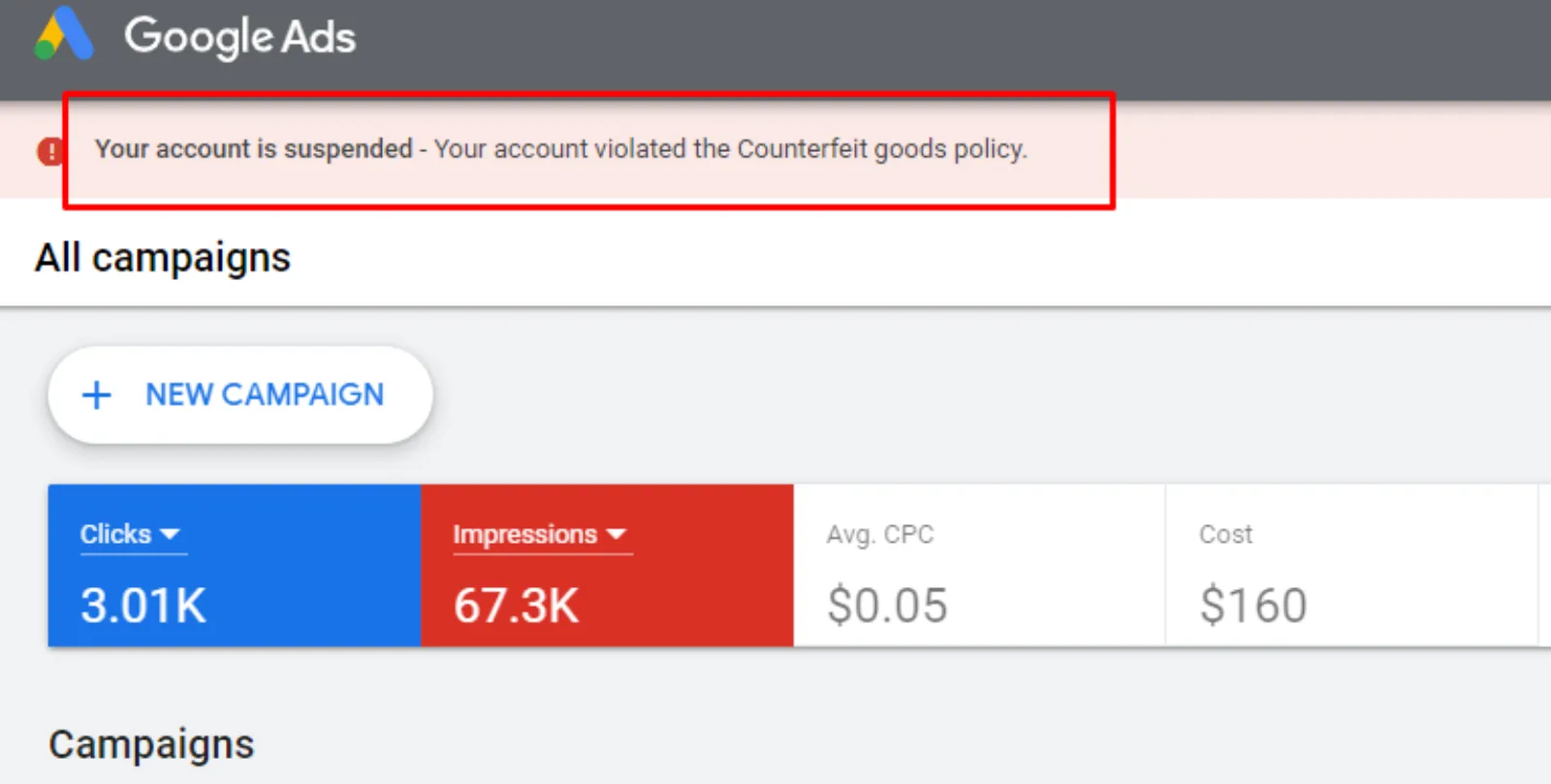
It’s a scenario that keeps business owners up at night: you log into your Google Ads account, ready to check on your campaigns, and a chilling red banner stares back at you. Your account has been suspended for “counterfeit goods.”
Wait, what? But you’re a legitimate business. You sell authentic products, either your brand or through authorised reselling agreements. You’ve never touched a fake product in your life. So how did this happen?

Get Found, Get Chosen, Get Your Time Back
A free one-day marketing seminar in Milton Keynes · 10 November 2026
You’re not alone. To protect consumers, Google has a zero-tolerance policy for counterfeit items. This is an “egregious” violation, one of the most serious a business can make. The problem is, sometimes Google’s automated systems and even manual reviewers make mistakes. They flag completely innocent accounts, catching them in a digital dragnet designed to snare bad actors. The result is a frustrating and potentially devastating loss of your ability to advertise.
Get your free Marketing Action PlanNot sure where to start? Answer a few questions and get your plan in about a minute. No email needed.
Get my plan →This isn’t just a problem for big brands. Small businesses, especially those that sell popular branded goods or have a website that could be misinterpreted, are increasingly falling victim to this policy. It’s a digital landmine that can detonate without warning.
 LIVE
Live every Tuesday at 2pm UK. Bring your marketing questions.
Get your Google, local SEO and AI questions answered live.
So, why does this happen to honest businesses, and what can you do about it?
The Digital Red Flags That Google Sees
Google’s algorithms are always scanning for patterns that look like a counterfeit operation. While they’re very good at what they do, they’re not perfect. Here are some of the things that can accidentally trigger a false positive:
- Steep Discounts and Low Prices: If you’re running a sale with unusually large discounts, or your pricing seems significantly lower than what is typical for a branded product, Google’s system might see it as a red flag. They think you’re trying to lure in buyers with a deal that’s too good to be true, which is a common tactic for sellers of fake goods.
- Using Brand Names in Your Ads or on Your Site: This one is a double-edged sword. You need to use the brand name to show what you’re selling, but if your website or ads are not clear about your relationship to that brand (e.g., that you’re an authorised reseller), Google could interpret it as you trying to impersonate them. This is especially true if your site’s design or branding mimics a larger, well-known company.
- Missing or Incomplete Product Information: Google wants to see a clear and detailed product feed. This includes things like Global Trade Item Numbers (GTINs) for each product. If you’re missing this kind of data, especially for a branded product, it can raise a flag. The lack of detailed, verifiable information makes it harder for Google to confirm the authenticity of what you’re selling.
- Website Design and Messaging: If your website has a generic feel, lacks a clear “About Us” page, or doesn’t have obvious contact information, it can look suspicious. Counterfeit sites are often quick to pop up and just as quick to disappear, so they often have these characteristics. An honest business with a less-than-perfect website can get caught in this trap.
- New Accounts and Sudden Activity: A brand new Google Ads account that immediately starts running ads for a high-demand, high-value branded product can also be flagged. Google is wary of new accounts that could be used for scamming and then abandoned.
The “Are You Next?” Moment: What to Do If It Happens
If you receive that dreaded suspension notice, the first thing to do is take a deep breath. Don’t panic and don’t immediately appeal without a plan. An appeal without new, compelling information is likely to be denied, and spamming the appeal form will only hurt your chances.
Here’s a simple game plan:
- Read the Policy Carefully: Go to Google’s Ad Policies and read the “Counterfeit Goods” section. Understand exactly what they consider a violation. It’s important to know their rules so you can show them you’re following them.
- Examine Your Website and Ads: Go through your entire website and all your ad creatives with a fine-tooth comb. Look for any of the red flags mentioned above.
- Are you an authorised reseller? Make that crystal clear on your site. Create a page that explains your relationship with the brands you sell, or include disclaimers.
- Do you have an “authenticity guide” or a page that explains your sourcing process? This can be incredibly helpful for showing you’re a legitimate business.
- Is your pricing and discounting policy clearly explained?
- Are all your product descriptions complete, with verifiable information like GTINs and clear product images?
- Is your contact information, physical address (if you have one), and business details all clearly displayed and easy to find?
- Gather Your Evidence: This is the most important step. Google needs proof. Collect all the evidence you have that your business is legitimate and that your products are authentic. This can include:
- Invoices from suppliers.
- Letters or contracts from brand owners authorising you to sell their products.
- Photos of your physical store or warehouse, if you have one.
- Any other documentation that proves you’re a real business selling real products.
- Craft a Thoughtful Appeal: When you’re ready to appeal, be polite, professional, and thorough. Explain your situation clearly. Tell them you’ve reviewed their policy and have made changes to your site to ensure compliance. Most importantly, attach all the evidence you gathered in the previous step. Show, don’t just tell, them that you’re a legitimate business.
Prevention is the Best Cure
The best way to deal with a counterfeit goods suspension is to prevent it from happening in the first place. This means being proactive.
- Be Transparent: The more transparent you are, the better. Clearly state your business name, address, and contact information. If you’re a reseller, make that known. Don’t try to look bigger or more official than you are.
- Use High-Quality Data: Make sure your product data feeds are accurate and complete. Don’t cut corners on providing product identifiers like GTINs.
- Monitor Your Account: Keep an eye on your Google Ads account notifications. Sometimes, you’ll get a warning before a suspension, or you might see a “disapproved” ad that could lead to bigger problems if not addressed.
Getting a counterfeit goods suspension is a terrible experience, but it’s not always the end of the road. By understanding why it happens and taking a careful, documented approach, you can significantly increase your chances of getting your advertising back on track.

Written by Uzair Kharawala
Partner at SF Digital Studios, a Google Premier Partner agency. Uzair has been helping businesses grow with Google Ads since 2002 and teaches it every week on YouTube.
Get our best Google Ads tips by email
New articles and videos, straight to your inbox. Unsubscribe any time.