
If you’re looking to boost your sales and get more value from your Google Ads without needing to be a tech expert, you might want to consider Performance Max campaigns, also known as PMax.
Think of PMax as an advanced tool that uses Google’s smart computer brain (Artificial Intelligence or AI) to automatically manage your advertising across many different places on Google.

Get Found, Get Chosen, Get Your Time Back
A free one-day marketing seminar in Milton Keynes · 10 November 2026
What Performance Max is and How it Works
Performance Max is a type of Google Ads campaign designed to help you reach more potential customers, automate managing your ads, and drive sales or leads.
Get your free Marketing Action PlanNot sure where to start? Answer a few questions and get your plan in about a minute. No email needed.
Get my plan →What makes it special is that it combines smart ways to decide how much to pay for ads (bidding) and smart ways to find the right customers (targeting) into one single campaign, based on the goals you set. It works across the entire Google network.
Google’s smart system automatically figures out where and when to show your ads across all its different channels.
Where Can Your Performance Max Ads Show Up?
Your ads can appear in many places across Google:
- On YouTube videos
- On websites that show Google Display ads
- When people search on Google (like regular Search ads)
- When people are shopping on Google
- In the Discover feed on Google’s mobile app
- In Gmail inboxes
- On Google Maps
The smart system automatically adjusts your ads for each place. It uses machine learning to decide when and where to show your ads to the right person at the right time. This means you can run ads across many different places using just one campaign.
How Your Ads Are Created and Optimised Automatically
Your job is to provide Google with different creative elements like images, videos, your logo, and the words you want in your ads (called ‘ad copy’).
Performance Max then automatically creates different versions of your ads using these pieces. It tests which combinations work best to get you more sales or conversions. The more creative bits you give it, the more types of ads it can create to show across Google.
Automated Bidding and Budget
PMax uses its smart system and automation to get you the most sales or conversions for your budget. This is done using ‘smart bidding‘. You can’t manually set your bids.
However, you can guide Google’s system by telling it what you want to achieve:
- If different sales or goals are worth different amounts to you, you can focus on getting the most Conversion Value (by setting a target for your return on ad spend, or ROAS).
- If all your goals are worth the same, you can aim to Maximise Conversions (by setting a target cost per action, or CPA).
Pro Tip: If you’ve run Google Ads before and have lots of data, you can start with a target ROAS or CPA right away. If you’re new, it’s better to start by trying to “Maximise Conversions” to let Google learn from your data. Once you’re getting conversions regularly, you can switch to setting targets.
AI (Artificial Intelligence) in Performance Max
AI is a big part of PMax. It helps the campaign run smoothly and find the best ways to reach your audience and get conversions.
Google is also using generative AI (AI that can create new things) to help you quickly create new headlines, descriptions, and even images for your ads. This makes it easier to try out different creative ideas. Google says you keep full control over any assets created this way.
Who Should Use Performance Max Campaigns?
PMax isn’t the right fit for every business, especially if you are brand new to advertising and don’t have any previous data on sales or leads. The system relies on data to learn and perform well.
 LIVE
LIVELive every Tuesday at 2pm UK. Bring your marketing questions.
Get your Google, local SEO and AI questions answered live.
However, Performance Max might be a good choice for you if:
- You want to reach new types of customers. PMax helps you reach people across many places on Google.
- You want to use advanced machine learning to gather data and improve your results.
- You have more than one advertising goal (like getting leads, sales, or building brand awareness) and want to manage them in one campaign instead of many.
- You are looking for low-maintenance campaigns. Once they are running well, PMax campaigns are quite self-sufficient, which can be great for smaller businesses or busy owners.
Pros and Cons of Using Performance Max
Like any tool, PMax has good points and bad points.
Benefits (Pros):
- Easier to improve your ad campaign: It automatically adjusts your budget and bids to help you reach your goals faster. You set your budget and goals, and Google’s system handles the rest.
- Potential to reach more people: Your ads can show across the entire Google network.
- Finding new customers: PMax can help find new people who are likely to be interested in what you offer.
- Saves time: Because Google’s system does a lot of the work, you, as the advertiser, have less manual work to do.
- Keeps ads fresh: By mixing and matching your creative pieces, your ads can look different and stay interesting.
- Can deliver great results: Some businesses have seen significant increases in sales and revenue after using PMax.
Drawbacks (Cons):
- Limited insight: It can be hard to see exactly how your budget is being spent on different channels or whether it’s reaching new people or just existing customers. You might get good results but not know exactly why, or see performance drop suddenly without a clear explanation.
- Can ‘cannibalise’ other campaigns: Because PMax covers a wide range of ads, it might end up taking credit for sales that your other ad campaigns (like your regular Search ads) would have gotten anyway. This makes it tricky to figure out the real extra value PMax is bringing. PMax can also include retargeting and dynamic search ads, potentially making separate campaigns for these unnecessary.
- Poor visibility on search terms: It’s not as easy to see the exact search terms that triggered your ads compared to traditional Search campaigns. While Google now provides some information on “search themes” and terms, it’s less detailed.
How to Set Up Your Google Performance Max Campaign (Simplified Steps)
If your main goal is online sales, here’s a basic idea of the setup process:
Prepare Your Product Feed
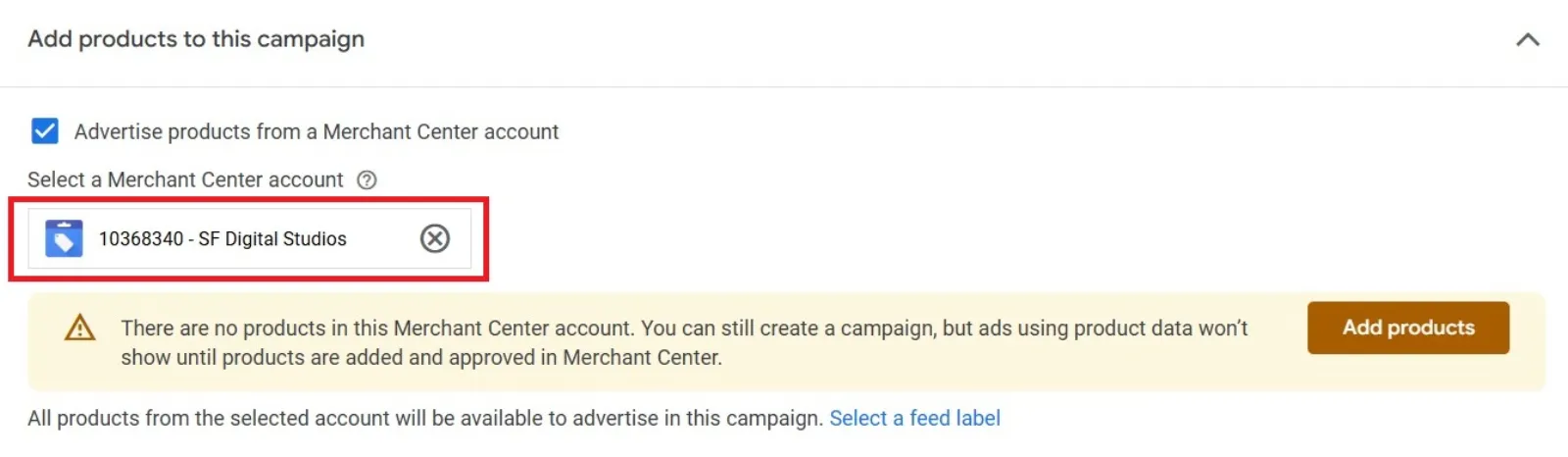
If you sell products, you need to set up a product feed in Google Merchant Centre. This is like giving Google a list of all your products with details like titles, prices, and images. PMax will use all this information to create your ads. Making sure this product list is well-optimised is very important. Add as much detail as possible for each product.
Choose Your Goal
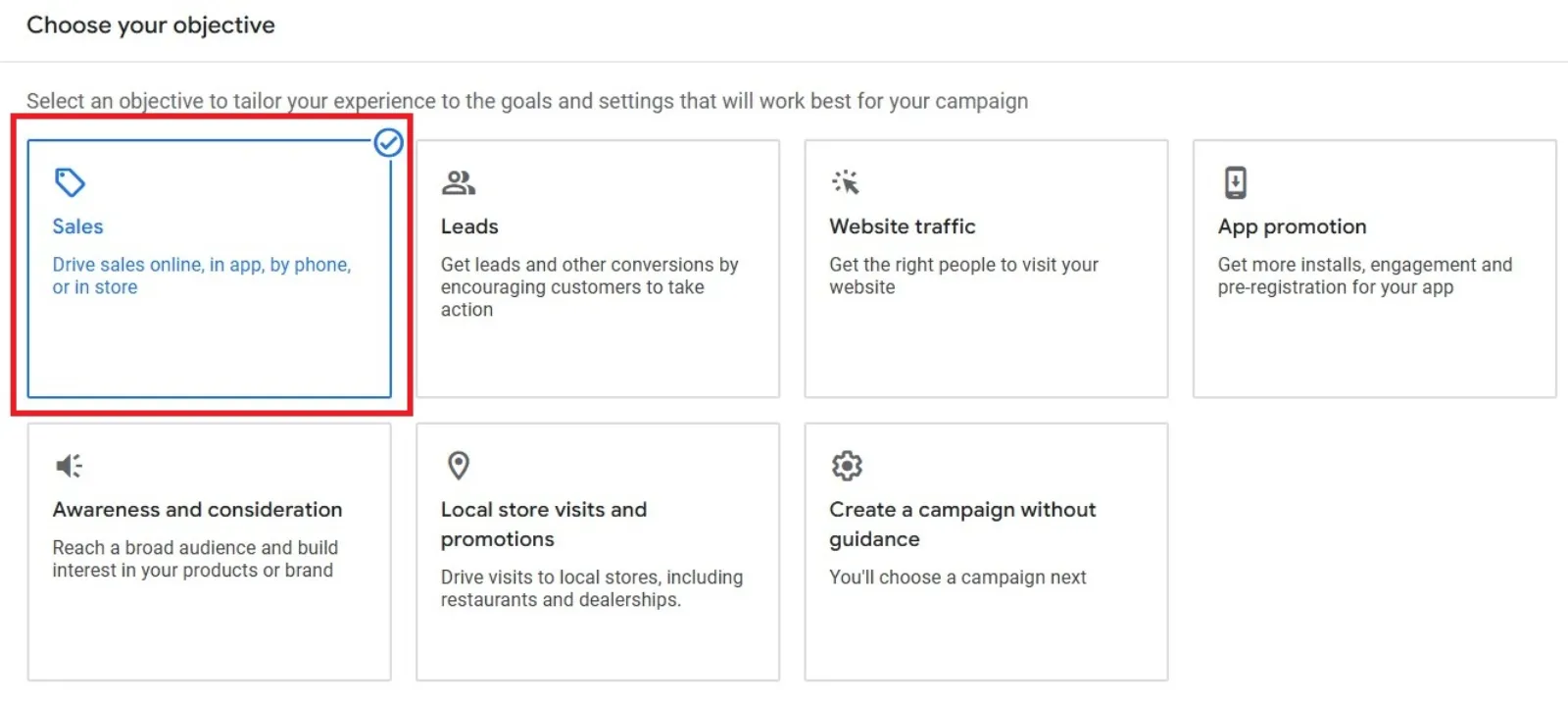
In Google Ads, you’ll start a new campaign and pick your main goal, like “sales”.
Confirm Your Conversion Goals
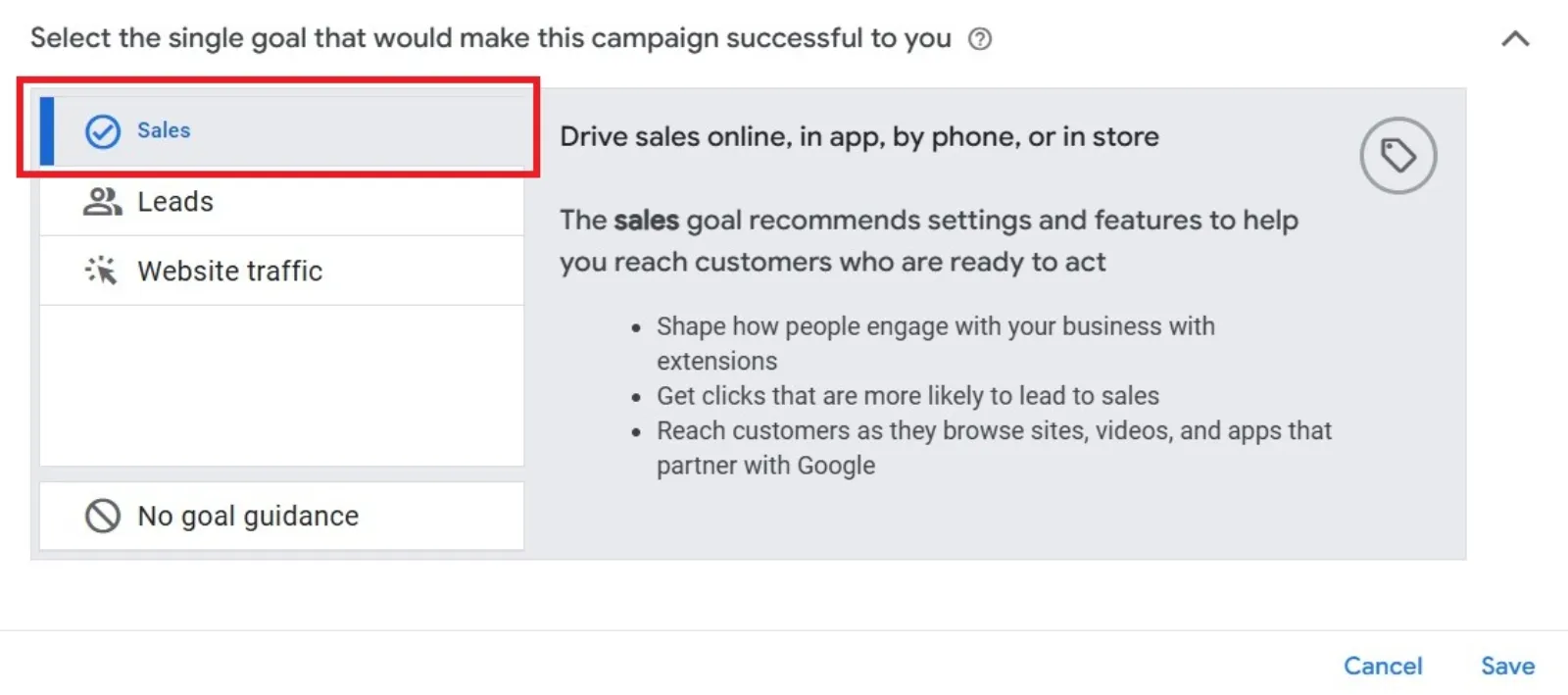
Tell Google which actions you want to count as successes (like a sale or a lead). Select “Performance Max” as the campaign type. Link your Merchant Centre account if you have one. Name your campaign.
Set Your Budget and Bidding
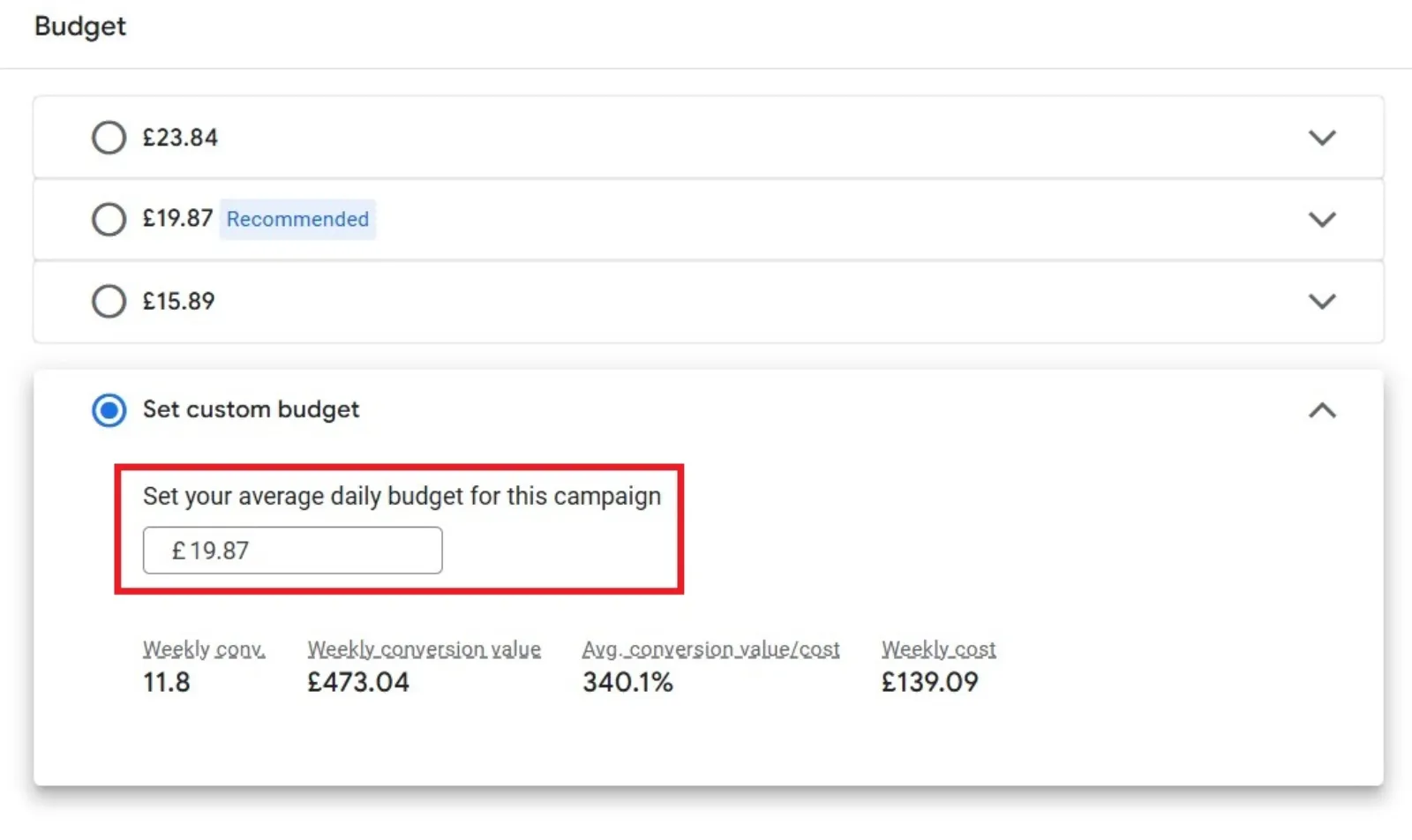
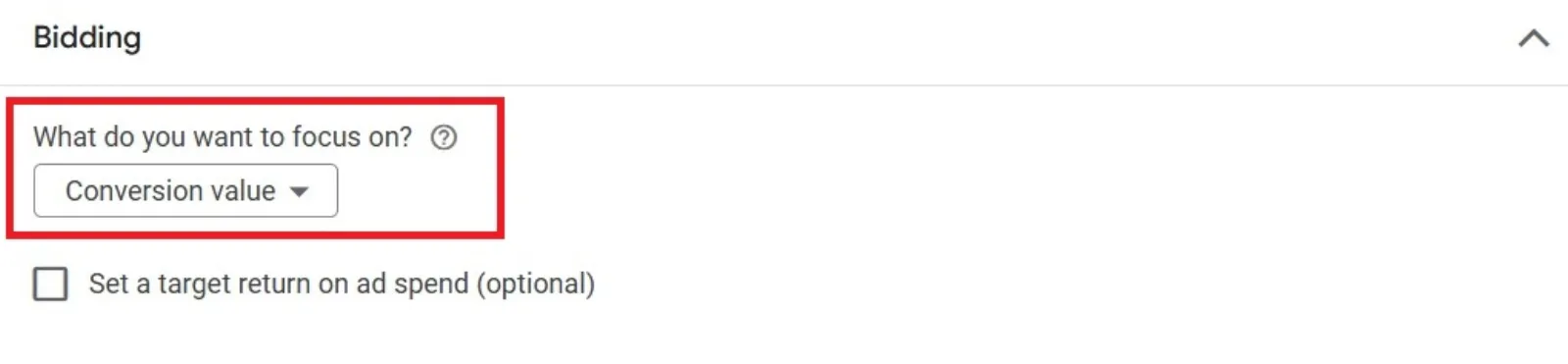
Enter how much you want to spend on average each day. Choose your bidding strategy based on your goal: Maximise Conversions (with a target CPA if you want) or Maximise Conversion Value (with a target ROAS if you want). Google will then automatically adjust bids to meet your goal. You can also choose to bid differently (usually higher) for new customers if you have a way for Google to identify existing ones (like a customer list).
Set Location and Languages
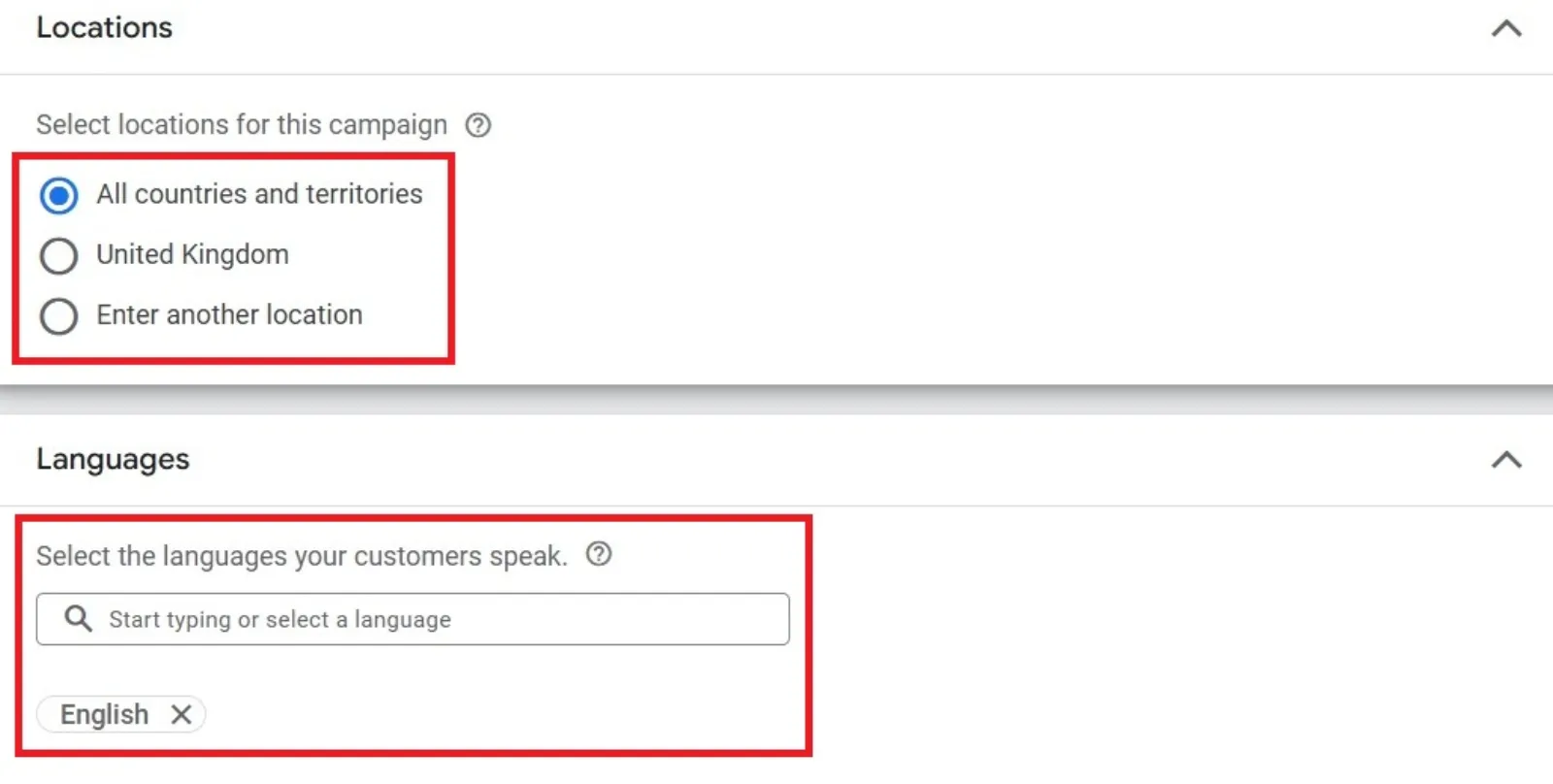
Choose the areas and languages where you want your ads to show. You can choose to target specific cities or regions. You can also adjust when your ads show throughout the day or week if you find certain times are more profitable.
Think About Automatically Created Assets
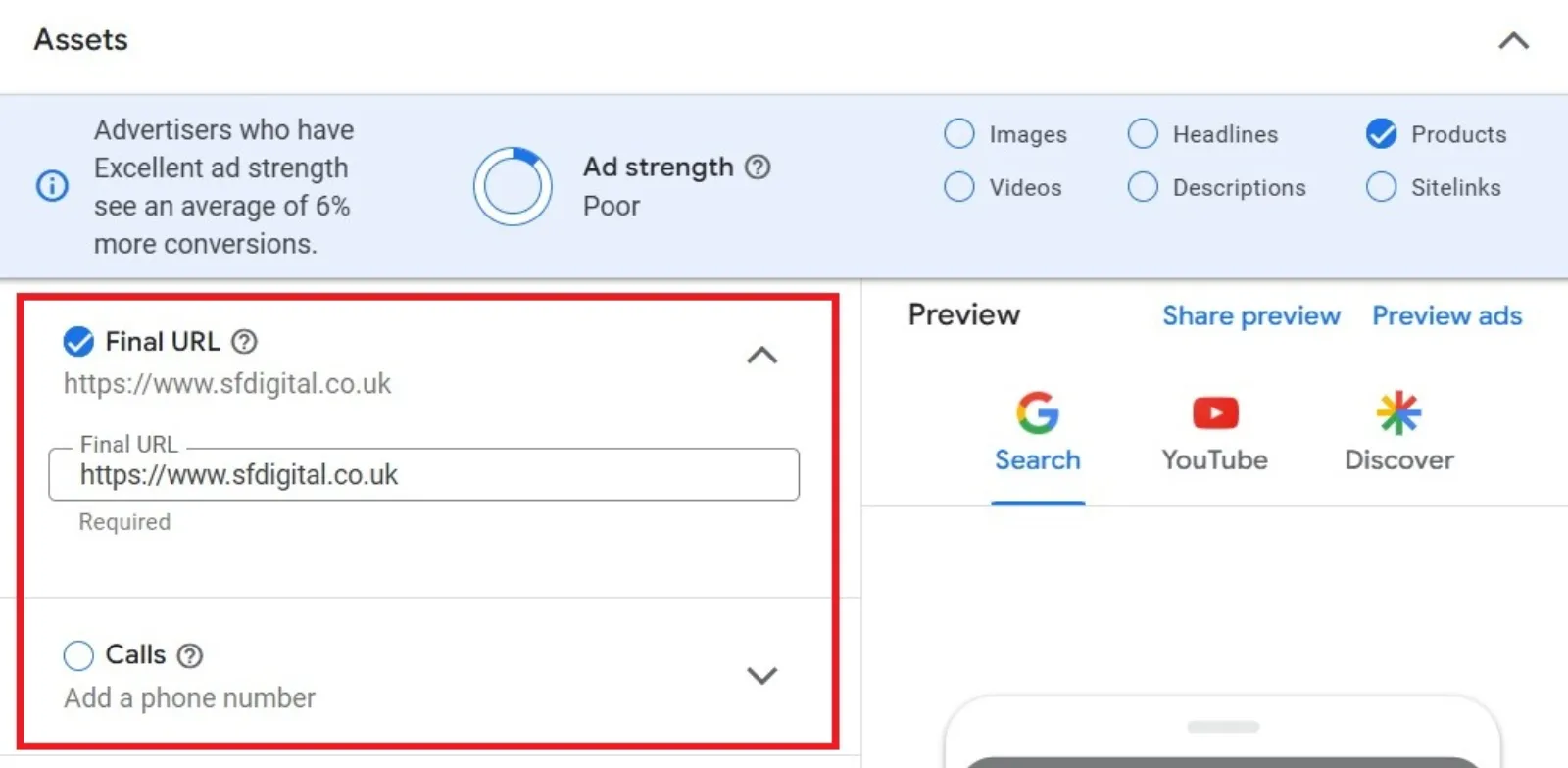
By default, Google might be allowed to create text for your ads or change the webpage link (Final URL) based on your website content. If you want more control, it’s a good idea to switch these off. You can also tell Google to avoid certain pages on your website.
Add Your Assets (Creatives) and Product Groups
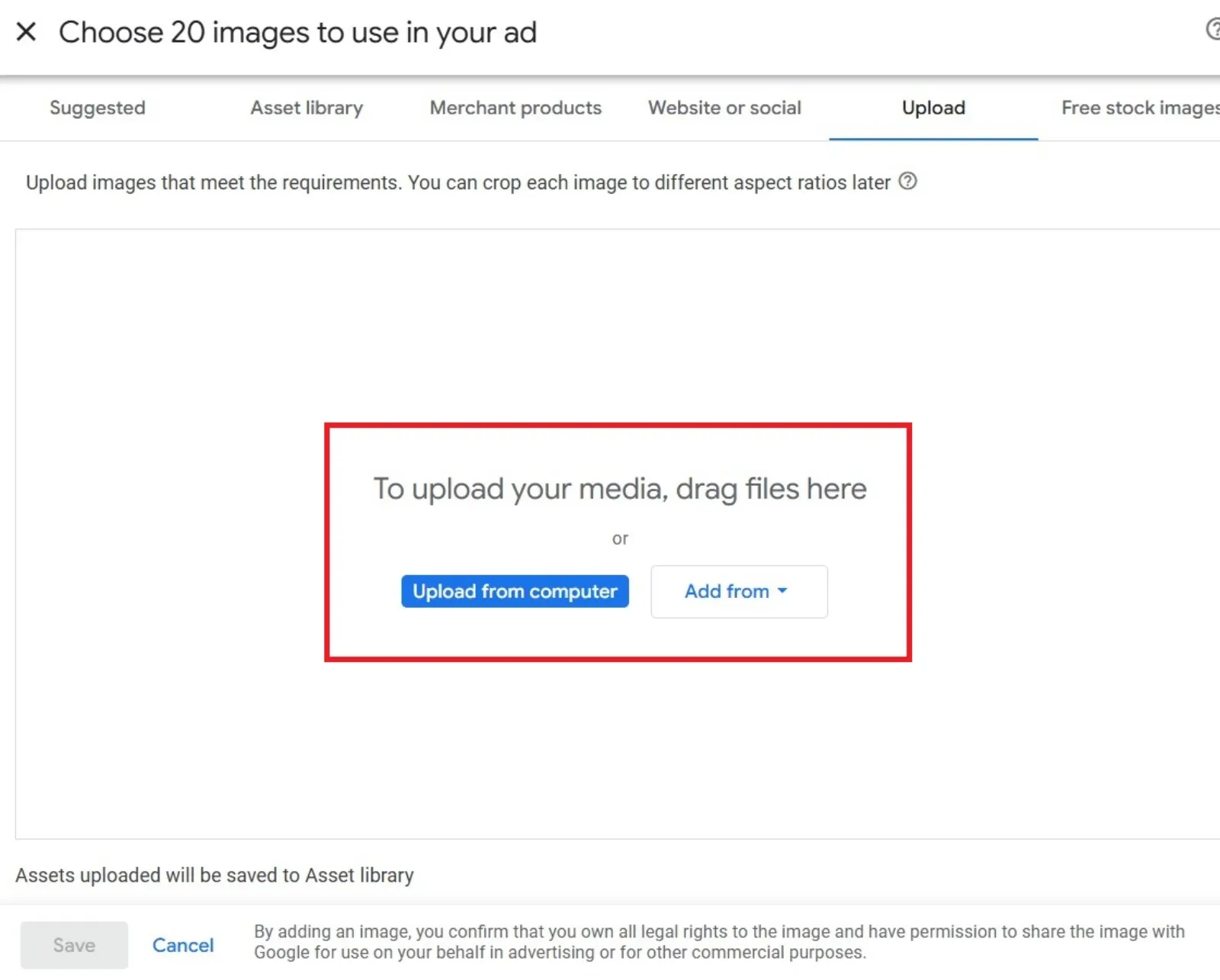
If you have a product feed, adding creative assets (images, videos, text) is optional, but recommended to improve performance. You must confirm your listing groups, which tell Google which products from your feed are included in the campaign. You can include all products or select specific ones. An Asset group is where you put your creative assets and audience hints together.
Review and Publish

Check a summary of your settings and launch your campaign.
Useful Performance Max Features
- Ad Assets: These are extra bits of information that can be shown with your ad to make it more helpful and noticeable, like your phone number, links to specific pages on your site (sitelinks), or your business location. Adding these can help your ad show up higher.
- Audience Signals: You can give Google hints or suggestions about the types of people most likely to convert. This helps guide Google’s smart system, but the campaign might still show ads to people outside these suggestions if it thinks they will help you meet your goals. You can suggest audiences based on their interests, what they’ve searched for, or even using lists of your own customers.
- Insights Tab: While reporting can be limited, this tab can show you which search terms or audience types are performing well after your campaign has been running for a while. It can also show if your campaign is focusing on searches for your brand name or finding new searches.
How to Improve Your Performance Max Campaigns
Even though PMax is automated, you can still do things to help it perform better:
- Optimise Your Product Feed: For retail campaigns, this is crucial. Make sure your product list is detailed and well-structured. Things like using recommended structures for product titles, adding missing information, and using ‘custom labels’ to group products how you want can make a big difference. AI tools can also help with this.
- Campaign Structure: You can create multiple PMax campaigns for specific products or categories to give you more control, but keep in mind that Google recommends a minimum number of conversions per campaign for the system to learn effectively.
- Asset Group Structure: Within one PMax campaign, you can create multiple asset groups (collections of creative assets) for different products or audiences. Each group can have different images, text, etc.. It’s best if each asset group focuses on different products to avoid overlap.
- Optimise Individual Assets: Look at the ‘Asset detail report’ to see how your individual creative pieces (images, text, videos) are performing. Replace low-performing ones and aim to have several “Best” performing assets.
- Use Your Own Videos: If you don’t provide videos, Google will automatically create simple ones. These might not be high quality. It’s better to upload your own if you can.
- Exclude Your Brand Terms: As a best practice, you generally don’t want your generic PMax campaign to show up for people searching for your specific business name (branded terms). These searches often convert easily, and PMax might focus on them instead of finding new customers. It’s better to use regular Search campaigns for branded terms. Currently, you usually need to contact Google support to exclude terms, as you can’t do it yourself directly in PMax.
- Control Where Traffic Goes (Final URL Expansion): PMax can automatically send visitors to the most relevant page on your website. You can choose to either let Google do this (and exclude pages you definitely don’t want ads to link to, like ‘About Us’) or only allow traffic to go to the specific pages you provide or the product pages in your feed. Turning off the automatic option gives you more control.
Specialised Performance Max Strategies
Google also offers specific versions of PMax for certain types of businesses:
- For store goals: Designed to help businesses get more visitors and sales at their physical shops. You link your business location details, and Google helps promote your stores across its network.
- For travel goals: Helps hotels advertise effectively to people looking to book rooms. You link your hotel information, and Google helps promote your hotel across its channels.
Important Things to Do for Best Results
- Accurate tracking is key: Since PMax is automated, it’s absolutely vital that you are accurately tracking your sales or other goals (conversions). This data is what Google’s system learns from.
- Focus on your most valuable goals: Tell PMax to optimise for your most important conversions, like sales revenue.
- Don’t duplicate images: If you’re using a product feed, your product images are already included. Don’t add these same images again as separate assets. Instead, add new, different images like lifestyle shots.
- Be careful with location settings: By default, PMax might target people interested in your location as well as those actually in it. If you only want to reach people physically in your chosen areas, make sure to select the “Presence” setting only.
In Summary
Performance Max is a powerful Google Ads campaign type that uses AI to help businesses get more conversions and conversion value by advertising across all of Google’s channels from a single campaign.
It automates bidding and targeting to save you time. While it offers great potential for increased reach and simplified management, it does mean you give up some control and visibility compared to older campaign types. By providing good data (especially a well-optimised product feed) and following best practices, you can help Google’s smart system work best for your business.
Performance Max can be an effective tool, but its success depends on your specific business goals and the quality of the information you provide. It’s always a good idea to test it out for yourself.

Written by Uzair Kharawala
Partner at SF Digital Studios, a Google Premier Partner agency. Uzair has been helping businesses grow with Google Ads since 2002 and teaches it every week on YouTube.
Get our best Google Ads tips by email
New articles and videos, straight to your inbox. Unsubscribe any time.