
We generally suggest our clients connect their Google Ads account with the Google Analytics account to gain deeper insights about paid traffic generated from the Google Ads campaigns. This helps us improve our perspectives to evaluate further the inbound traffic resulting from your Google Ads.
In this blog post, we’ll go through why it’s vital to link your Google Analytics account to your Google Ads account. We will also explain how to link Google Ads to Google Analytics by following exact simple steps.

Get Found, Get Chosen, Get Your Time Back
A free one-day marketing seminar in Milton Keynes · 10 November 2026
So, let’s dive right in!
Get your free Marketing Action PlanNot sure where to start? Answer a few questions and get your plan in about a minute. No email needed.
Get my plan →Why Should You Link Google Ads with Google Analytics?
Before you learn how to link Google Ads to Google Analytics, let us tell you the importance of linking these two accounts together. To be precise, connecting Google Ads and Google Analytics accounts allow users to see deep insights. In this way, you can upload data from Google Analytics into the Google Ads account to see Google Ads performance statistics inside Google Analytics.
So, having both Google Ads and Google Analytics accounts linked enables you to see more data than what would be displayed in either account individually. Moreover, your reports gain additional functionality, such as special conversion tracking that shows the difference between actual conversions and assisted conversions.
This occurs when a potential customer lands on your website or starts actions such as visiting the website through certain paid ads but leaves before taking any positive action such as making a purchase. So, when we have an additional level of information, it allows us to demonstrate greater ROI and diversify the campaigns to include more kinds of remarketing ads.
Advantages of Linking Google Ads with Google Analytics
You would be able to do the following once you connect your Google Ads account with Google Analytics:
- You will be able to view the performance of your ads with site data in the Google Ads reports in Google Analytics.
- You can import Ecommerce Data & Goals from Google Analytics to Google Ads.
- You can also import data from Google Analytics to Google Ads, such as the Average Session Duration and Bounce Rate.
- Utilise Dynamic Remarketing and Google Analytics Remarketing in your Google Ads remarketing.
- In Google Analytics, you will be able to look at the multi-channel funnels statistics.
How to Link Google Ads to Google Analytics
Now that you know why you should link your Google Ads account to your Google Analytics account – it is time to learn how to link Google Ads to Google Analytics.
Follow the below simple steps to connect your Google Ads account with your Google Analytics account:
Step 1: Go to your Google Analytics account and sign in.
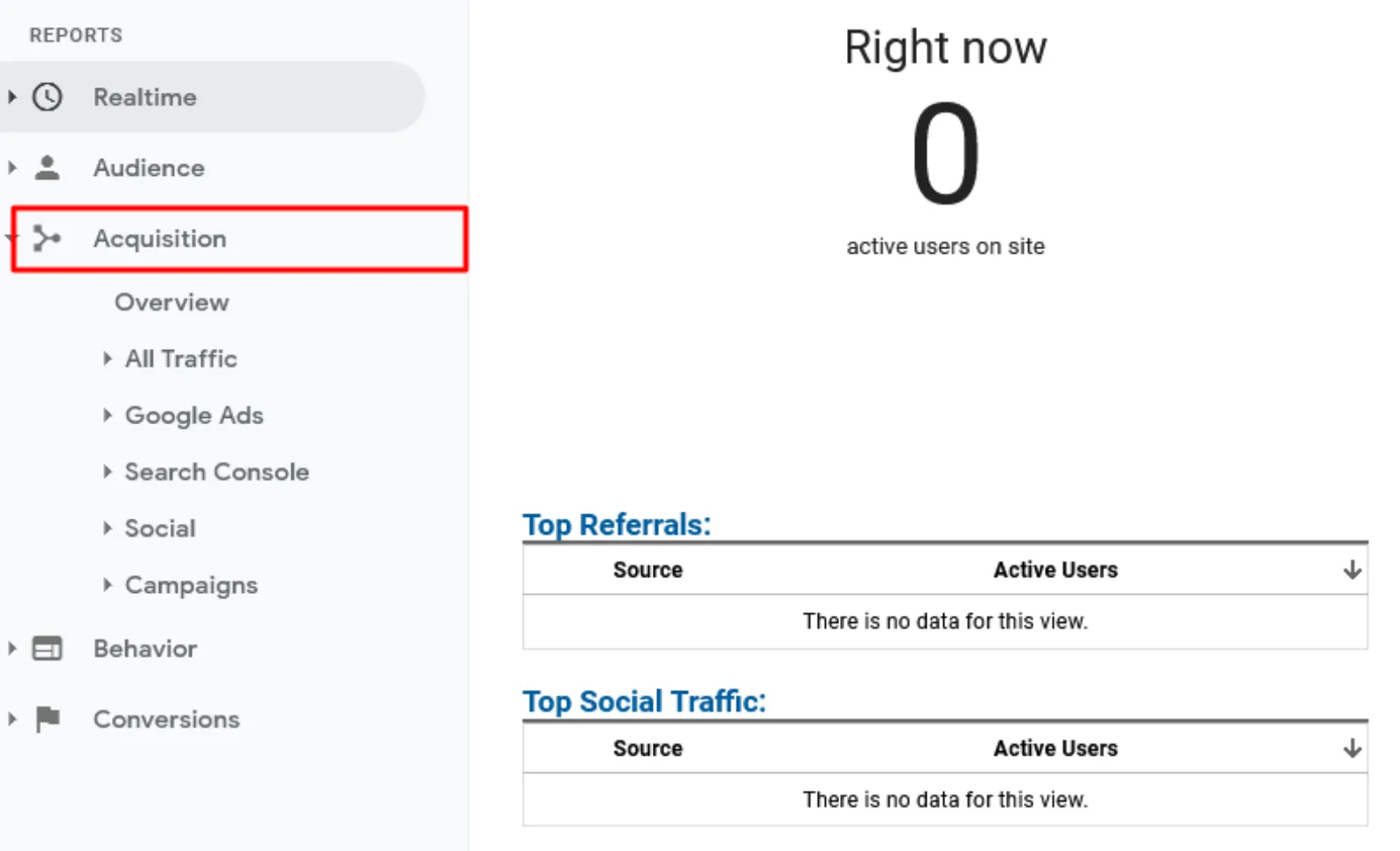
Step 2: Once you’re in the right view, you need to hit on “Acquisition.”
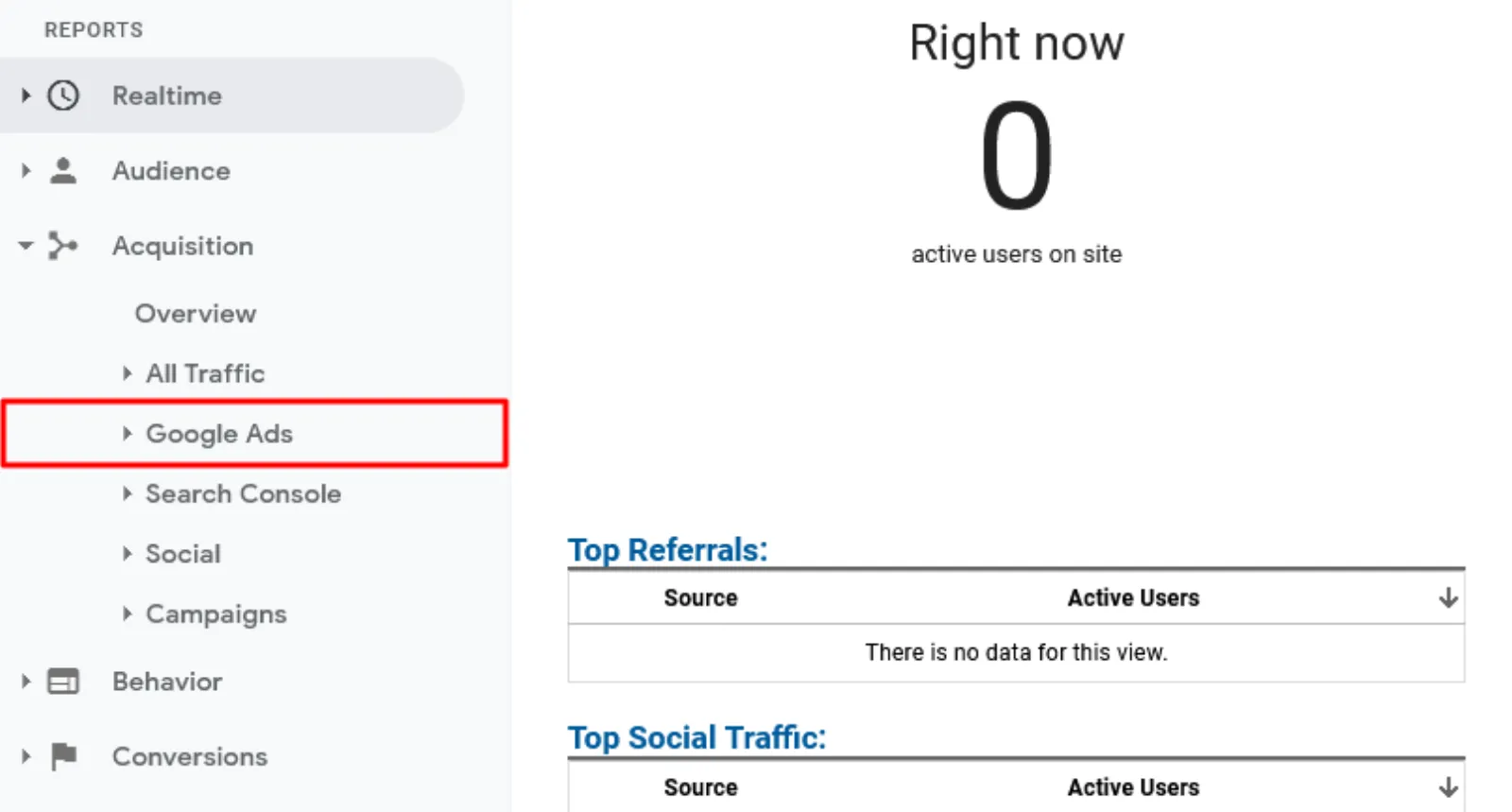
Step 3: Now, you need to select “Google Ads.”
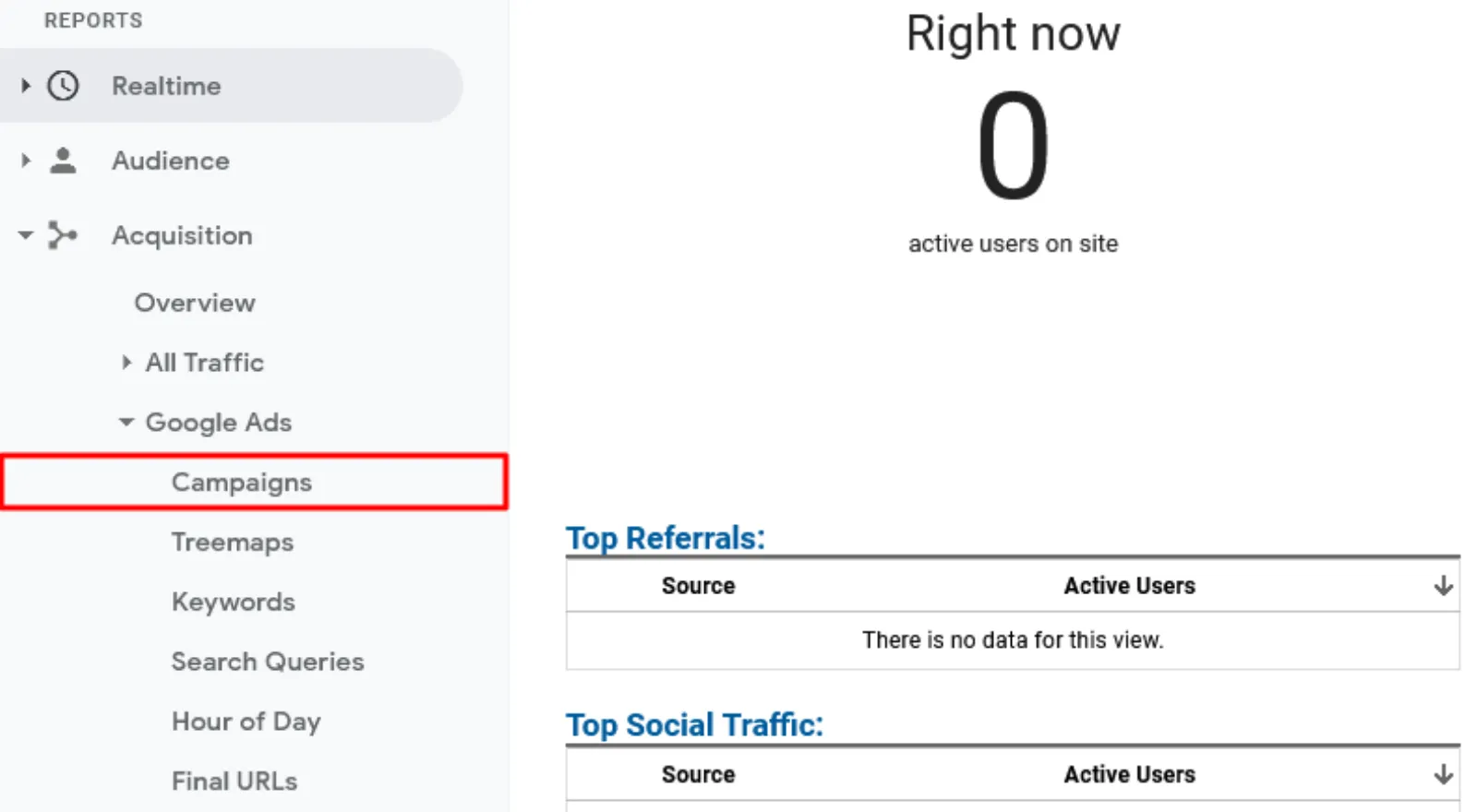
Step 4: It is time to click on “Campaigns.”
 LIVE
Live every Tuesday at 2pm UK. Bring your marketing questions.
Get your Google, local SEO and AI questions answered live.
Step 5: Now, all you should do is click the blue icon that says “Link your accounts.”
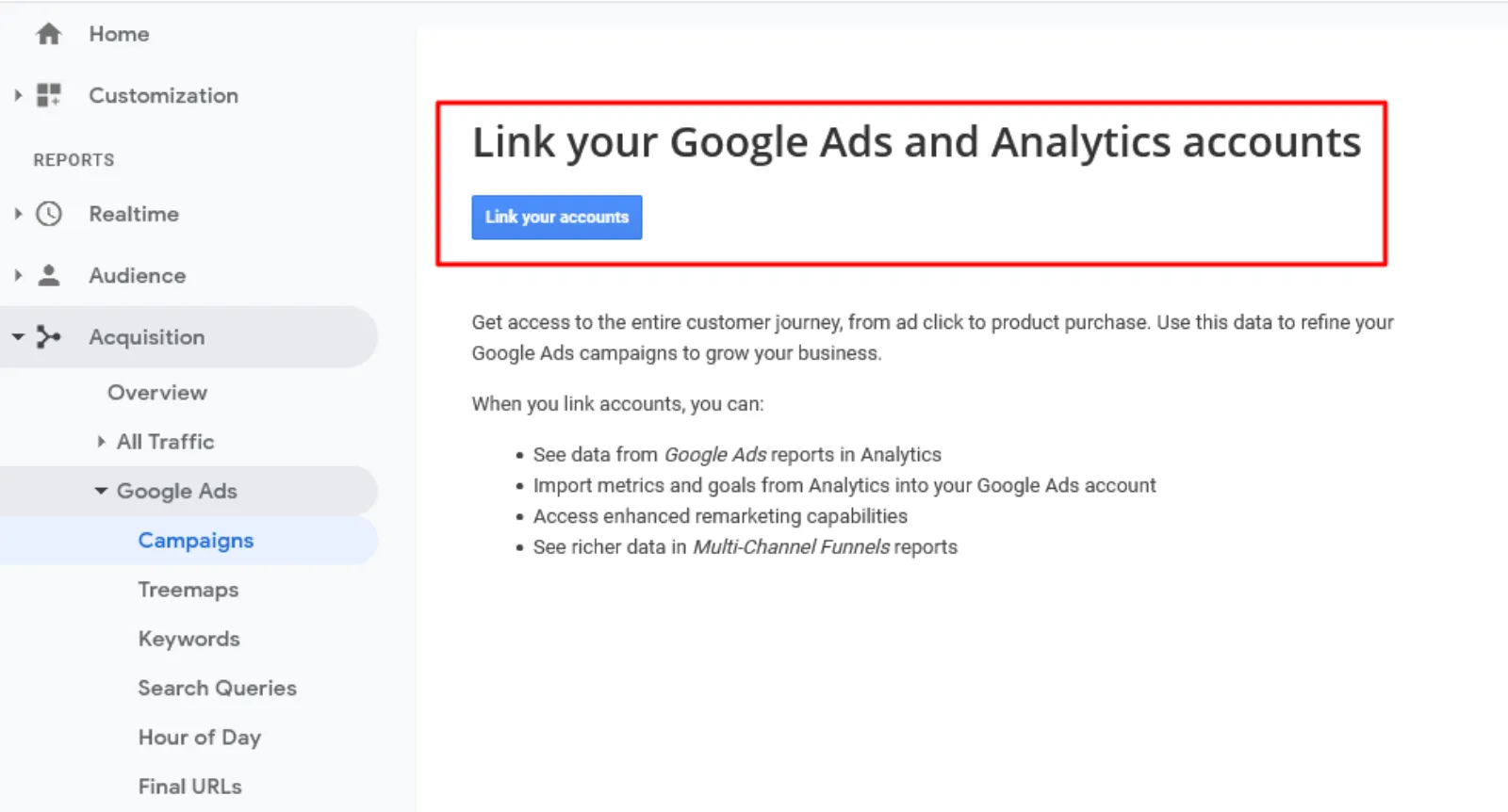
Step 6: Choose the Google Ads account to which you want to link.
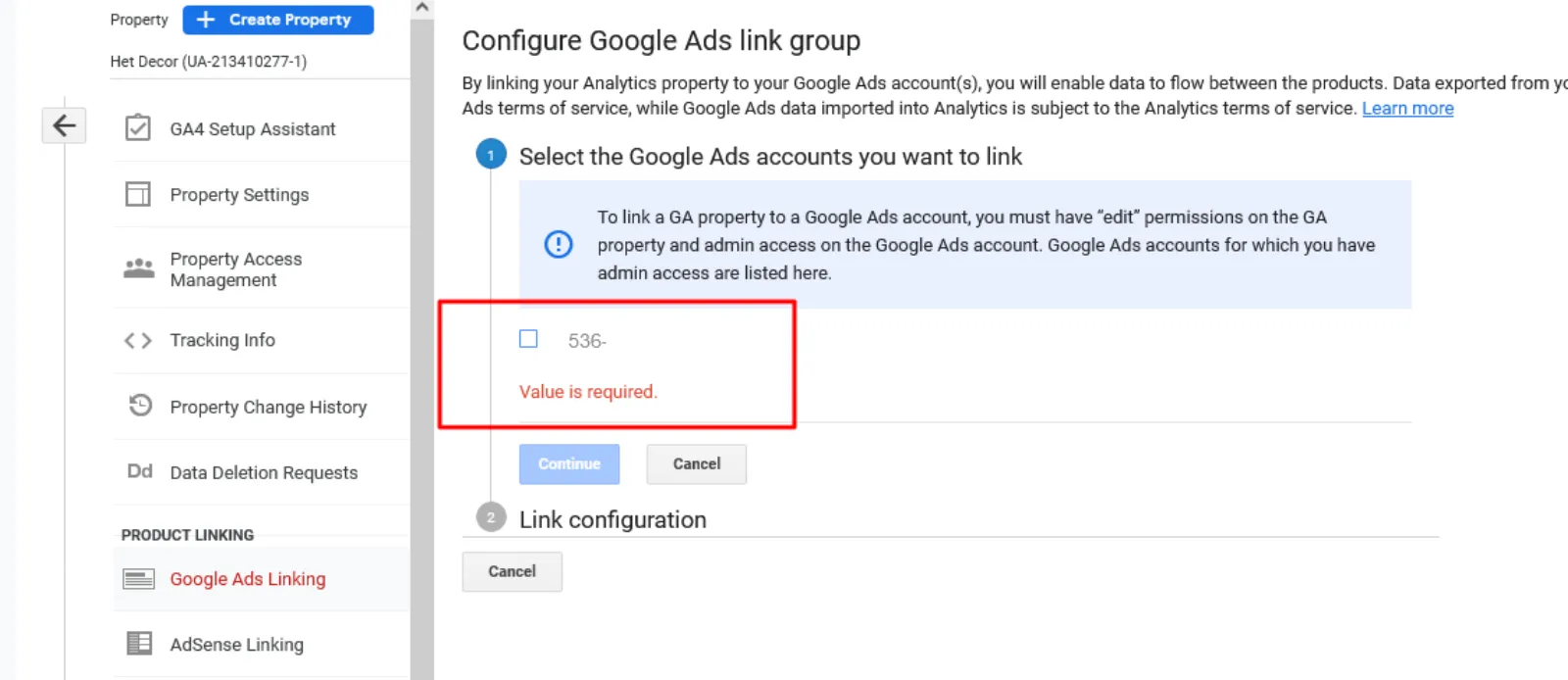
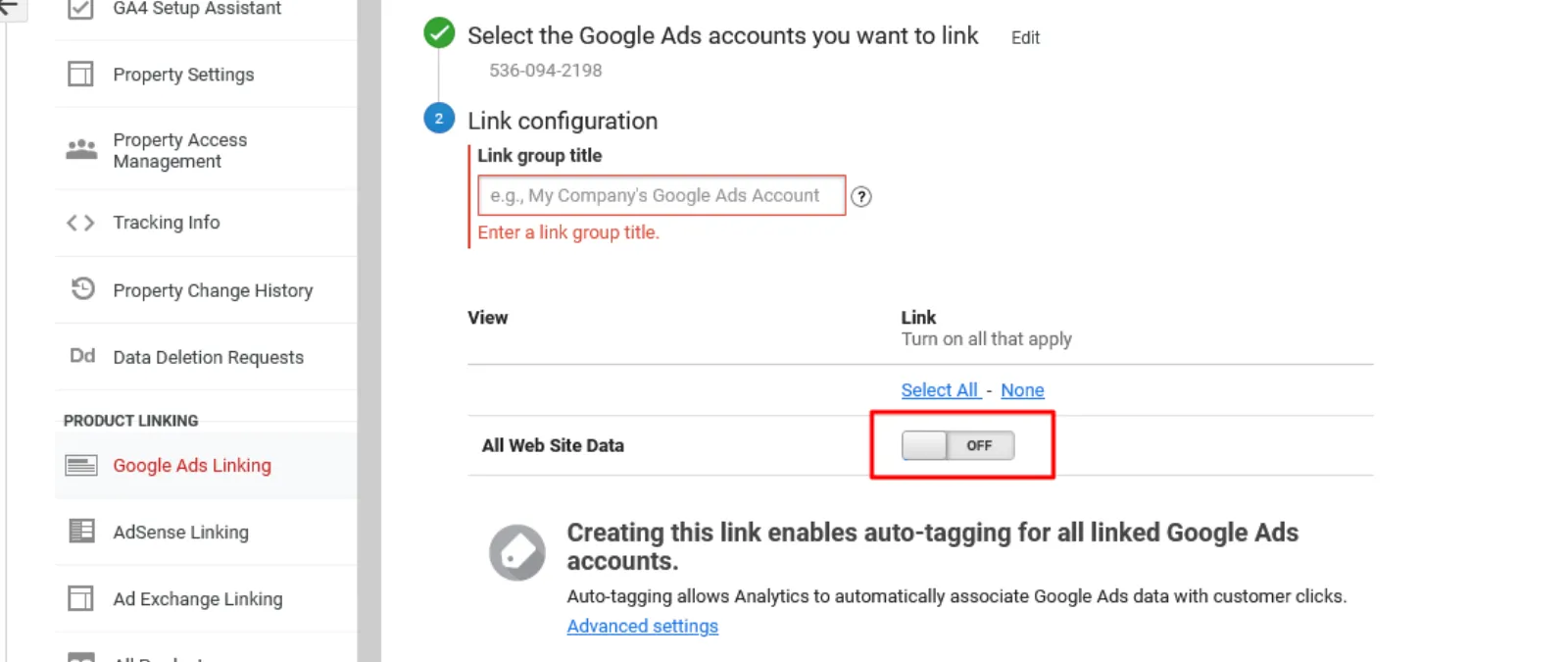
Step 7: If you have many Analytics views, you must enable the views you want to link.
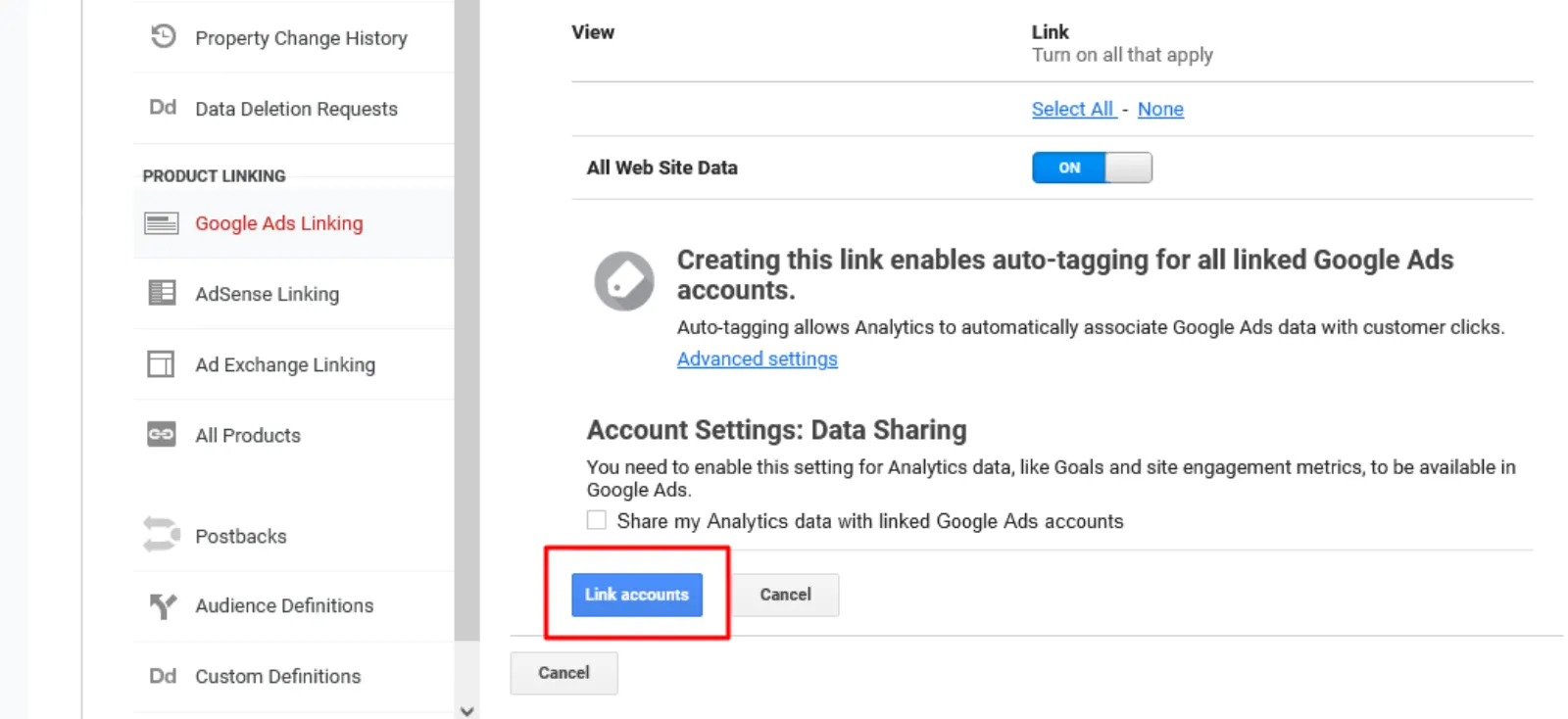
Step 8: Now, you need to select “Link accounts.”
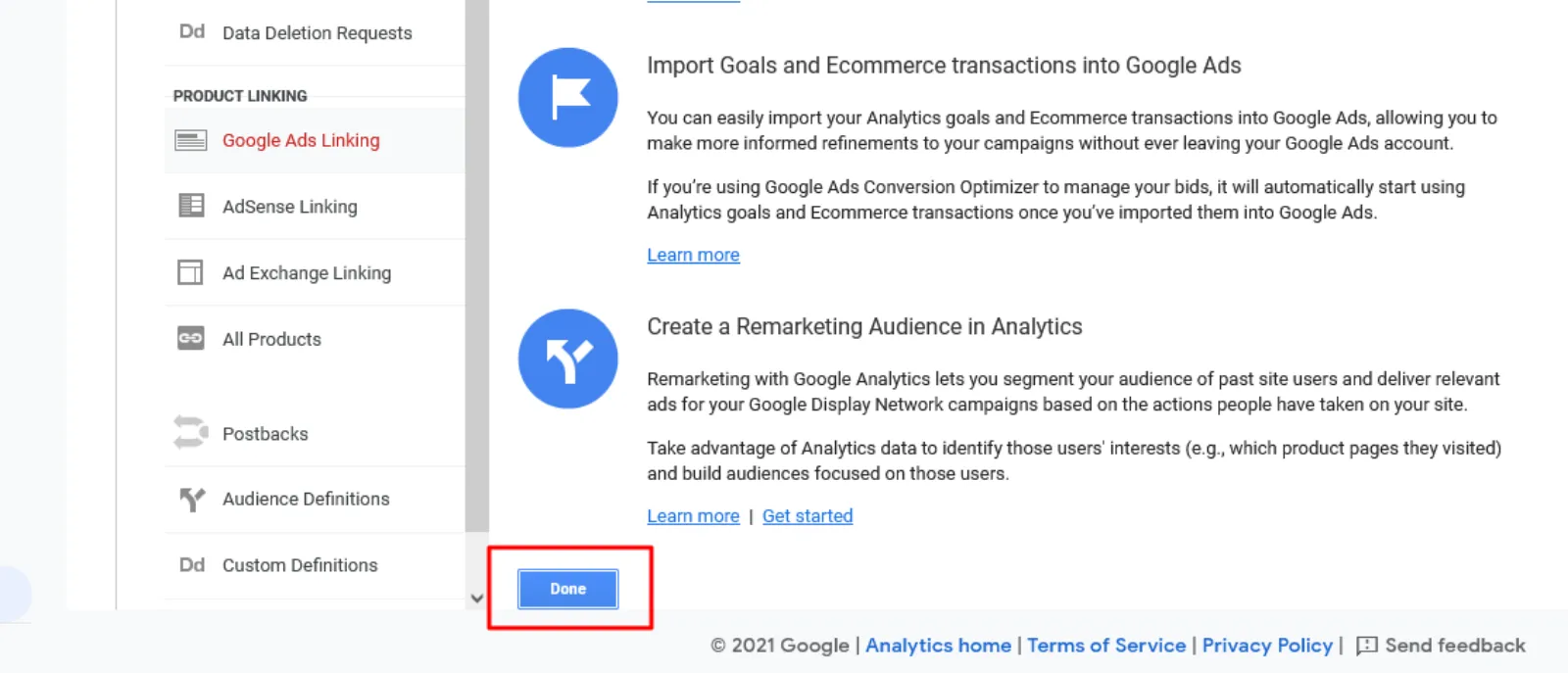
Step 9: Finally, click the blue “Done” button.
Alternative Approach to Link Google Ads Account to Google Analytics.
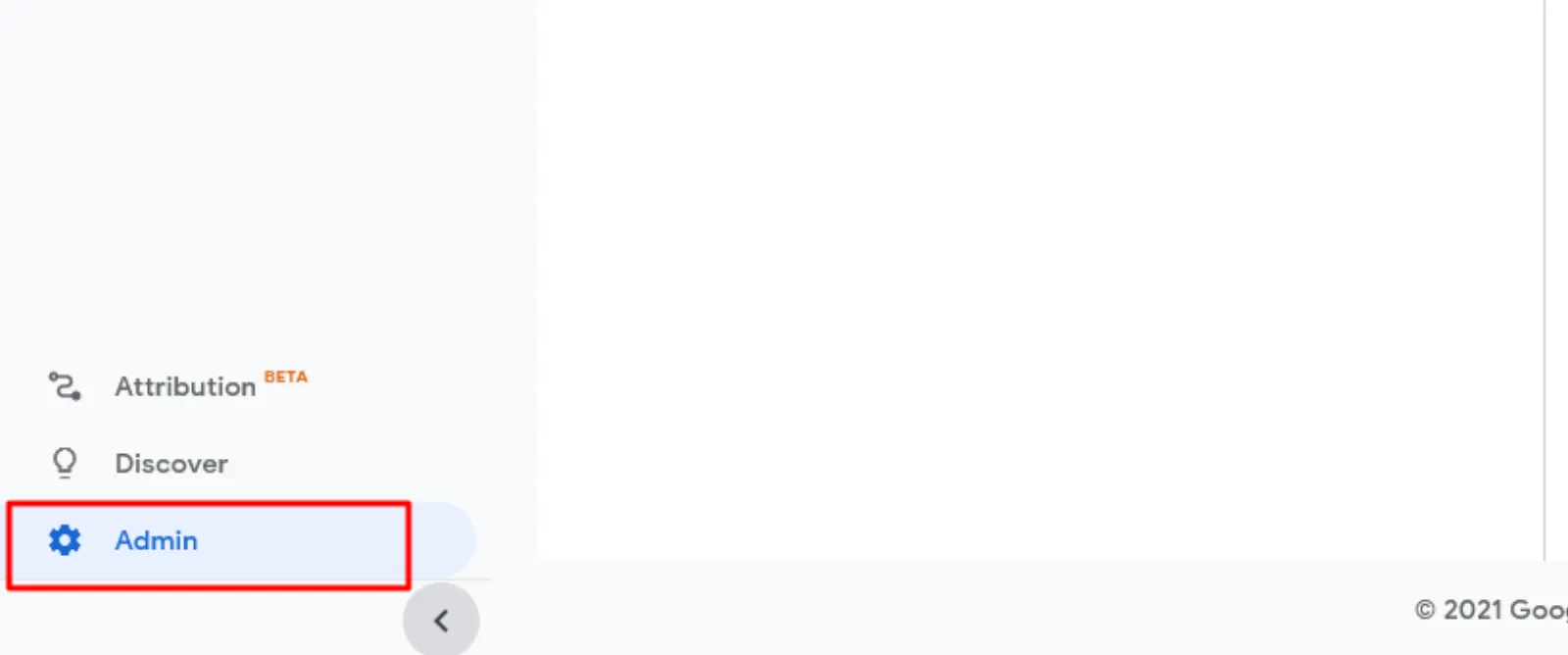
Step 1: In the bottom left corner, select the “Admin settings” button.
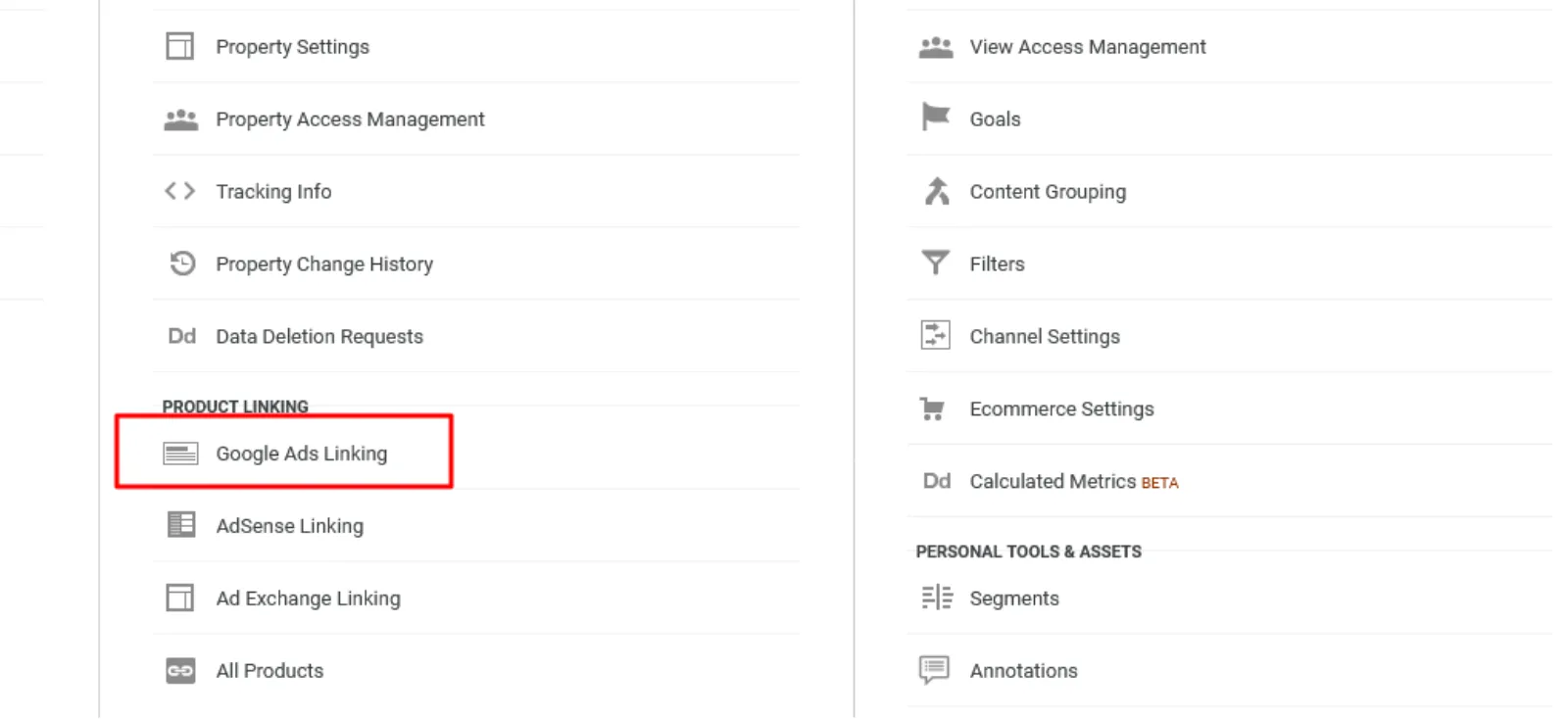
Step 2: Now, you need to click on “Google Ads Linking.”
Step 3: Continue following steps 6 to 9 mentioned above.
Final Words
When starting a new Google Ads campaign, you should link your Google Ads account to your Google Analytics account. Adding more metrics to the Google Ads & Analytics data would assist you to enhance your paid media plan and improving the performance of your Google Ads campaigns.
If you’re just starting out with Google Analytics or Google Ads, then we hope you’ve enjoyed this blog post and that you’ve learned how to link Google Ads to Google Analytics.
Thank you for reading; we are always excited when one of our posts is able to provide helpful information on a topic like this!
If you have a query that wasn’t addressed above, or you’d like to get expert advice regarding your Google Ads campaign, then feel free to contact us. We would love to connect with you and answer any questions you may have!

Written by Uzair Kharawala
Partner at SF Digital Studios, a Google Premier Partner agency. Uzair has been helping businesses grow with Google Ads since 2002 and teaches it every week on YouTube.
Get our best Google Ads tips by email
New articles and videos, straight to your inbox. Unsubscribe any time.