
Running a Demand Gen campaign in Google Ads can be powerful, but only if it’s set up and optimised correctly. Demand Gen campaigns are tailored for discovery, awareness, and mid-funnel engagement, unlike standard search or display campaigns. If you’re finding that results are slow, costs are high, or you’re just unsure if things are running as efficiently as they could be, this guide will help you get back on track.
Let’s break it down step by step. No fluff. Just practical things you can tweak today to start seeing better results.

Get Found, Get Chosen, Get Your Time Back
A free one-day marketing seminar in Milton Keynes · 10 November 2026
1. Start With the Right Campaign Goal
Before you even hit that “Create Campaign” button, make sure you’re clear on what you want the campaign to achieve.
Get your free Marketing Action PlanNot sure where to start? Answer a few questions and get your plan in about a minute. No email needed.
Get my plan →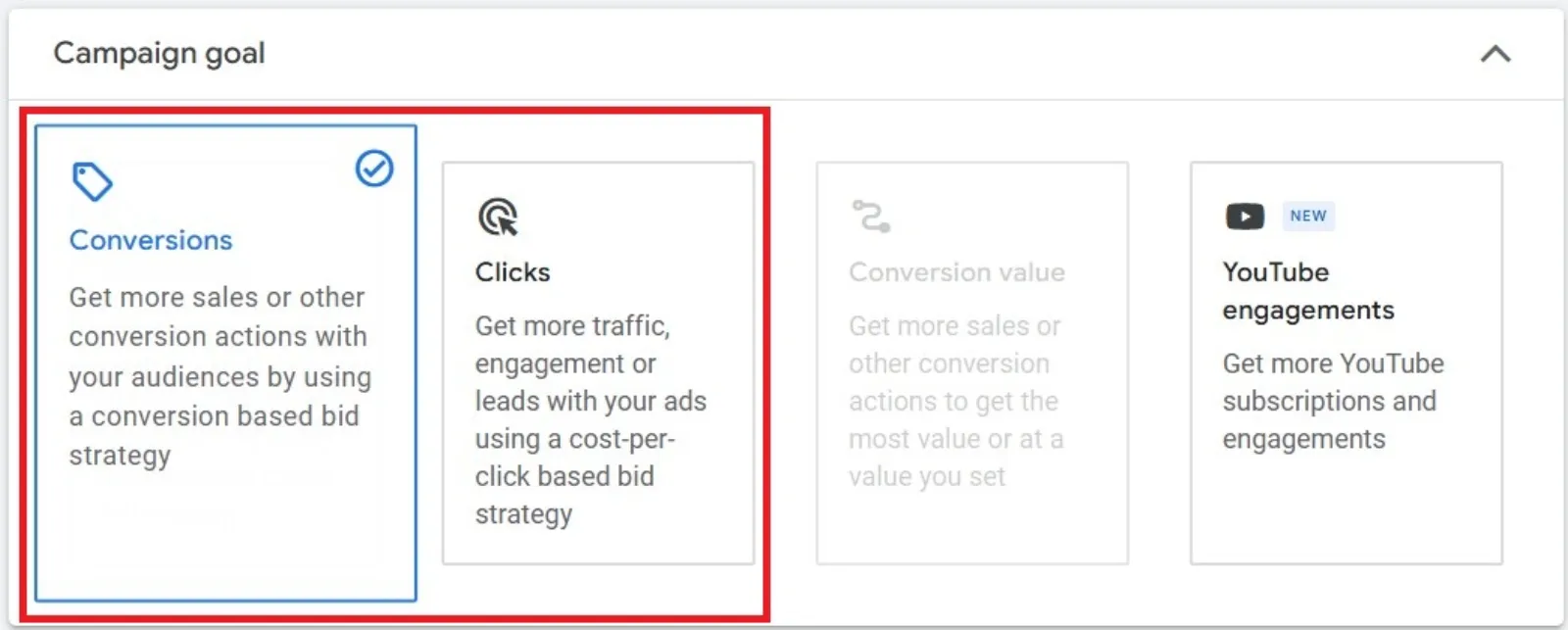
For new Demand Gen campaigns, it’s a good idea to choose “Conversions” or “Clicks” as your primary goal. This gives Google a more straightforward objective and allows the algorithm to optimise around clear signals.
Pro Tip: Only consider switching to “Conversion Value” bidding after your campaign has spent at least $10,000–$15,000. This helps give Google enough data to make smarter bidding decisions. Note that conversion value optimisation isn’t officially supported by Google in Demand Gen just yet, so tread carefully here.
2. Turn Off Google Video Partners
One of the easiest (yet often overlooked) steps: disable Google Video Partners.
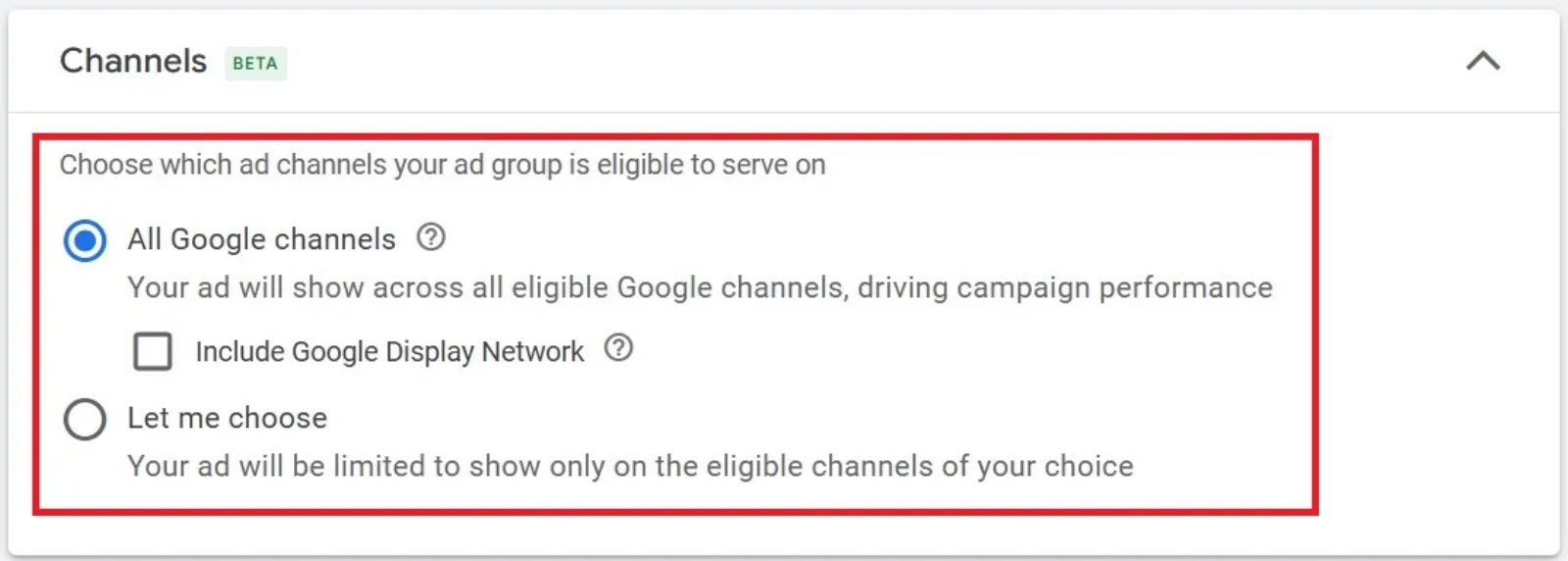
By default, Google might serve your ads across its video partner network. But here’s the issue: these sites may not be high quality or brand-safe. Demand Gen campaigns are best kept within Google’s owned properties like YouTube and Discover, where you have more control.
Quick Fix: Go to your campaign settings and untick the Google Video Partners box.
3. Fine-Tune Your Ad Group Settings
The magic of a well-run Demand Gen campaign happens at the ad group level. Here are the key settings to check:
Optimised Targeting – Go “Light”
Google enables optimised targeting by default. While it can be useful, it can also make your targeting a bit too broad.
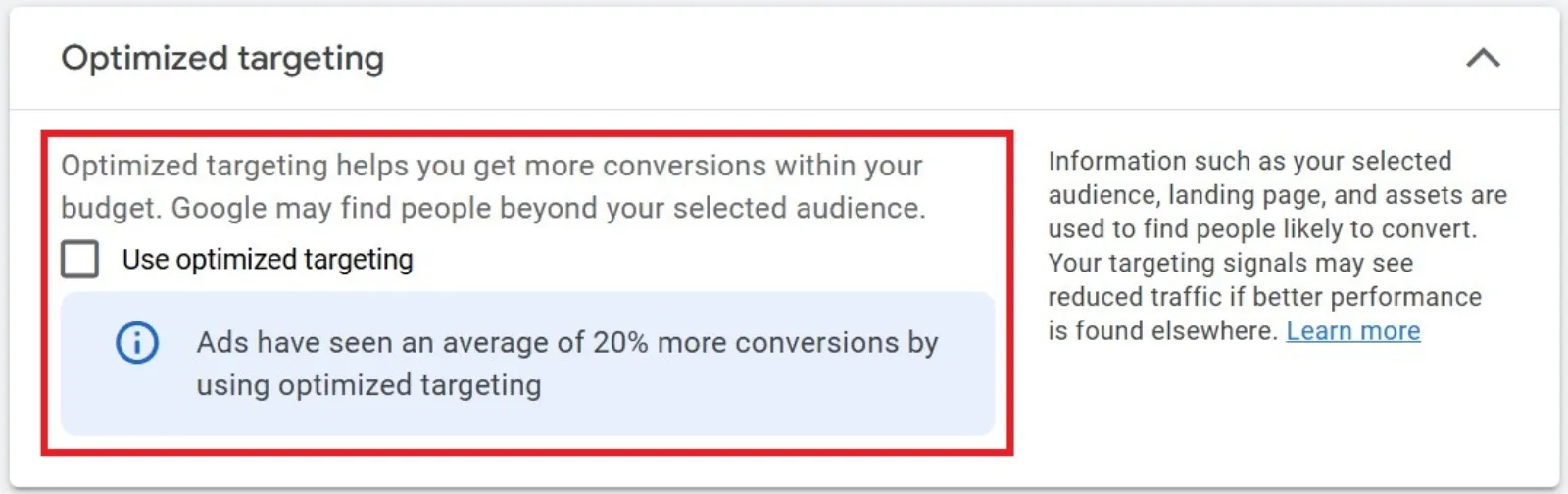
Instead of switching it off entirely, try the “Optimised Targeting Light” version:
- You can find this by selecting the checkbox that limits your ads to people in specific age ranges or gender groups.
- This gives you a nice balance: you’re still letting Google find new users, but with a little more control.
Video Ad Placement – Be Specific
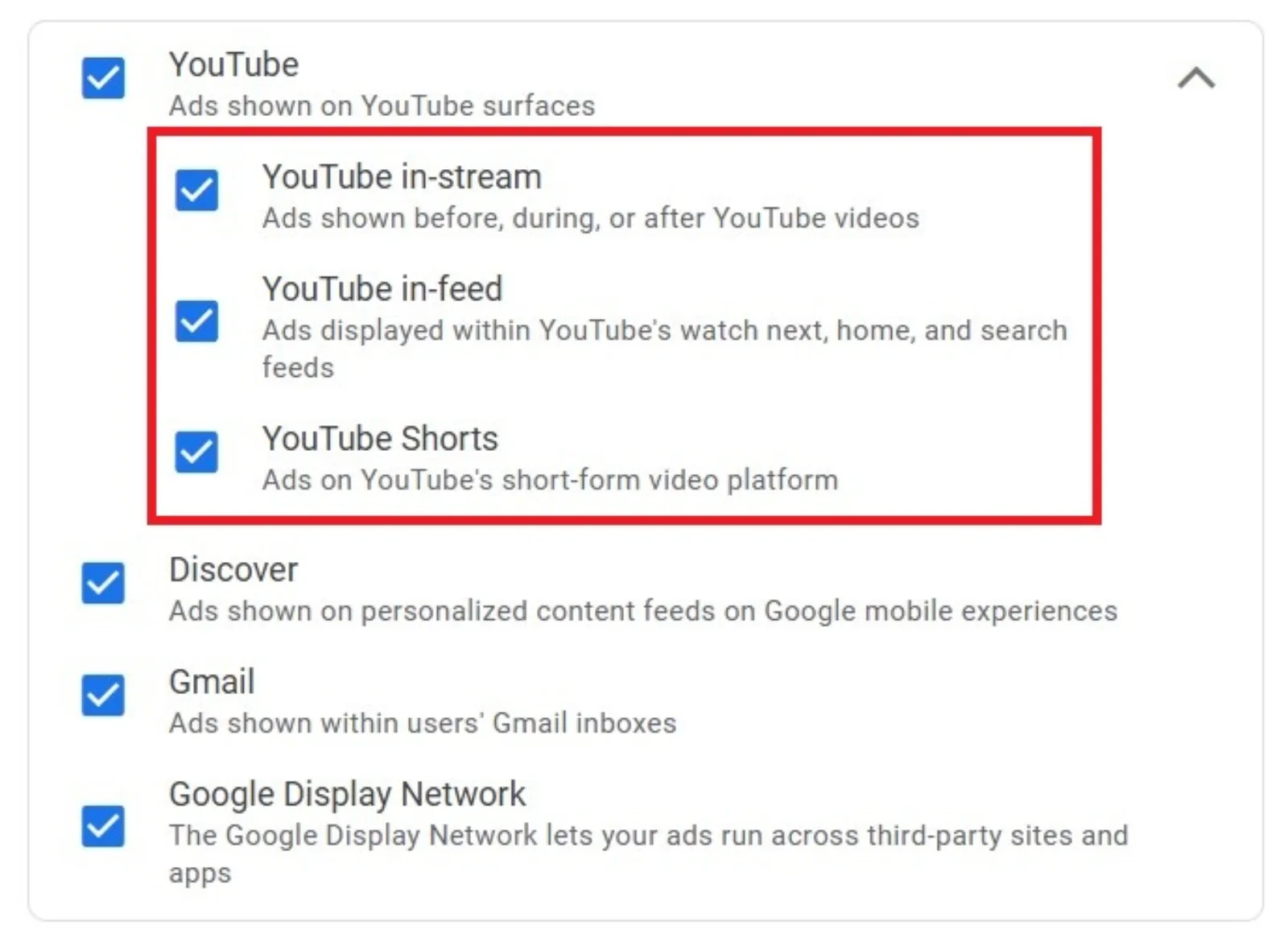
If you’re running video ads, don’t let Google decide where they show by default. You can manually select:
 LIVE
Live every Tuesday at 2pm UK. Bring your marketing questions.
Get your Google, local SEO and AI questions answered live.
- In-stream ads
- YouTube Shorts
- In-feed video ads
This is especially important if you’ve created content in specific formats (like vertical videos for Shorts). Don’t risk a weird-looking thumbnail or a stretched-out video, just tell Google where it should show.
4. Handle Video Enhancements Wisely
By default, Google will try to enhance your videos by creating square or vertical versions. If you’ve already created multiple versions of your video, turn off video enhancements.
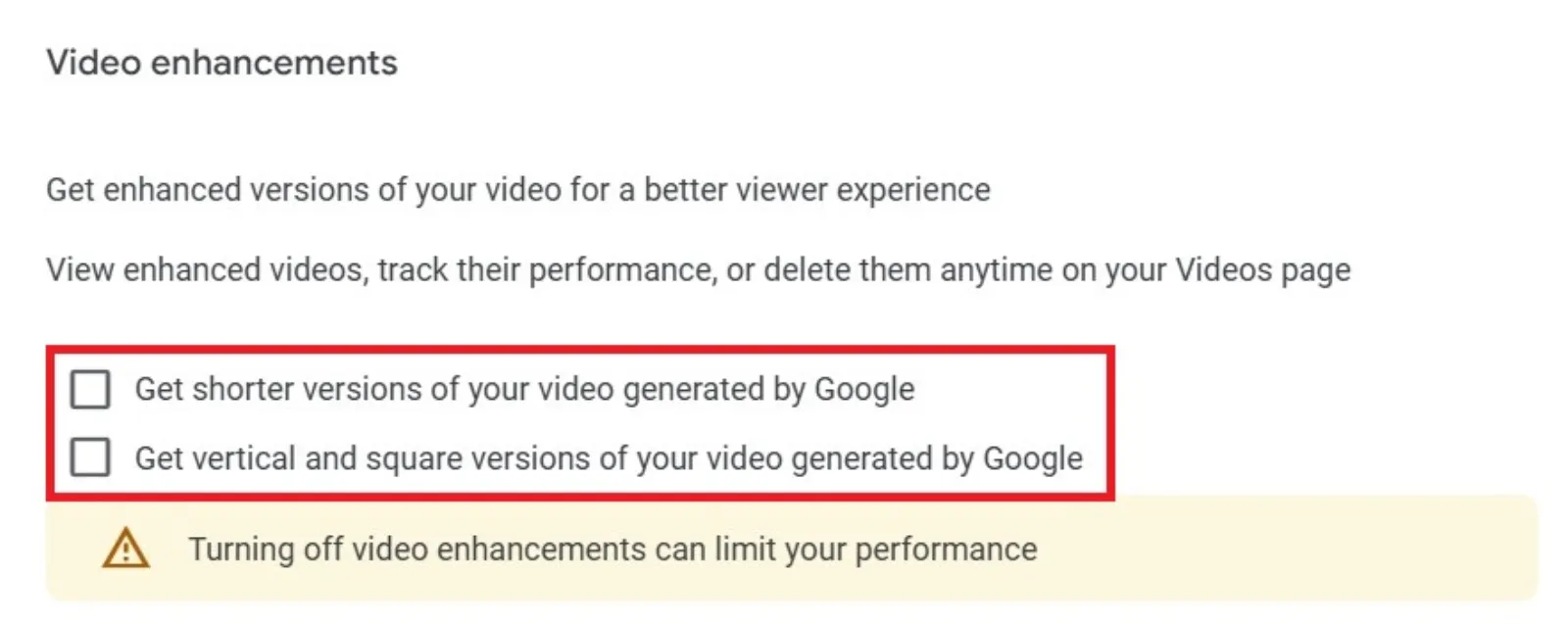
You don’t want Google messing with your creative, especially if they downgrade the quality.
How: Go into the video ad settings and untick the box for video enhancements.
5. Polish Your Ad Assets
Your ad copy and extra links matter more than you think.
Headlines
Use clear, punchy headlines. Demand Gen ads rely heavily on visual and textual engagement. The headline is often the first thing someone reads, so make it count.
Sitelinks
Adding sitelinks can:
- Boost your CTR
- Offer extra navigation options for the user
- Potentially improve your ad quality score
Even if you only link to your homepage, product page, and a top blog post, that’s already enough to give users more reasons to click.
6. Keep an Eye on Budget Distribution
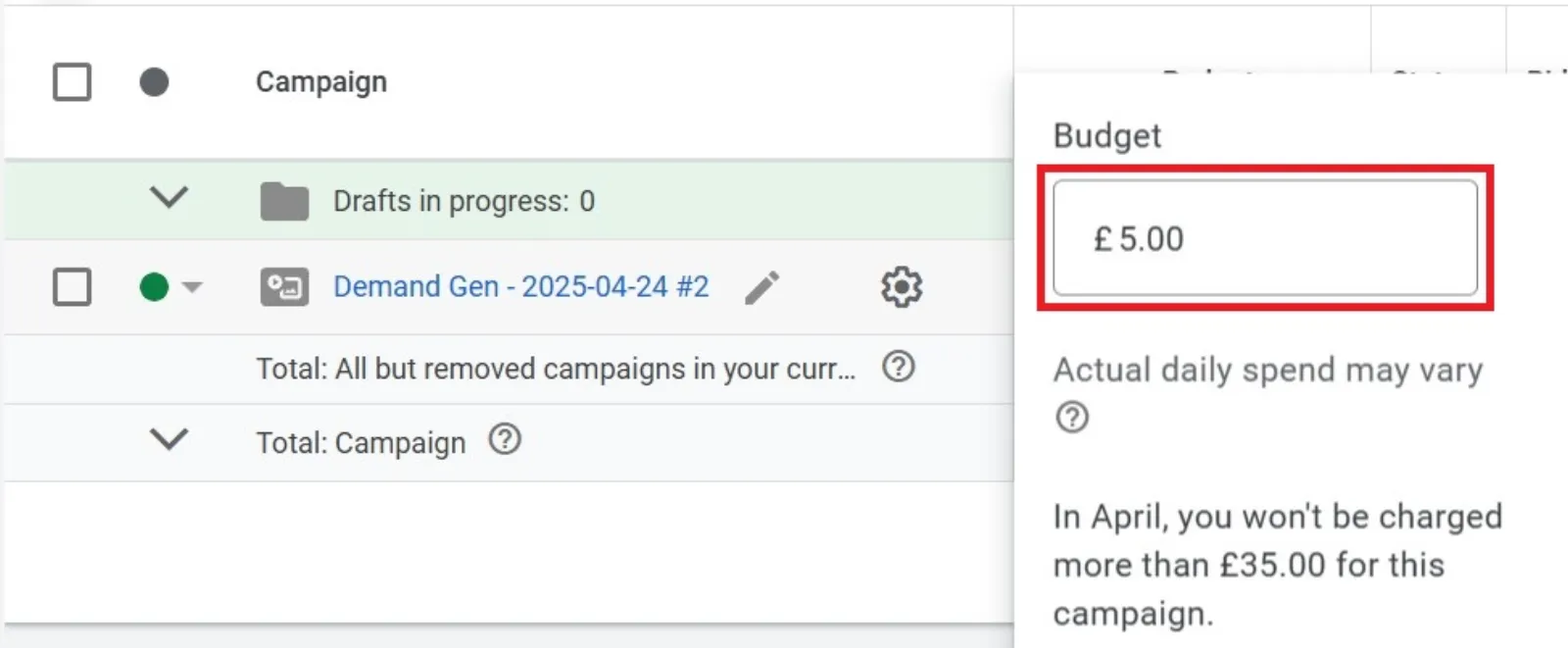
Sometimes, one ad group hogs all the budget while the others barely get any impressions. Keep an eye on this during the early stages of your campaign. If necessary:
- Split campaigns by creative type or format
- Break out audiences into separate ad groups for better budget control
7. Give It Time, But Know When to Tweak
Demand Gen campaigns need some runway to perform. Don’t panic if things are slow in the first week. But if after $2,000–$3,000 in spend, you’re seeing little traction, it’s time to:
- Revisit your creative
- Refine targeting
- Check placement performance
Final Thoughts
Optimising a Demand Gen campaign isn’t about complicated tactics—it’s about smart, intentional setup and regular check-ins. If you:
- Start with conversion or click goals
- Keep Google Video Partners off
- Use the light version of optimised targeting
- Choose specific video placements
- Control video enhancements
- Add solid headlines and sitelinks
…you’re already ahead of the game.
And remember: Google’s automation is helpful, but you still need to guide it with good creative and smart targeting. The more intentional you are upfront, the better your campaign will scale over time.

Written by Uzair Kharawala
Partner at SF Digital Studios, a Google Premier Partner agency. Uzair has been helping businesses grow with Google Ads since 2002 and teaches it every week on YouTube.
Get our best Google Ads tips by email
New articles and videos, straight to your inbox. Unsubscribe any time.