

If you’re diving into the world of Google Ads, you’ve probably encountered the term “smart bidding.” As Google’s advertising platform continues to evolve, smart bidding has made it easier for advertisers to automate the bidding process and focus on driving valuable conversions. But here’s the thing – even in a world where automation reigns, bid modifiers still hold value. So, how do you use them effectively in a smart bidding world? Let’s break it down.
What Is Smart Bidding?
Smart bidding is a Google Ads feature that uses machine learning to automatically adjust bids in real-time. The goal? To help advertisers achieve their objectives, whether that’s generating more sales or increasing the value of conversions. This means that instead of manually setting bids for your ads, Google’s algorithms adjust them based on factors like user behaviour, device type, location, and time of day.

Get Found, Get Chosen, Get Your Time Back
A free one-day marketing seminar in Milton Keynes · 13 January 2027
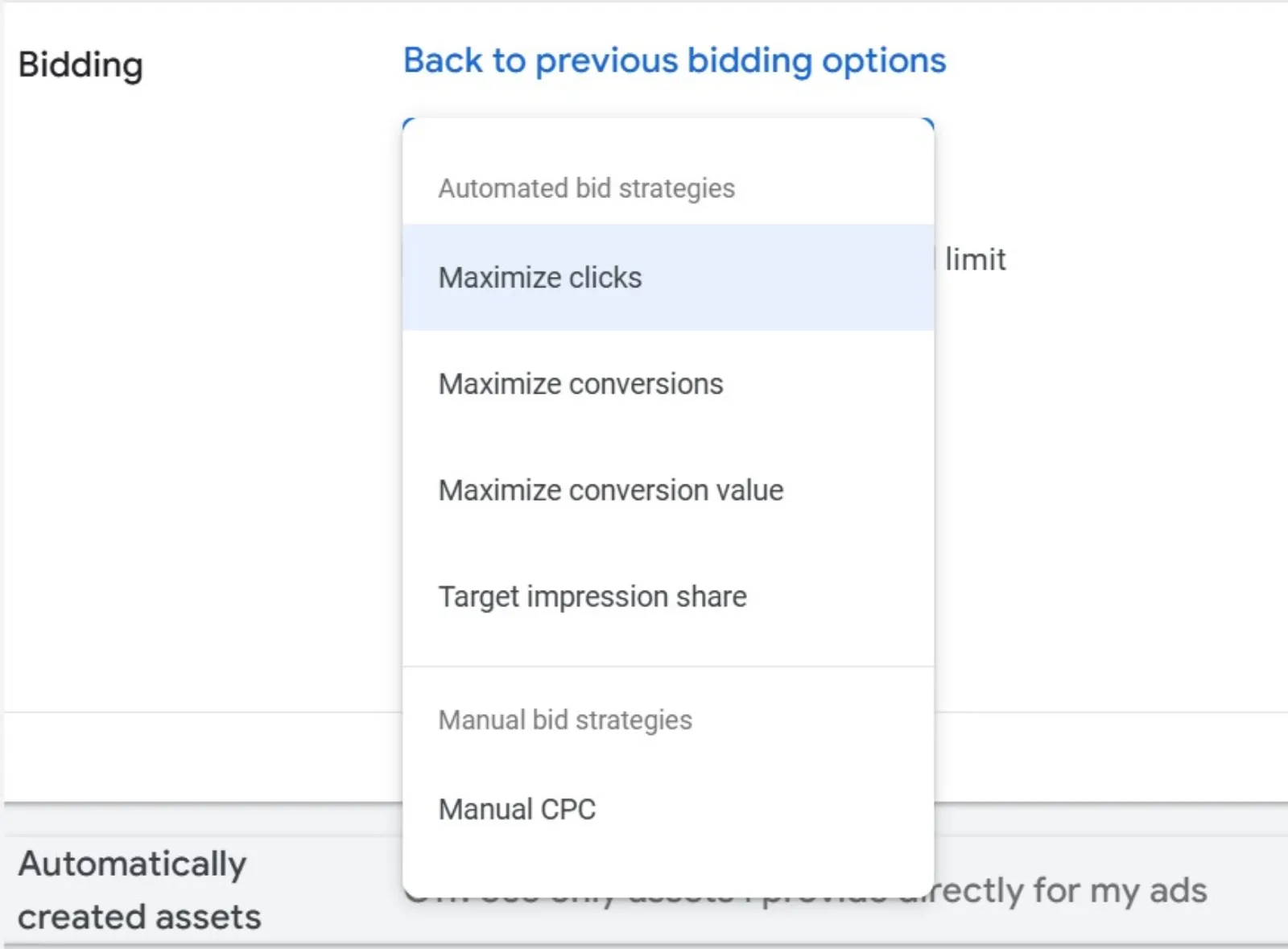
The great thing about smart bidding is that it’s designed to save you time and make your ads more effective by optimising your bids automatically. But while this system is highly efficient, it doesn’t always give you the level of control you might want over who sees your ads or when. This is where bid modifiers come into play.
Get your free Marketing Action PlanNot sure where to start? Answer a few questions and get your plan in about a minute. No email needed.
Get my plan →What Are Bid Modifiers?
Bid modifiers are adjustments that you can make to your bids based on specific conditions. They’re like manual controls that work alongside smart bidding to help you fine-tune your campaigns. Even though smart bidding automates much of the process, bid modifiers give you a bit of extra flexibility and control, allowing you to adjust your bids based on:
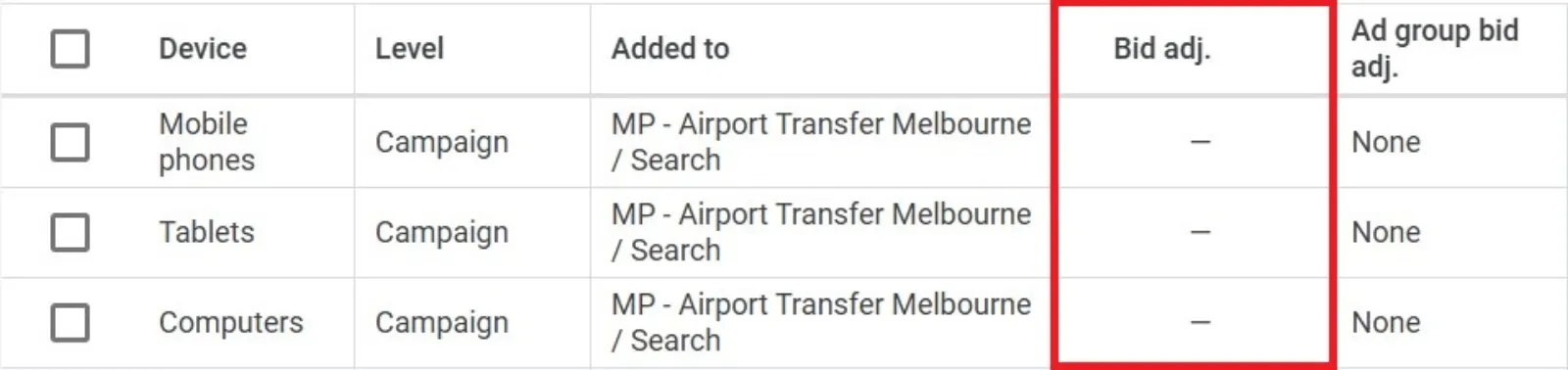
Device type: Do you want to bid higher for mobile users? Or perhaps tablet users are performing better than desktop users, so you want to allocate more budget toward them.
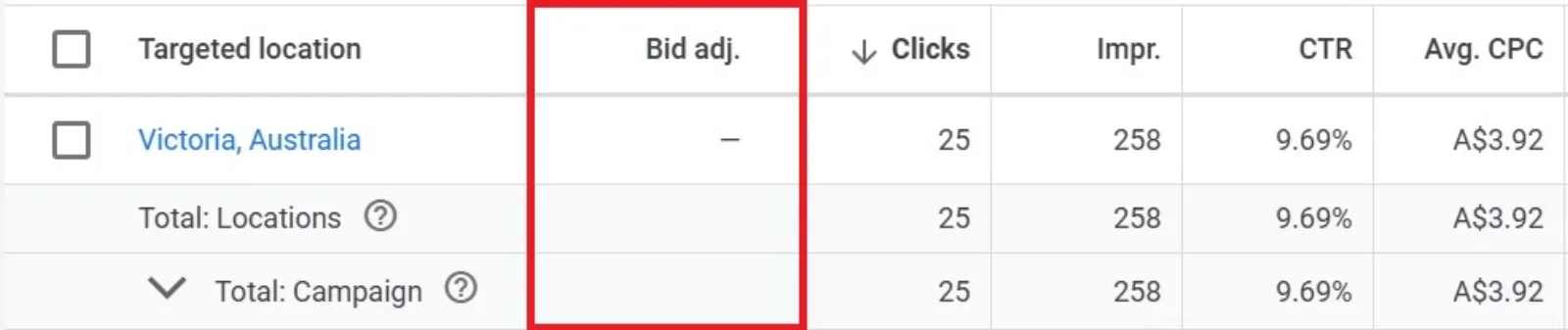
Location: If you’re targeting specific regions or cities, you can adjust your bids based on the location of the person who is searching.
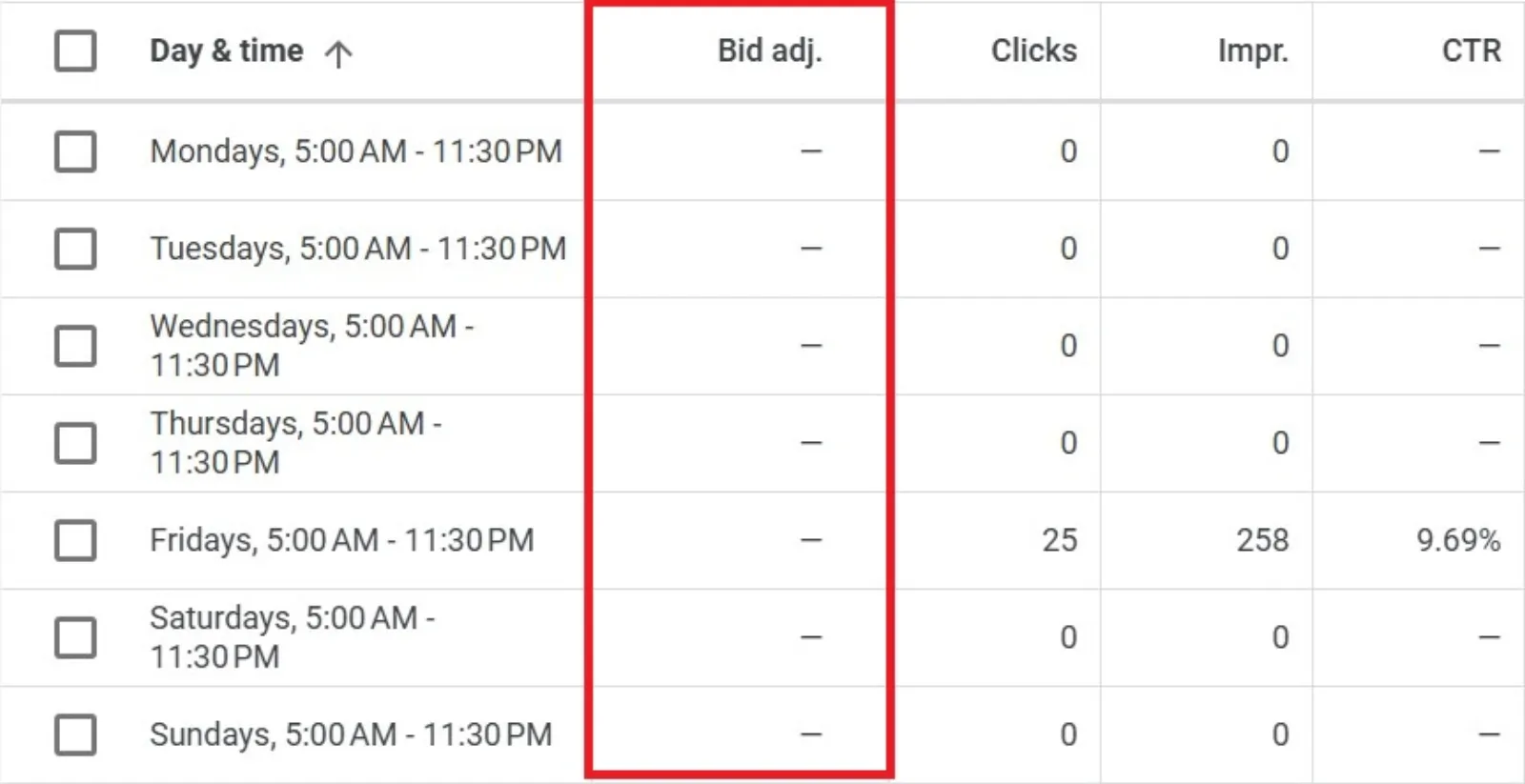
Time of day or day of the week: Is there a certain time when your ads perform better? Use bid modifiers to increase your bids at high-performing times or decrease them when they’re underperforming.
 LIVE
Live every Tuesday at 2pm UK. Bring your marketing questions.
Get your Google, local SEO and AI questions answered live.
These modifiers can make a huge difference in your campaign’s success. They allow you to zero in on the most valuable traffic and ensure that you’re making the most of your budget.
Using Bid Modifiers with Smart Bidding
Here’s where things get interesting. Although smart bidding automates much of the process, you can still use bid modifiers to adjust your campaigns based on factors like device, location, and time.
However, not all smart bidding strategies allow for bid modifiers. Some strategies give you more flexibility than others. For example, the “Maximise Clicks” bidding strategy is more flexible and allows you to use bid modifiers, while other smart bidding strategies like “Target CPA” or “Target ROAS” may limit your ability to manually adjust bids.
When You Can’t Use Bid Modifiers
So, what happens if you’re using a smart bidding strategy that doesn’t allow for bid modifiers? Don’t panic – there are still ways to get the control you need.
- Choose the Right Smart Bidding Strategy: The first step is to select the smart bidding strategy that aligns with your goals. For example, if you need more control over device bidding, you might want to opt for “Maximise Clicks,” which provides more flexibility with bid modifiers.
- Use Negative Bid Adjustments: If certain devices or locations are underperforming, you can use negative bid adjustments to decrease your bids for those areas. In some cases, you might even choose to reduce your bids by 100%, essentially excluding low-performing traffic from your campaigns.
- Organise Your Campaigns by Device, Location, or Audience: If you’re running a smart bidding strategy that doesn’t support bid modifiers, you can work around this by creating separate campaigns for different devices, locations, or audiences. This allows you to apply different bidding strategies and budget allocations to each campaign, giving you more control over your ads.
- Leverage Exclusions: Exclusions are another powerful tool. You can use them to stop showing your ads to users or demographics that aren’t performing well. For example, if you notice that a certain demographic is not converting, you can exclude them from your campaign entirely.
- Use Value-Based Bidding: If you want to get even more granular, consider using value-based bidding. This strategy tells Google which types of customers are more valuable to your business. By prioritising high-value conversions, Google will optimise your bids accordingly, which can help improve your return on investment.
- Monitor Device Performance: Even with smart bidding, you should regularly monitor how your ads perform on different devices. By analysing this data, you can adjust your bids to spend more on devices that generate good results and less on devices that are underperforming. Tools like Adpulse can help you keep track of these metrics.
The Takeaway
In a smart bidding world, you don’t have to completely relinquish control over your bids. Bid modifiers still play an essential role in optimising your campaigns and improving your ad performance. While smart bidding automates much of the work, bid modifiers give you a way to fine-tune your bids for specific conditions, ensuring that your ads reach the right audience at the right time.
The key to using bid modifiers effectively is understanding how they work alongside your smart bidding strategy. While there are some limitations, with the right adjustments, you can achieve better results and ensure that your advertising budget is working hard for you.
In short, while the smart bidding process takes much of the guesswork out of the equation, bid modifiers allow you to add your personal touch to campaigns, making them more tailored and effective.

Written by Uzair Kharawala
Partner at SF Digital Studios, a Google Premier Partner agency. Uzair has been helping businesses grow with Google Ads since 2002 and teaches it every week on YouTube.
Get our best Google Ads tips by email
New articles and videos, straight to your inbox. Unsubscribe any time.