
Video ads are everywhere now. Whether you’re scrolling through YouTube Shorts or watching a cooking tutorial, chances are, a video ad is waiting for you. But here’s the thing—if you’re running your video campaigns through Google Ads and only looking at conversions, you’re missing half the story.
Let’s break it down. This guide is for marketers who are newer to video advertising and want to make sure their efforts are working. We’ll walk through the key metrics you need to monitor if you want better returns and smarter strategies.

Get Found, Get Chosen, Get Your Time Back
A free one-day marketing seminar in Milton Keynes · 10 November 2026
1. Impressions: Where the Journey Starts
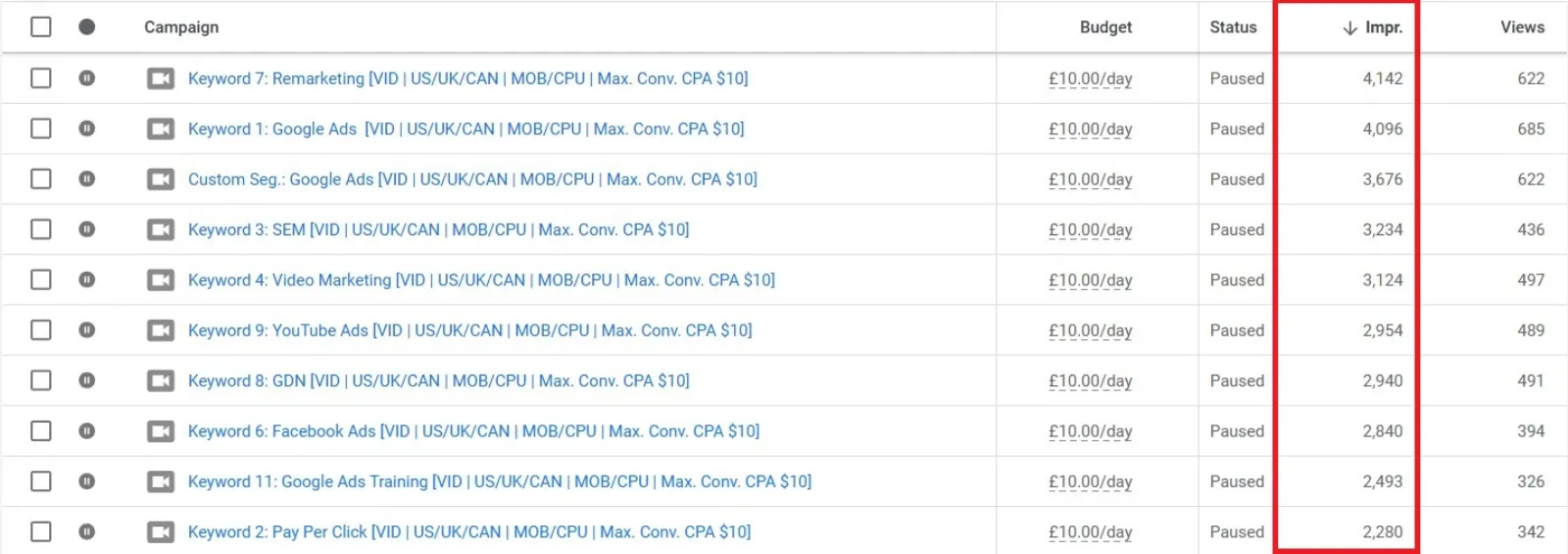
Impressions show how many times your ad has been shown. But with video, impressions don’t all mean the same thing.
Get your free Marketing Action PlanNot sure where to start? Answer a few questions and get your plan in about a minute. No email needed.
Get my plan →- Instream ads: An impression is counted only when the video starts playing.
- Infeed ads: It’s counted when the ad appears on-screen, not when someone clicks to play it.
- Shorts ads: Similar to instream, impressions are counted once playback starts as users scroll.
So, impressions in video campaigns tell you when and how your ad shows up, which is the first sign of exposure.
2. Views: Did They Watch It?
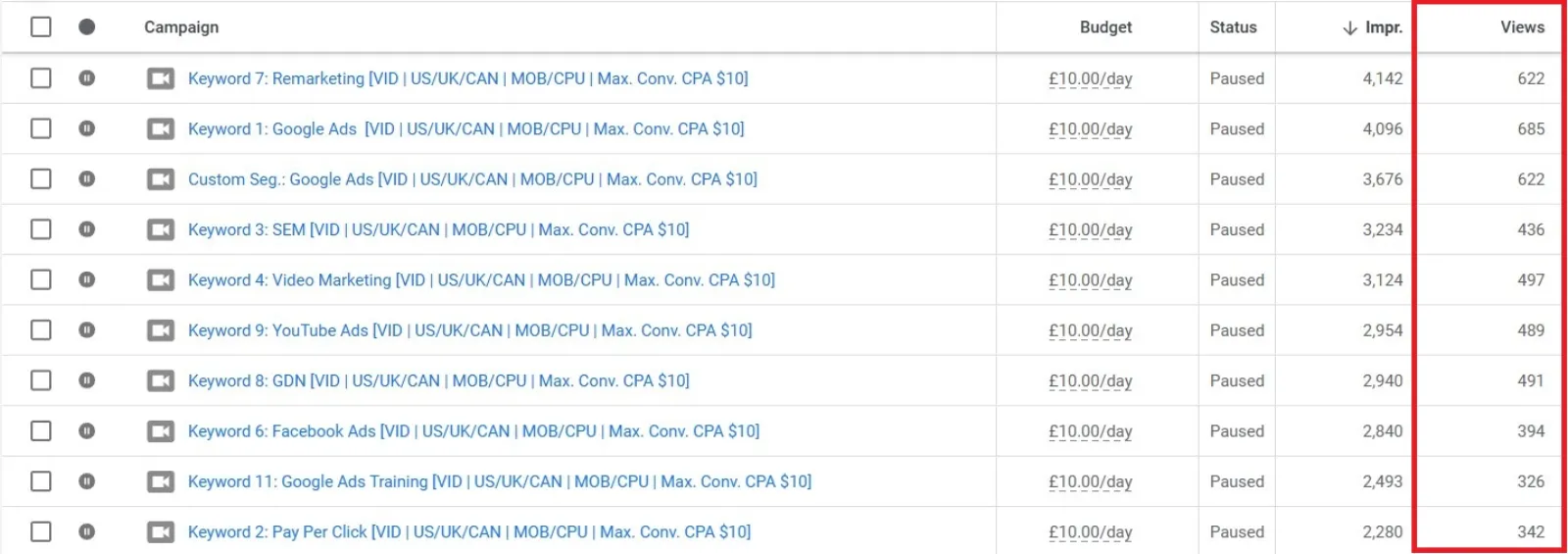
A “view” might sound straightforward, but it depends on the type of ad.
- Instream: A view counts if someone watches 30 seconds, the whole ad if it’s shorter, or clicks on it.
- Infeed: A view happens only when someone clicks the thumbnail to watch it.
- Shorts: A view is counted if they watch 10 seconds, the whole video (if it’s under 10 sec), or click the CTA.
This metric is key to knowing if your creative is capturing attention, not just being shown.
3. View Rate: Who’s Interested?
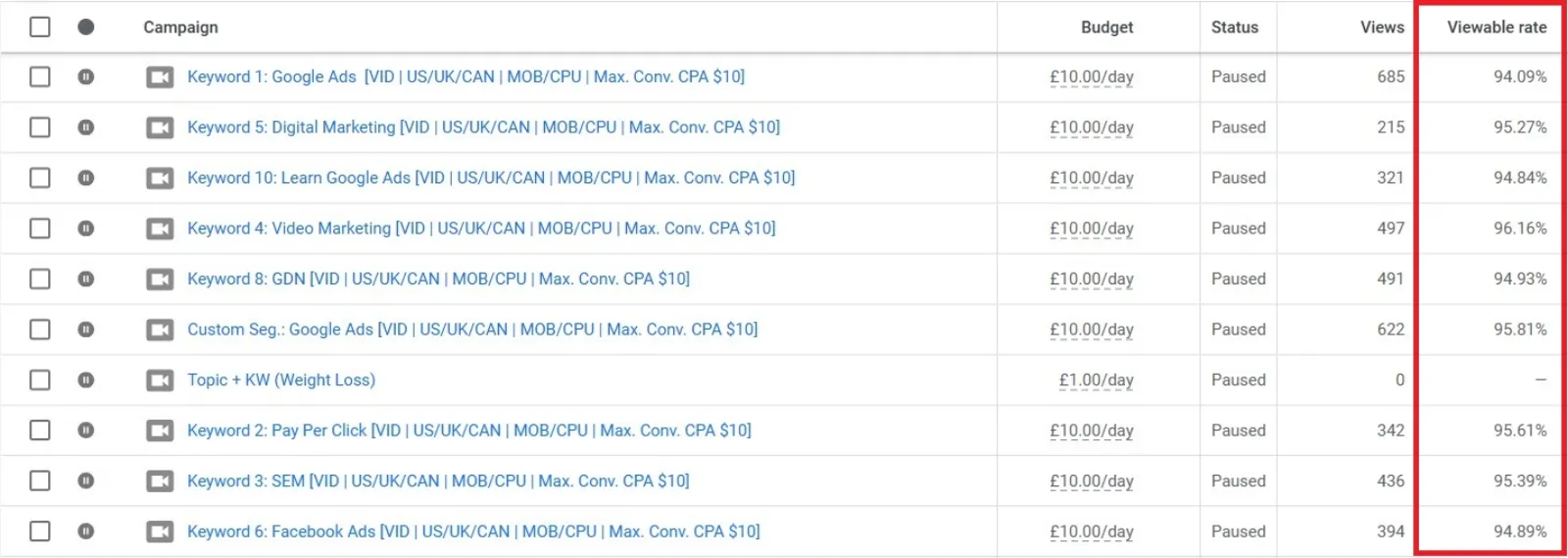
View rate = (Total Views ÷ Total Impressions) × 100
This tells you how effective your ad is at pulling people in. Google even breaks this down by ad type—so if your Shorts view rate is high but infeed is low, your creative might be better suited for vertical mobile formats. It’s a clear signal for where you should spend more.
4. Average CPV: Are You Spending Wisely?
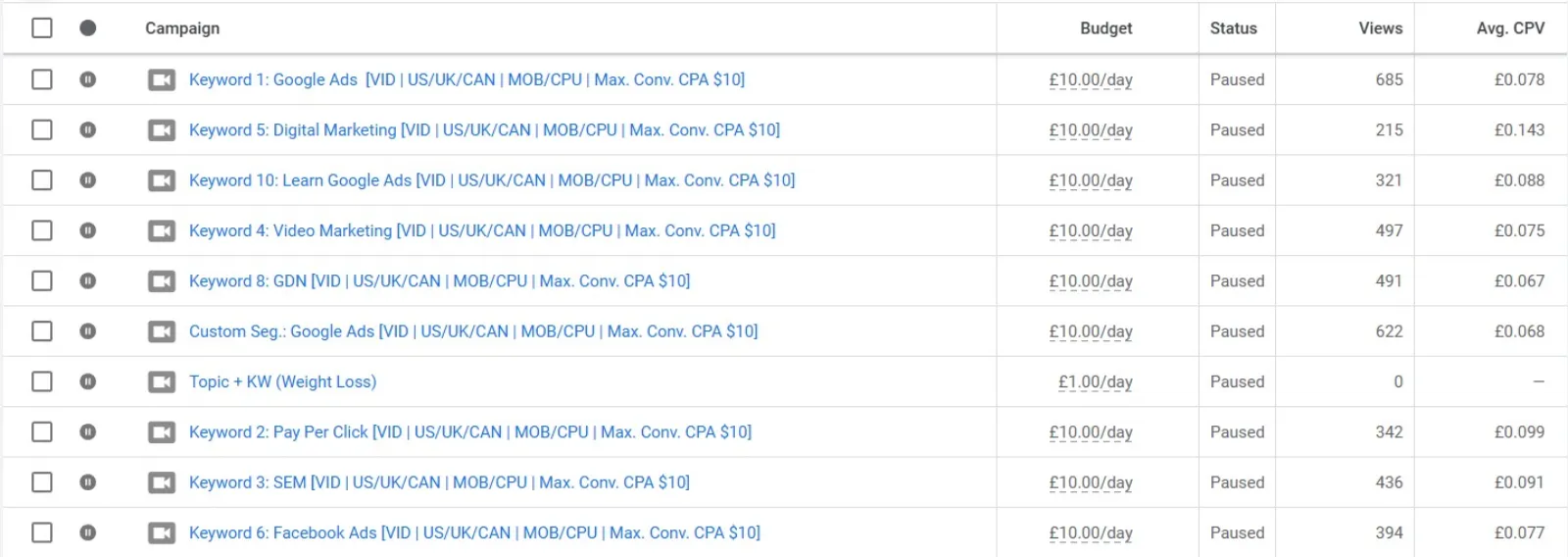
CPV stands for Cost Per View. It’s a simple formula:
Total cost ÷ Total views
This helps you understand how much each view is costing you. A lower CPV means you’re getting more attention for less money. That’s a great sign if your goal is brand awareness or reach. If your CPV is high, it might be time to adjust your bidding or creative.
5. Video Played To: How Far Are They Getting?
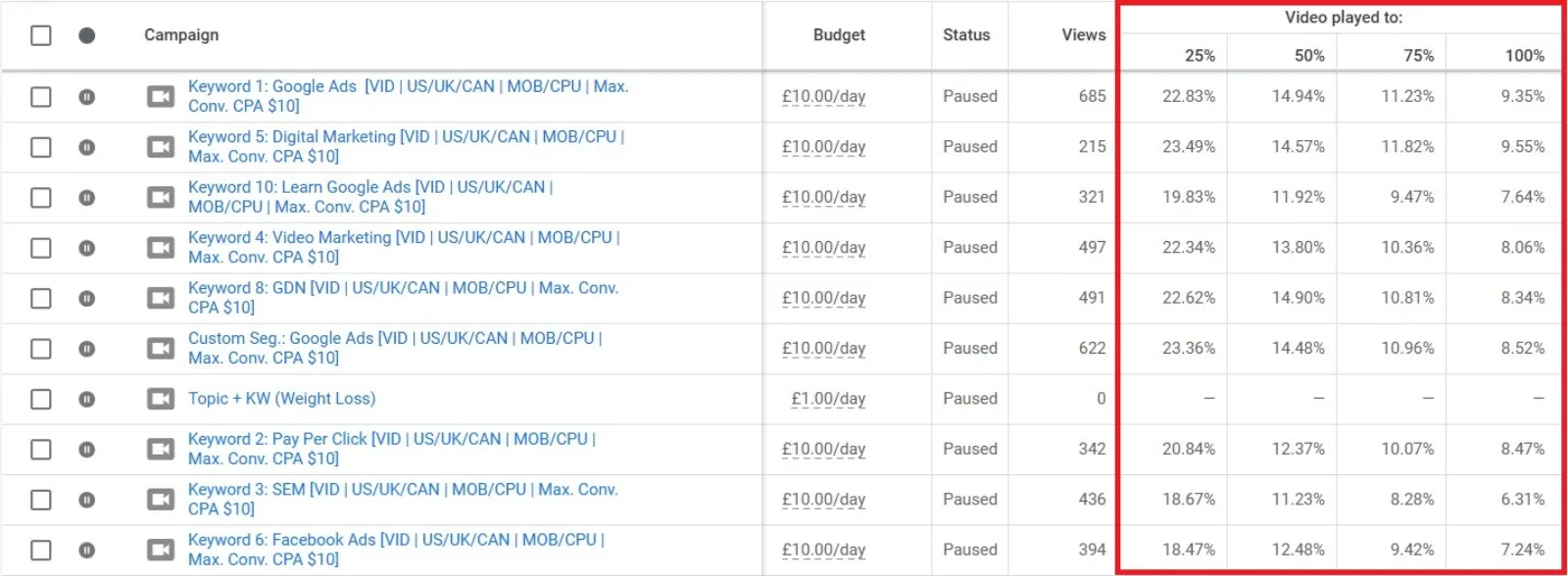
This set of metrics shows the percentage of viewers who watched your video to certain points: 25%, 50%, 75%, and 100%.
If most people drop off before 25%, your hook might be too weak. If they’re making it to 75% or even 100%, that’s gold—you’ve held their attention. Use this data to experiment with different lengths and see what keeps people watching.
 LIVE
Live every Tuesday at 2pm UK. Bring your marketing questions.
Get your Google, local SEO and AI questions answered live.
Tip: Compare performance across formats. A 15-second ad will naturally perform differently than a 30-second one, so match expectations to content length.
6. Earned Actions: What Happens After the View
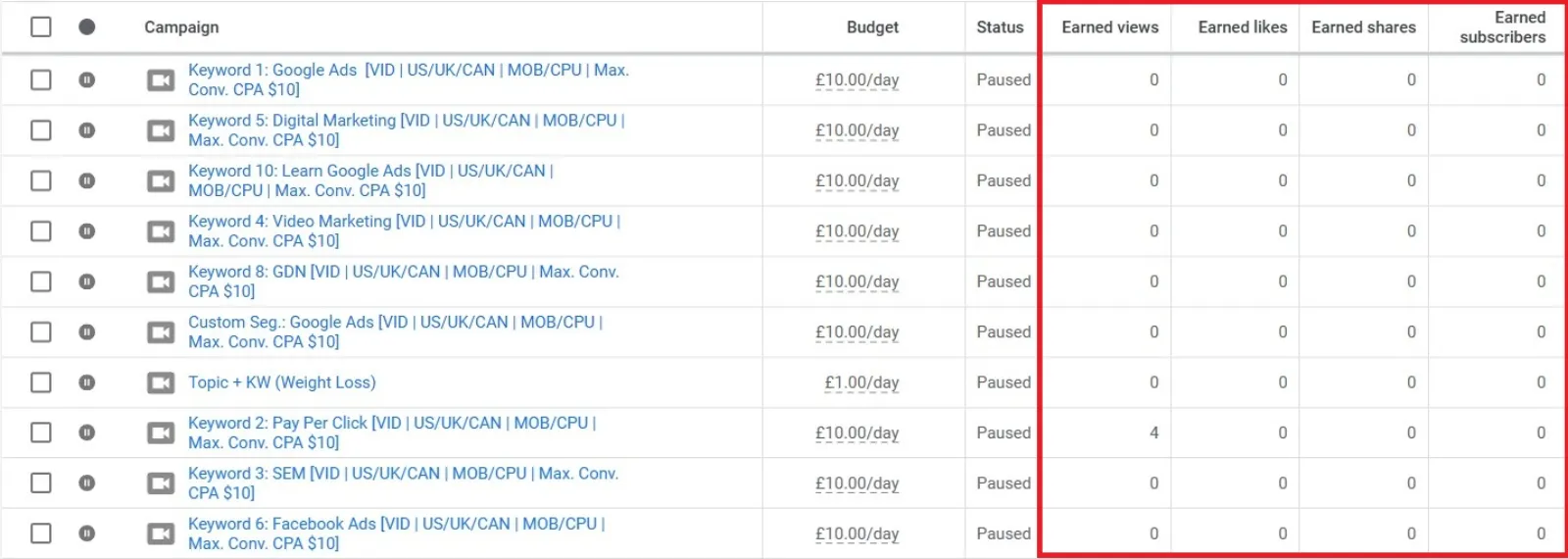
These are the actions users take after watching your ad, but you’re not charged for them.
Earned actions include:
- Watching more videos on your channel
- Liking your content
- Sharing it
- Subscribing
- Adding it to a playlist
Even though these don’t lead directly to conversions, they show real interest. If someone subscribes after watching your ad, they’re more likely to engage in the future. These actions often go unnoticed but are great indicators of long-term brand engagement.
7. Engagements vs. Interactions: What’s the Difference?
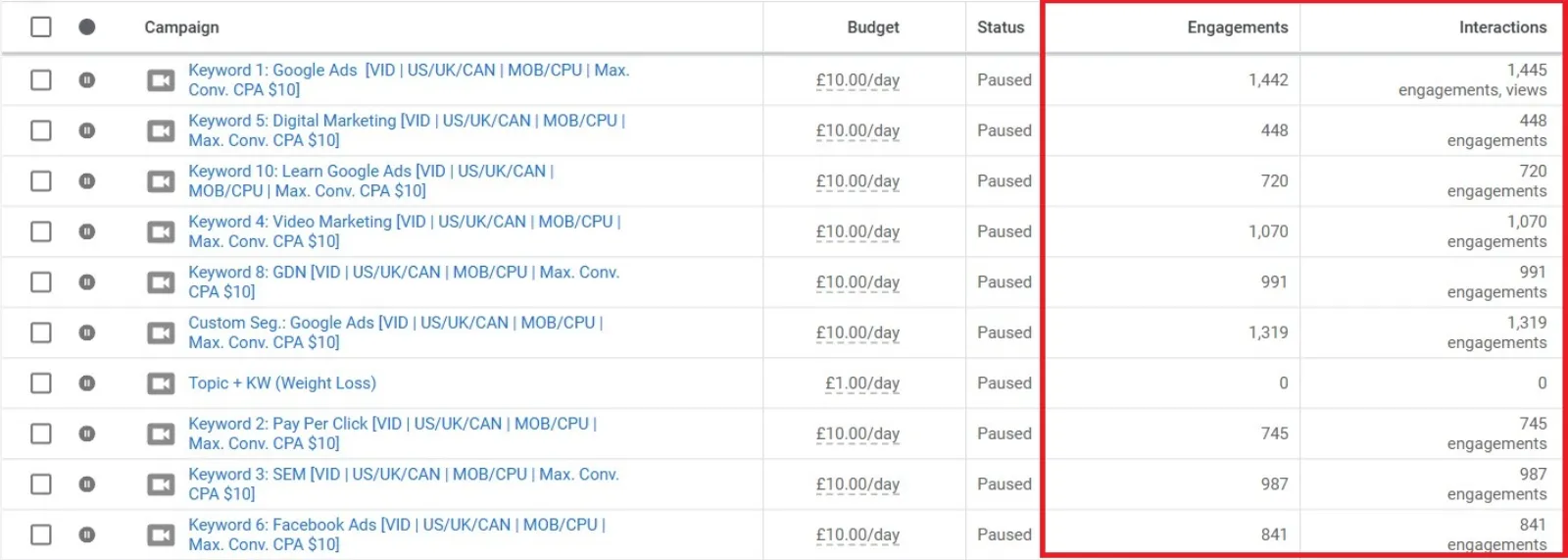
It’s easy to confuse these two, so let’s clarify.
- Engagements: Video-specific actions like watching for 10+ seconds or clicking the CTA.
- Interactions: A broader term that might include any clicks across different ad formats.
For video campaigns, engagements are usually more valuable. They show someone paid attention. By comparing engagement across instream, infeed, and Shorts, you can see which type is driving the most meaningful attention.
8. Video Sequence Overview: Tracking a Narrative
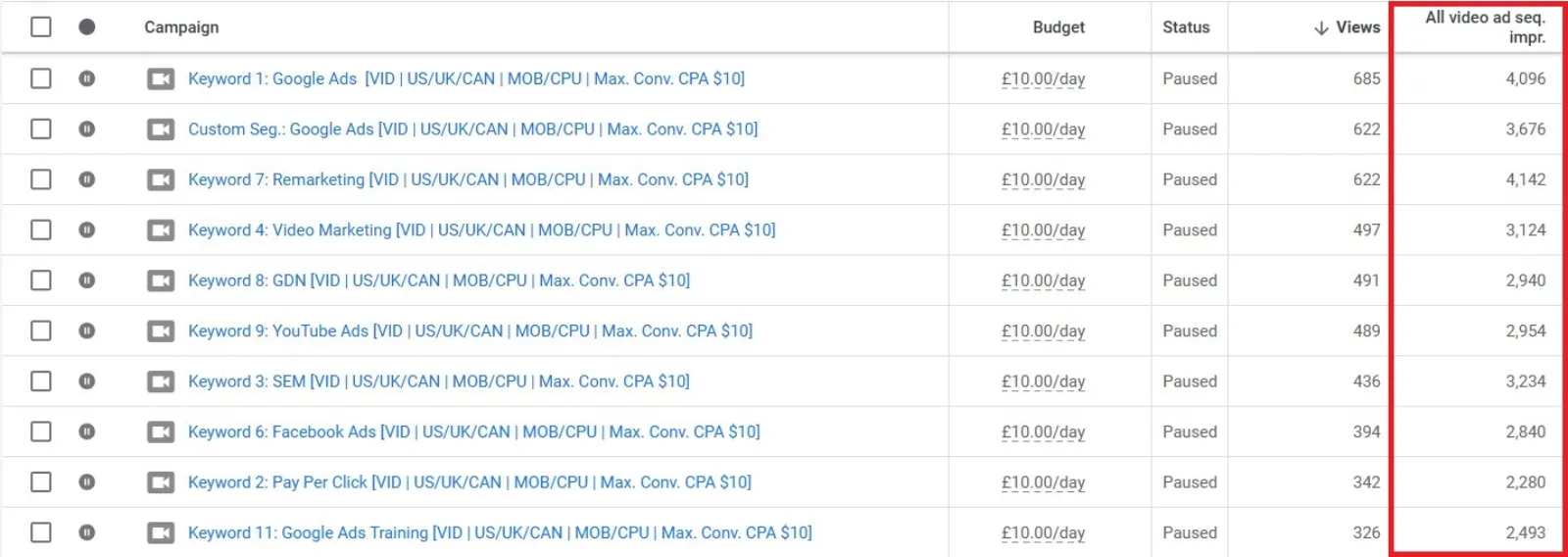
If you’re running ad sequencing, this is the metric to watch. Sequencing lets you show a series of videos to the same person in a specific order.
The overview gives you a sense of how many people completed the journey, and it includes organic impressions too. That’s useful because your viewer might see the first ad from your campaign and the next one organically, which still contributes to brand building.
9. Individual Video Analysis: Zooming In
Want to know how a single video is doing? Head to the “Videos” tab in Google Ads.
There, you can:
- See audience retention graphs
- Identify where people are dropping off
- Pinpoint if your call to action is being skipped
This is incredibly helpful. If people drop off before your CTA, you might need to move it earlier in the video. You can even click on the drop-off point to watch that exact moment and analyse what went wrong.
This insight is invaluable for fine-tuning your next ad.
Wrapping It Up: Focus On What Matters Most
Running a successful video campaign isn’t just about pushing a message out into the world and hoping for conversions. It’s about understanding how people interact with your content, from the first impression to the last second of a view.
Let’s recap the key metrics:
- Impressions show exposure.
- Views show actual attention.
- View rate shows creative effectiveness.
- Average CPV helps you measure cost-efficiency.
- Video Played To shows engagement depth.
- Earned Actions highlight future interest.
- Engagements show how involved people are.
- Video Sequences track storytelling impact.
- Individual video analysis helps optimise the creative.
Remember, not every campaign is about immediate conversions. Sometimes, you’re building awareness, trust, or familiarity. These metrics help you track that progress—the stuff that conversions grow from. So next time you open your Google Ads dashboard, don’t just look at conversions. Dig deeper. Because the real value of video ads goes far beyond the click.

Written by Uzair Kharawala
Partner at SF Digital Studios, a Google Premier Partner agency. Uzair has been helping businesses grow with Google Ads since 2002 and teaches it every week on YouTube.
Get our best Google Ads tips by email
New articles and videos, straight to your inbox. Unsubscribe any time.