
If you’re running Google Ads, you’ve likely faced the frustrating issue of fake clicks, also known as click fraud. This happens when people or automated bots click on your ads without any genuine interest in your products or services, costing you money without yielding any real benefits. Fortunately, there are ways to minimise these invalid clicks and ensure that your ad budget is spent effectively.
How Does Google Ads Deal with Fake Clicks?
Google Ads is well aware of the problem of click fraud. Since their business model relies heavily on clicks, they have invested in sophisticated technology to detect and prevent invalid clicks. However, no system is perfect, and some fake clicks can slip through. Here are some strategies Google Ads uses to tackle this issue:

Get Found, Get Chosen, Get Your Time Back
A free one-day marketing seminar in Milton Keynes · 10 November 2026
- Automated Detection: Google uses automated systems that analyse clicks and user behaviour to identify suspicious activities. If a pattern of fake clicks is detected, those clicks are automatically filtered out and not charged to your account.
- Manual Reviews: In addition to automated systems, Google also has teams that manually review suspicious activities to ensure no fraudulent clicks go unnoticed.
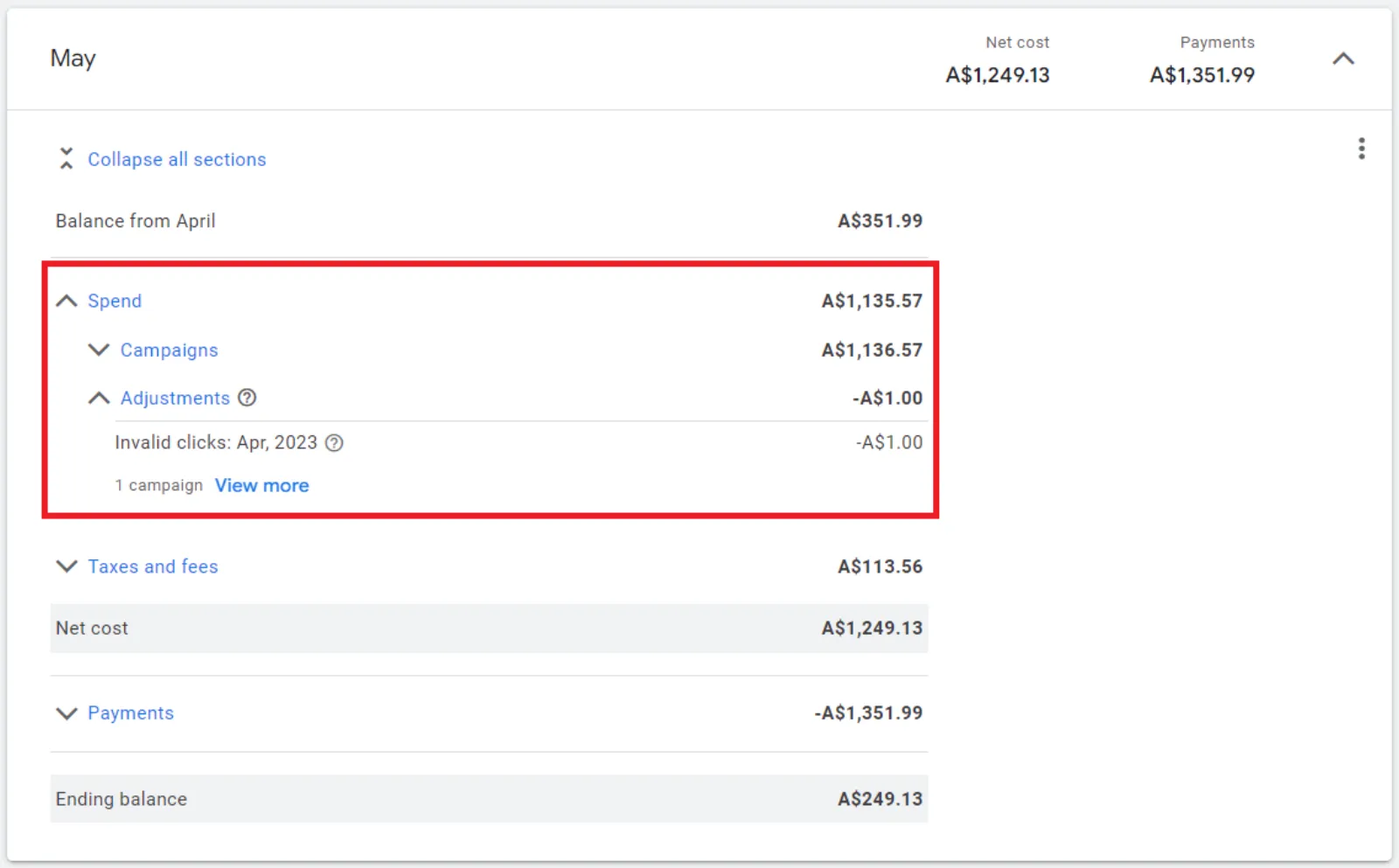
- Refunds: If Google detects invalid clicks after they have already been charged to your account, they will issue a refund. This shows their commitment to protecting advertisers’ interests.
How Can You Minimise Fake Clicks?
While Google Ads works hard to prevent click fraud, there are steps you can take to further protect your ad campaigns:
Get your free Marketing Action PlanNot sure where to start? Answer a few questions and get your plan in about a minute. No email needed.
 LIVE
Live every Tuesday at 2pm UK. Bring your marketing questions.
Get your Google, local SEO and AI questions answered live.
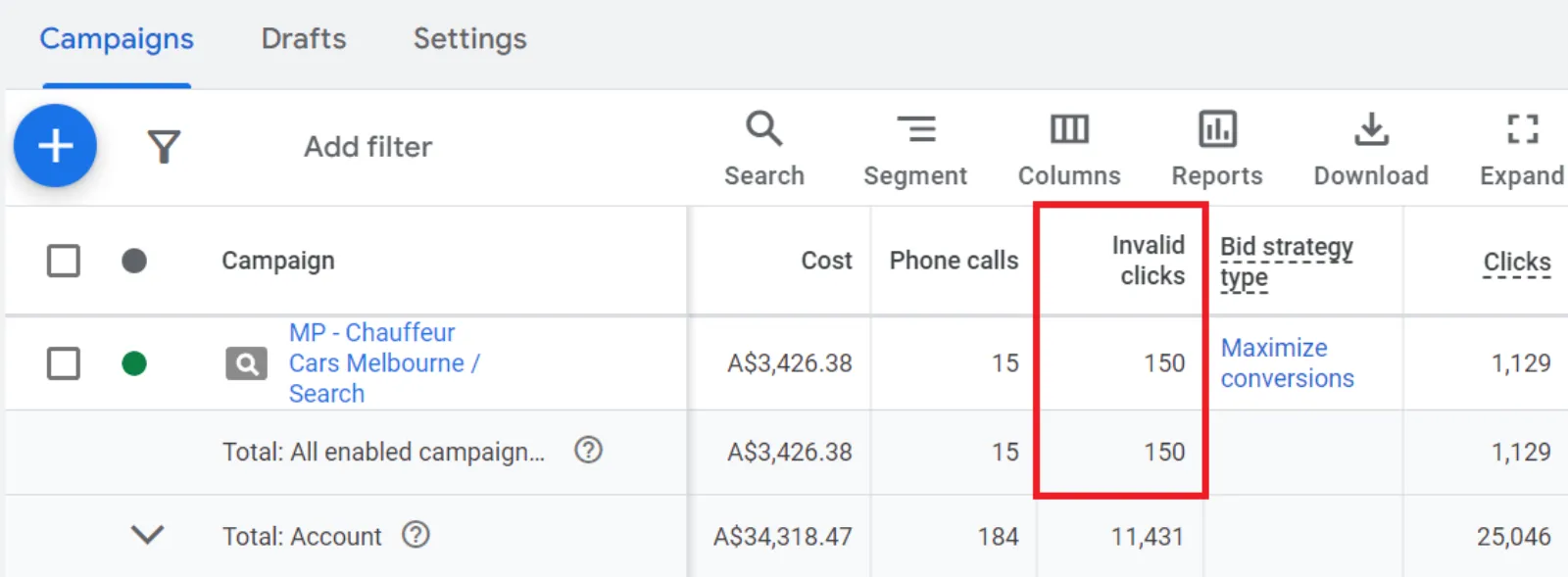
- Monitor Conversion Rates: If you notice a sudden drop in your conversion rates without any significant changes to your campaign, it could be due to click fraud. Keep an eye on these metrics to catch any irregularities early.
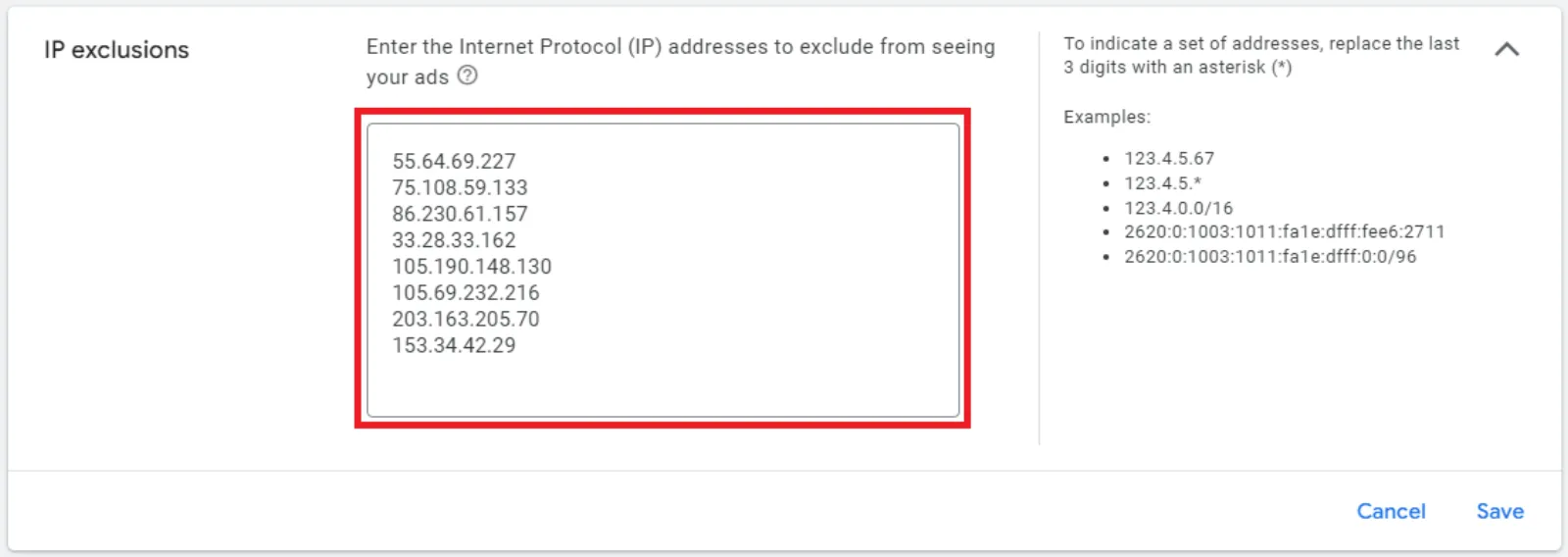
- Block Suspicious IP Addresses: If you can identify specific IP addresses that consistently click on your ads without converting, you can block them. This prevents those addresses from seeing your ads in the future.
- Use Third-Party Click Fraud Detection Tools: Several third-party services can help you identify and block fraudulent clicks. While these tools aren’t free, they can save you money in the long run by preventing wasted ad spend.
- Analyse Google Analytics Data: Check your Google Analytics for high bounce rates and low time-on-site metrics. If visitors are leaving your site within a few seconds, it’s a sign that they might be bots or non-genuine users. Use this data to adjust your targeting and exclude suspicious traffic.
- Adjust Ad Targeting: Narrow your audience targeting to focus on more specific demographics or geographic locations. This can help reduce the likelihood of attracting invalid clicks from uninterested or malicious users.
Practical Steps to Implement
Here are some practical steps you can take right away:
- Set Up IP Exclusions: Go to your Google Ads account, navigate to the campaign settings, and add the suspicious IP addresses to the IP exclusion list.
- Install Click Fraud Detection Software: Research and install reputable click fraud detection software that suits your budget and needs.
- Regularly Review Analytics: Make it a habit to regularly review your Google Analytics data to catch any unusual patterns in user behavior.
By staying vigilant and proactive, you can significantly reduce the impact of fake clicks on your Google Ads campaigns. While it’s impossible to eliminate click fraud completely, these steps will help you minimise it and ensure that your advertising budget is used as effectively as possible.

Written by Uzair Kharawala
Partner at SF Digital Studios, a Google Premier Partner agency. Uzair has been helping businesses grow with Google Ads since 2002 and teaches it every week on YouTube.
Get our best Google Ads tips by email
New articles and videos, straight to your inbox. Unsubscribe any time.