
So, you’ve dipped your toes into Google Ads, and now you’re faced with the big question: how do I get the most bang for my buck? It all comes down to bidding strategies. Think of it like this: you’re at an auction, and you need to decide how much you’re willing to pay for your item.
In Google Ads, that “item” could be a click on your ad, a website visit, or even a sale. Choosing the right bidding strategy is crucial to maximising your advertising budget’s effectiveness.

Get Found, Get Chosen, Get Your Time Back
A free one-day marketing seminar in Milton Keynes · 10 November 2026
Let’s break down the main types of bidding strategies without getting too technical. We’ll explore both the “you’re in charge” manual options and the “let Google’s smarts help you out” automated choices.
Get your free Marketing Action PlanNot sure where to start? Answer a few questions and get your plan in about a minute. No email needed.
Get my plan →Understanding Your Goals: The First Step
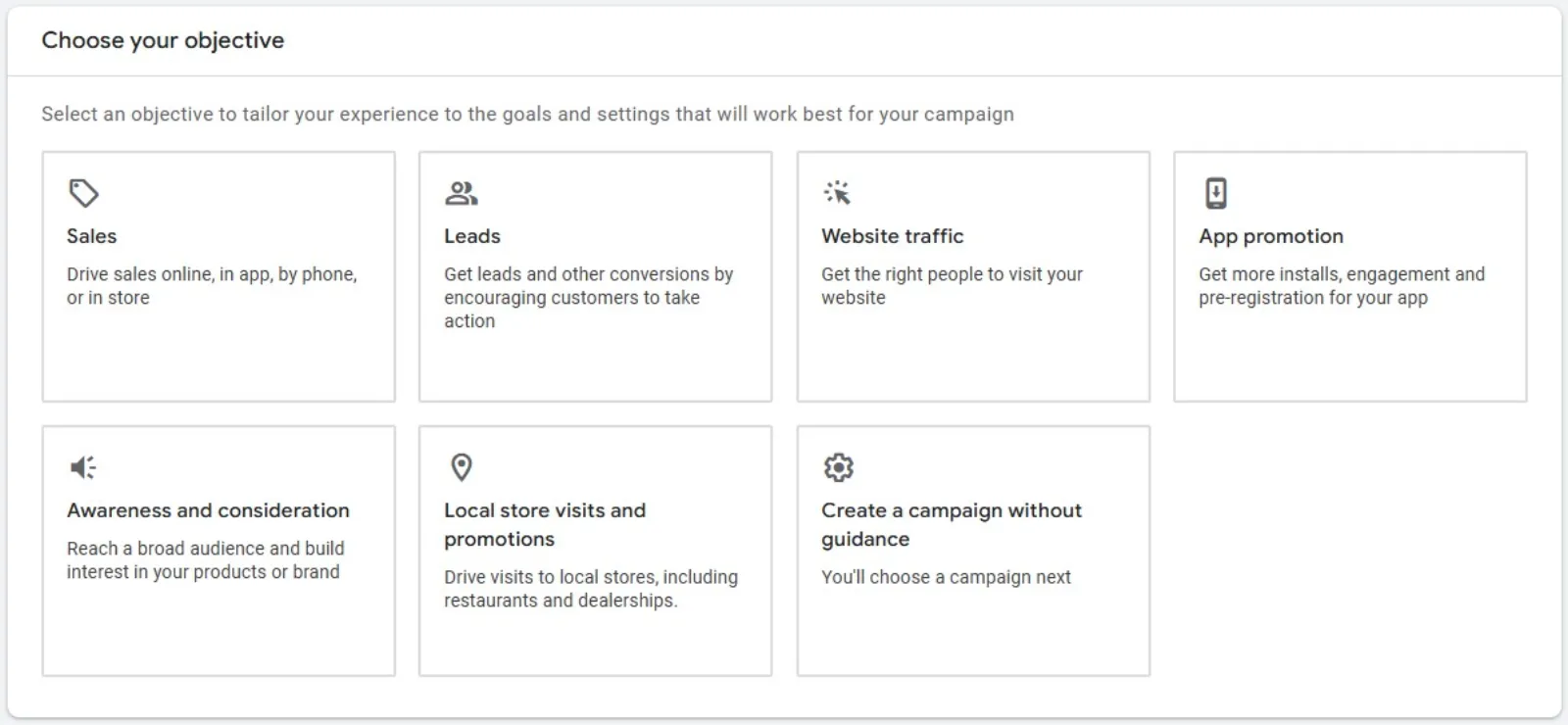
Before you pick a bidding strategy, you need to be crystal clear about what you want your Google Ads campaigns to achieve. Are you aiming for:
- More website visits? (Focus on Clicks)
- More sales or leads? (Focus on Conversions)
- Greater brand awareness? (Focus on Impressions or Views)
Your goal directly influences which bidding strategy will be most effective.
 LIVE
Live every Tuesday at 2pm UK. Bring your marketing questions.
Get your Google, local SEO and AI questions answered live.
Manual Bidding: You’re the Boss
Manual CPC (Cost-Per-Click)
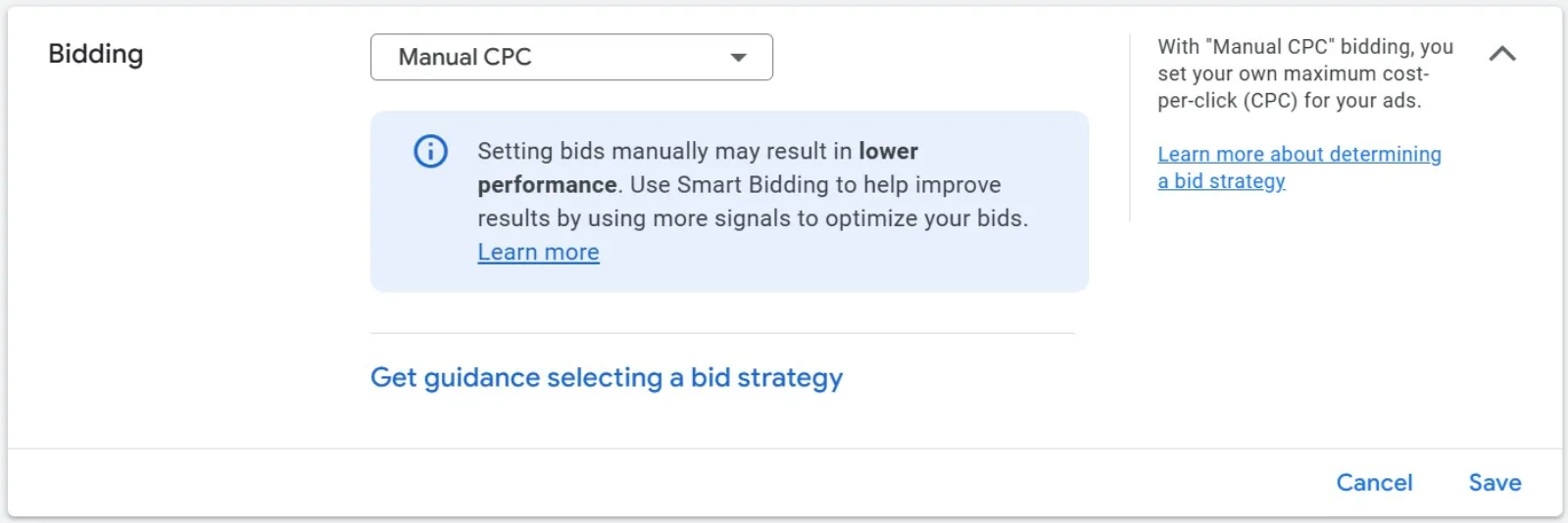
This is the most hands-on approach. With Manual CPC, you tell Google the maximum amount you’re willing to pay for each click on your ad.
- How it works: You set a maximum bid for keywords or ad groups. Google won’t charge you more than that for a click.
- When it’s good: If you’re just starting and have a tight budget, or if you want absolute control over every penny spent on specific keywords. It’s also useful if you have a lot of time to constantly monitor and adjust your bids.
- Things to keep in mind: It can be time-consuming. You need to regularly check your performance and manually adjust bids to stay competitive and efficient. If you don’t keep an eye on it, you might miss out on good opportunities or overspend in less effective areas.
Automated Bidding (Smart Bidding): Let Google Do the Heavy Lifting
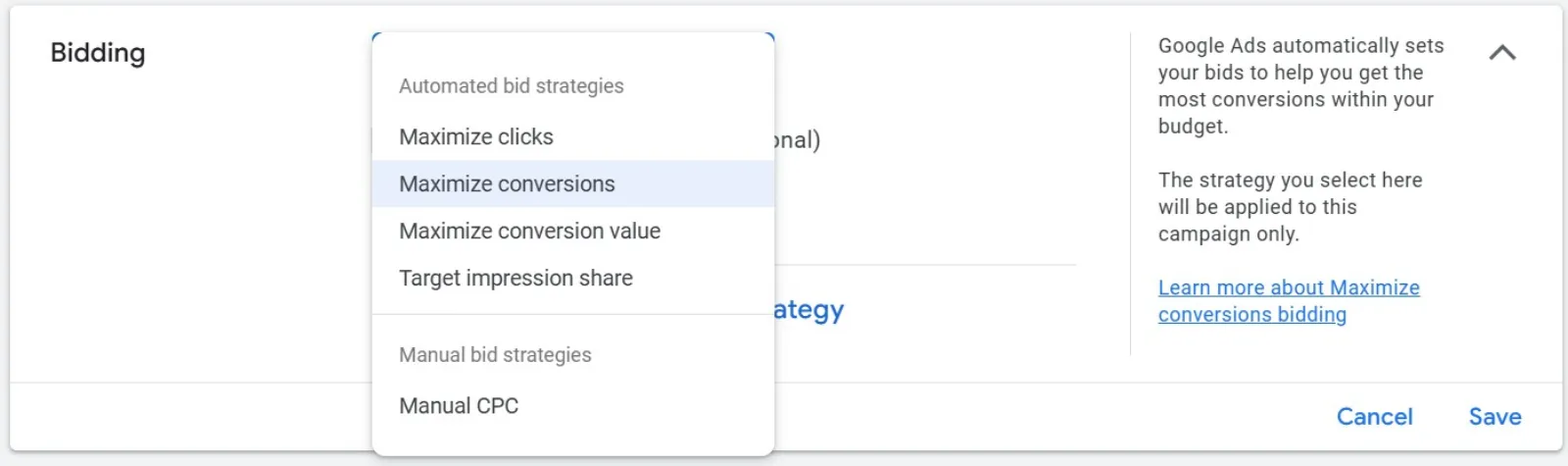
This is where Google’s artificial intelligence (AI) comes into play. Automated bidding strategies use machine learning to optimise your bids in real-time, aiming to hit your specific goals. They look at tons of signals – like device, location, time of day, and even what someone has searched for before – to figure out the best bid for each ad auction.
Here are some popular automated strategies:
Maximise Clicks:
- How it works: Google aims to get you as many clicks as possible within your set daily budget.
- When it’s good: If your main goal is to drive traffic to your website and you have a limited budget. It’s a good starting point if you’re not tracking conversions yet.
- Things to keep in mind: It focuses purely on clicks, not necessarily on the quality of those clicks or if they lead to sales.
Maximise Conversions:
- How it works: This strategy tries to get you the most conversions (like sales, sign-ups, or form fills) possible within your daily budget. It needs conversion tracking to be set up correctly.
- When it’s good: If your primary goal is to generate leads or sales, and you want Google to automatically optimise for them.
- Things to keep in mind: While it aims for the most conversions, it doesn’t necessarily factor in the value of those conversions. For example, a $5 conversion is treated the same as a $50 conversion.
Target CPA (Cost-Per-Acquisition):
- How it works: You tell Google your target cost per conversion (e.g., “I want each lead to cost me around $20”). Google then adjusts bids to try and achieve that average CPA while getting you as many conversions as possible.
- When it’s good: If you have a clear idea of what you’re willing to pay for each lead or sale.
- Things to keep in mind: Setting a target that’s too low can limit how many conversions you get. It’s best to have some historical conversion data for this to work well.
Target ROAS (Return On Ad Spend):
- How it works: This is for businesses where different conversions have different values (like an e-commerce store with products at various price points). You tell Google your desired return on ad spend (e.g., “I want to get $4 back for every $1 I spend on ads,” which is a 400% ROAS). Google then optimises bids to maximise that return.
- When it’s good: If you’re tracking conversion values and want to maximise your revenue, not just the number of conversions. Ideal for e-commerce.
- Things to keep in mind: Requires robust conversion value tracking. Like Target CPA, setting an unrealistic ROAS target can limit performance.
Target Impression Share:
- How it works: You tell Google where you want your ads to appear on the search results page (anywhere, top of the page, or absolute top) and what percentage of the time you want them to show there. Google then adjusts bids to achieve that visibility.
- When it’s good: Primarily for brand awareness campaigns where being seen is more important than getting clicks or conversions.
- Things to keep in mind: While it helps with visibility, it might not be the most cost-effective if your goal is direct sales or leads.
Maximising Your Google Ads Budget: Practical Tips
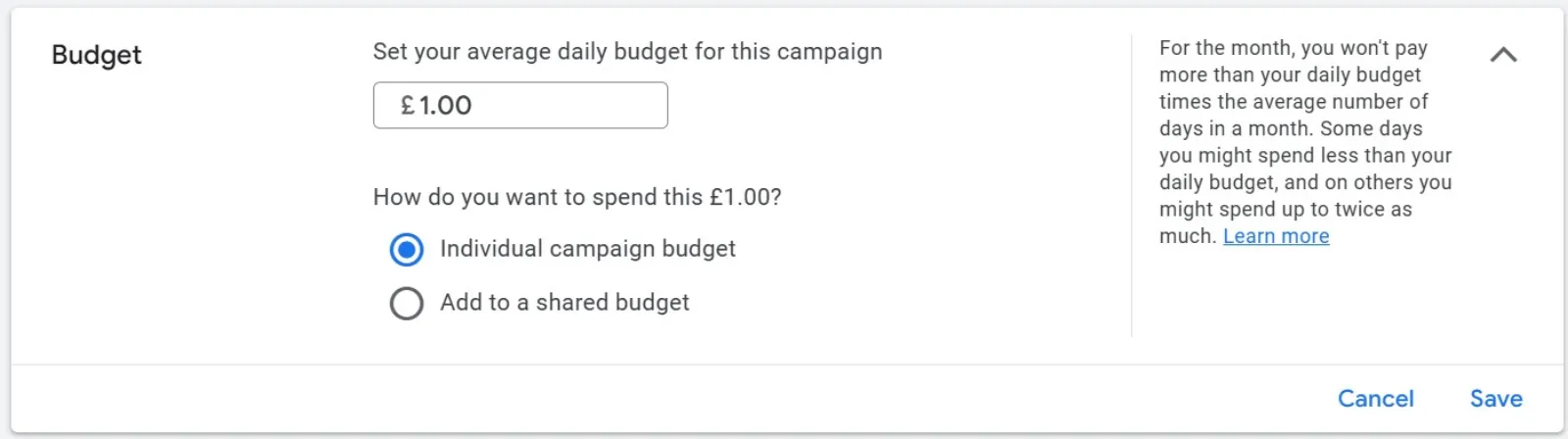
Beyond choosing the right bidding strategy, here are some practical tips to make your budget go further:
Refine Your Keywords:
- Use Negative Keywords: This is huge! Negative keywords tell Google what searches you don’t want your ads to show for. For example, if you sell “luxury watches,” you might add “cheap” as a negative keyword to avoid clicks from people looking for budget options. This prevents wasted spend.
- Go Long-Tail: Instead of just “shoes,” try “men’s waterproof hiking shoes.” Long-tail keywords are more specific, usually have less competition, and often attract users who are further along in their buying journey.
Optimise Your Ads & Landing Pages:
- High-Quality Ads: Craft compelling ad copy that communicates your offer. Use ad extensions (sitelinks, callouts, structured snippets) to give users more information and make your ad stand out. Better ads often lead to higher Quality Scores.
- Relevant Landing Pages: When someone clicks your ad, they should land on a page that directly relates to what they clicked on. A good, relevant landing page improves user experience and can boost your Quality Score.
- Understand Quality Score: Google gives your keywords and ads a “Quality Score.” A higher Quality Score means your ads are more relevant, which can lead to lower costs and better ad positions. Work on improving your ad relevance, landing page experience, and expected click-through rate (CTR).
Target Smartly:
- Geographic Targeting: Don’t advertise to the whole world if your business only serves a specific city or region. Be precise.
- Audience Targeting: Use Google’s audience segments (demographics, interests, in-market audiences) to show your ads to people most likely to be interested in your product or service.
- Ad Scheduling: If you know your customers are only active during certain hours or days, schedule your ads to run only during those times. No need to spend money when no one’s looking.
Monitor and Adjust (Always!):
- Regularly Review Performance: Don’t just set it and forget it. Check your campaign performance regularly. Look at clicks, impressions, conversions, cost-per-conversion, and ROAS.
- A/B Test Everything: Try different ad headlines, descriptions, and even bidding strategies. See what works best for your business and your audience.
- Be Patient with Automated Bidding: Automated strategies need data to learn and optimise. Give them some time (a few weeks, typically) to gather enough information before making big changes.
Finding Your Sweet Spot
There’s no one-size-fits-all answer for the “best” bidding strategy. What works for one business might not work for another. Often, a combination of strategies across different campaigns or even within the same campaign (using portfolio bidding strategies) can be the most effective.Start with your clear goals, experiment with different strategies, and consistently monitor your results. Over time, you’ll uncover the perfect bidding blend to maximise your Google Ads budget and achieve your business objectives.

Written by Uzair Kharawala
Partner at SF Digital Studios, a Google Premier Partner agency. Uzair has been helping businesses grow with Google Ads since 2002 and teaches it every week on YouTube.
Get our best Google Ads tips by email
New articles and videos, straight to your inbox. Unsubscribe any time.