
Have you ever created a Google Ad campaign, only to have it slapped with a “Shocking Content” disapproval? It’s a frustrating message, and for many people, it’s also really confusing. You look at your ad, and you think, “Shocking? What’s shocking about this?” You’re not promoting violence, hate, or anything obviously offensive. So what’s the deal?
Google’s policy on shocking content is broader than you think. It’s not just about gore and violence. It’s about a user’s experience. Google’s ultimate goal is to maintain a clean, safe, and professional ad network. They want to protect their users from anything that could be considered disturbing, sensational, or just plain gross. And they have a very low tolerance for anything that might cross that line.

Get Found, Get Chosen, Get Your Time Back
A free one-day marketing seminar in Milton Keynes · 10 November 2026
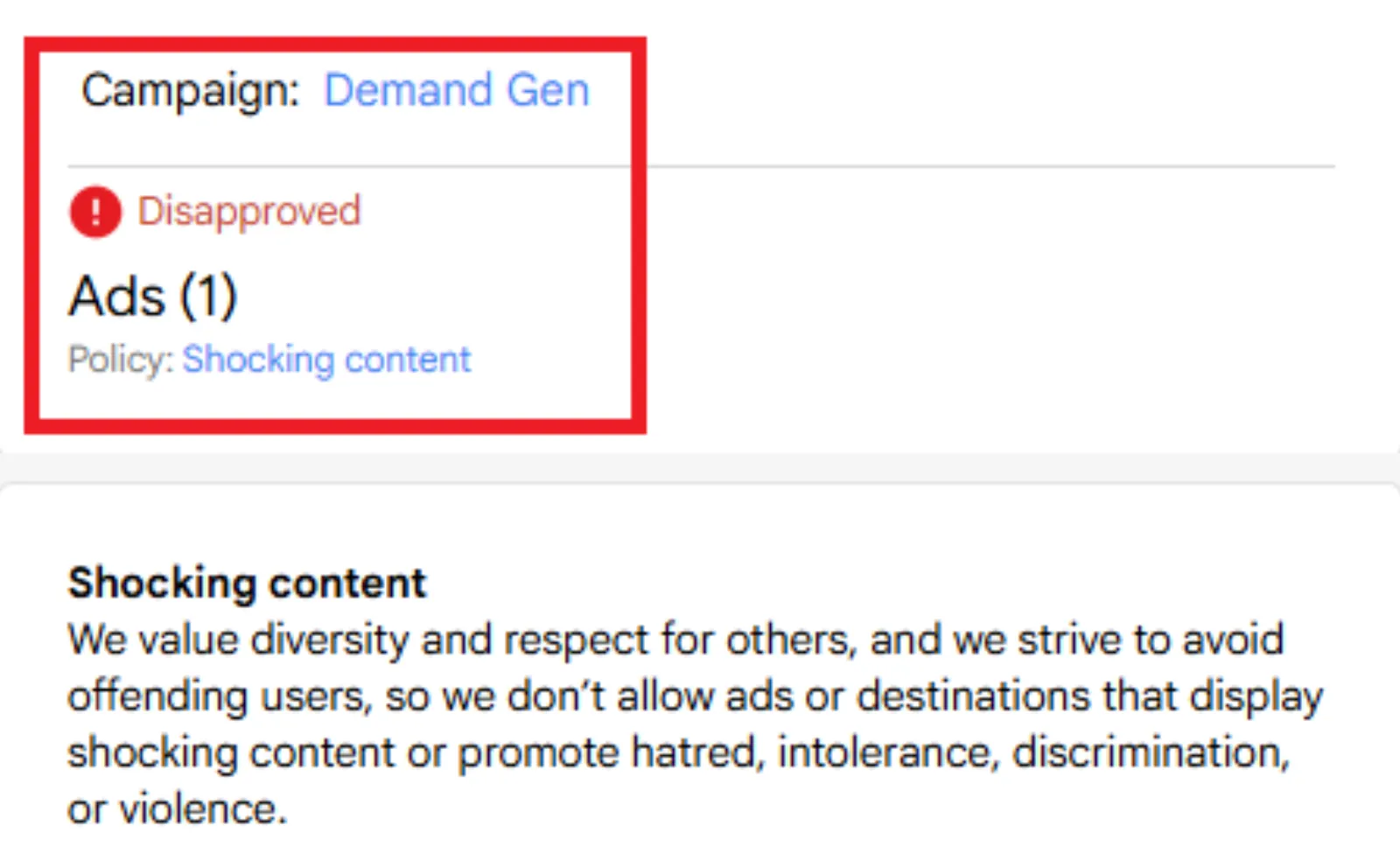
So, when Google says “shocking content,” what do they really mean? Let’s break it down.
Get your free Marketing Action PlanNot sure where to start? Answer a few questions and get your plan in about a minute. No email needed.
Get my plan →The Policy in Plain English
Google’s policy isn’t a long list of prohibited items. It’s more of a guideline about the feel of your ad. Here are a few key areas that often get flagged:
- Gruesome or Disgusting Imagery: This is the most obvious one. Think blood, guts, graphic crime scenes, or anything that shows a serious injury. But it can also include things you might not expect, like gratuitous portrayals of bodily fluids or waste. Even if it’s not a person, showing a graphic image of an animal injury could trigger disapproval. The keyword is “gratuitous” – is it there for a valid reason, or just to get a reaction?
- Sensationalism and Scare Tactics: This is a big one that many advertisers miss. Google doesn’t like ads that use language or images designed to create fear or panic. For example, a headline that says, “You Won’t Believe What’s Hiding in Your Home!” with a creepy image might get flagged. Or an ad that talks about a scary disease in an overly dramatic way. It’s about preying on a user’s anxieties to get a click. It’s “clickbait” with a dark twist.
- Obscene or Profane Language: This one is pretty straightforward. Using swear words, or variations of them, is a definite no-no. This applies to both the ad copy and the landing page. Google wants its platform to be family-friendly, and profanity doesn’t fit that vision.
- Content That Capitalises on Sensitive Events: This is a tricky one. If there’s a recent natural disaster, a terrorist attack, or another major tragedy, you can’t use it to promote your products or services. For example, an ad that says, “Tornado Just Destroyed Your Home? Buy Our New Insurance Plan!” would be immediately disapproved. It’s seen as profiting from someone else’s pain.
- Depictions of Violence (Even When It’s Not Real): This can be a major issue for video games or certain movies. Even if it’s just a cartoon, if your ad shows gratuitous violence—like an explosion or a graphic fight scene—it could get disapproved. The policy is stricter for ads than for organic content, because Google is trying to protect advertisers’ brands as well as users.
So, when your ad gets a “shocking content” disapproval, it’s probably not just one thing. It’s likely a combination of an image, a headline, or a video that, when combined, creates a feeling of unease or disgust. It’s not about being offensive to a specific group; it’s about being unsettling to a general audience.
 LIVE
Live every Tuesday at 2pm UK. Bring your marketing questions.
Get your Google, local SEO and AI questions answered live.
How to Get Around It (The Right Way)
Getting around a disapproval doesn’t mean trying to sneak something past Google. It means understanding their rules and making changes to comply. Here’s a simple, step-by-step guide:
1. Don’t Panic and Don’t Appeal Immediately
Your first instinct might be to hit the “appeal” button and argue your case. Don’t. Google’s automated systems are pretty good, and if they flagged your ad, there’s probably a good reason. Appealing without making changes is a waste of your time and theirs, and it can actually count as a “repeat violation” if you do it too many times.
2. Review Everything, and Be Honest with Yourself
Go back and look at your ad and your landing page with fresh eyes. Now that you know Google’s definition of “shocking,” does anything fit?
- Is your image a little too intense? Is there a bit of blood or a graphic shot you could replace?
- Does your headline use emotional language to create fear? Can you rephrase it to be more neutral and fact-based? For example, instead of “Are You Next?”, try “Protect Your Family with Our Security System.”
- Is your video too violent? Can you edit it to show a less graphic scene?
- Check your landing page, too. Google’s bots scan the entire site. If there’s a shocking image or a swear word buried in a blog post, it could be the reason for the disapproval.
3. Make Changes and Resubmit
Once you’ve identified the problem areas, make the necessary changes. Replace the image, rewrite the headline, or edit the video. Then, and only then, you can resubmit the ad. You can do this right from your Google Ads account. For most disapprovals, a simple fix and resubmission will get the ad approved within a few hours.
4. If You’re Still Confused, Contact Support
If you’ve made the changes and your ad is still getting disapproved, it’s time to contact Google’s support team. They can provide more specific details on why the ad was flagged and what you need to fix. Be polite and clear, and provide them with all the necessary information.
5. Consider Your Audience and Your Brand
Ultimately, Google’s policy is there for a reason. They’re trying to protect their users and advertisers from poor-quality content. Even if you manage to get a shocking ad approved, is that really the impression you want to make on potential customers? Building a brand based on fear or disgust is a risky long-term strategy. The best ads are the ones that are helpful, informative, and inspiring—not shocking.
By understanding what “shocking content disapproval” truly means, you can move past the frustration and get your campaigns back on track. It’s not about being censored; it’s about playing by the rules of a professional platform. And the good news is, once you know the rules, they are actually pretty simple to follow.

Written by Uzair Kharawala
Partner at SF Digital Studios, a Google Premier Partner agency. Uzair has been helping businesses grow with Google Ads since 2002 and teaches it every week on YouTube.
Get our best Google Ads tips by email
New articles and videos, straight to your inbox. Unsubscribe any time.