
Let’s be honest, getting found online these days feels like trying to find a needle in a haystack. Especially when you’re a local business, trying to stand out among all the other businesses, big and small, can be a real headache. I used to spend hours tweaking my website, hoping for a better spot in Google’s local search results. I even tried a bunch of “SEO hacks” that promised the world but delivered… well, not much.
Then, I stumbled upon something that genuinely changed the game for my little shop: Google Ads Location Assets. And when I say “instantly,” I mean it. It wasn’t a slow burn; it was like flipping a switch.

Get Found, Get Chosen, Get Your Time Back
A free one-day marketing seminar in Milton Keynes · 10 November 2026
The Local Search Struggle is Real (or, My Pre-Location Assets Woes)
Before diving into the magic, let me paint a picture of my typical day. My business, “The Cozy Corner Bookstore,” thrives on local customers. People walking by, people searching for a new read, people looking for events. But my online presence? It was… okay. My Google Business Profile was set up, reviews were trickling in, and I even had a decent website.
Get your free Marketing Action PlanNot sure where to start? Answer a few questions and get your plan in about a minute. No email needed.
Get my plan →The problem was, when someone typed “bookstore near me” or “best independent bookstore in [my city]” into Google, I wasn’t always at the top. Sometimes I was buried under larger chains or less relevant results. My website traffic was okay, but I knew I was missing out on those crucial “I need it now!” searches from people just a few blocks away. It felt like my digital storefront wasn’t quite connecting with my physical one.
 LIVE
Live every Tuesday at 2pm UK. Bring your marketing questions.
Get your Google, local SEO and AI questions answered live.
I’d run regular Google Search Ads, and they brought in some traffic. But even then, without a clear, immediate connection to my physical location, I was often competing on a level playing field with online-only retailers. I needed something that screamed, “Hey! I’m right here!”
Enter Google Ads Location Assets: My Game Changer
One evening, while deep-diving into Google Ads settings (as one does), I noticed something called “Location Assets.” It sounded simple enough, but the more I read, the more I realised its potential.
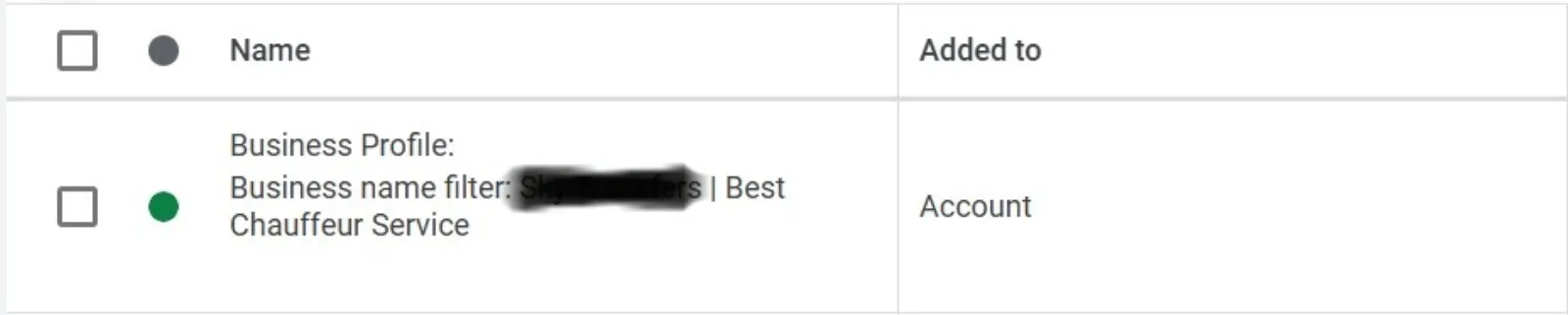
Essentially, Location Assets link your Google Business Profile (you know, that free listing with your address, hours, and photos) directly to your Google Ads. This isn’t just about showing your address; it’s about making it incredibly easy for potential customers to find you right now.
Here’s how it played out for The Cozy Corner Bookstore:
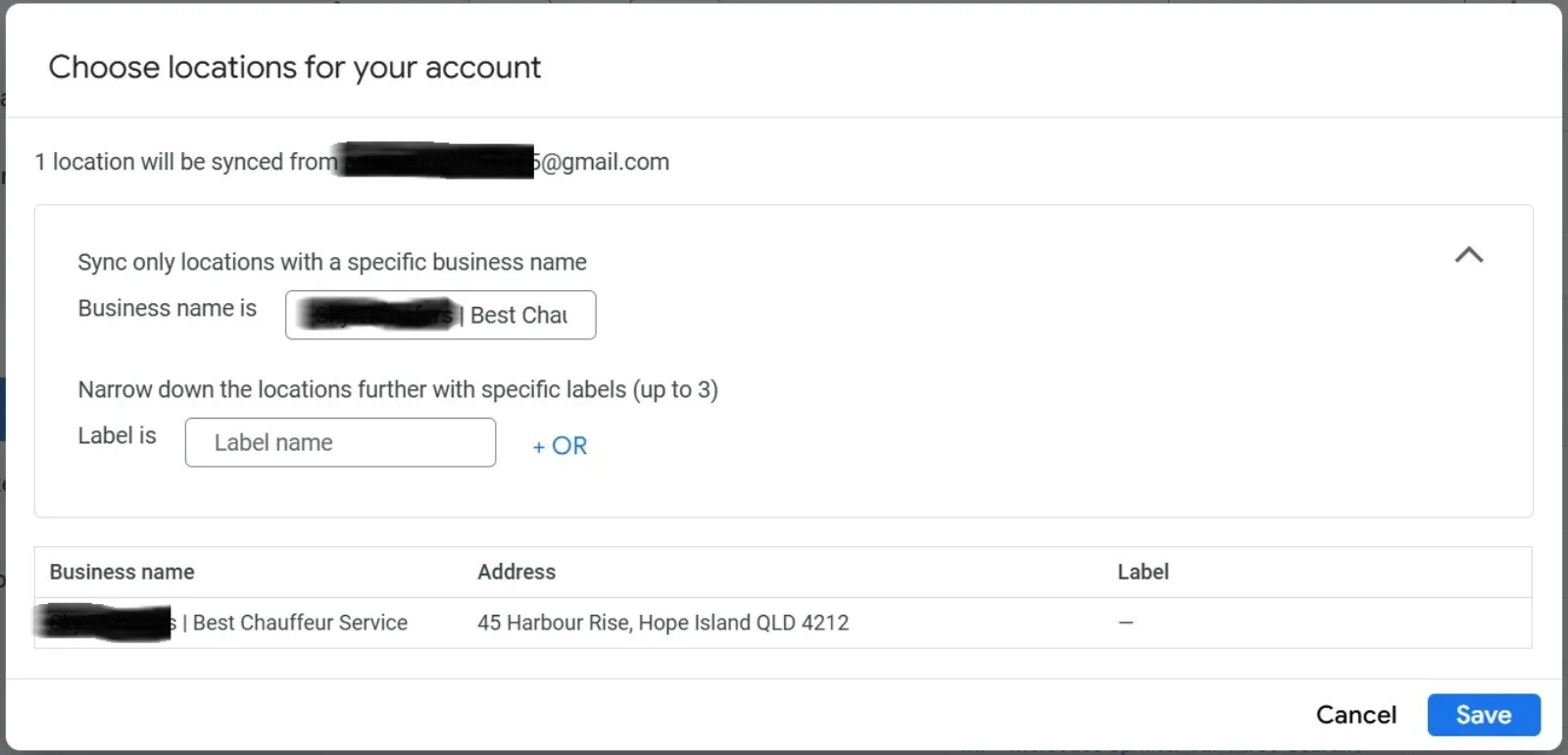
- Connecting the Dots: The first step was linking my Google Business Profile to my Google Ads account. This was surprisingly straightforward. A few clicks in Google Ads, a quick approval, and boom – my business location was now connected. It felt like Google finally understood that my online ads were leading to a real, brick-and-mortar store.
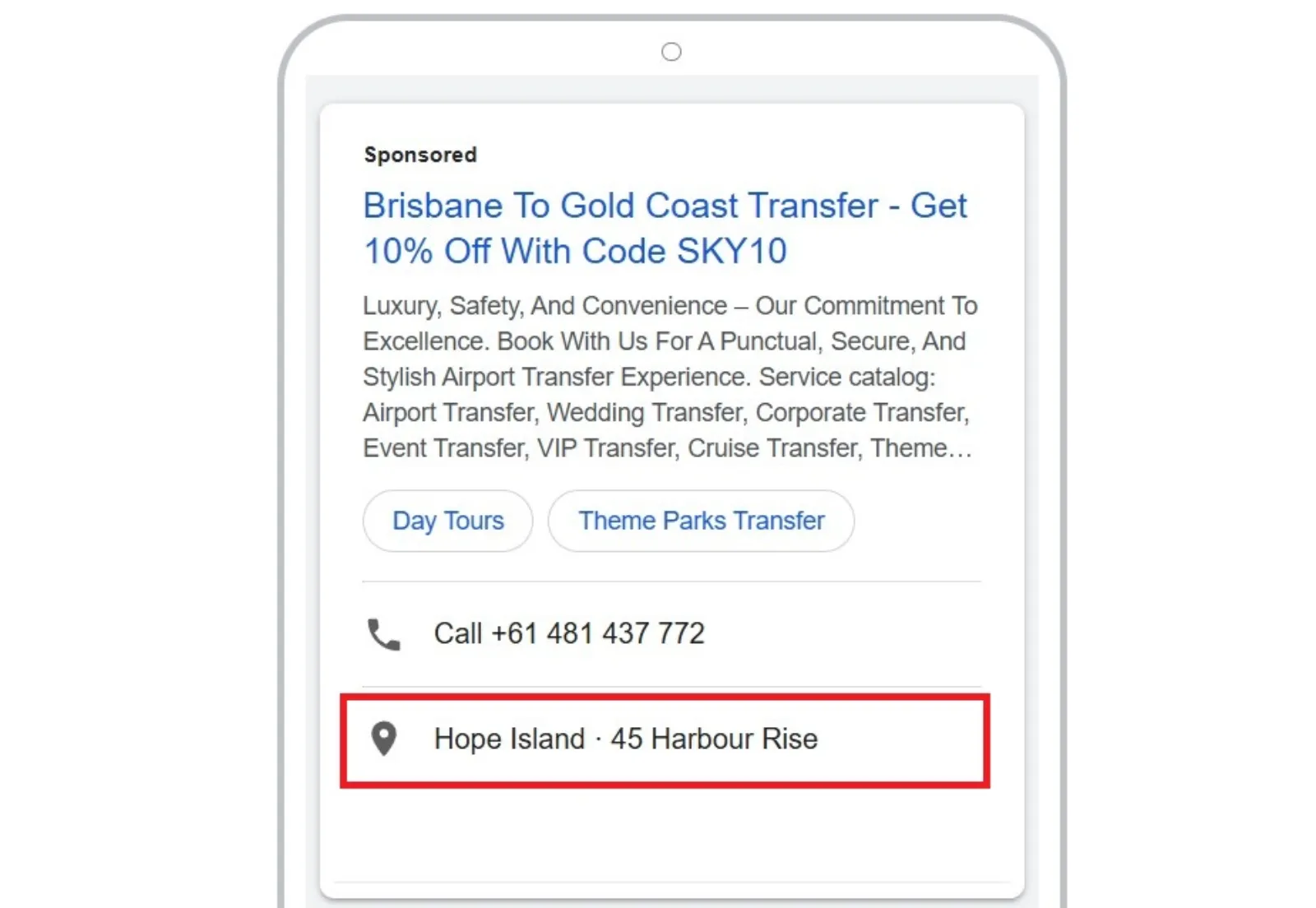
- Visible on Search and Maps: This is where the “instantly” part comes in. Almost immediately after setting up Location Assets, my ads started appearing differently. When someone searched for a bookstore in my area, my ad not only showed a prominent link to my website but also:
- My address.
- A direct link for directions on Google Maps.
- Sometimes, even my phone number with a “Call” button on my mobile.
- This was huge! No more guessing for customers. They could see how far away I was, get directions, or even call me directly, all from the ad itself. On Google Maps, my business pin even started showing up more prominently when people were exploring nearby areas.
- Increased Foot Traffic (The Holy Grail!): This is the ultimate win for a local business, right? And it happened. I saw a noticeable increase in walk-ins. People would come in and say, “I saw your ad on Google, and it showed you were just around the corner!” or “I clicked for directions from your ad.” This wasn’t just website clicks; these were actual people entering my store, browsing shelves, and buying books.
- Better Ad Performance: Beyond just foot traffic, my ad campaigns themselves seemed to perform better. Google’s algorithm likely saw that my ads were providing highly relevant information (location!) to users with local intent, which probably boosted my ad rank. My click-through rates (the percentage of people who click on my ad) improved, and the cost per click for those locally-focused searches felt more efficient.
Why It Worked So Well for Me
- Proximity is Power: When someone searches for a local business, they usually need it quickly. Location Assets cut down the steps between search and visit.
- Trust and Credibility: Seeing a physical address and directions instantly makes your business feel more legitimate and trustworthy. It’s a real place, not just a website.
- Seamless User Experience: Google is all about making things easy for its users. Location Assets do exactly that, providing all the crucial information a local searcher needs at a glance.
- Leveraging Existing Assets: If you already have a Google Business Profile (and you absolutely should!), setting up Location Assets is just connecting the dots. You’re not starting from scratch.
My Takeaway for You
If you’re a local business, whether you’re a bakery, a salon, a service provider, or anything in between, and you’re running Google Ads, you need to enable Location Assets. It’s not an optional extra; it’s a fundamental part of dominating local search.
It’s easy to set up, costs nothing extra (you just pay for the clicks on your ads as usual), and the impact on your local visibility and foot traffic can be genuinely transformative. Don’t be like the old me, struggling to get noticed. Embrace the power of putting your physical location front and centre in your online advertising. You might just find your instant domination of local search results!

Written by Uzair Kharawala
Partner at SF Digital Studios, a Google Premier Partner agency. Uzair has been helping businesses grow with Google Ads since 2002 and teaches it every week on YouTube.
Get our best Google Ads tips by email
New articles and videos, straight to your inbox. Unsubscribe any time.