
There’s a new update in town for Google Ads users, and it’s not just another checkbox to tick. Google has redefined how we import leads by splitting them into two clear categories: Qualified Leads and Converted Leads. This change might seem small, but it opens the door to sharper optimisation, better use of AI, and ultimately, more ROI from your ad spend.
If you’re running lead-generation campaigns or using Google Ads to drive customer actions, understanding this new system isn’t optional; it’s essential. So let’s break it down in the simplest way possible.

Get Found, Get Chosen, Get Your Time Back
A free one-day marketing seminar in Milton Keynes · 10 November 2026
The Basics: What Changed in Google Ads?
Previously, when leads were imported into Google Ads from your CRM or other systems, everything went under a single umbrella: “Imported Leads.”
Get your free Marketing Action PlanNot sure where to start? Answer a few questions and get your plan in about a minute. No email needed.
Get my plan →Now, Google Ads lets you tag leads as either:
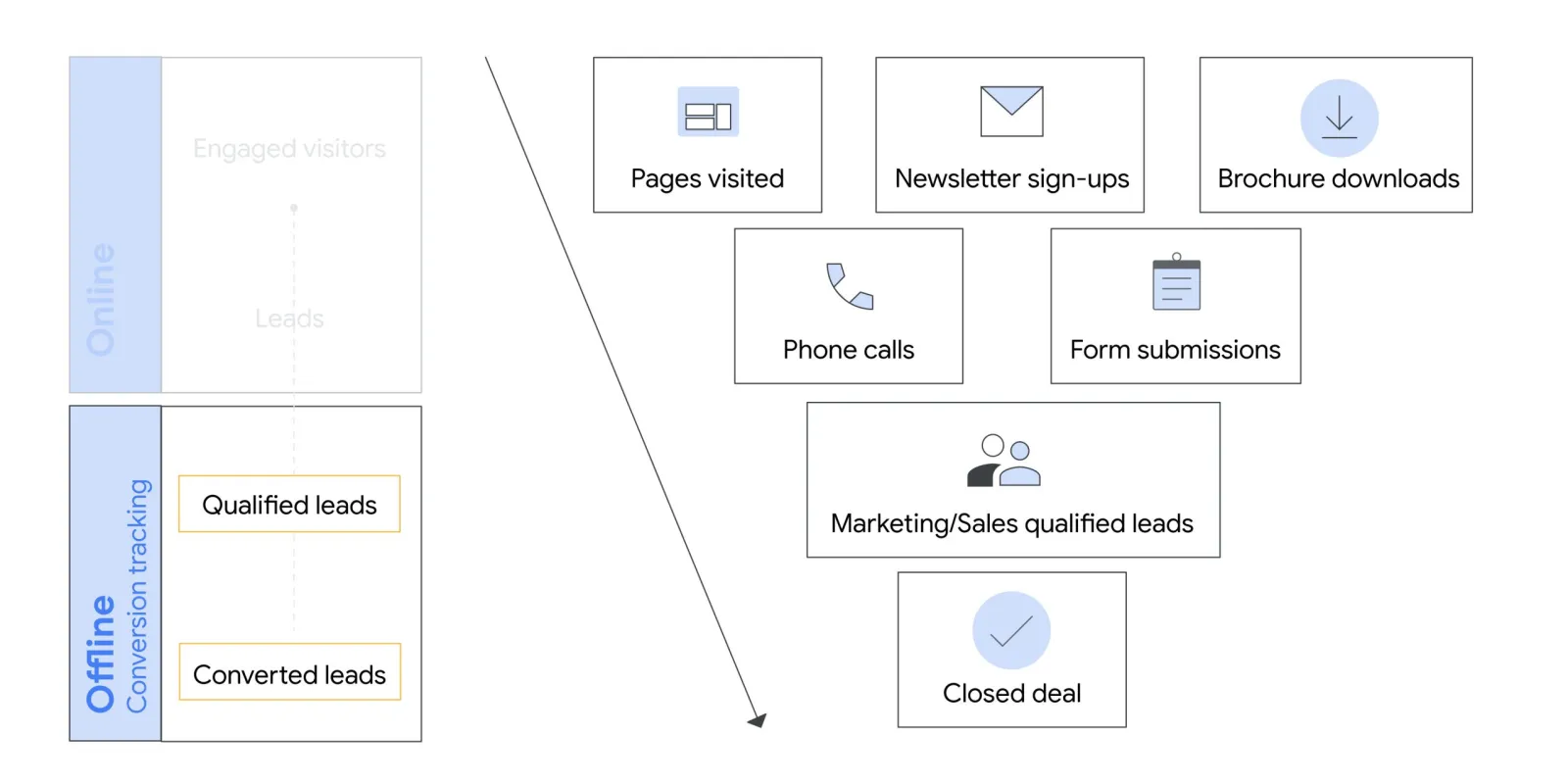
- Qualified Leads – People who’ve shown interest and were vetted by your sales team.
- Converted Leads – People who made it through your sales funnel and took a final action, like making a purchase or signing a contract.
The best part? Google’s AI tools like Smart Bidding and Performance Max now have more detailed signals to work with. That means better targeting, smarter bidding, and ultimately better results.
What Is a Qualified Lead?
Think of a qualified lead as someone raising their hand, saying, “Hey, I’m interested.”
Here’s what typically happens:
- Someone clicks your Google Ad.
- They fill out a form or contact you.
- Your sales team reviews the lead.
- If they think this person is a good fit, you mark them as a qualified lead in your CRM.
- That information is then imported into Google Ads.
It’s important to note that Google doesn’t decide who’s qualified; you do. This classification happens outside the platform, in your CRM or lead management system.
What Is a Converted Lead?
A converted lead goes one step further. This isn’t just a lead who’s interested—it’s someone who’s taken the final action you define as a “conversion.”
That could mean:
- Signing a contract
- Completing a purchase
- Booking a paid service
- Or any other meaningful action that represents business success for you
Once that step is confirmed in your CRM, it can be imported into Google Ads as a converted lead. Again, Google doesn’t decide this—you define it.
Why This Change Matters
1. Better Optimisation with Google AI
When Google Ads knows whether a lead is just interested or has converted, it can adjust your campaigns accordingly. Instead of optimising for clicks or early-stage actions, Google AI can now focus on leads that turn into real customers.
Imagine if Smart Bidding knew which leads became high-value clients. It would spend your ad budget on getting more people like them, not just more clicks.
2. More Insight into Your Sales Funnel
Google Ads now gives you access to a full Lead Funnel Report. This shows:
- How many people clicked your ad
- How many became leads
- How many were qualified by your team
- How many converted
It’s a clear view of the entire journey, not just the top of the funnel. That makes it easier to identify bottlenecks, drop-off points, and stages that need improvement.
3. Smarter Campaign Management
 LIVE
Live every Tuesday at 2pm UK. Bring your marketing questions.
Get your Google, local SEO and AI questions answered live.
By tagging leads correctly, you help Google Ads understand what success looks like for your business. This means better targeting, less wasted spend, and more revenue for the same or even lower investment.
What You Need to Do Next
Whether you’ve been importing leads already or you’re just getting started, here’s how to move forward.
If You’re Already Importing Leads: Update Your Goals
Google might suggest new goal setups based on your current data. But don’t just accept the defaults, review them.
To update:
- Click the Goals icon in Google Ads.
- Go to Conversions > Summary.
- Look for a notification and click Update now.
- Review suggestions and make changes as needed.
- Click Update.
If your goal is marked as an account-default goal, it’ll automatically apply to all campaigns. If not, you’ll be able to see which campaigns are affected.
If You’re Setting Up Tracking for the First Time
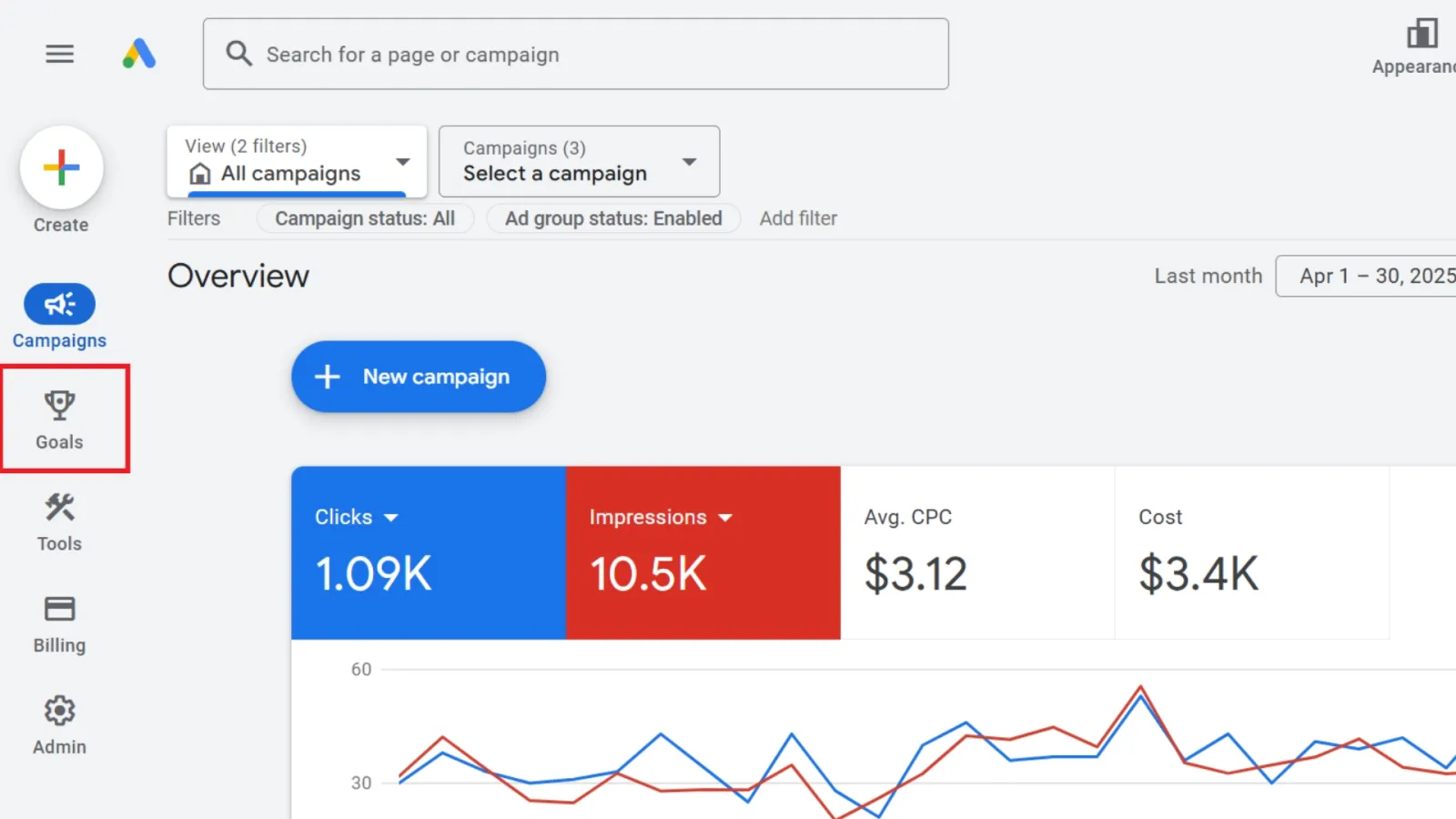
Click the Goals icon.
Go to Conversions > Summary.
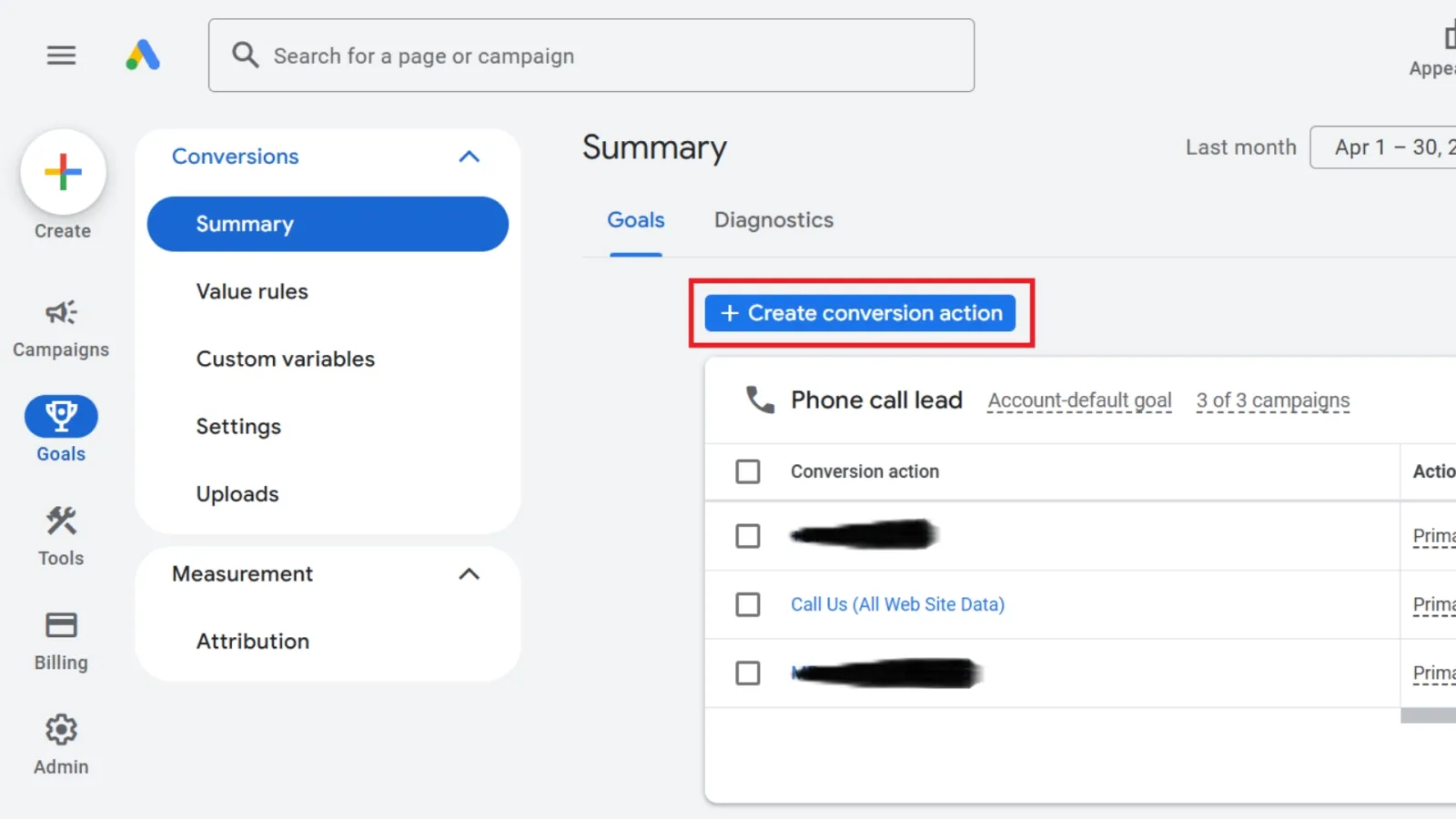
Click + Create conversion action.
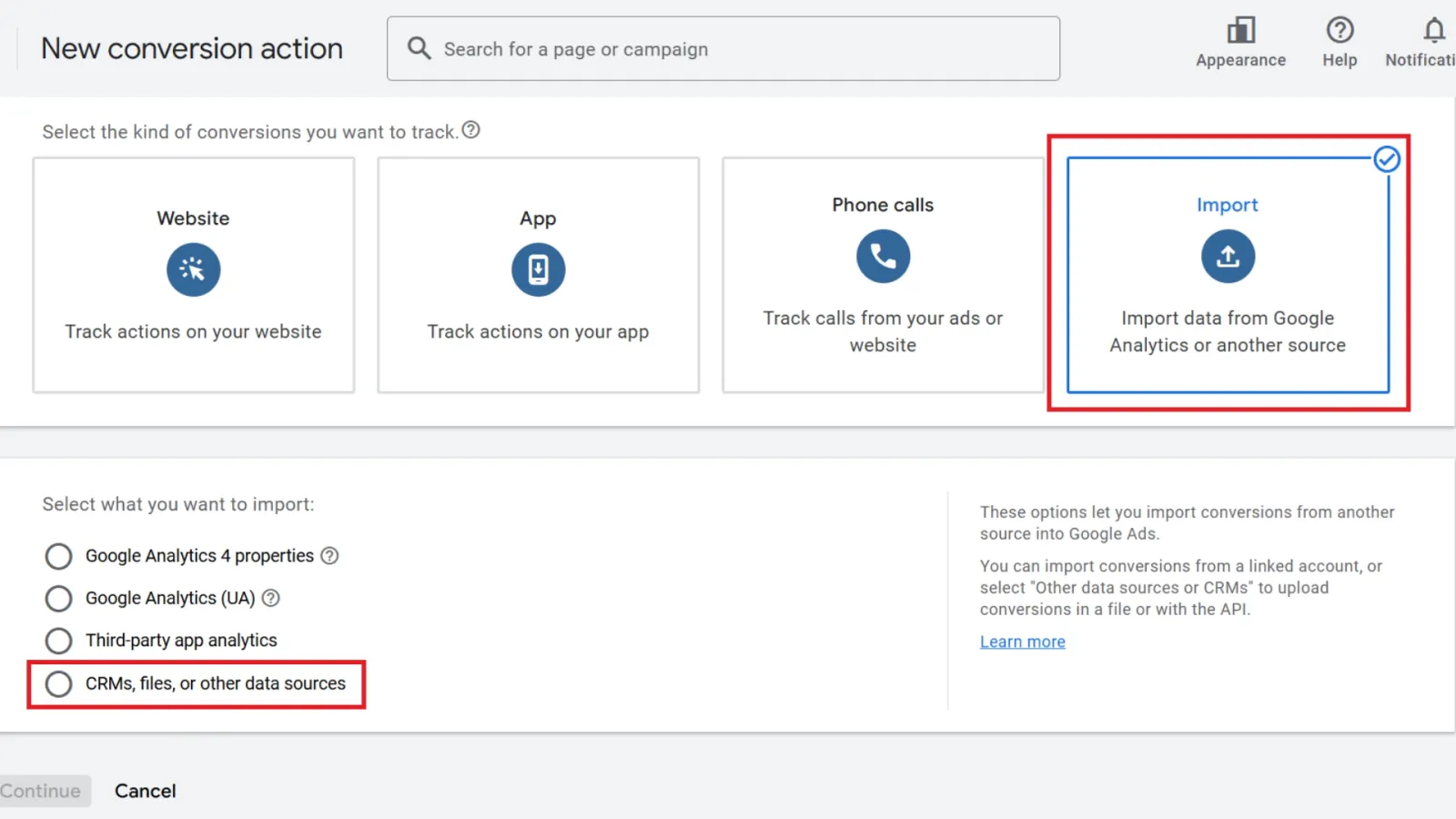
Choose Import and select your source (CRM, files, etc.).
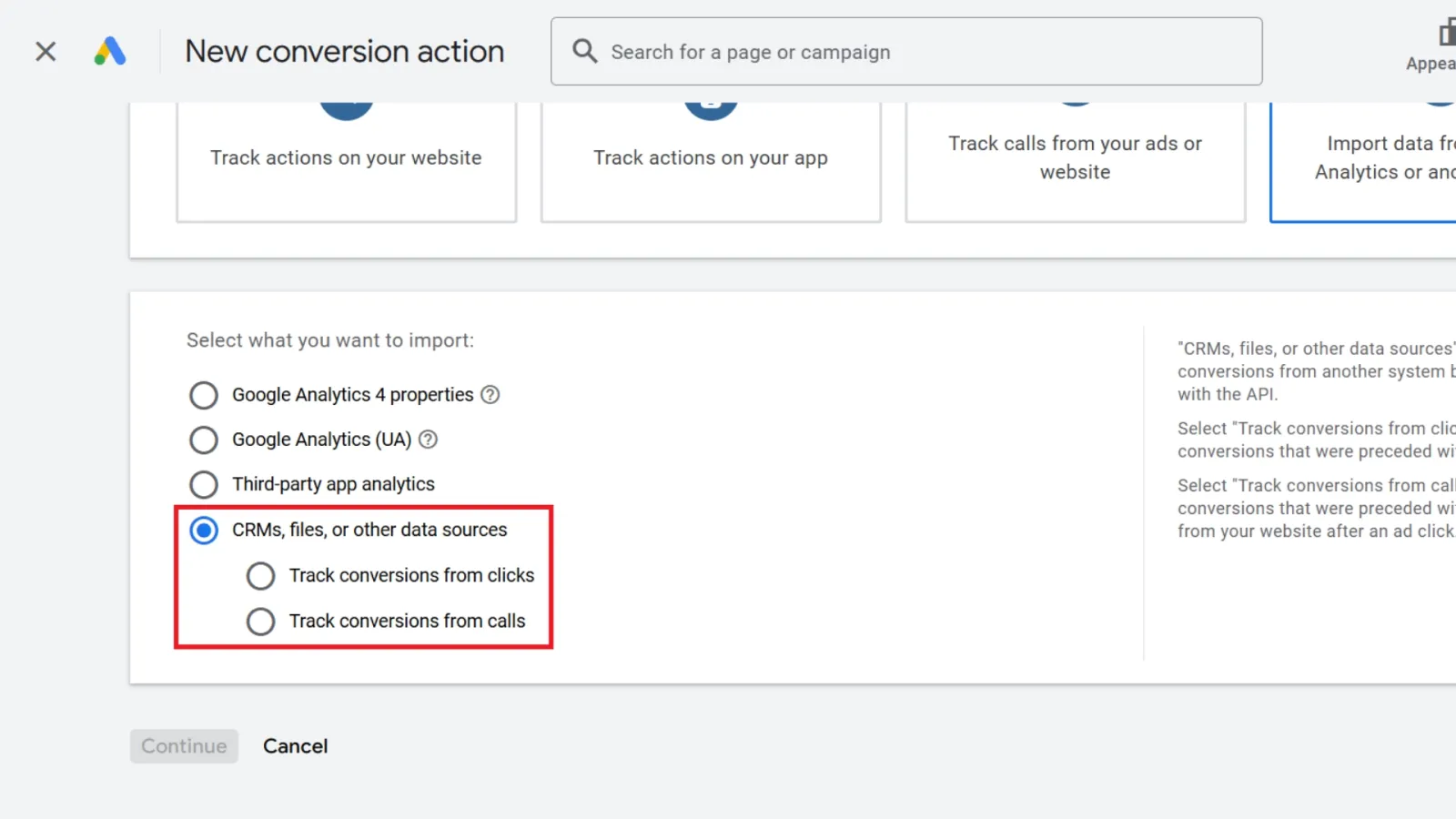
Choose to track by clicks or by calls.
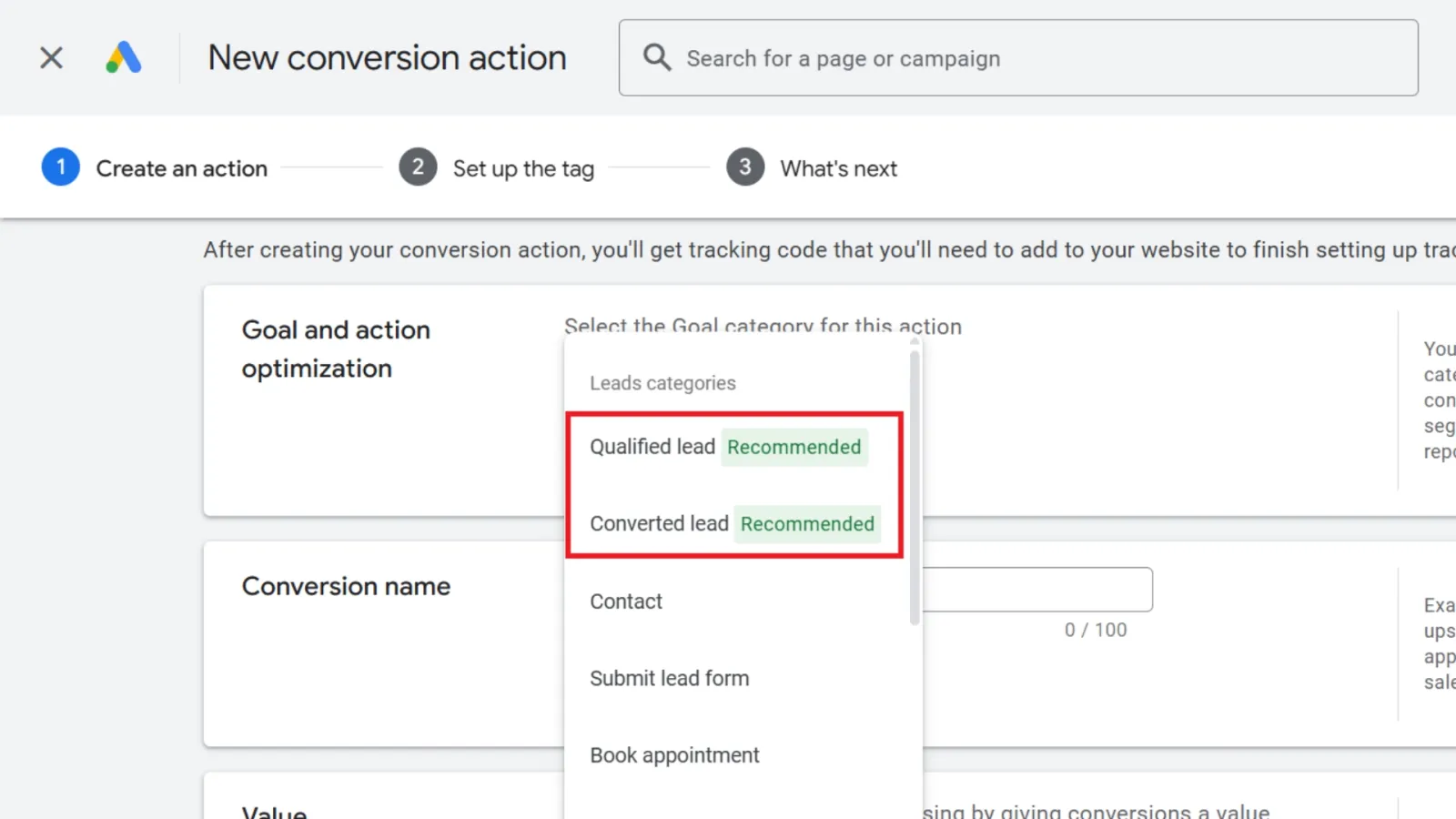
In the goal type, pick Qualified Lead or Converted Lead.
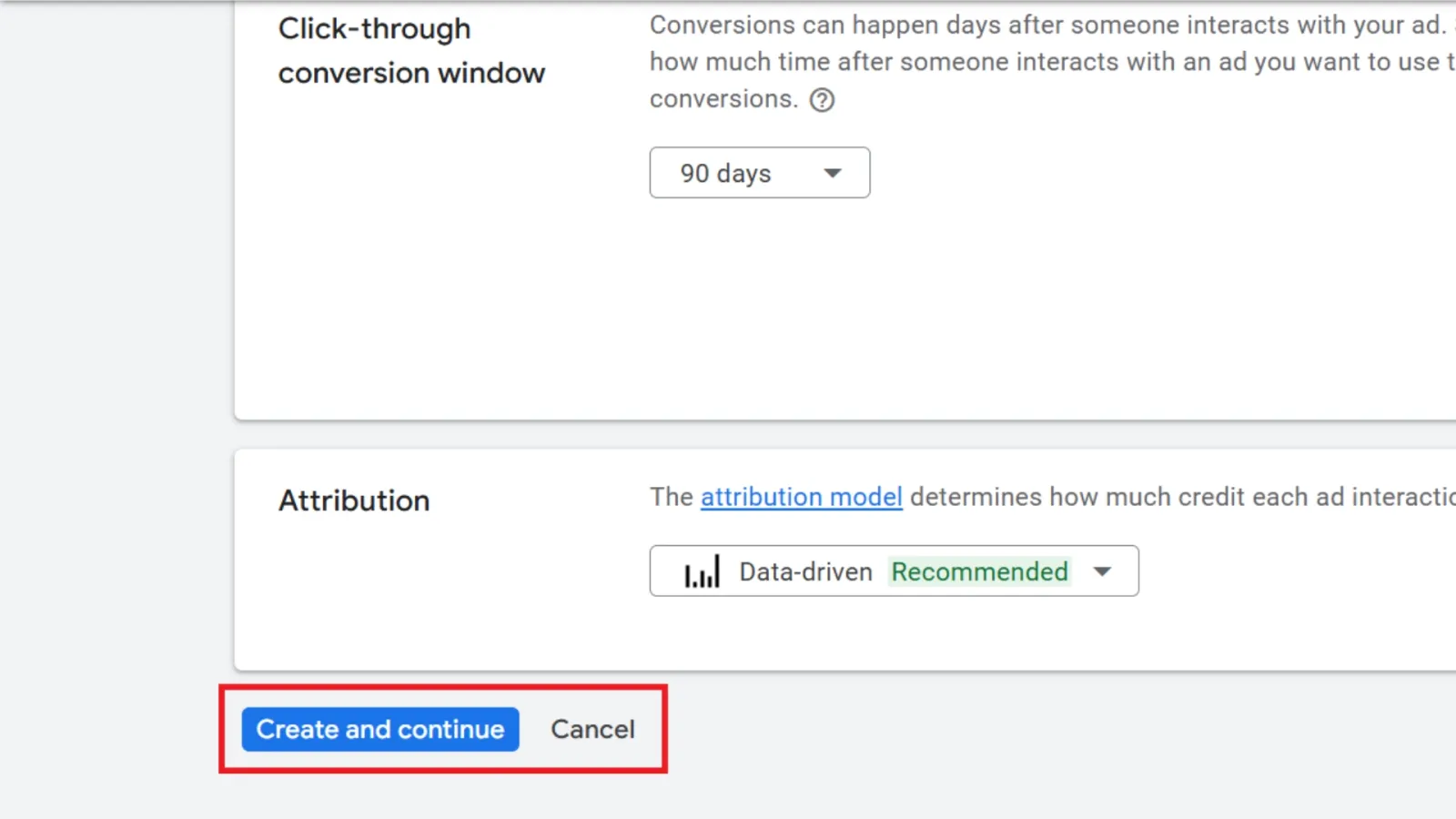
Finish the setup and click Create and continue.
Remember: If you’re importing leads from Salesforce or a similar CRM, Google will default the goal to Converted Lead, make sure that matches what you want.
Real-World Example: Why This Matters
Let’s say you run a software company offering demos.
- A Qualified Lead is someone who fills out your demo request form, and your sales team confirms they’re a fit.
- A Converted Lead is someone who books a full subscription after the trial.
If you only track form fills as conversions, Google thinks that’s the end goal. But when you import qualified and converted leads separately, Google knows the difference between curiosity and commitment. That knowledge fuels better bidding strategies and audience targeting.
A Few Quick Tips
- Don’t rush the setup. Take time to clearly define what makes a lead “qualified” and what counts as a “conversion” in your business.
- Work closely with your sales team. They need to consistently mark leads correctly in the CRM.
- Review your funnel regularly. The new lead funnel report can show you if leads are getting stuck or dropping off before converting.
- Let AI learn. It may take some time for Google AI to adjust to the new data, but once it does, the payoff can be significant.
Final Thoughts
The move from a single imported lead type to separate qualified and converted lead goals isn’t just a technical update—it’s a strategic one.
It’s about giving Google Ads the kind of detailed data it needs to work smarter on your behalf. When you define success more clearly, Google AI can help you get more of it.
So, whether you’re optimising old campaigns or launching new ones, take advantage of this change. It’s a small setup effort with the potential for big ROI gains.
Ready to level up your lead tracking? Make those updates, train your team, and let Google AI do its thing.

Written by Uzair Kharawala
Partner at SF Digital Studios, a Google Premier Partner agency. Uzair has been helping businesses grow with Google Ads since 2002 and teaches it every week on YouTube.
Get our best Google Ads tips by email
New articles and videos, straight to your inbox. Unsubscribe any time.