
Running a Google Ads campaign without paying attention to key performance metrics is like flying a plane with no dashboard. You might be up in the air, but you have no idea where you’re heading or how efficiently you’re moving. Many marketers jump into paid campaigns expecting instant results, only to end up frustrated when performance doesn’t meet expectations.
That’s usually not because the platform doesn’t work; it’s because they’re looking at the wrong signals or not looking at all.

Get Found, Get Chosen, Get Your Time Back
A free one-day marketing seminar in Milton Keynes · 10 November 2026
In this blog post, we’ll break down seven essential Google Ads metrics you should be monitoring closely. These are the numbers that help you evaluate success, optimise performance, and most importantly, spend smarter.
Get your free Marketing Action PlanNot sure where to start? Answer a few questions and get your plan in about a minute. No email needed.
Get my plan →1. Conversions – The Action That Matters Most
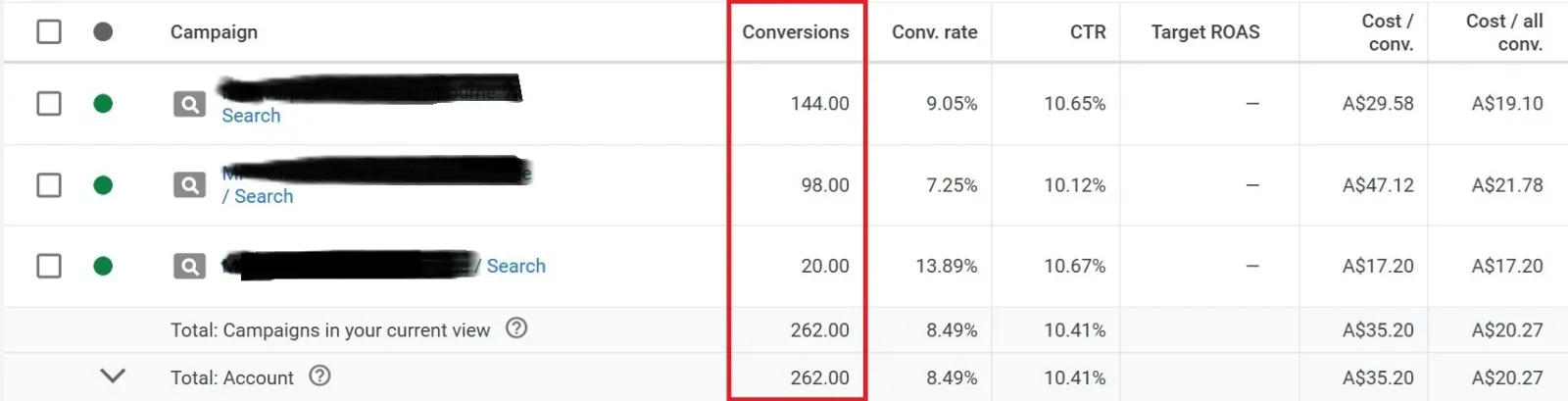
A conversion is the clearest signal that your Google Ads campaign is working. It represents a specific action you’ve defined as valuable a purchase, a form submission, a newsletter sign-up, or even a phone call.
It’s not enough to get clicks. Conversions show that those clicks are leading somewhere meaningful. If you’re not tracking conversions, you’re essentially guessing what’s working and what’s not.
Why it matters:
- It ties ad performance directly to your business goals.
- Helps you compare different campaigns or keywords based on real outcomes, not just traffic.
Tip: Set up conversion tracking in Google Ads or import goals from Google Analytics for a clearer picture.
2. Conversion Rate – How Efficiently You Turn Clicks Into Results
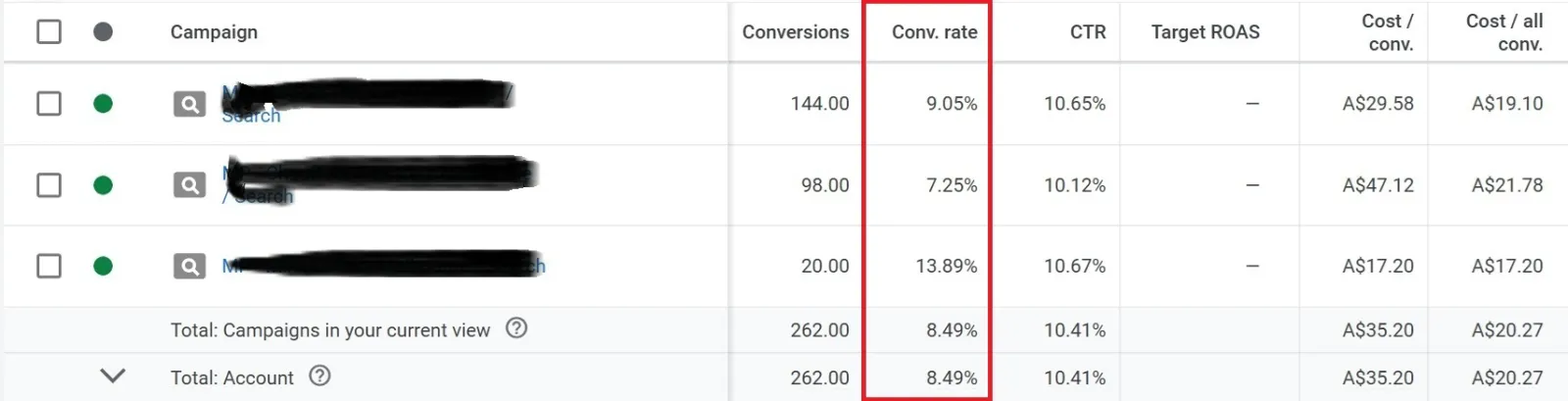
Conversion Rate tells you how many people took action after clicking your ad. It’s calculated by dividing the number of conversions by the total number of ad interactions (like clicks) and expressing it as a percentage.
If you’re getting a ton of clicks but very few conversions, it might mean:
- Your landing page isn’t relevant or user-friendly.
- Your offer isn’t clear.
- Your traffic isn’t the right audience.
Why it matters:
- High conversion rates indicate good alignment between your ads and your landing pages.
- It’s a great indicator of efficiency and relevance.
Tip: A/B test your landing pages regularly. Small changes like headlines or call-to-action buttons can make a big impact.
3. Click-Through Rate (CTR) – Are People Even Interested in Your Ad?
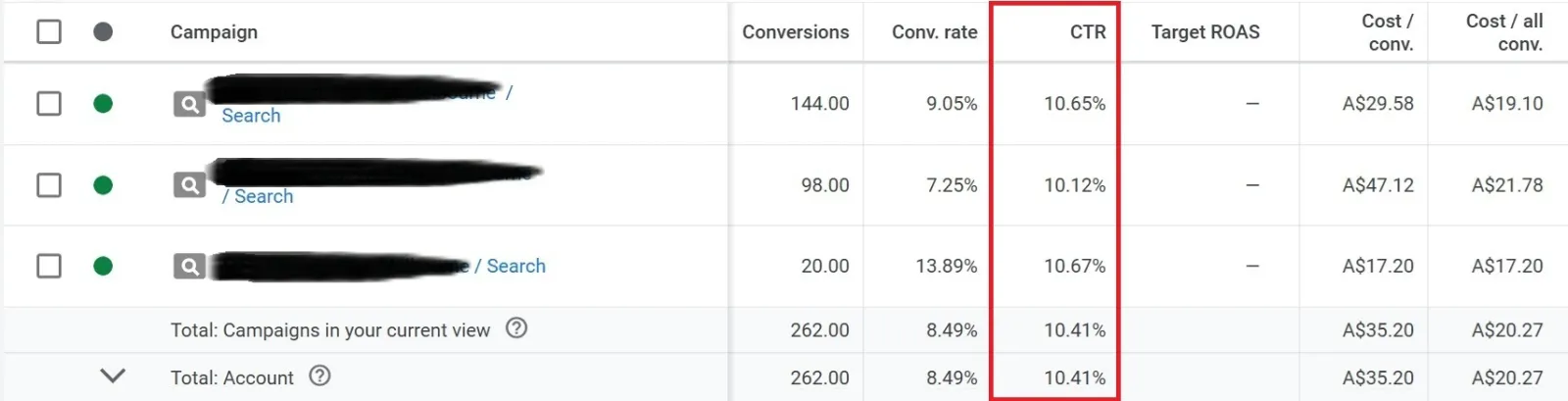
CTR is the ratio of people who saw your ad versus those who clicked on it. If 100 people saw your ad and 3 clicked, your CTR is 3%.
A low CTR can be a red flag, suggesting:
- Your ad copy doesn’t resonate.
- You’re targeting the wrong keywords.
- Your ad isn’t standing out among competitors.
Why it matters:
- A strong CTR means your ad is relevant and compelling.
- Higher CTR can also improve your Quality Score, which can lower your cost per click (CPC).
Tip: Use more specific headlines, highlight benefits over features, and test ad variations regularly.
4. Return on Investment (ROI) – The Bigger Picture
ROI takes into account how much you spent versus how much profit you made from that spend. It’s more than just revenue, it’s about profitability.
Here’s a basic formula:
ROI = (Revenue – Cost of Ads) ÷ Cost of Ads × 100
If you spent $500 and earned $1500 in revenue with $800 in costs, your ROI would be 20%. That’s the real value.
 LIVE
Live every Tuesday at 2pm UK. Bring your marketing questions.
Get your Google, local SEO and AI questions answered live.
Why it matters:
- ROI is a direct measure of profitability.
- It helps you understand if your campaigns are making money after all expenses.
Tip: Don’t confuse ROI with revenue. Always factor in total costs, including production, manpower, or logistics.
5. Return on Ad Spend (ROAS) – Are Your Ads Paying for Themselves?
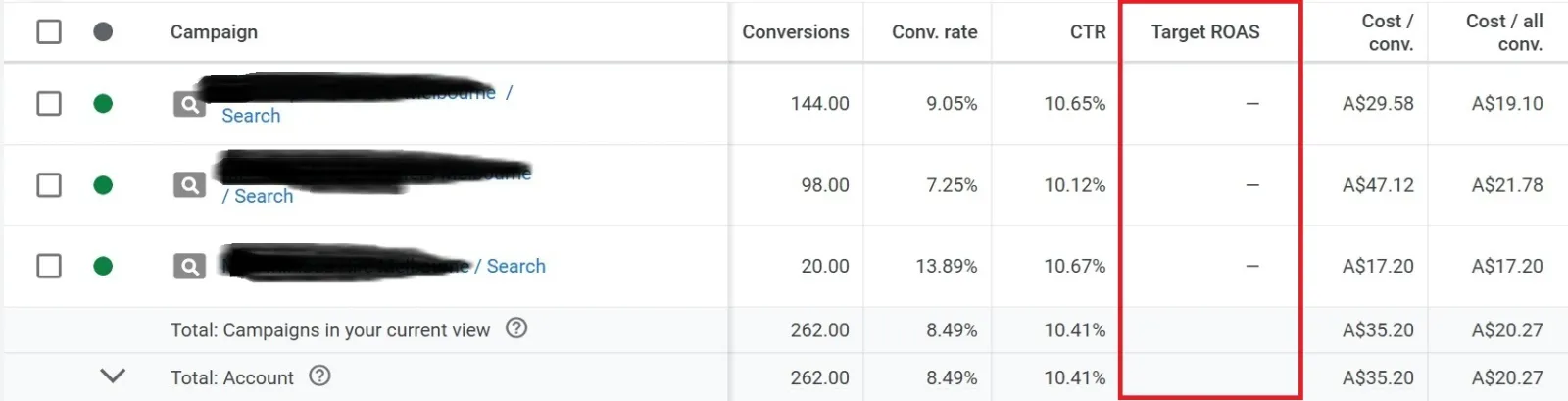
ROAS is like ROI, but more narrowly focused. It looks only at ad spend versus revenue.
ROAS = Revenue from Ads ÷ Cost of Ads
If you spent $100 on Google Ads and made $400 in sales, your ROAS is 4x or 400%.
Why it matters:
- It’s particularly useful for e-commerce and retail businesses.
- Helps you evaluate performance at the campaign, ad group, or even keyword level.
Tip: Not all campaigns will have the same target ROAS. For example, brand awareness campaigns may have a lower ROAS but still deliver long-term value.
6. Lead-to-Sale Conversion Rate – The Quality Behind the Quantity
This metric is essential if your campaign’s goal is to generate leads (such as form fills, downloads, or sign-ups) before they become paying customers.
You might be collecting leads at a low cost, but if very few of them buy, that’s a problem.
Why it matters:
- Helps you assess the quality of leads generated.
- Can uncover weaknesses in your sales process or targeting.
Tip: Track this metric in your CRM or by syncing Google Ads with tools like HubSpot or Salesforce.
7. Cost Per Conversion – What Are You Paying to Win a Customer?
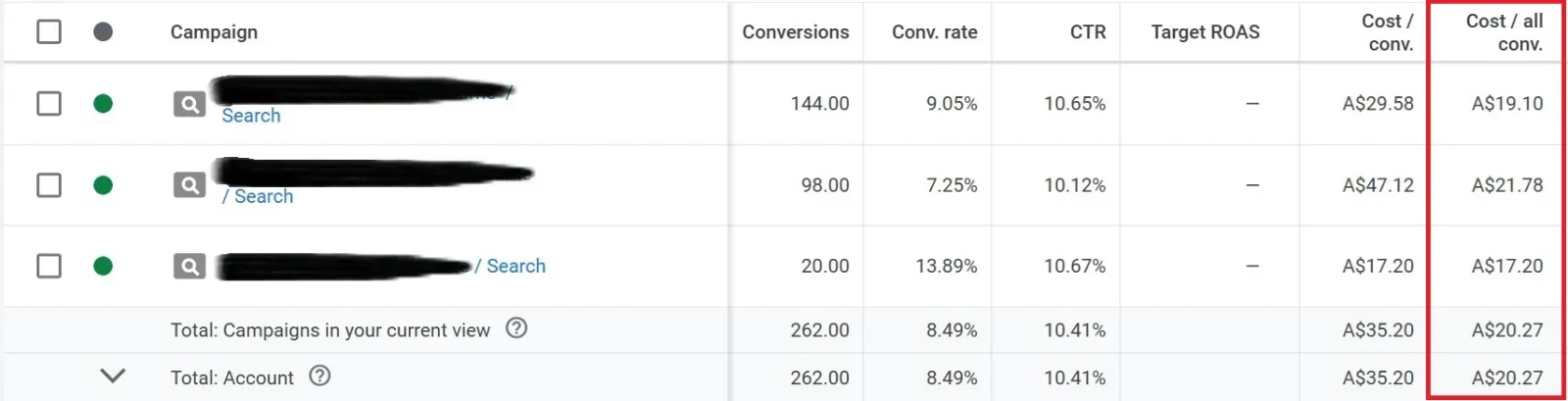
Cost Per Conversion (also known as Cost Per Acquisition or CPA) tells you how much you’re spending for each successful outcome (purchase, sign-up, etc.).
Even if your conversion rate is high, if you’re paying too much per conversion, your campaigns might not be sustainable.
Why it matters:
- A clear indicator of efficiency and scalability.
- Helps compare performance across different campaigns or strategies.
Tip: Use smart bidding strategies like “Target CPA” if you want Google to help automate this metric for you.
Bringing It All Together
Tracking these 7 Google Ads metrics gives you a complete performance dashboard:
- Conversions tell you what’s working.
- Conversion Rate shows how efficiently you’re working.
- CTR reflects interest and relevance.
- ROI and ROAS highlight profitability and return.
- Lead-to-sale conversion tells you about lead quality.
- Cost Per Conversion measures cost-effectiveness.
When you regularly review these numbers, patterns begin to form. You’ll see which campaigns are worth scaling, which keywords are dragging performance down, and where you need to tweak messaging or landing pages.
The beauty of digital advertising is that everything is trackable. But the real value comes not just from watching the data, it’s from understanding it, acting on it, and using it to guide smarter decisions.
Final Thoughts
You don’t need to be a data scientist to run successful Google Ads campaigns. But you do need to understand what the numbers are telling you. These seven metrics are not just numbers on a screen, they’re insights into how your business is growing, where you’re wasting money, and where you should focus next.
Keep it simple. Monitor these metrics regularly. Make small, consistent improvements. And don’t be afraid to pause what’s not working.
Because when you follow the right signals, success isn’t just possible, it’s predictable.

Written by Uzair Kharawala
Partner at SF Digital Studios, a Google Premier Partner agency. Uzair has been helping businesses grow with Google Ads since 2002 and teaches it every week on YouTube.
Get our best Google Ads tips by email
New articles and videos, straight to your inbox. Unsubscribe any time.