

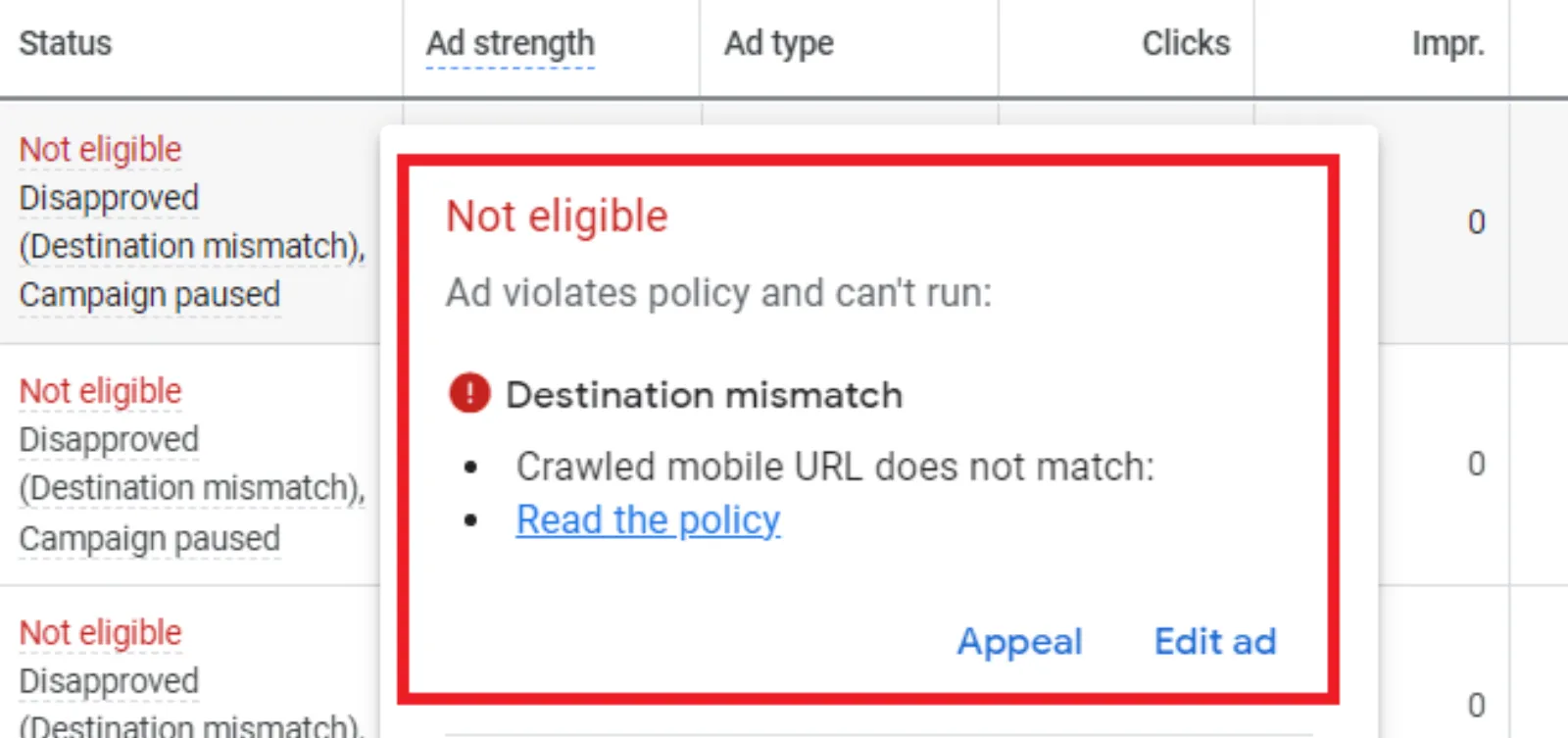
You’ve got your Google Ads campaign all set up. Your keywords are perfect, your ad copy is compelling, and your budget is ready to go. You click “enable,” and… nothing. You check your account and see that dreaded “disapproved” status. The reason? “Destination Mismatch.
If you’re not a Google Ads pro, this can sound like a foreign language. You probably think, “But my link works! It goes right to the page I want! And you’re not wrong. The link does work. But “destination mismatch” isn’t about a broken link. It’s a subtle, but critical, error that Google’s system catches to protect users from a bad experience.
So, what exactly is it?
In the simplest terms, destination mismatch happens when the URL people see in your ad isn’t the same as the one they actually land on. It’s like seeing a sign for a coffee shop that says “The Daily Grind” and then walking through the door to find yourself in a laundromat. Both places are useful, but they’re not what you expected.
Google’s main goal is to make sure users have a good experience. They want the ad to be a truthful preview of what’s on the other side. A destination mismatch can make a user feel tricked or confused, which is exactly what Google wants to prevent.
This can happen for a few reasons, and they’re usually easy to fix.
1. The Obvious Mistake: URL Typos
Sometimes, it’s just a simple error. You might have a typo in your Final URL, or you might have a different subdomain in your Display URL than your Final URL. For instance, your Display URL might be www.example.com, but your Final URL is blog.example.com. Even if both pages are yours, Google’s system sees the different subdomain and flags it as a mismatch.
This is the easiest one to fix. Just double-check your URLs. Make sure the Display URL (what the user sees) and the Final URL (where they go) are from the exact same domain.
2. The Sneaky Culprit: Redirects
This is where a lot of people get tripped up. You might have a redirect in place that you didn’t even think about. Maybe you’re using an old URL that automatically sends visitors to the new one. Or, maybe you’re using a tracking template that adds a bunch of code to your URL, and somewhere in that process, it causes a redirect to a slightly different page.
Even if the new page is just a slightly different version of the original, Google’s system might not like the redirect. It’s an extra step that can create a poor user experience, especially on mobile devices.
To fix this, you need to check your tracking templates and final URLs carefully. Use a tool to see if your Final URL is redirecting. If it is, update your ad to use the final, non-redirected URL. This makes the path from click to landing page as direct as possible, which Google likes.
3. The Content Discrepancy
This one is less about the URL itself and more about the content on the page. Your ad might say “20% off all shoes,” and your URL is www.myshoesite.com/sale. But when a user gets there, the page is just the regular homepage with no mention of the sale.
This is a destination mismatch of a different kind. The user was promised one thing, and the landing page didn’t deliver. Google wants the content on your landing page to be a perfect match for the ad that brought the user there. If your ad is about a specific product, the landing page should be that product page—not your generic homepage.
The solution here is to create dedicated landing pages for your ads. If you’re promoting a specific offer or product, build a page just for that campaign. It’s not only good for Google’s policy but also great for your conversions. The more specific and relevant the landing page is to the ad, the more likely a user is to take action.
4. The Technical Glitches
Sometimes the issue isn’t even about your setup, but a technical problem. This could be things like a page that isn’t crawlable by Google’s bots, a server error (like a 404 or 500), or a slow-loading page. If Google’s system can’t properly access or read your landing page, it will assume there’s a problem and disapprove the ad.
To check for these issues, you can use Google’s own tools, like Google Search Console. It will show you if there are any issues with your site’s crawlability. Make sure your robots.txt file isn’t blocking Googlebot, and that your page is loading quickly and without errors.
Why Bother Fixing It?
It’s not just about getting your ad approved. A destination mismatch can hurt your ad performance in other ways. When a user clicks your ad and is confused or disappointed by the landing page, they’ll bounce immediately. This high bounce rate signals to Google that your ad isn’t relevant, which can lower your Quality Score. A lower Quality Score means you pay more for each click and your ad shows up less often.
By taking the time to fix a destination mismatch, you’re not just satisfying a policy. You’re creating a better user experience, which leads to happier visitors, higher conversion rates, and a more successful ad campaign.
The next time you see “destination mismatch,” don’t panic. It’s a simple, fixable problem. Just think about it from the user’s point of view: does my ad’s promise match the landing page’s reality? If the answer is no, you know exactly what to do.

Written by Uzair Kharawala
Founder of SF Digital Studios, a Google Premier Partner agency. Uzair has been helping businesses grow with Google Ads since 2002 and teaches it every week on YouTube.
Get our best Google Ads tips by email
New articles and videos, straight to your inbox. Unsubscribe any time.