
If you’ve noticed changes in your Google Ads account, you’re not alone. Google has officially replaced the ‘imported leads’ conversion goal with two new, more refined options:
- Qualified Leads
- Converted Leads
This shift represents a big opportunity for advertisers to harness better data, improved optimisation, and the full power of Google AI. In this post, we’ll break down the differences between qualified and converted leads, how they work, and how you can implement them to boost your campaign performance.

Get Found, Get Chosen, Get Your Time Back
A free one-day marketing seminar in Milton Keynes · 10 November 2026
Why This Change Matters
Understanding and choosing the right conversion goals is critical for campaign success. With the introduction of Qualified Leads and Converted Leads, Google Ads gives you deeper visibility into your lead-to-sale funnel, allowing you to:
Get your free Marketing Action PlanNot sure where to start? Answer a few questions and get your plan in about a minute. No email needed.
Get my plan →- Tag leads more accurately by their stage in the funnel
- Optimise campaigns with better signals
- Leverage Google AI tools more effectively (like Smart Bidding and Performance Max)
What Are Qualified Leads and Converted Leads?
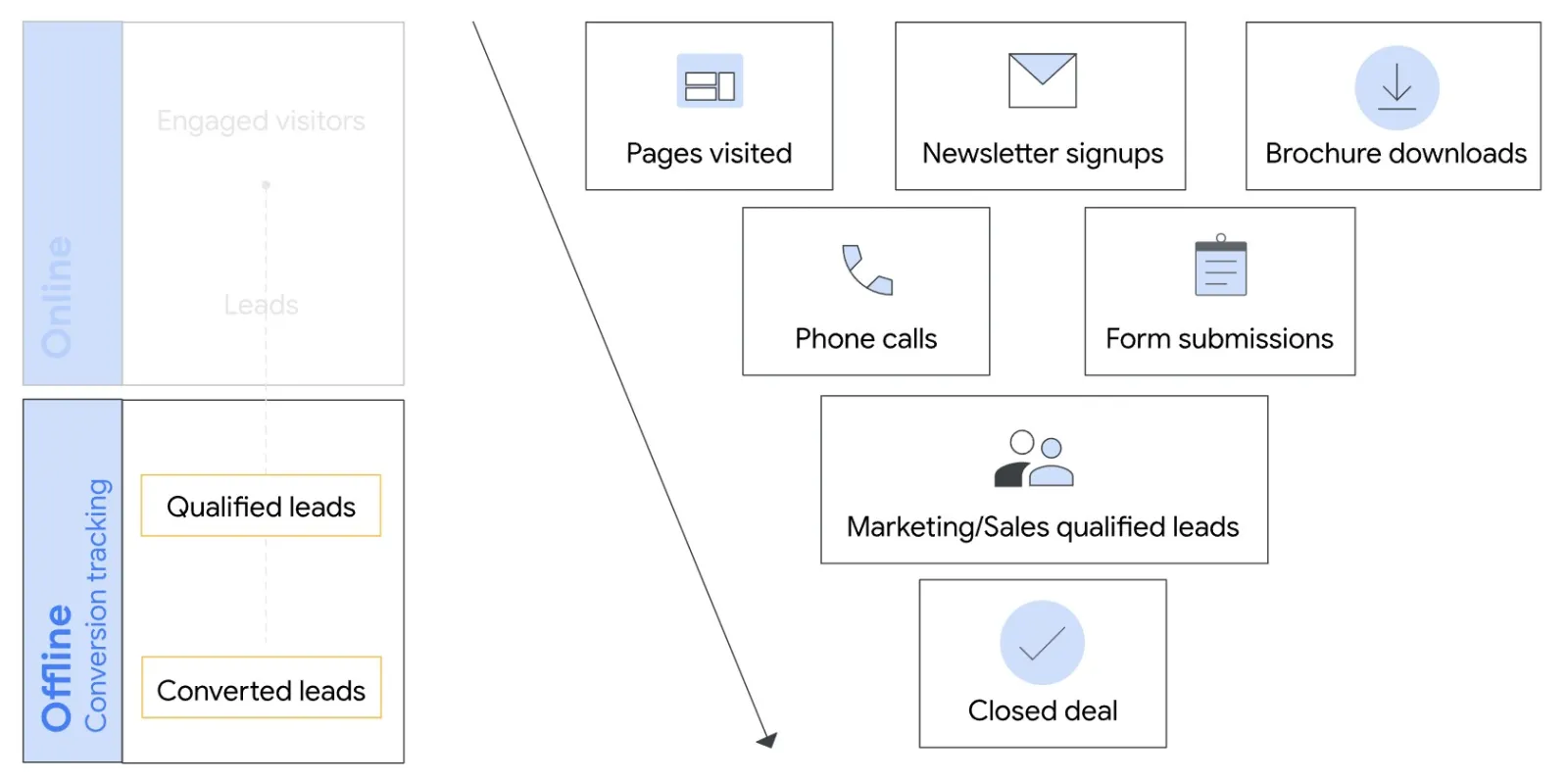
Qualified Lead: A Qualified Lead (sometimes referred to as an “interested” lead) is a Google-generated lead that has been verified or validated offline — typically through your CRM or internal lead management system.
This means the lead has shown genuine interest and meets your internal criteria, but hasn’t yet completed a final conversion action (like a sale).
Use Case: You may tag a lead as “qualified” after a sales call confirms interest, but before a contract is signed.
Converted Lead: A Converted Lead (also known as a “closed” lead) is a Google-generated lead that has completed a major step in your sales funnel — often an actual sale, a signed deal, or any offline milestone you define as a conversion.
Use Case: You may tag a lead as “converted” after they sign up for a service or purchase a product offline.
The Benefits of Using Qualified and Converted Leads
1. Improved Optimisation
With better conversion signals (qualified and converted leads), Google AI can optimise campaigns more effectively, targeting users who are more likely to become actual customers — not just form-fillers.
2. Smarter Reporting with the Lead Funnel Report
Gain full visibility into your funnel — from initial interactions to leads, qualified leads, and finally, converted leads. This layered reporting provides insights into where leads drop off and where your strongest prospects are.
3. Better Use of Google AI
When your conversion goals are clearly defined, tools like Smart Bidding and Performance Max campaigns can work smarter, delivering higher-quality leads and better ROI.
How to Set Up Qualified or Converted Leads in Google Ads
Update Your Imported Lead Conversion Actions
 LIVE
Live every Tuesday at 2pm UK. Bring your marketing questions.
Get your Google, local SEO and AI questions answered live.
If you’ve been using the older ‘imported leads’ goal, here’s how to update:
- Go to your Google Ads account and click the Goals icon.
- Click the Conversions drop-down > Summary.
- Look for the conversion categories notification, and click Update now.
- Review Google’s suggested updates and modify as needed.
- Click Update to finalise your new goal types.
If the goal is set as an account default, it will apply across all campaigns. Otherwise, Google will show which campaigns are affected and provide a quick link for review.
Create a New Qualified or Converted Lead Conversion Action
In your Google Ads account, click the Goals icon.
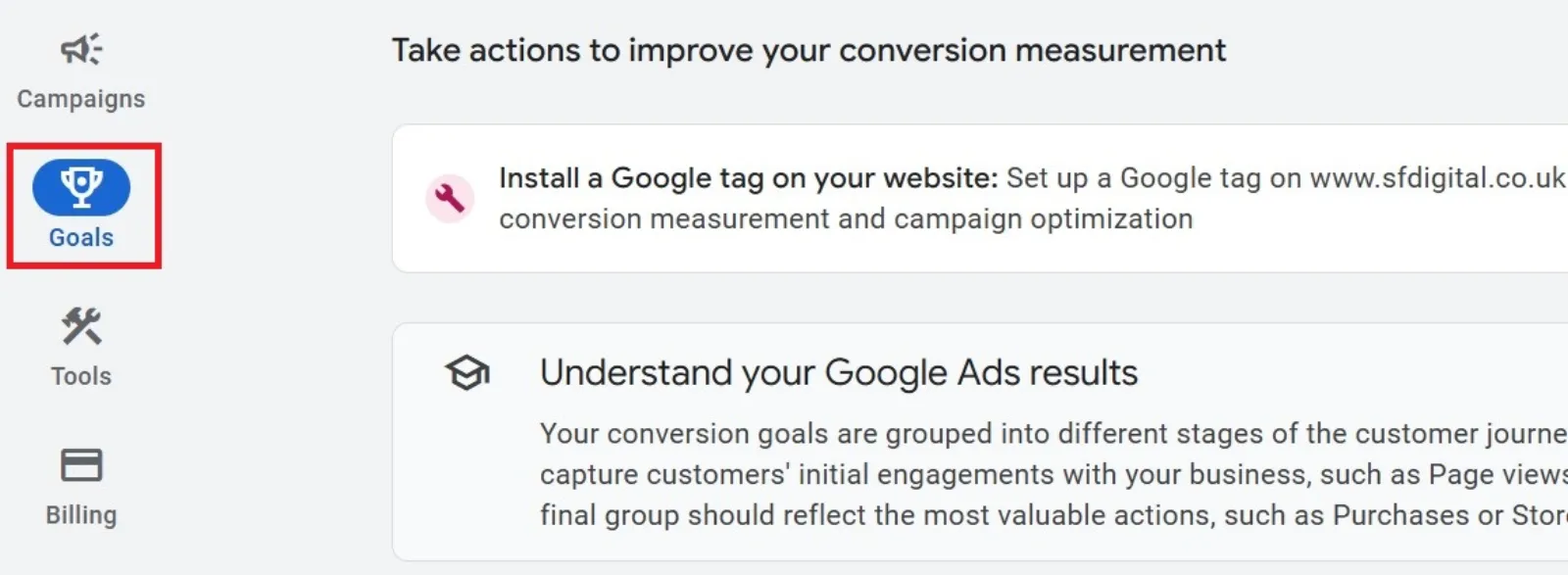
Go to Conversions > Summary.
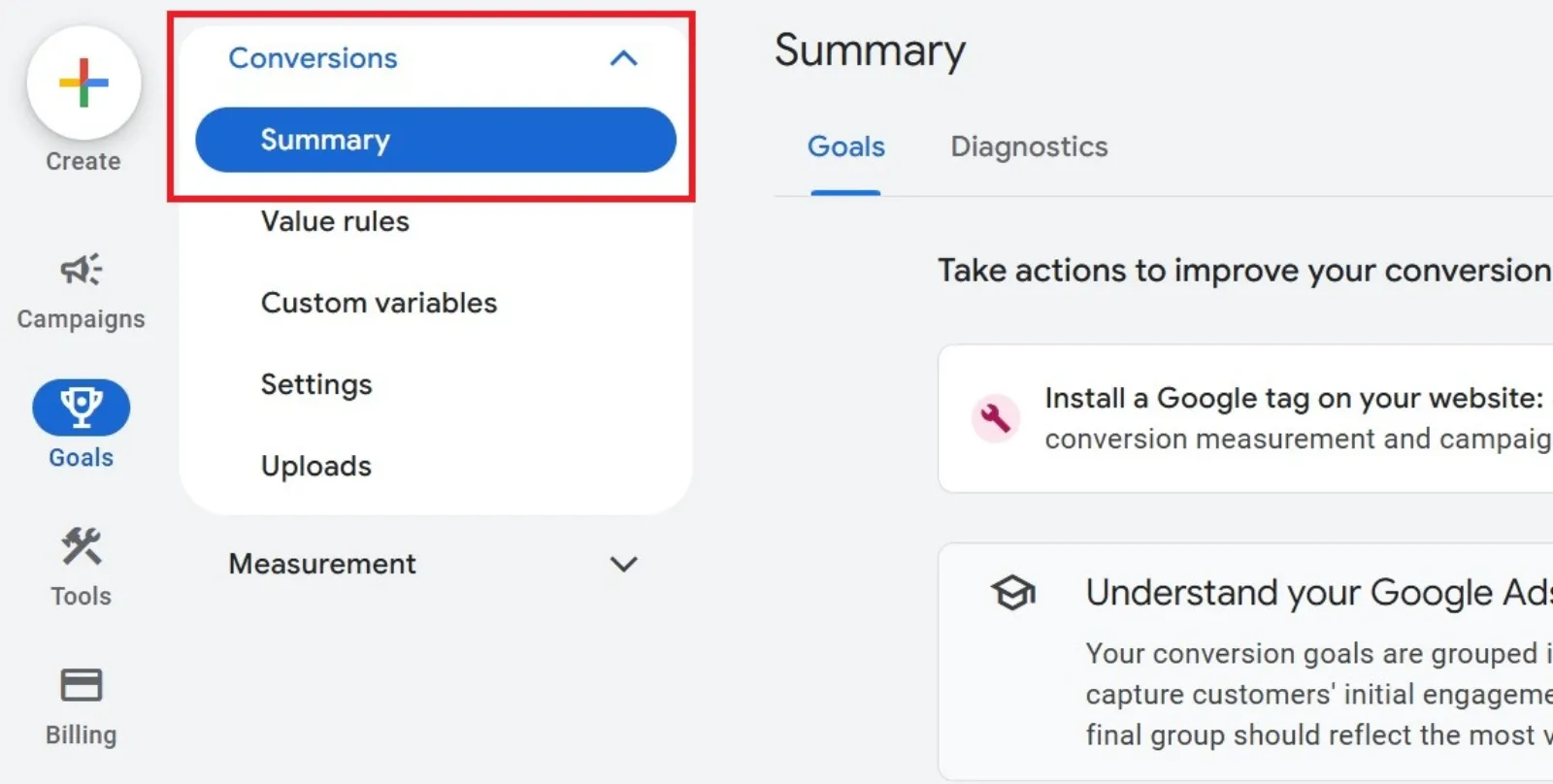
Click + Create conversion action.

Choose Import > CRMs, files or other data sources.

Choose whether to track conversions by clicks or calls, then click Continue.
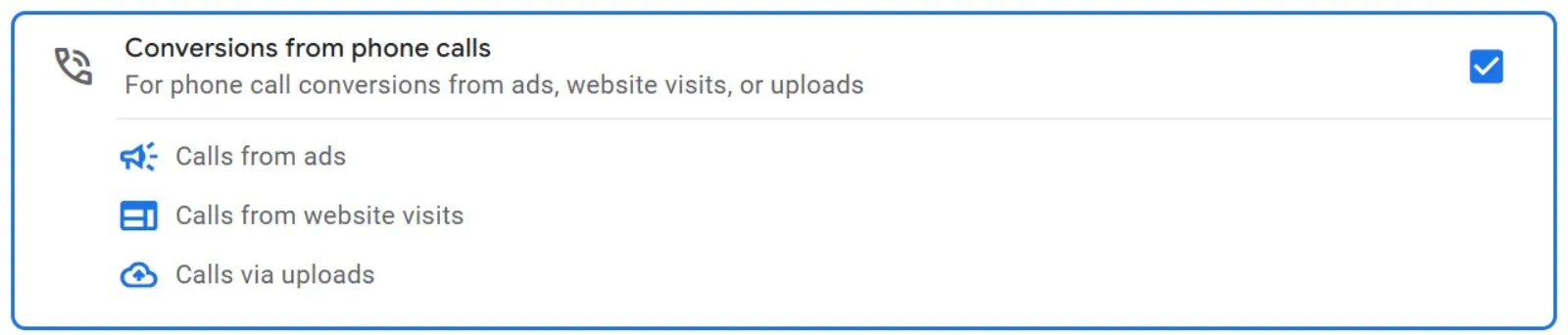
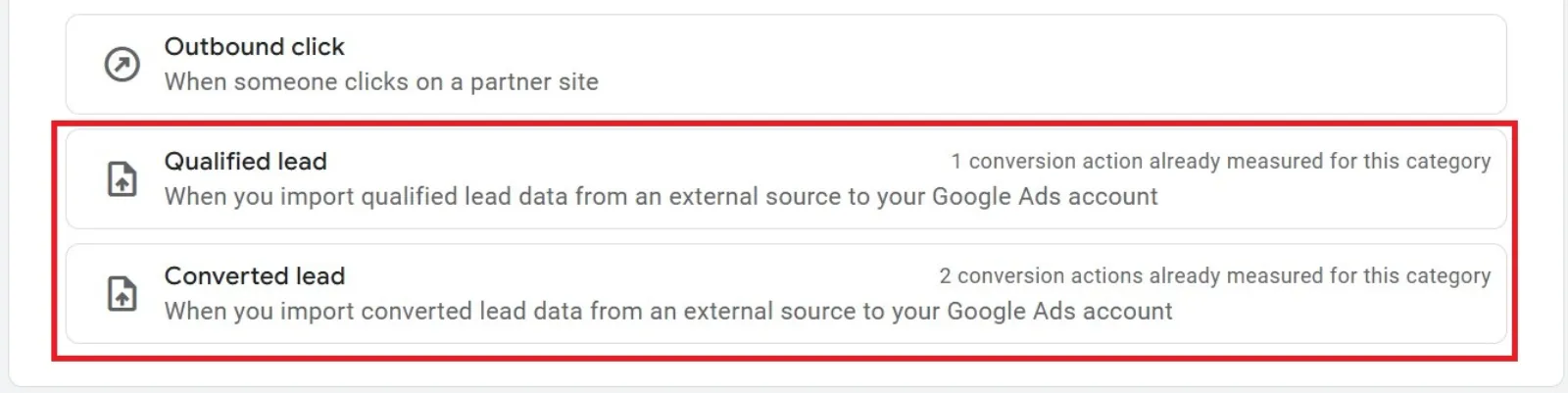
Under Goal and action optimisation, select either Qualified lead or Converted lead.
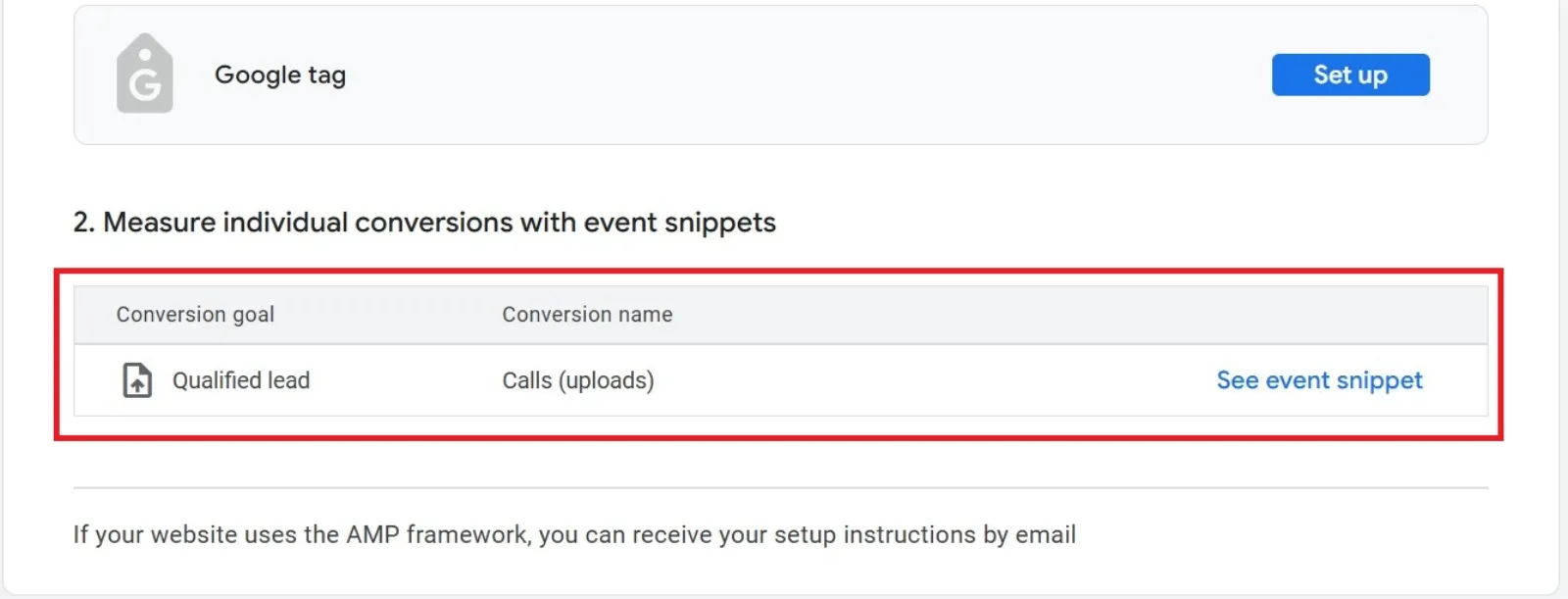
Fill in the required tag details and click Create and continue.
Once the setup is confirmed, click Finish.
Final Thoughts
By adopting Qualified Leads and Converted Leads, you’re giving Google Ads the data it needs to find, target, and convert better customers. This change isn’t just a technical update — it’s a strategic shift toward more intelligent lead generation and conversion tracking.
Whether you’re a small business or a large-scale advertiser, now is the time to update your goals and start measuring what truly matters.
Ready to Take Action?
- Update your imported lead conversions today
- Define what qualified and converted mean for your business
- Let Google AI do the heavy lifting in finding your most valuable customers
Boost Campaign Performance with More Fashionable Conversion Goals
Choosing the right conversion goal isn’t just a technical decision — it’s a business growth strategy. With Qualified Leads and Converted Leads, you’re one step closer to smarter campaigns, better insights, and real results.

Written by Uzair Kharawala
Partner at SF Digital Studios, a Google Premier Partner agency. Uzair has been helping businesses grow with Google Ads since 2002 and teaches it every week on YouTube.
Get our best Google Ads tips by email
New articles and videos, straight to your inbox. Unsubscribe any time.