
Are you running Google Ads campaigns, seeing some results, but feeling like there’s a whole lot more you could be doing? You’re probably right! Google Ads is a powerful tool, and like any powerful tool, it has many functions that often go overlooked by even experienced marketers. It’s easy to get stuck in a routine of setting up campaigns, adding keywords, writing ads, and then just watching the numbers. But what if I told you some built-in features could significantly boost your performance, often without costing you extra?
Many advertisers are leaving money on the table by not leveraging some of these incredibly useful (and often free!) features. Let’s dig into six of them that you should start exploring.

Get Found, Get Chosen, Get Your Time Back
A free one-day marketing seminar in Milton Keynes · 10 November 2026
1. Location Bid Adjustments: Fine-Tune Your Geographic Targeting
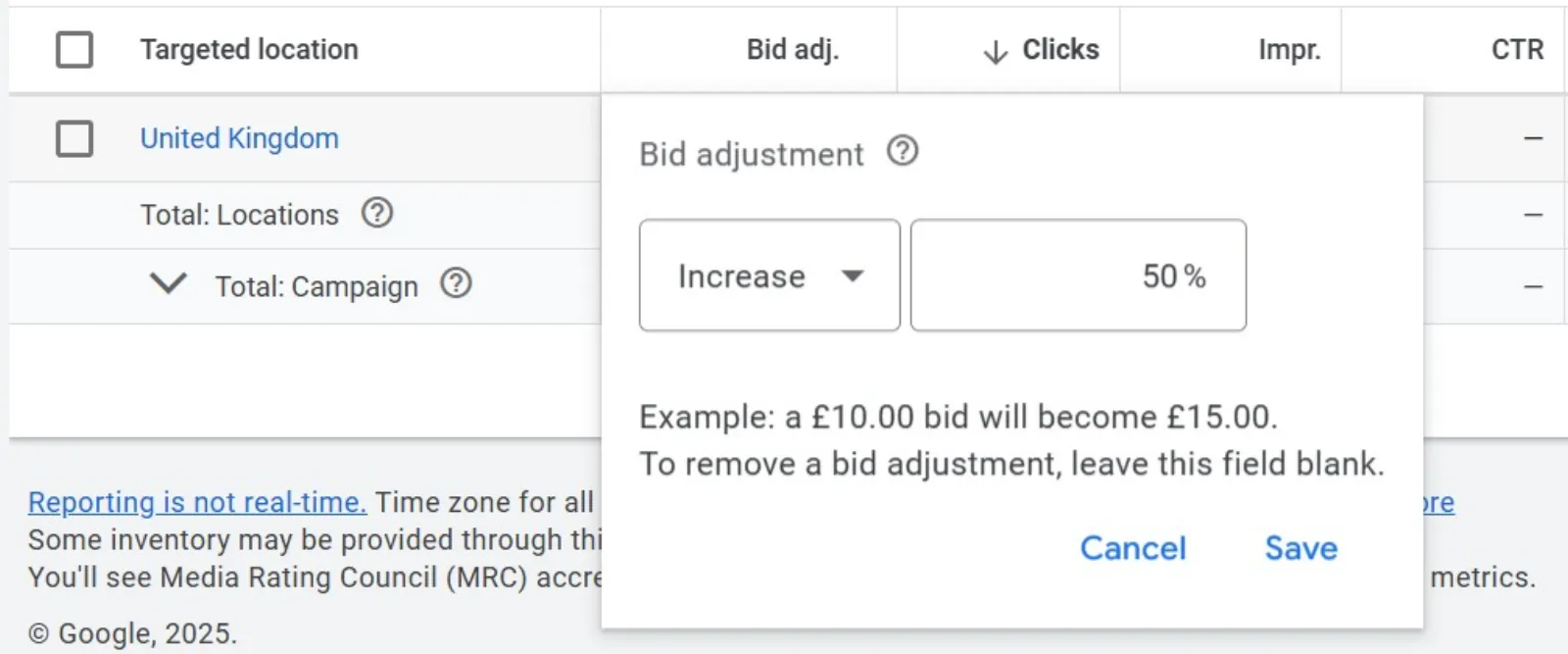
You’re probably already targeting specific cities or regions, which is a great start. But have you thought about how performance might vary within those areas?
Get your free Marketing Action PlanNot sure where to start? Answer a few questions and get your plan in about a minute. No email needed.
Get my plan →What they are: Location bid adjustments allow you to increase or decrease your bids for specific geographic locations (like a particular city, postal code, or even a radius around your business) within your targeted areas.
Why you should use them:
- Optimise local performance: If you notice that users in one part of your targeted city are converting better (or worse) than others, you can adjust your bids accordingly. Maybe people within a 5-mile radius of your physical store are more likely to visit.
- Budget efficiency: Don’t waste money bidding high in areas that aren’t performing well. Decrease bids where performance is weak and increase them where it’s strong.
- Hyper-local focus: For businesses with physical locations, this is crucial. You want to be highly visible to people who are nearby and ready to make a purchase.
How to get started: Go to the “Locations” section within your campaign settings. You’ll see an option to add specific locations and then set a bid adjustment (e.g., +20% or -15%). Keep an eye on your location reports to identify areas that are over- or underperforming.
2. Audience Segments (Observation Setting): Discover New Audiences
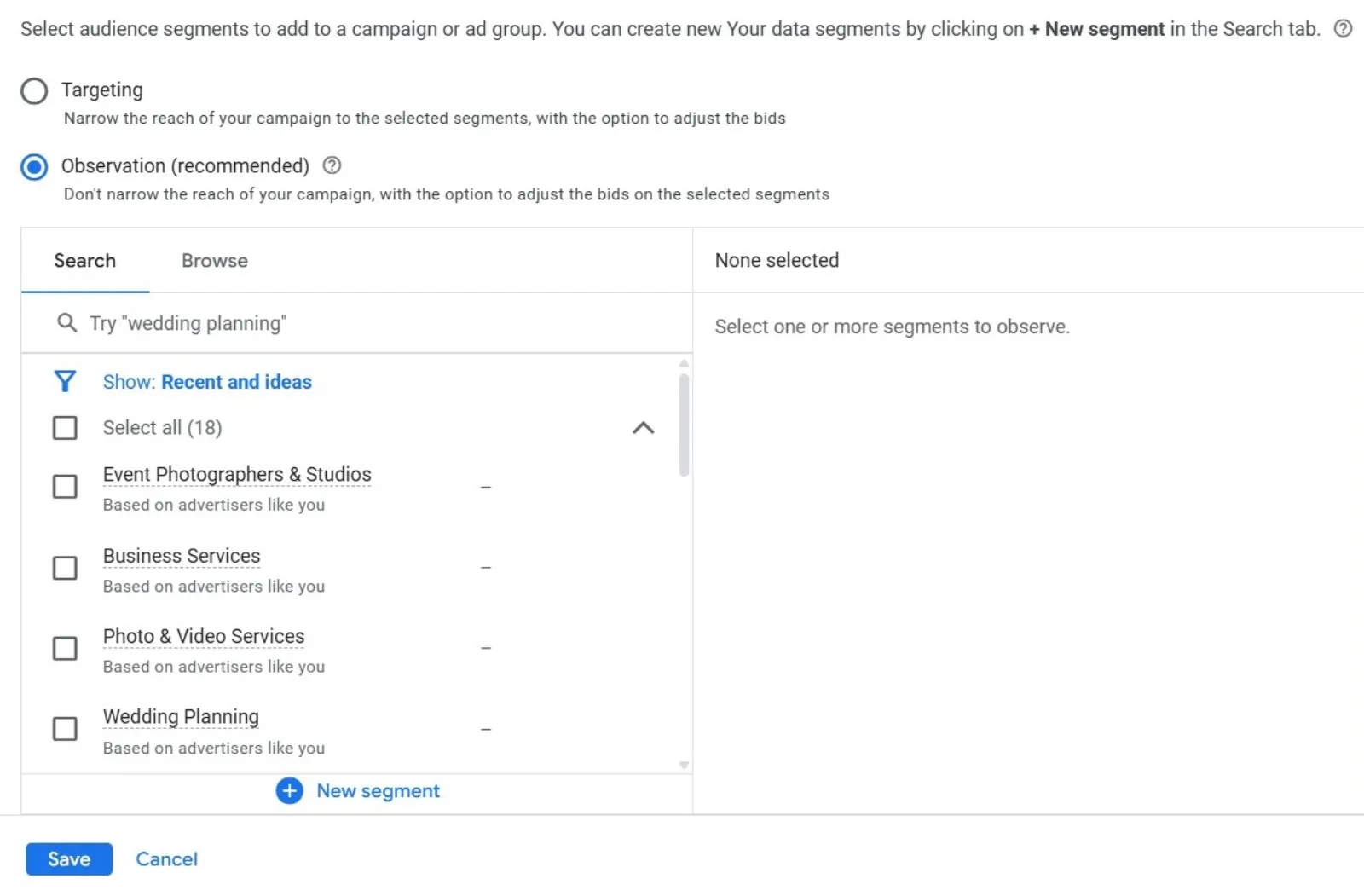
You’re likely using audience segments for remarketing or custom intent audiences. But are you using them in “Observation” mode? This is a game-changer for discovery.
What they are: When you add an audience segment (like “in-market for hiking gear” or “affinity for luxury travel”) to your ad groups in “Observation” mode, Google will not restrict your ads to only those people. Instead, it will report on how those audiences perform within your existing targeting.
Why you should use them:
- Uncover hidden gems: You might discover that a seemingly unrelated audience segment is converting very well for your product or service.
- Inform future targeting: The data you gather can help you create new, highly targeted campaigns or adjust your bids for specific, valuable audiences.
- Low-risk testing: Since it’s observation-only, you’re not limiting your reach. You’re simply gathering data without any immediate impact on who sees your ads.
How to get started: In your campaign or ad group settings, go to “Audiences.” When you add an audience segment, make sure you select “Observation” instead of “Targeting.” Let it run for a while, then review your audience reports to see the performance breakdowns.
3. Dynamic Search Ads (DSAs): Catch Missed Queries
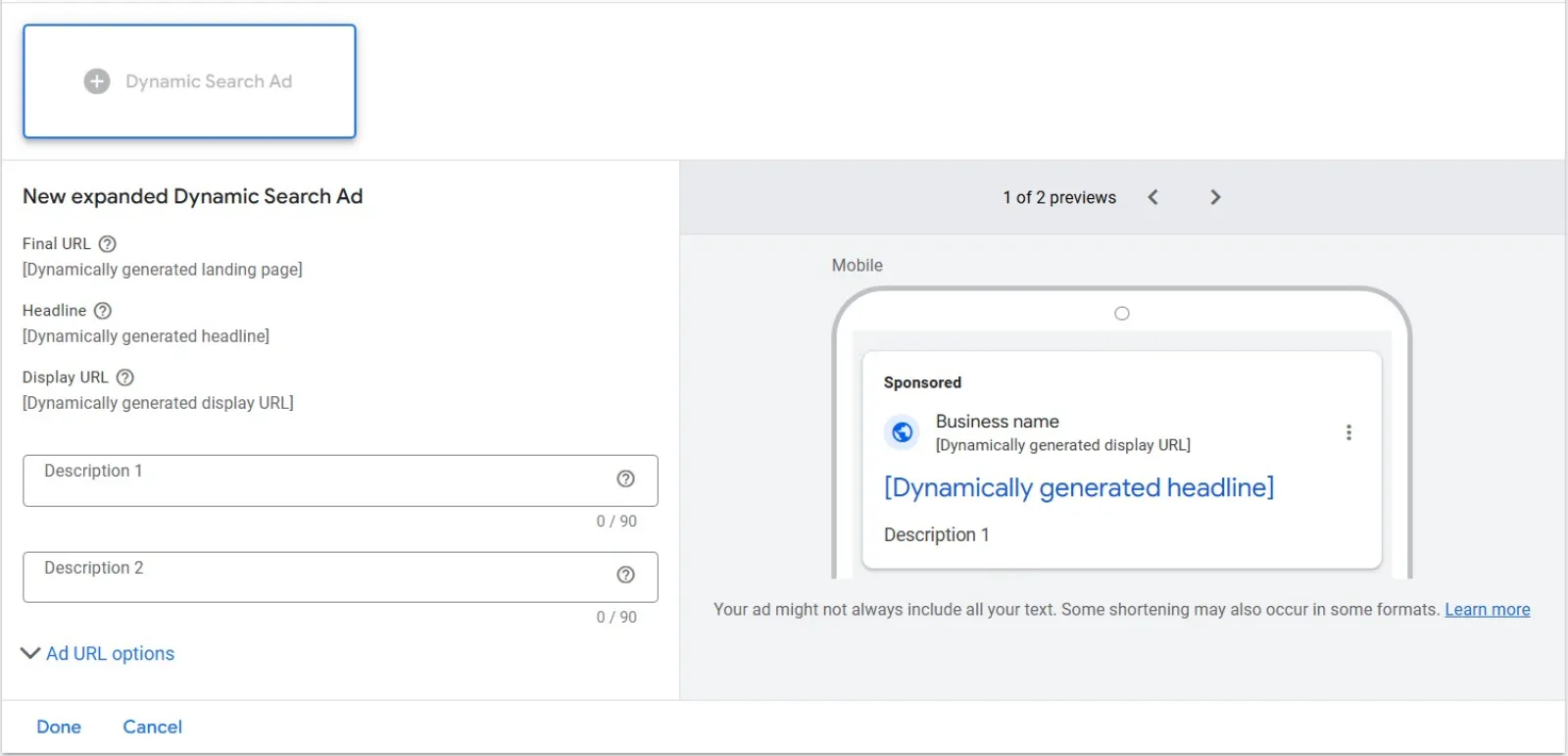
Even with extensive keyword lists, you’re probably missing out on relevant searches. People use all sorts of phrases, and it’s impossible to predict them all. That’s where DSAs come in.
What they are: Dynamic Search Ads don’t use keywords. Instead, Google automatically generates ads based on the content of your website. When a user’s search query is relevant to your website content, Google displays a dynamically generated headline and landing page URL. You still write the descriptions.
Why you should use them:
- Fill in keyword gaps: Catch queries you haven’t thought of or didn’t explicitly add as keywords. This is especially useful for large e-commerce sites with thousands of products.
- Save time: No need for extensive keyword research and management for every single product or service.
- Improve relevance: Google often does a surprisingly good job of matching user intent to your site’s content, leading to highly relevant ad experiences.
- Identify new keywords: Review the search terms report for your DSA campaigns to find high-performing queries that you can then add as exact match keywords to your standard campaigns.
How to get started: Create a new campaign and select “Dynamic Search Ads” as the campaign type. You’ll then specify which parts of your website Google should scan (e.g., your entire site, specific pages, or even a page feed). You’ll still need to write compelling ad descriptions.
 LIVE
Live every Tuesday at 2pm UK. Bring your marketing questions.
Get your Google, local SEO and AI questions answered live.
4. Shared Budgets: Optimise Spend Across Campaigns
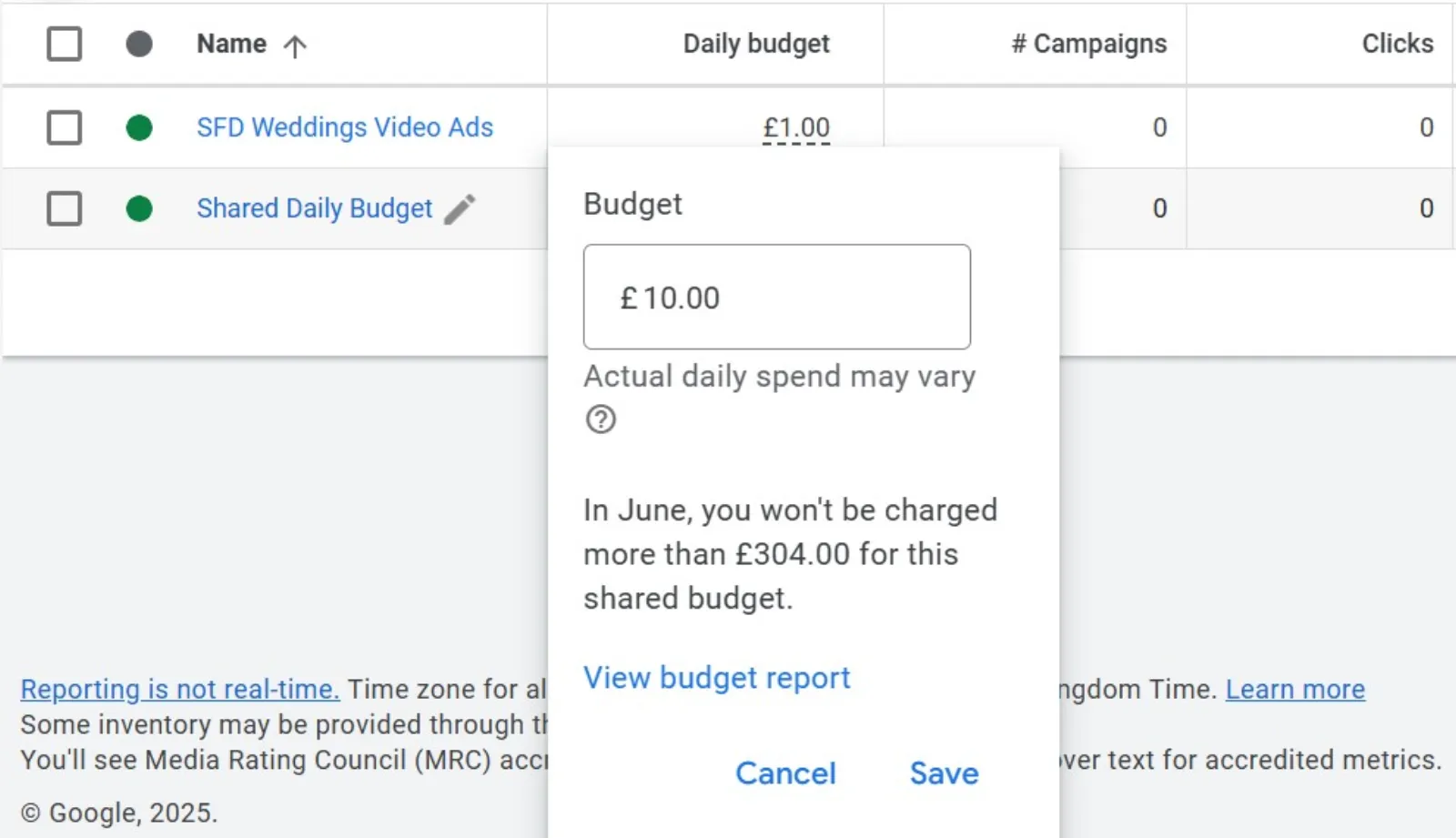
Managing multiple campaigns can sometimes lead to individual budgets being exhausted too quickly or not being fully utilised. Shared budgets can smooth this out.
What they are: Instead of setting a daily budget for each campaign, you create a single “shared budget” that multiple campaigns can draw from. Google then automatically allocates the budget where it sees the most potential for conversions.
Why you should use them:
- Maximise spending efficiency: If one campaign is performing exceptionally well on a given day but is limited by its budget, it can draw from the shared pool. Meanwhile, a campaign having an off day won’t spend its full budget, allowing other campaigns to utilise those funds.
- Reduced manual oversight: Less need to constantly adjust individual campaign budgets based on daily fluctuations.
- Better performance for the overall account: Google aims to get you the most conversions for your total budget, not just for each campaign.
How to get started: Go to “Tools and Settings” -> “Shared Library” -> “Budgets.” Create a new shared budget and then apply it to the campaigns you want to include. This works best when campaigns have similar goals or are part of a larger, unified marketing effort.
5. Negative Keyword Lists: Stop Wasting Money
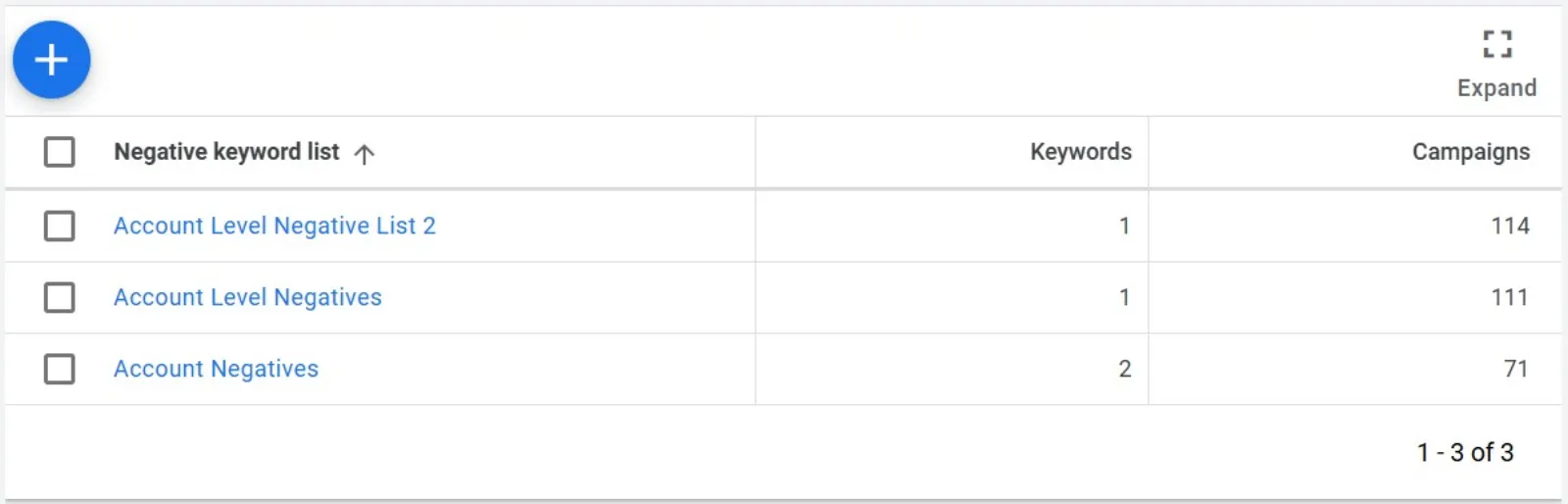
You’re probably already adding negative keywords at the campaign or ad group level, which is excellent. But are you using negative keyword lists? This is a time-saver and accuracy booster.
What they are: A negative keyword list is a compilation of keywords you want to exclude from showing your ads. Instead of adding the same negative keywords to multiple campaigns individually, you create one list and apply it to as many campaigns as needed.
Why you should use them:
- Consistency: Ensure that unwanted search terms are consistently blocked across all relevant campaigns. No more accidentally showing your “wedding photography” ad for “free wedding photos.”
- Time-saving: No need to manually add the same negative keywords repeatedly. Add it once to the list, and all linked campaigns are updated.
- Improved organisation: Keep your negative keywords organised and easily manageable in one central location.
- Prevent irrelevant clicks: This directly saves you money by preventing your ads from showing for searches that are not going to convert (e.g., “jobs,” “free,” “review,” “comparison” if you’re not offering those things).
How to get started: Go to “Tools and Settings” -> “Shared Library” -> “Negative Keyword Lists.” Create new lists, add your negative keywords, and then apply these lists to your campaigns. You can have multiple lists for different purposes (e.g., a “competitor” list, a “general exclusions” list, etc.).
6. Performance Max: Streamline and Expand Reach (with a learning curve)
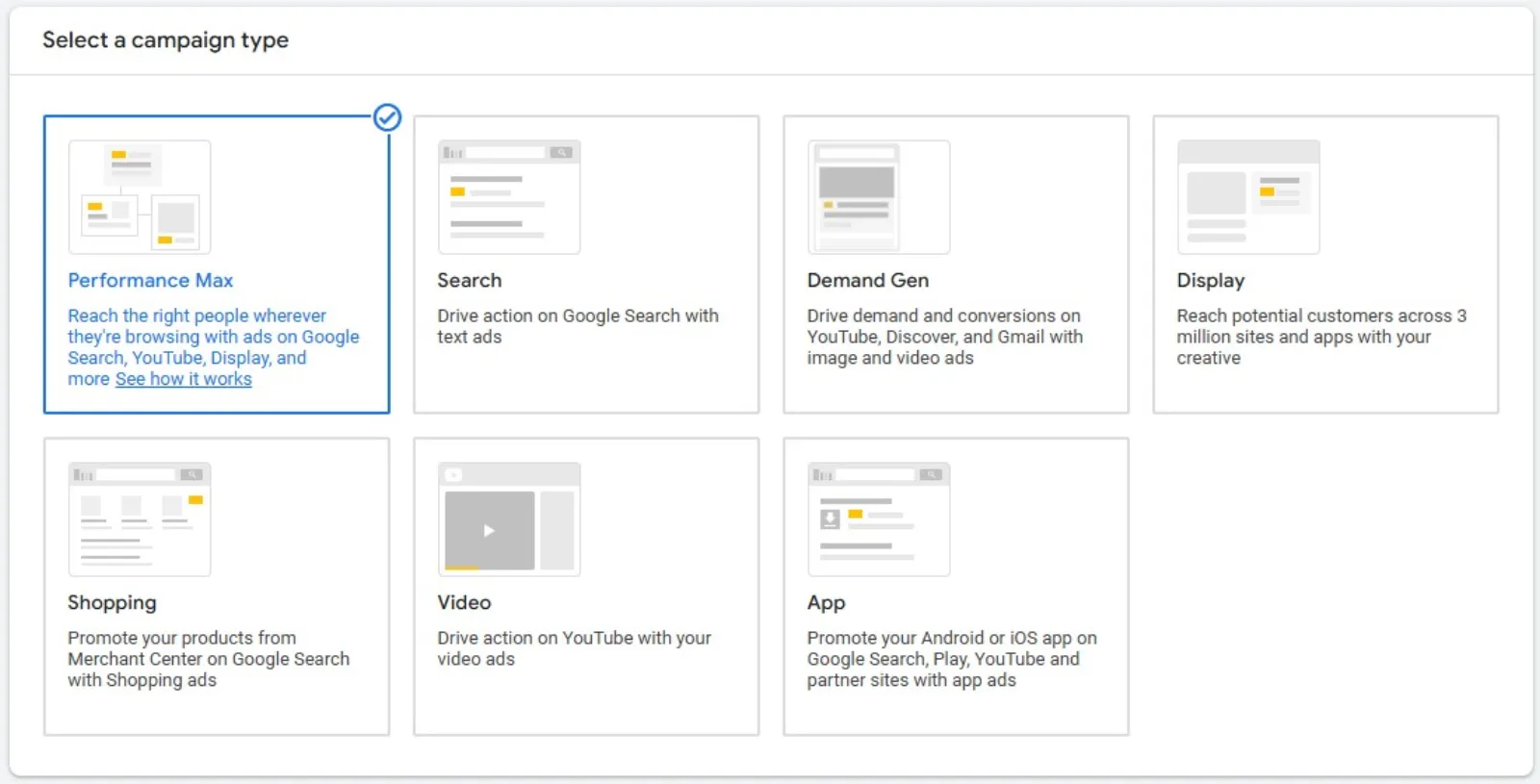
Okay, Performance Max (PMax) is a newer kid on the block, and it’s a feature you should be using, but it comes with a bit of a learning curve and requires some trust in Google’s automation.
What it is: Performance Max is a goal-based campaign type that allows advertisers to access all of their Google Ads inventory (Search, Display, Discover, Gmail, YouTube, Maps) from a single campaign. You provide assets (headlines, descriptions, images, videos) and specify your conversion goals, and Google’s AI then optimises to achieve those goals across all available channels.
Why you should use it:
- Broad reach: Get your message in front of potential customers across virtually all Google properties.
- Simplified management: Instead of managing separate campaigns for different networks, PMax consolidates them.
- AI-powered optimisation: Google’s machine learning leverages your assets and goals to find the best-performing combinations and placements.
- Discover new opportunities: PMax can uncover new conversion paths and audiences you might not have targeted manually.
Considerations:
- Less control: You have less granular control over individual placements and keywords compared to traditional campaigns.
- Asset quality is key: The performance of PMax heavily relies on the quality and variety of the assets (images, videos, text) you provide.
- Requires conversion tracking: Essential for PMax to optimise effectively.
How to get started
Create a new campaign and select “Performance Max” as the campaign type. You’ll then be guided through providing your assets (text, images, videos), audience signals (these help the AI understand who to target, but aren’t limiting), and setting your conversion goals. It’s often best to run PMax alongside your existing Search campaigns, rather than replacing them immediately, to see how it complements your strategy.
Don’t just set it and forget it!
Google Ads is constantly evolving, and so should your strategy. By incorporating even a few of these features into your campaigns, you can unlock better performance, reach new customers, and ultimately get a better return on your advertising spend. Start small, test things out, and see the difference these powerful (and often underutilised) features can make!

Written by Uzair Kharawala
Partner at SF Digital Studios, a Google Premier Partner agency. Uzair has been helping businesses grow with Google Ads since 2002 and teaches it every week on YouTube.
Get our best Google Ads tips by email
New articles and videos, straight to your inbox. Unsubscribe any time.